ubuntu 安装 ZooKeeper

 0
0 0
0 0
0
ZooKeeper是一个开源的分布式协调框架,主要用来解决分布式集群中应用系统的一致性问题。
ZooKeeper 是一款高性能的分布式应用协调服务。它以简洁的接口公开了命名、配置管理、同步和组服务等常用服务,无需您从头开始编写。您可以直接使用它来实现共识、组管理、领导者选举和在线状态协议。此外,您还可以根据自身特定需求进行扩展。
1
下载


123
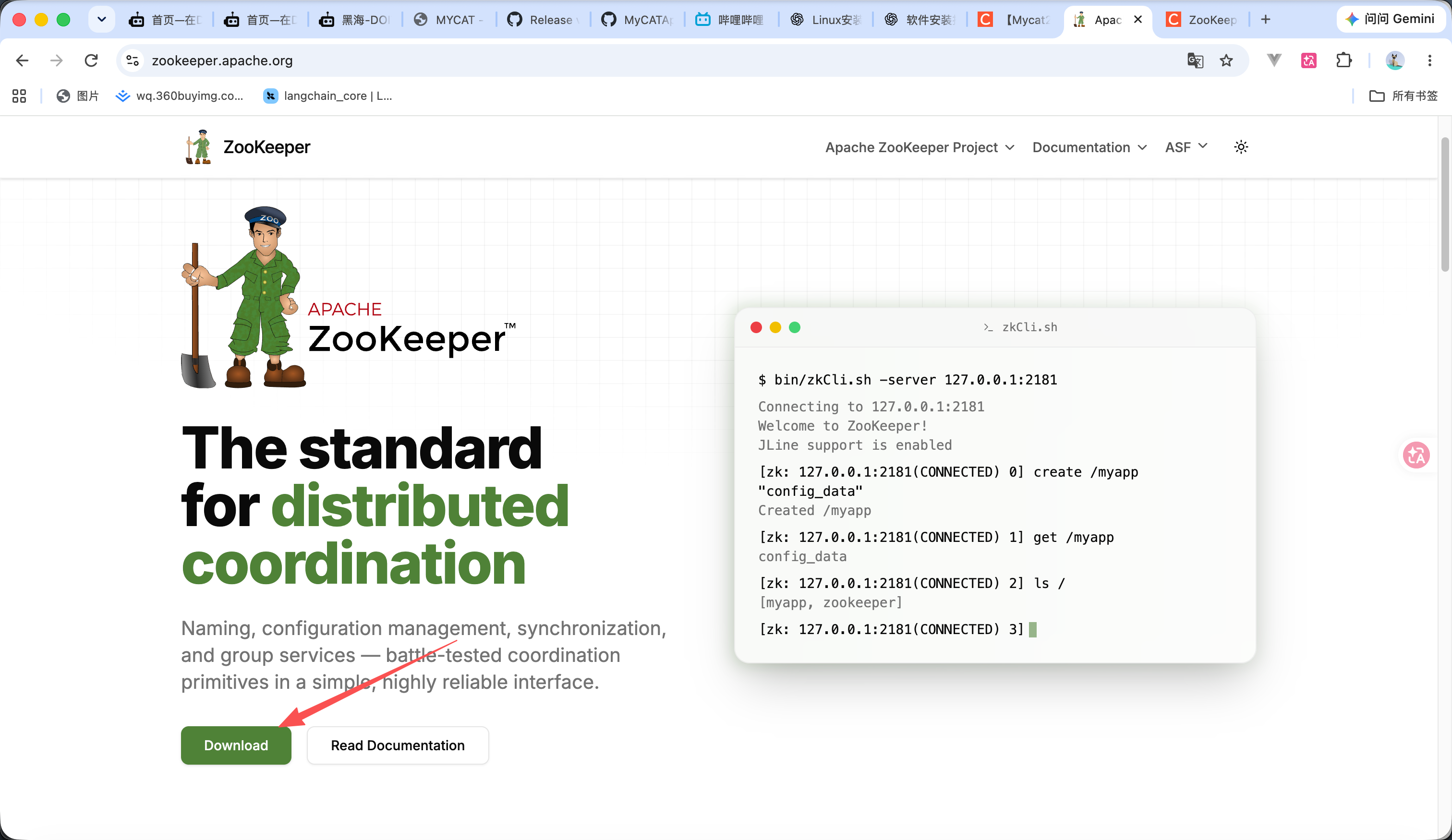
https://zookeeper.apache.org/releases 这个是zookeeper的官网地址 进入官网后点击下载 如图1所示
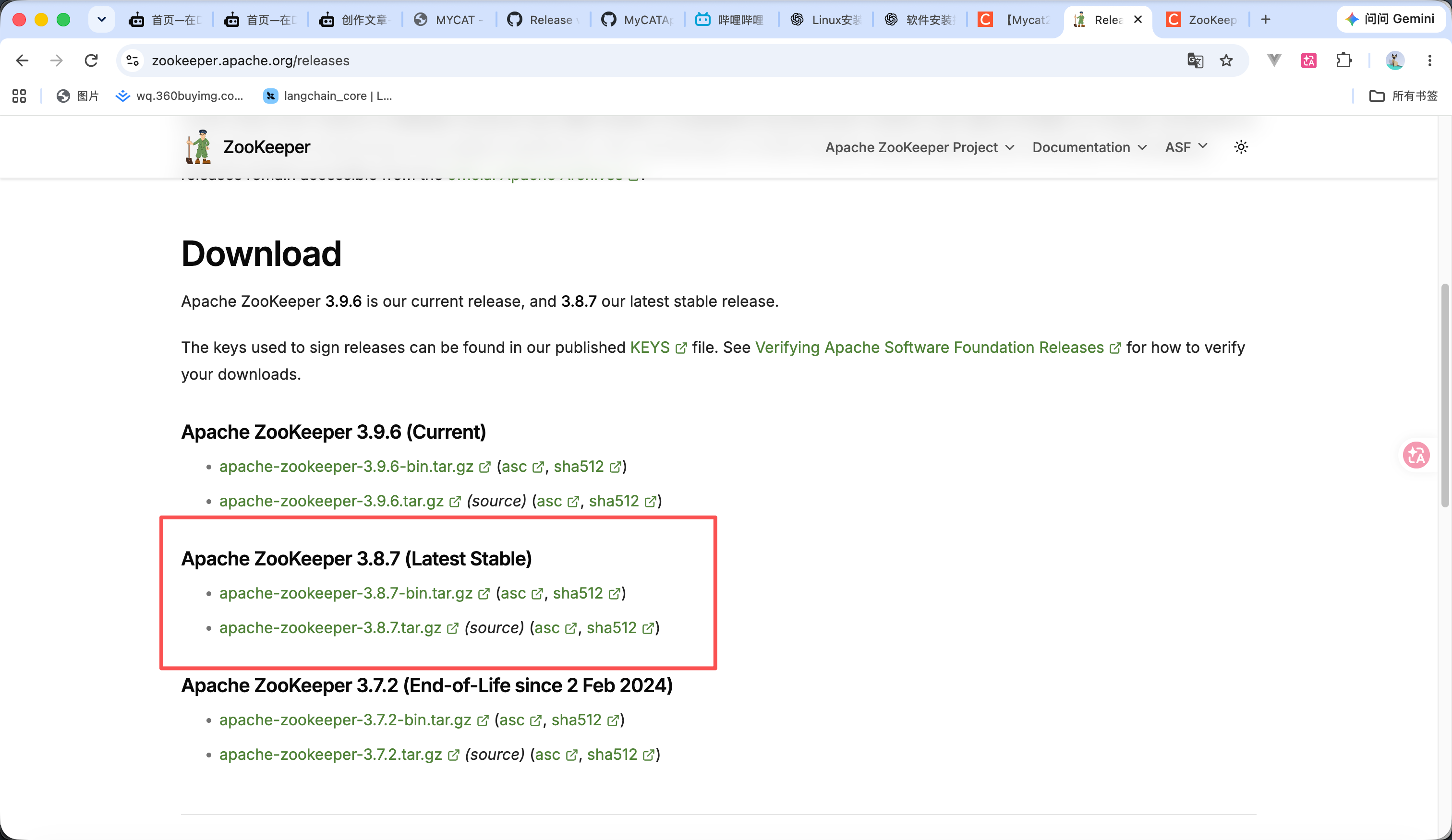
然后选择好版本后 点击下载 下面的是源代码 上面是编辑好的 我们点击上面的
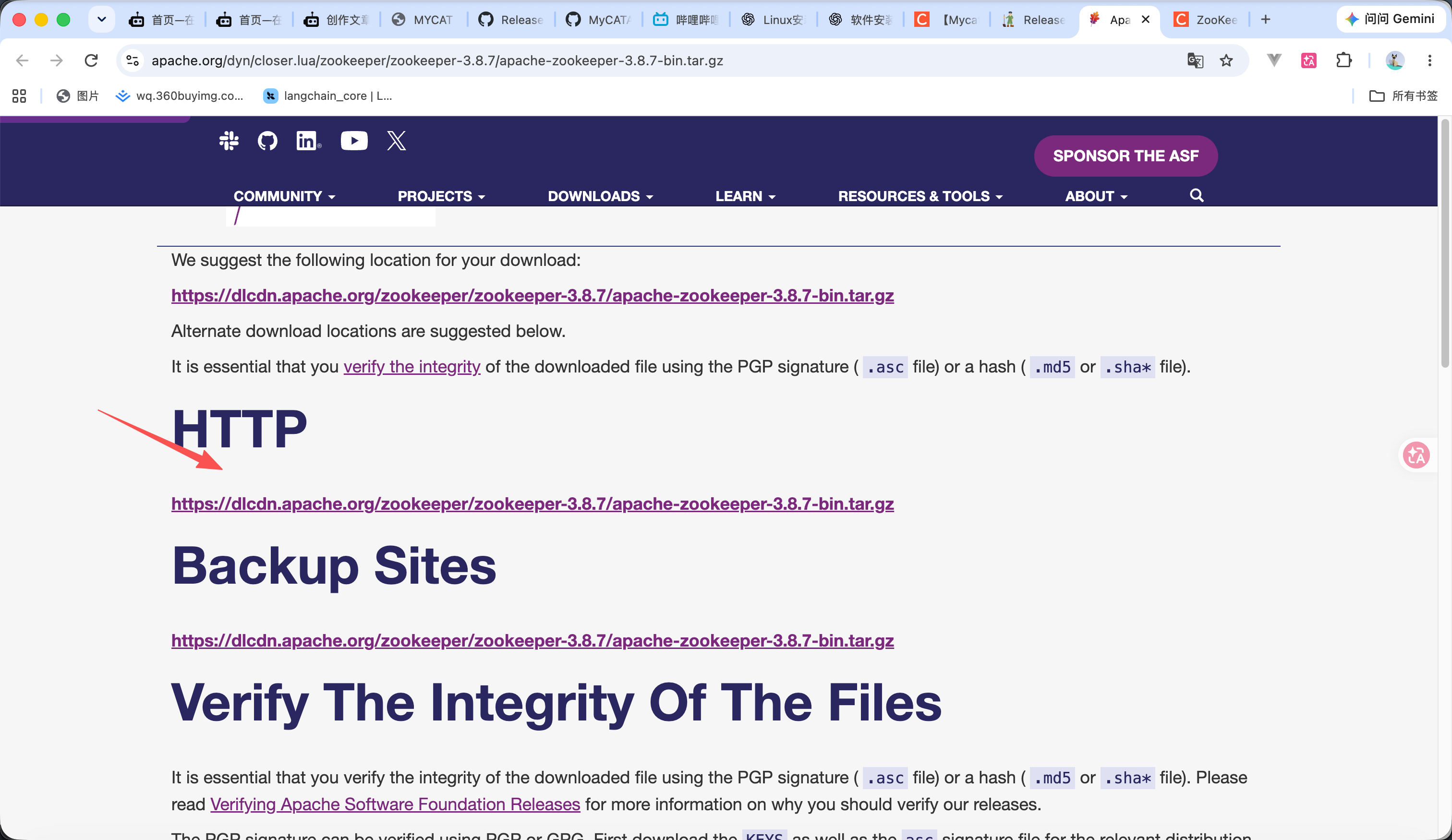
点击后他会跳转到阿帕奇官网 然后点击链接进行下载 也可以直接在附件里进行下载
apache-zookeeper-3.8.7-bin.tar.gz
15.08MB
2
安装
12
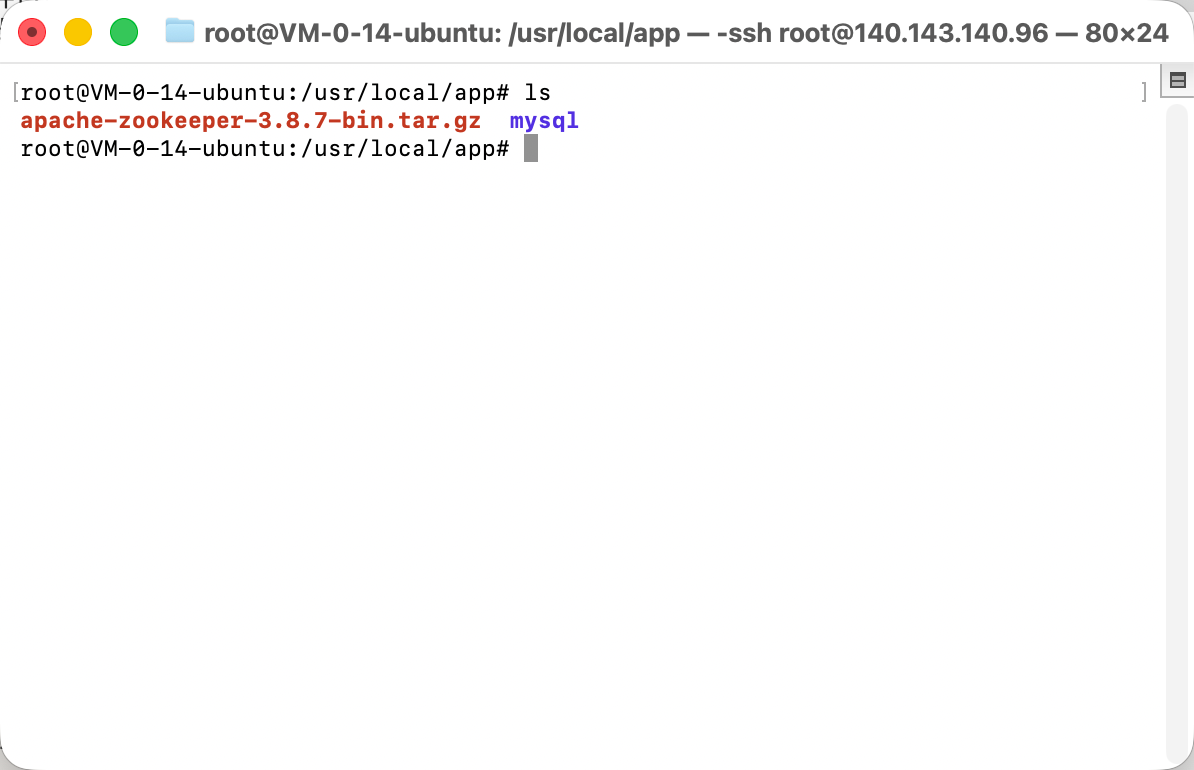
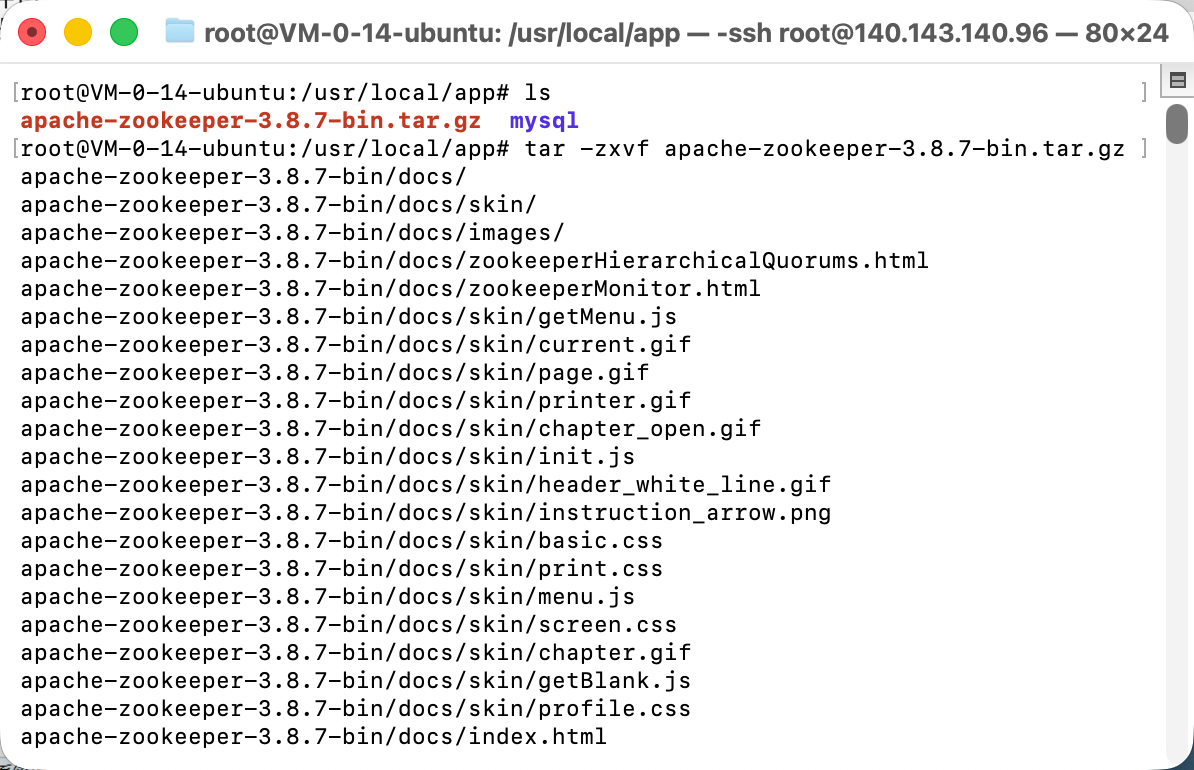
- 我们把包上传到服务器上
- 然后输入命令 tar -zxvf apache-zookeeper-3.8.7-bin.tar.gz 进行解压
3
修改配置文件

12
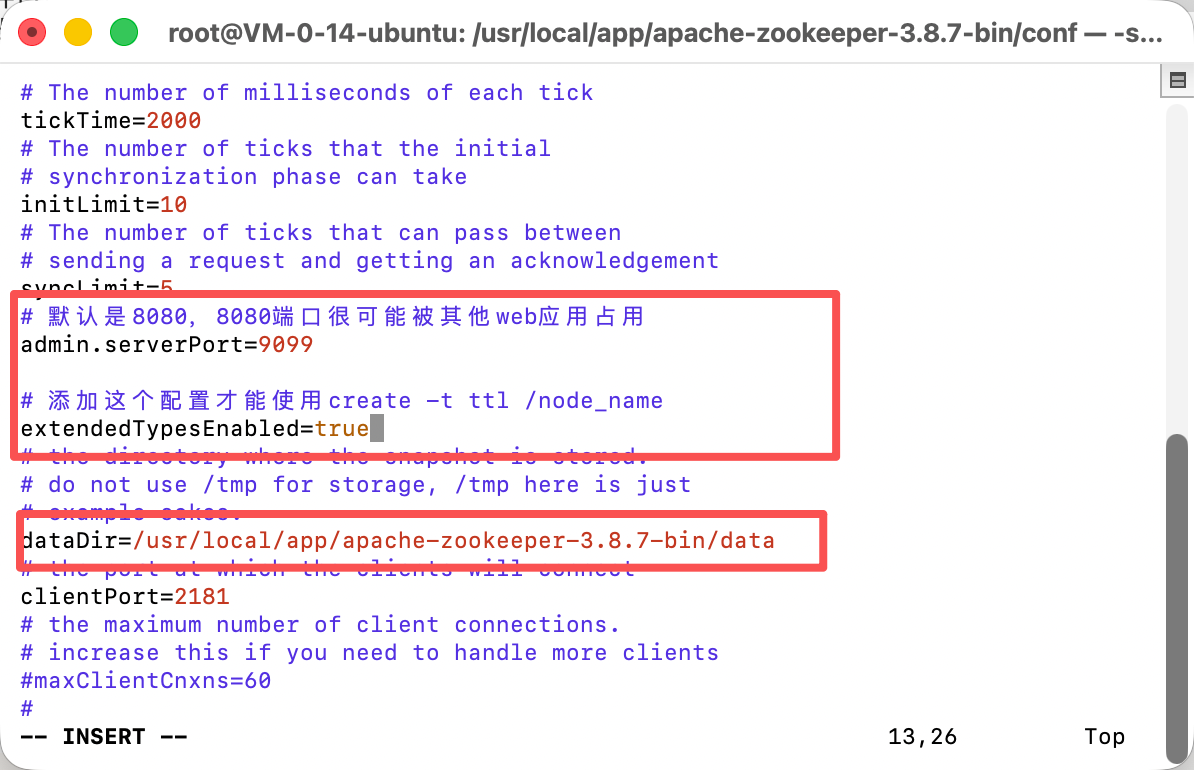
- 如图1所示 cd 进入到conf 目录下
- 输入命令 vim zoo_sample.cfg 修改配置文件 修改dataDir配置为安装目录下的data目录 然后 同时,添加两个配置 代码如下 如图2所示
# 默认是8080,8080端口很可能被其他web应用占用
admin.serverPort=9099
# 添加这个配置才能使用create -t ttl /node_name
extendedTypesEnabled=true
完整配置文件内容如下
# The number of milliseconds of each tick
tickTime=2000
# The number of ticks that the initial
# synchronization phase can take
initLimit=10
# The number of ticks that can pass between
# sending a request and getting an acknowledgement
syncLimit=5
# 默认是8080,8080端口很可能被其他web应用占用
admin.serverPort=9099
# 添加这个配置才能使用create -t ttl /node_name
extendedTypesEnabled=true
# the directory where the snapshot is stored.
# do not use /tmp for storage, /tmp here is just
# example sakes.
dataDir=/usr/local/app/apache-zookeeper-3.8.7-bin/data
# the port at which the clients will connect
clientPort=2181
# the maximum number of client connections.
# increase this if you need to handle more clients
#maxClientCnxns=60
#
# Be sure to read the maintenance section of the
# administrator guide before turning on autopurge.
#
# https://zookeeper.apache.org/doc/current/zookeeperAdmin.html#sc_maintenance
#
# The number of snapshots to retain in dataDir
#autopurge.snapRetainCount=3
# Purge task interval in hours
# Set to "0" to disable auto purge feature
#autopurge.purgeInterval=1
## Metrics Providers
#
# https://prometheus.io Metrics Exporter
#metricsProvider.className=org.apache.zookeeper.metrics.prometheus.PrometheusMetricsProvider
#metricsProvider.httpHost=0.0.0.0
#metricsProvider.httpPort=7000
#metricsProvider.exportJvmInfo=true
4
启动
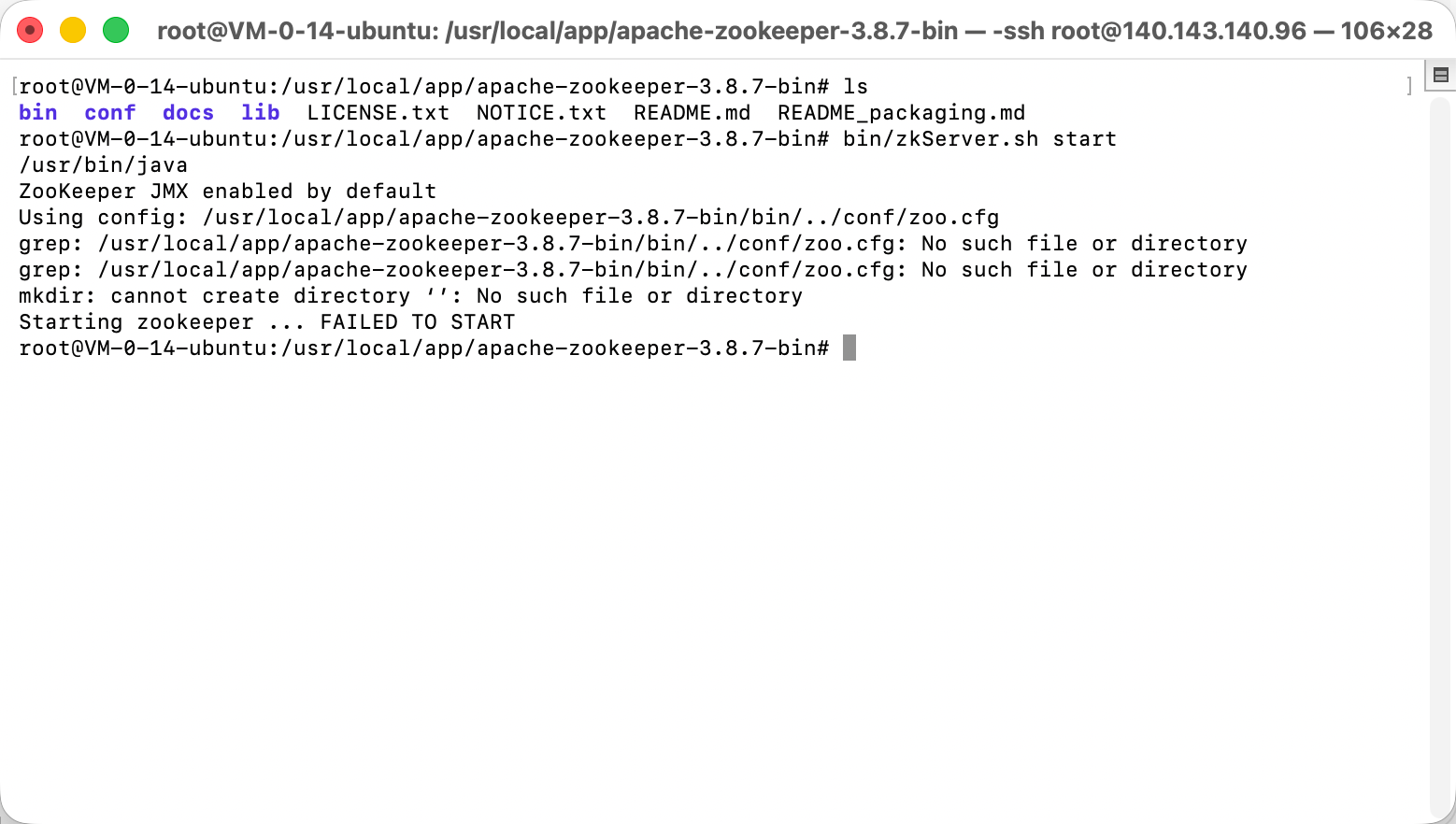
- 输入命令 bin/zkServer.sh start 启动 zookeeper 如图1所示
常用命令如下
bin/zkServer.sh stop # 停止zookeeper
bin/zkServer.sh start # 启动zookeeper
bin/zkServer.sh status # 查看zookeeper状态
bin/zkServer.sh restart # 重启zookeeper
bin/zkServer.sh start-foreground # 在前台启动zookeeper
 0
0 0
0 0
0 qq空间
qq空间  微博
微博  复制链接
复制链接  分享
分享  本文未经作者允许授权,禁止转载
 更多相关项目
猜你喜欢
评论/提问(已发布 0 条)

 评论
评论  收藏
收藏  分享
分享  下载
下载  举报
举报  回顶部
回顶部