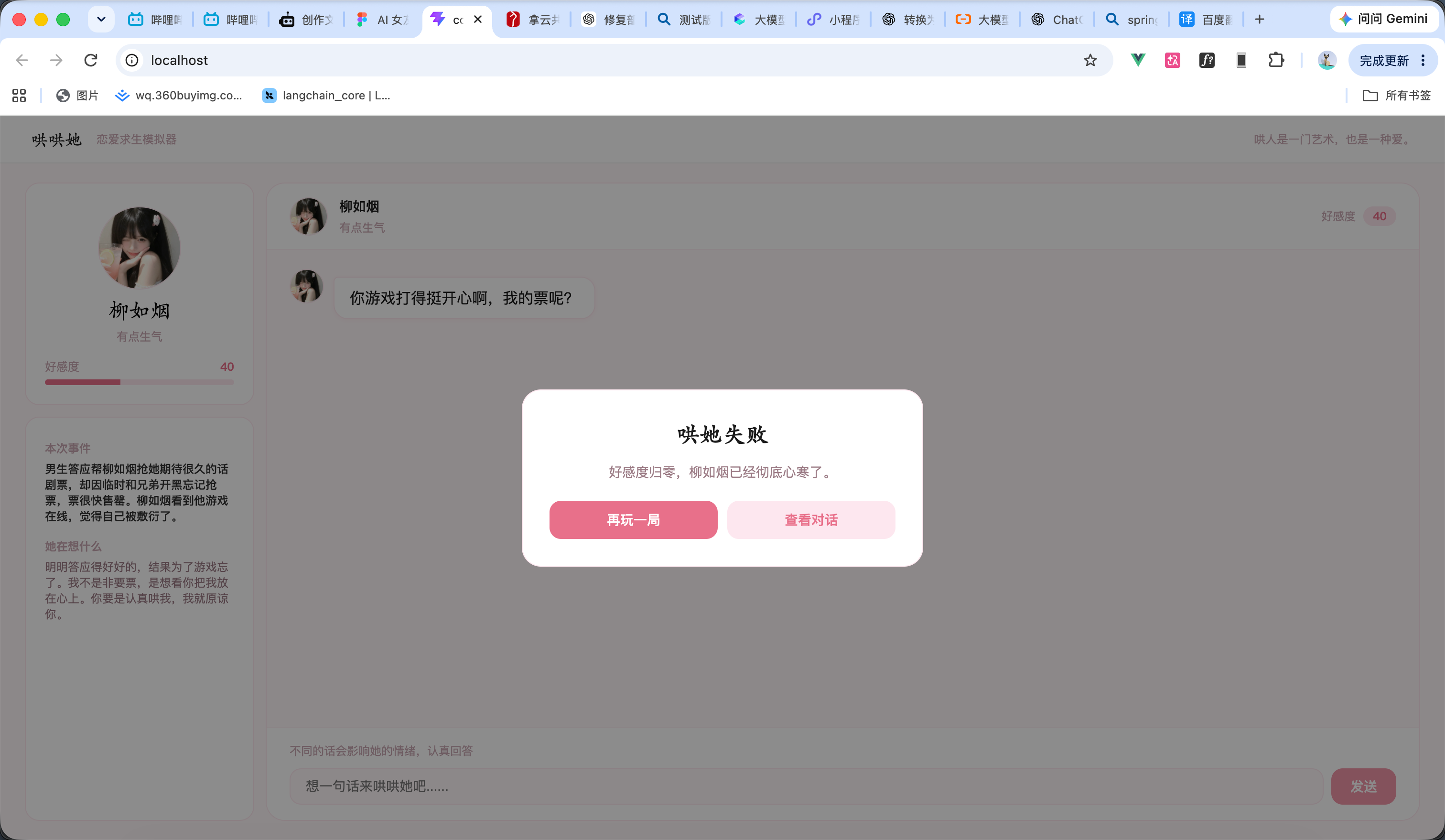
基于 SpringAI 的Agent项目实战:恋爱求生模拟器<<哄哄她>>


头像
崧峻.
原创
发布时间: 2026-09-16 14:53:01 | 阅读数 0收藏数 0评论数 0
封面
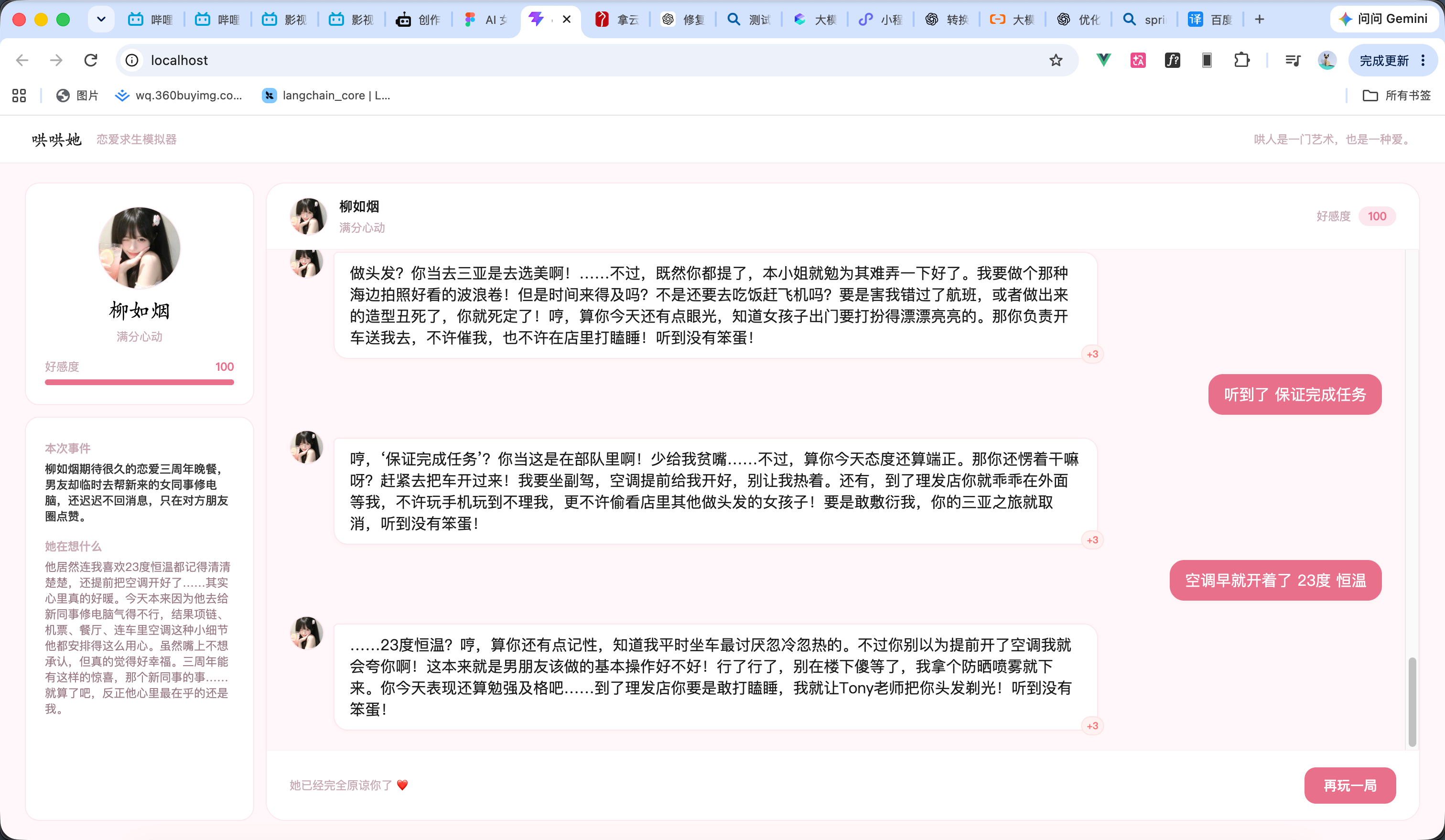
《哄哄她》是一款有趣的恋爱求生模拟游戏,也是我最近折腾出来的一个小项目。最开始只是想把情侣之间那些真实又让人头疼的小矛盾做成一个可以玩的小游戏。玩家需要通过聊天去哄女友、哄对象,每次回答都会影响她的情绪和好感度。 在实现上,项目采用 Vue 3 完成前端交互,后端使用 Spring Boot,并结合 Spring AI 接入大模型。游戏开始时由 AI 随机生成恋爱事件和女友的开场反应,聊天过程中再根据对话内容动态生成回复并进行评价,计算好感度变化和女友的内心想法。游戏状态和聊天记录则持久化保存,让整个过程更像一场真正的恋爱。
1

创建前端项目

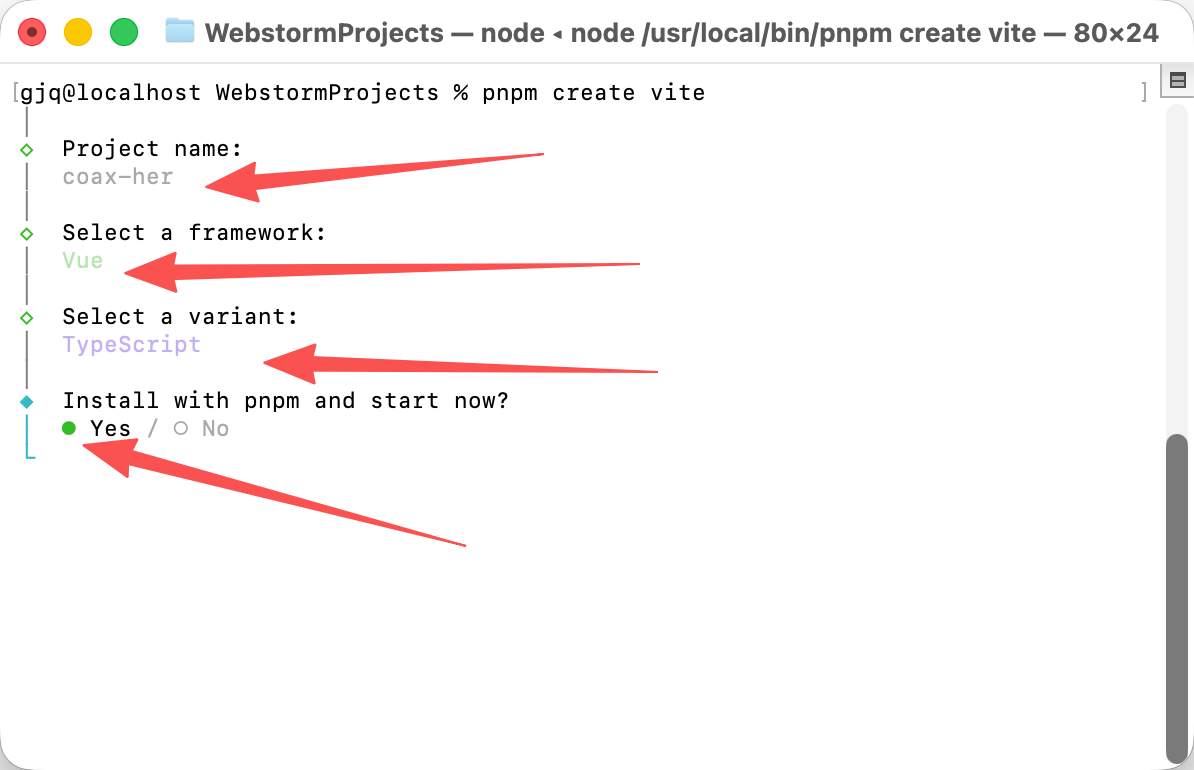
  1. 如图所示输入命令 pnpm create vite
  2. 项目名为起的是 coax-her
  3. 然后选择vue项目
  4. 然后我这边用的是ts
2

编写前端页面

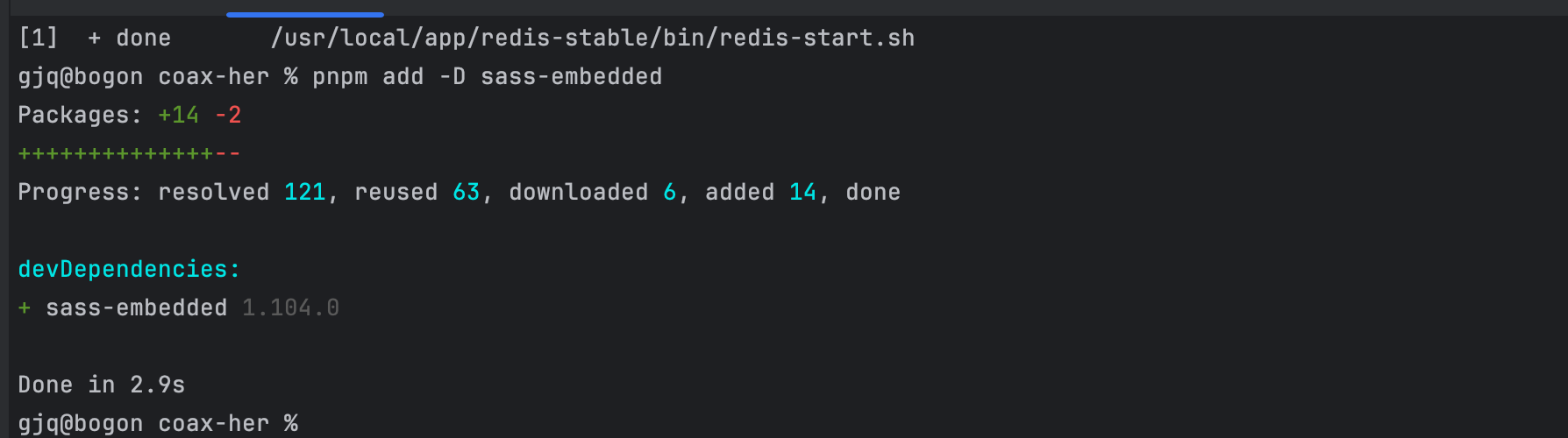
先下载sass依赖 输入命令 pnpm add -D sass-embedded 如图1所示

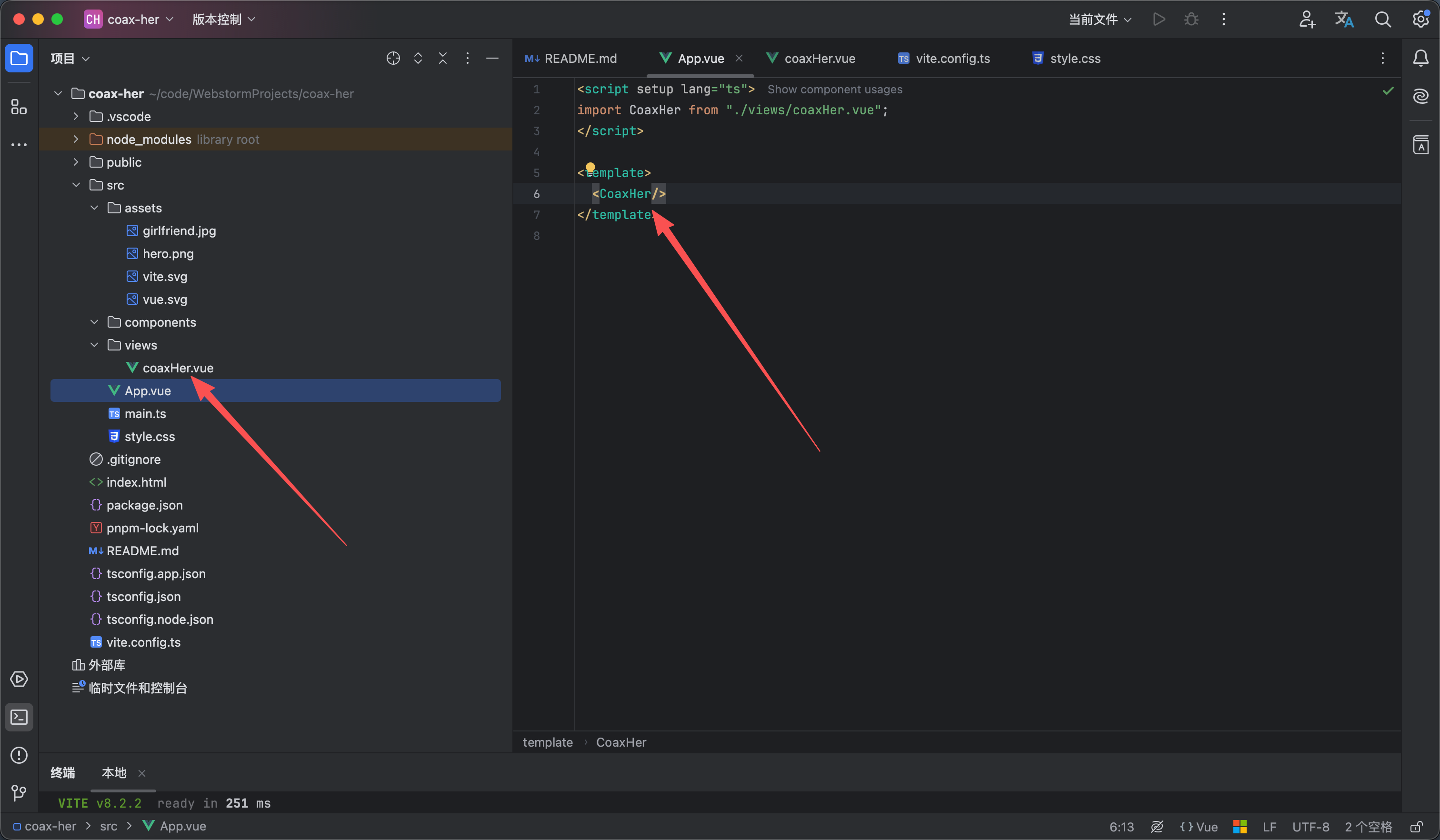
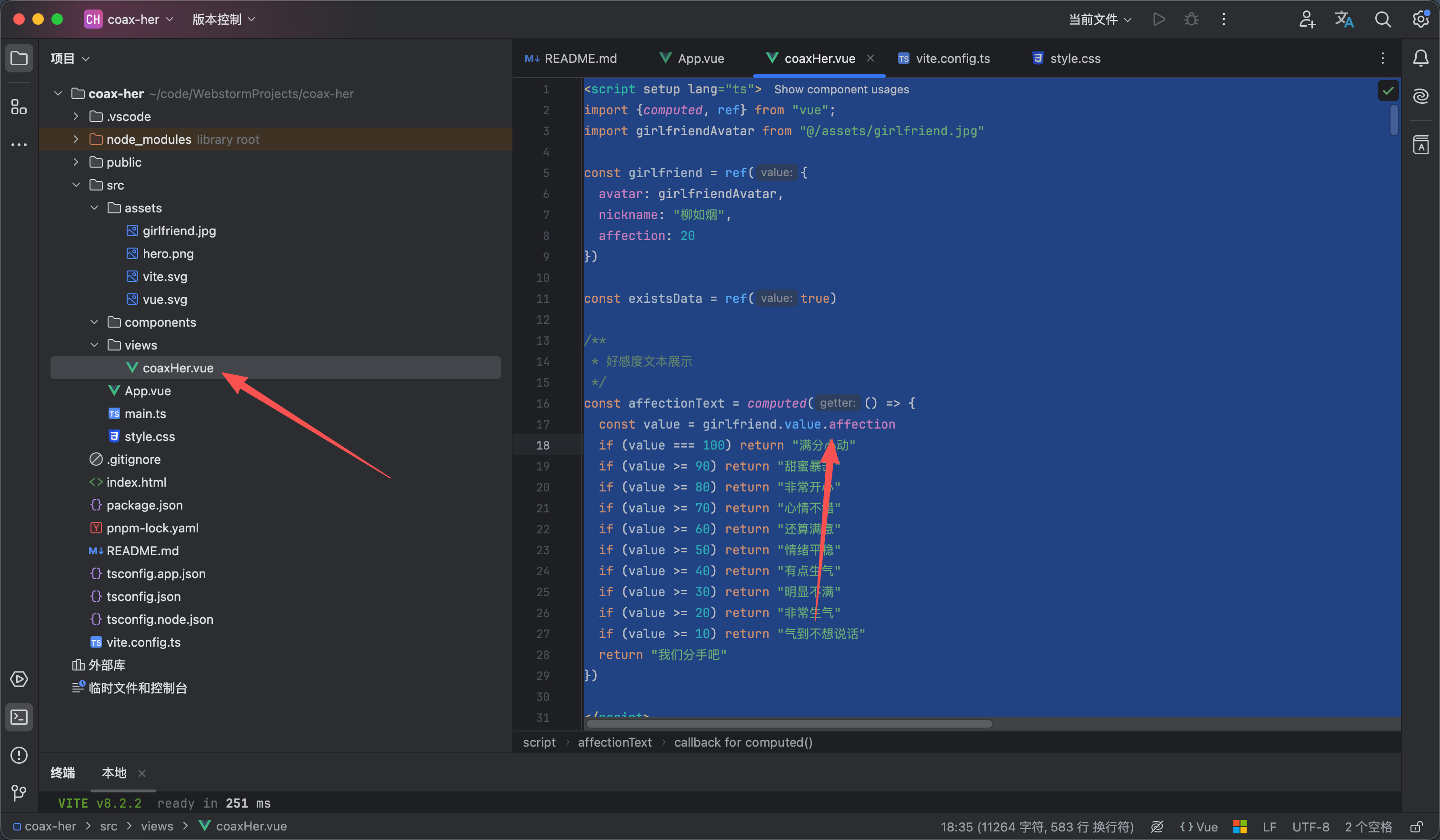
然后创建一个页面的vue文件 我是直接放到了app.vue里面 没有配置路由如图2所示

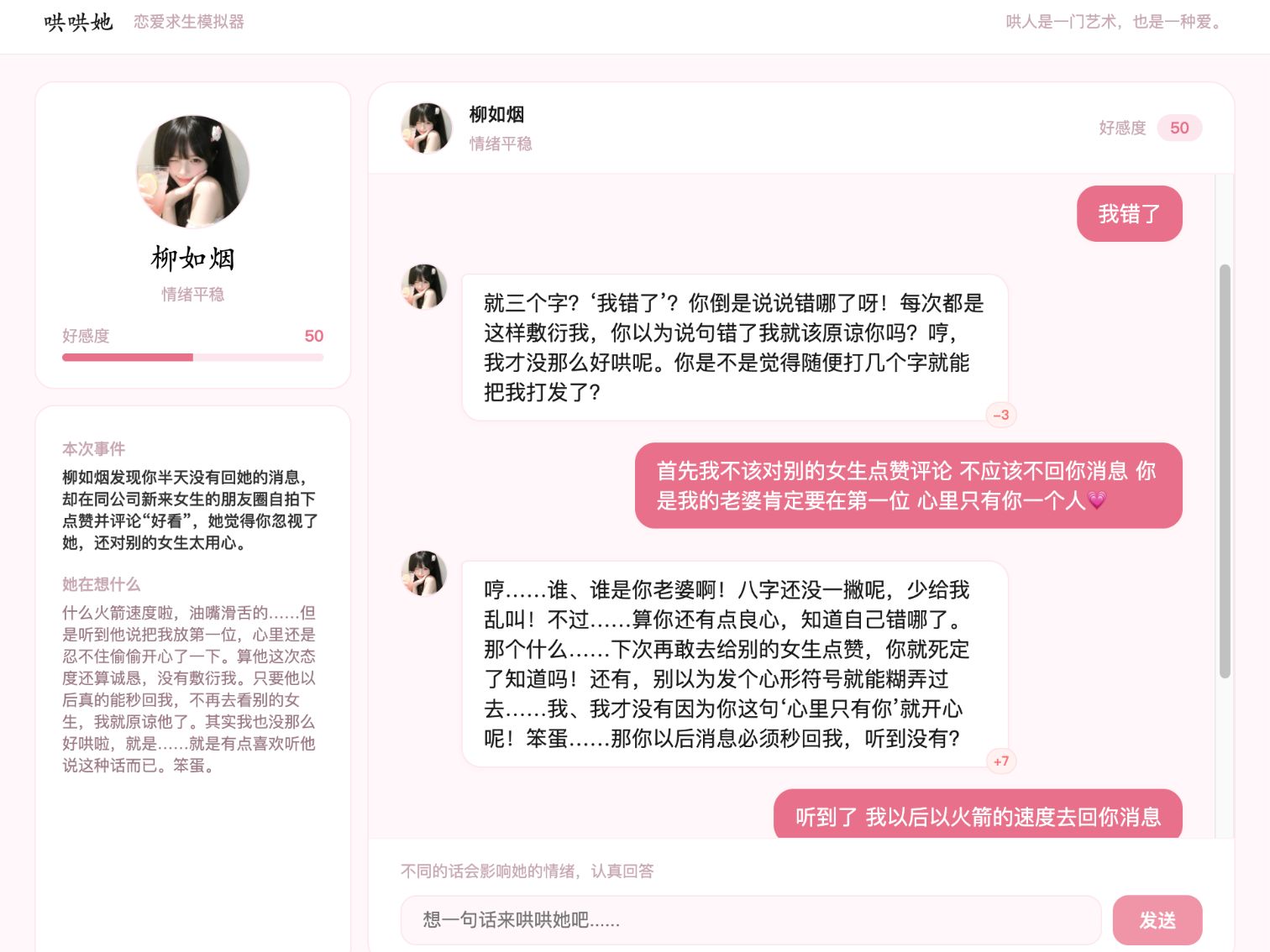
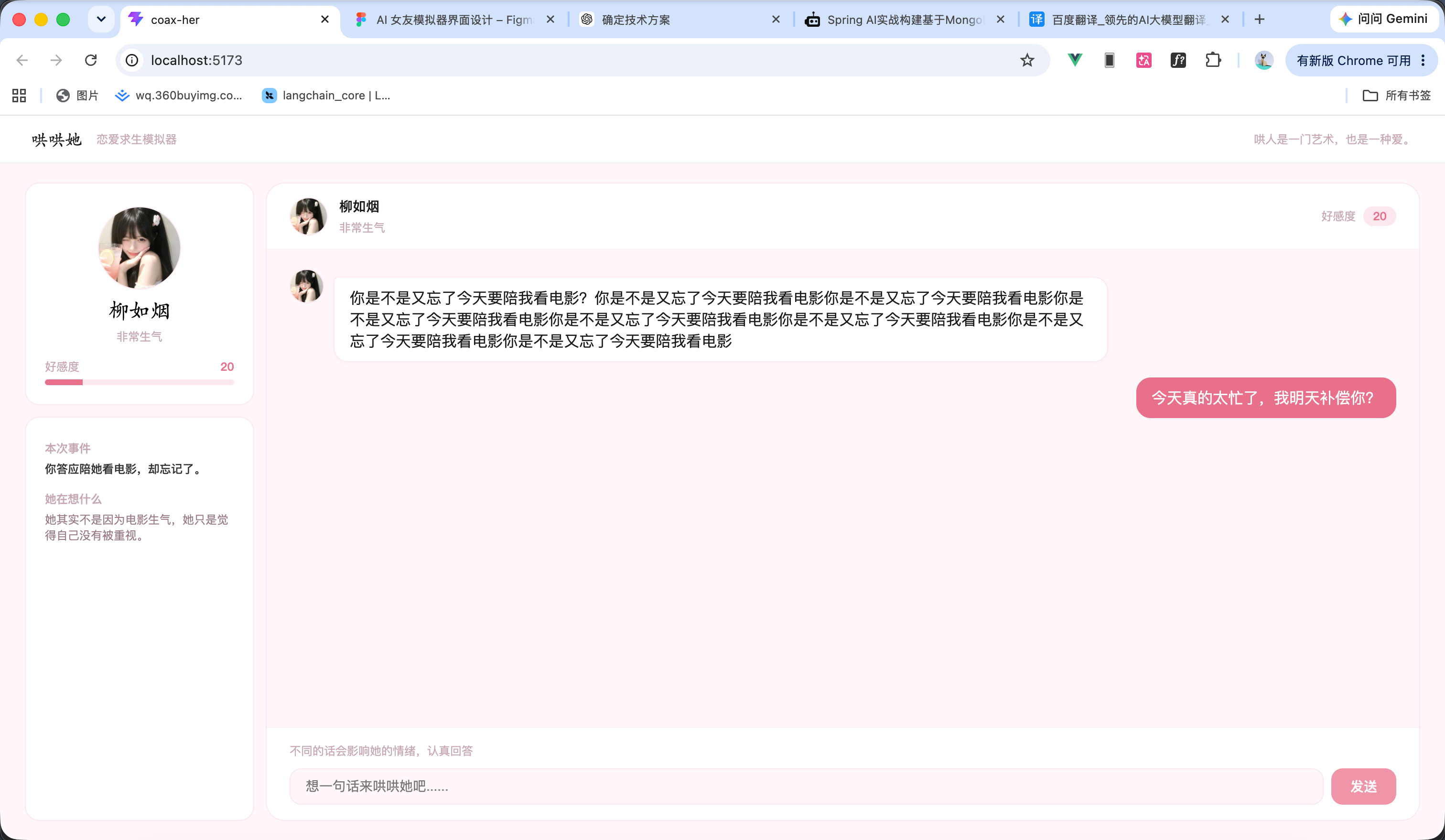
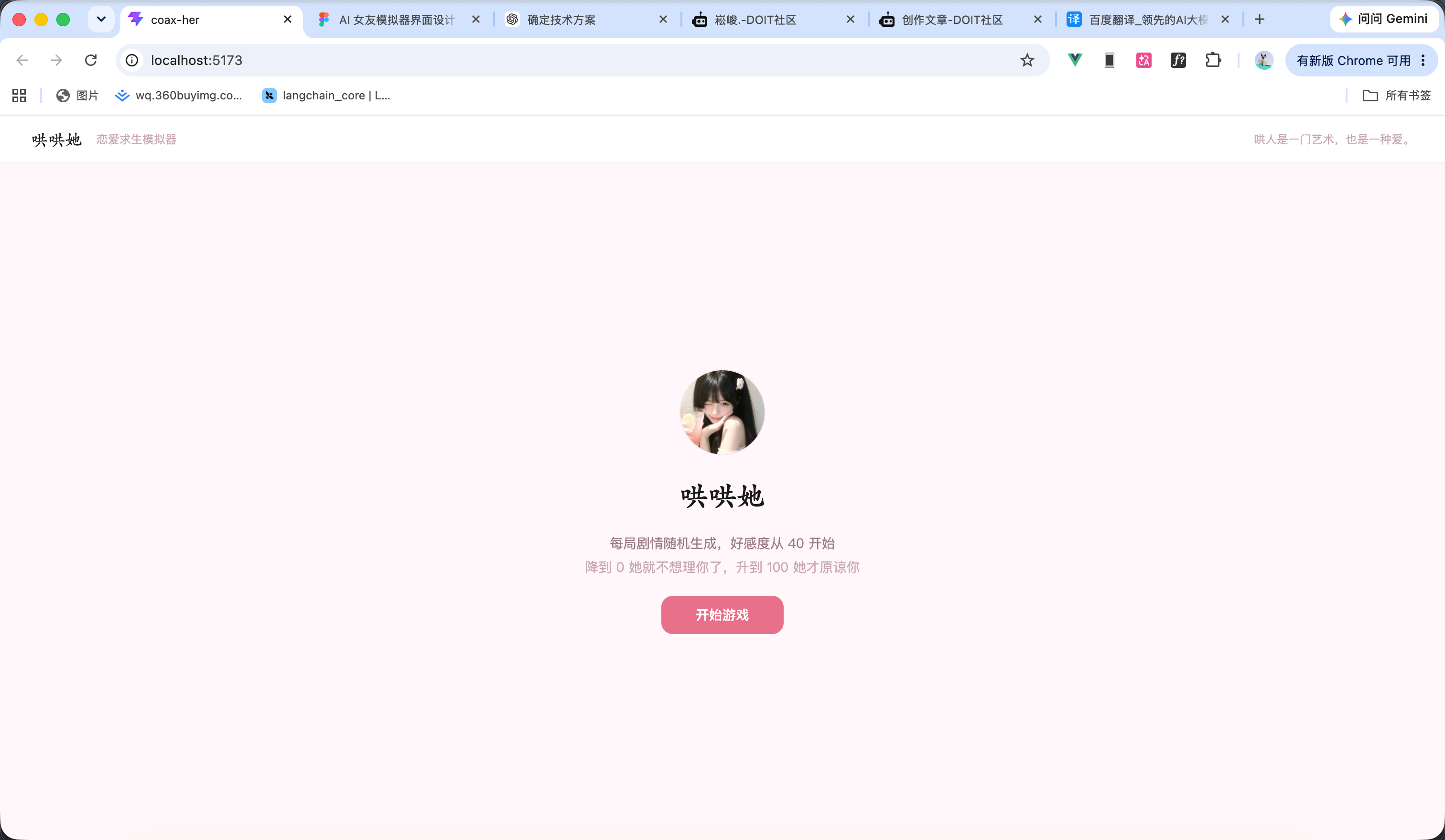
然后我们开始编写页面代码 如图3所示 代码如下 效果看图4 图5

<script setup lang="ts">
import {computed, ref} from "vue";
import girlfriendAvatar from "@/assets/girlfriend.jpg"

const girlfriend = ref({
avatar: girlfriendAvatar,
nickname: "柳如烟",
affection: 20
})

const existsData = ref(true)

/**
* 好感度文本展示
*/
const affectionText = computed(() => {
const value = girlfriend.value.affection
if (value === 100) return "满分心动"
if (value >= 90) return "甜蜜暴击"
if (value >= 80) return "非常开心"
if (value >= 70) return "心情不错"
if (value >= 60) return "还算满意"
if (value >= 50) return "情绪平稳"
if (value >= 40) return "有点生气"
if (value >= 30) return "明显不满"
if (value >= 20) return "非常生气"
if (value >= 10) return "气到不想说话"
return "我们分手吧"
})

</script>

<template>
<div class="coax__box">
<!-- 导航栏部分 -->
<nav class="coax__nav">
<div class="coax__nav__title">
<span class="coax__nav__name">哄哄她</span>
<span class="coax__nav__desc">恋爱求生模拟器</span>
</div>
<div class="coax__nav__slogan">
哄人是一门艺术,也是一种爱。
</div>
</nav>

<div class="coax__content" v-if="existsData">
<aside class="coax__aside">
<!-- 女友信息 -->
<div class="coax__girlfriend">
<img class="coax__girlfriend__avatar" :src="girlfriend.avatar" alt="女友头像">
<div class="coax__girlfriend__name">{{ girlfriend.nickname }}</div>
<div class="coax__girlfriend__mood">{{ affectionText }}</div>
<div class="coax__girlfriend__affection">
<div class="girlfriend__affection__info">
<span class="girlfriend__affection__label">好感度</span>
<span class="girlfriend__affection__value">{{ girlfriend.affection }}</span>
</div>
<div class="girlfriend__affection__progress">
<div class="girlfriend__affection__progress-inner"
:style="`width:${girlfriend.affection}%`"/>
</div>
</div>
</div>

<div class="coax__emotion">
<div class="emotion__item">
<span class="emotion__item-title">
本次事件
</span>
<div class="emotion__event__content">
你答应陪她看电影,却忘记了。
</div>
</div>

<div class="emotion__item">
<span class="emotion__item-title">
她在想什么
</span>
<div class="emotion__thought__content">
她其实不是因为电影生气,她只是觉得自己没有被重视。
</div>
</div>
</div>
</aside>

<main class="coax__chat">
<div class="coax__chat__header">
<div class="chat__header__user">
<img :src="girlfriend.avatar" class="chat__header__avatar" alt="头像">
<div class="chat__header__info">
<span class="chat__header__nickname">{{ girlfriend.nickname }}</span>
<span class="chat__header__mood">{{ affectionText }}</span>
</div>

<div class="chat__header__affection">
<span class="chat__header__affection__label">好感度</span>
<span class="chat__header__affection__value">{{ girlfriend.affection }}</span>
</div>
</div>
</div>

<div class="chat__content">
<div class="chat__content__group chat__content--assistant">
<img :src="girlfriend.avatar" class="chat__content__avatar" alt="头像">
<div class="chat__content__body">
你是不是又忘了今天要陪我看电影?你是不是又忘了今天要陪我看电影你是不是又忘了今天要陪我看电影你是不是又忘了今天要陪我看电影你是不是又忘了今天要陪我看电影你是不是又忘了今天要陪我看电影你是不是又忘了今天要陪我看电影你是不是又忘了今天要陪我看电影
</div>
</div>

<div class="chat__content__group chat__content--user">
<img :src="girlfriend.avatar" class="chat__content__avatar" alt="头像">
<div class="chat__content__body">
今天真的太忙了,我明天补偿你?
</div>
</div>
</div>

<div class="chat__footer">
<span class="chat__footer__tip">不同的话会影响她的情绪,认真回答</span>

<div class="chat__input-wrapper">
<input class="chat__input-inner" placeholder="想一句话来哄哄她吧......" maxlength="100" required/>
<button class="chat__send-btn coax__button">发送</button>
</div>
</div>
</main>

</div>

<div v-else class="coax__ready">
<img class="coax__ready__avatar" :src="girlfriend.avatar" alt="哄哄她"/>
<span class="coax__ready__title">哄哄她</span>
<div class="coax__ready__info">
<span class="coax__ready__desc">每局剧情随机生成,好感度从 40 开始</span>
<span class="coax__ready__rules">降到 0 她就不想理你了,升到 100 她才原谅你</span>
</div>

<button class="coax__button coax__ready__button">开始游戏</button>
</div>

</div>
</template>

<style lang="scss" scoped>
// 页面整体部分
.coax__box {
height: 100vh;
background-color: #fff7f9;
display: flex;
flex-direction: column;
}

// 头部导航部分
.coax__nav {
background-color: white;
border-bottom: 1px solid #eee;
padding: 12px 32px;
display: flex;
align-items: center;
justify-content: space-between;

}

// 导航栏标题部分
.coax__nav__title {
display: flex;
align-items: center;
gap: 15px;
}

// 导航栏的标题名称
.coax__nav__name {
font-family: 'Ma Shan Zheng', cursive;
font-size: 18px;
color: #1a1a1a;
}

// 导航栏的标题描述
.coax__nav__desc {
font-size: 12px;
color: #c8a8b2;
}

// 导航栏的slogan
.coax__nav__slogan {
font-size: 12px;
color: #c8a8b2;
}

// 内容部分
.coax__content {
display: flex;
gap: 12px;
padding: 20px 26px;
flex: 1;
}

// 侧边栏部分
.coax__aside {
width: 240px;
display: flex;
flex-direction: column;
gap: 12px;
}

// 女友信息部分
.coax__girlfriend {
border: 1px solid #fce7ef;
background-color: white;
border-radius: 15px;
padding: 24px 20px 20px;
display: flex;
gap: 5px;
flex-direction: column;
align-items: center;
justify-content: center;
}

// 女友头像
.coax__girlfriend__avatar {
width: 85px;
object-fit: cover;
border-radius: 50%;
border: 1px solid #fce7ef;
}

// 女友名字
.coax__girlfriend__name {
font-family: 'Ma Shan Zheng', cursive;
font-size: 22px;
font-weight: 500;
}

// 女友情绪
.coax__girlfriend__mood {
font-size: 12px;
color: #c8a8b2;
}

// 女友好感度
.coax__girlfriend__affection {
margin-top: 10px;
width: 100%;
display: flex;
flex-direction: column;
gap: 5px;
}

// 好感度信息文本
.girlfriend__affection__info {
display: flex;
align-items: center;
justify-content: space-between;
}

// 好感度label
.girlfriend__affection__label {
color: #c8a8b2;
font-size: 12px;
}

// 好感度指数
.girlfriend__affection__value {
color: #e8708a;
font-size: 12px;
font-weight: 600;
}

// 好感度的进度条
.girlfriend__affection__progress {
border-radius: 25px;
background-color: #fce7ef;
height: 6px;
overflow: hidden;
}

// 好感度内层条样式
.girlfriend__affection__progress-inner {
background-color: #e8708a;
height: 100%;
transition: width .8s cubic-bezier(.25, .8, .25, 1);
}

// 情感样式
.coax__emotion {
flex: 1;
border: 1px solid #fce7ef;
background-color: white;
border-radius: 15px;
padding: 24px 20px 20px;
display: flex;
gap: 15px;
flex-direction: column;
align-items: center;
}

// 情感分析的每个项
.emotion__item {
width: 100%;
display: flex;
flex-direction: column;
gap: 5px;
}

// 情感信息每个项的标题
.emotion__item-title {
font-size: 12px;
font-weight: 500;
color: #c8a8b2;
}

// 情感事件内容
.emotion__event__content {
color: #333333;
font-size: 12px;
font-weight: 500;
}

// 情感想法内容
.emotion__thought__content {
color: #9b7b85;
font-size: 12px;
}

// 对话部分
.coax__chat {
flex: 1;
min-width: 0;
overflow: hidden;
background-color: white;
border: 1px solid #fce7ef;
border-radius: 20px;
display: flex;
flex-direction: column;
}

// 对话部分的头部
.coax__chat__header {
padding: 14px 24px;
border-bottom: 1px solid #fef0f5;
}

// 聊天头部的用户信息
.chat__header__user {
display: flex;
align-items: center;
gap: 12px;
}

// 聊天头部的用户头像
.chat__header__avatar {
width: 38px;
object-fit: cover;
border-radius: 50%;
border: 1px solid #fce7ef;
}

// 聊天头部的用户信息
.chat__header__info {
display: flex;
flex-direction: column;
gap: 4px;
}

// 聊天头部用户昵称
.chat__header__nickname {
color: #1a1a1a;
font-weight: 500;
font-size: 14px;
}

// 聊天头部用户情绪
.chat__header__mood {
font-size: 12px;
color: #c8a8b2;
}

// 聊天头部好感度部分
.chat__header__affection {
display: flex;
align-items: center;
gap: 8px;
margin-left: auto;
}

// 聊天头部好感度label
.chat__header__affection__label {
color: #c8a8b2;
font-size: 12px;
}

// 聊天头部好感度度值
.chat__header__affection__value {
background: #fce7ef;
color: #e8708a;
font-weight: 600;
font-size: 12px;
border-radius: 25px;
padding: 2px 10px;
}

// 聊天内容部分
.chat__content {
flex: 1;
background: #fff7f9;
padding: 20px 24px;
display: flex;
flex-direction: column;
gap: 16px;
}

// 聊天的具体内容部分
.chat__content__group {
align-items: first baseline;
width: 100%;
display: flex;
gap: 10px;
}

// 聊天的用户头像
.chat__content__avatar {
vertical-align: middle;
width: 34px;
height: 34px;
object-fit: cover;
border-radius: 50%;
border: 1px solid #fce7ef;
}

// 聊天的内容体
.chat__content__body {
max-width: 70%;
padding: 10px 16px;
box-shadow: rgba(232, 112, 138, 0.06) 0 1px 4px;
}

// ai的内容
.chat__content--assistant {
justify-content: flex-start;

// 聊天的内容体
.chat__content__body {
color: #1a1a1a;
background-color: white;
border: 1px solid #fce7ef;
border-radius: 5px 15px 15px;
}
}

// 用户的聊天内容
.chat__content--user {
justify-content: flex-end;

.chat__content__avatar {
display: none;
}

// 聊天的内容体
.chat__content__body {
color: white;
background-color: #e8708a;
border-radius: 15px;
}
}

// 聊天的底部部分
.chat__footer {
padding: 16px 24px;
border-top: 1px solid #fef0f5;
background-color: white;
display: flex;
flex-direction: column;
gap: 10px;
}

// 聊天底部小提示
.chat__footer__tip {
color: #c8a8b2;
font-size: 12px;
}

// 输入部分
.chat__input-wrapper {
display: flex;
align-items: center;
gap: 8px;
}

// 输入框
.chat__input-inner {
flex: 1;
background-color: #fff7f9;
border: 1px solid #fce7ef;
padding: 10px 16px;
border-radius: 12px;
outline: none;
font-size: 14px;
color: #1a1a1a;
}

// 按钮样式
.coax__button {
background-color: #e8708a;
color: white;
font-weight: 500;
font-size: 14px;
border-radius: 12px;
border: none;

&:hover {
opacity: 0.85;
}
}


// 发送按钮
.chat__send-btn {
padding: 0 20px;
height: 38px;
}

// 禁用样式
.chat__input-inner:placeholder-shown + .chat__send-btn {
opacity: 0.75;
cursor: not-allowed;
pointer-events: none;
}


// 准备游戏的样式
.coax__ready {
flex: 1;
display: flex;
flex-direction: column;
align-items: center;
justify-content: center;
gap: 20px;
}

// 准备游戏头像
.coax__ready__avatar {
width: 88px;
aspect-ratio: 1/1;
object-fit: cover;
border-radius: 50%;
border: 1px solid #fce7ef;
}

// 准备游戏的标题
.coax__ready__title {
font-family: 'Ma Shan Zheng', cursive;
color: #1a1a1a;
font-weight: 600;
font-size: 30px;
}

// 准备信息
.coax__ready__info {
display: flex;
flex-direction: column;
text-align: center;
gap: 5px;
}

// 准备游戏的描述
.coax__ready__desc {
color: #9b7b85;
font-size: 14px;
}

// 准备游戏的规则
.coax__ready__rules {
color: #c8a8b2;
font-size: 14px;
}

// 开始游戏按钮
.coax__ready__button{
padding: 10px 36px;
}


</style>


3

前端请求request

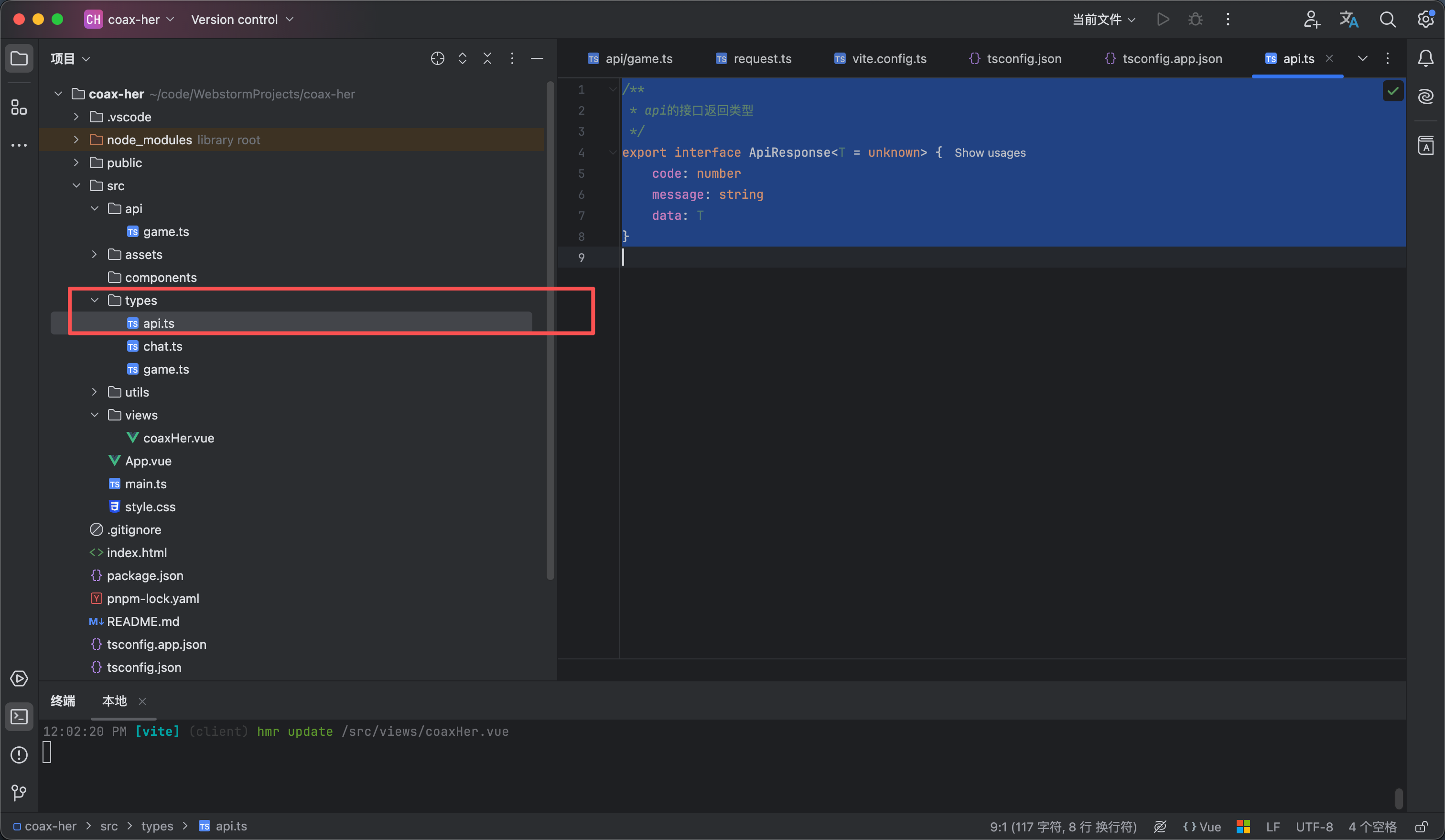
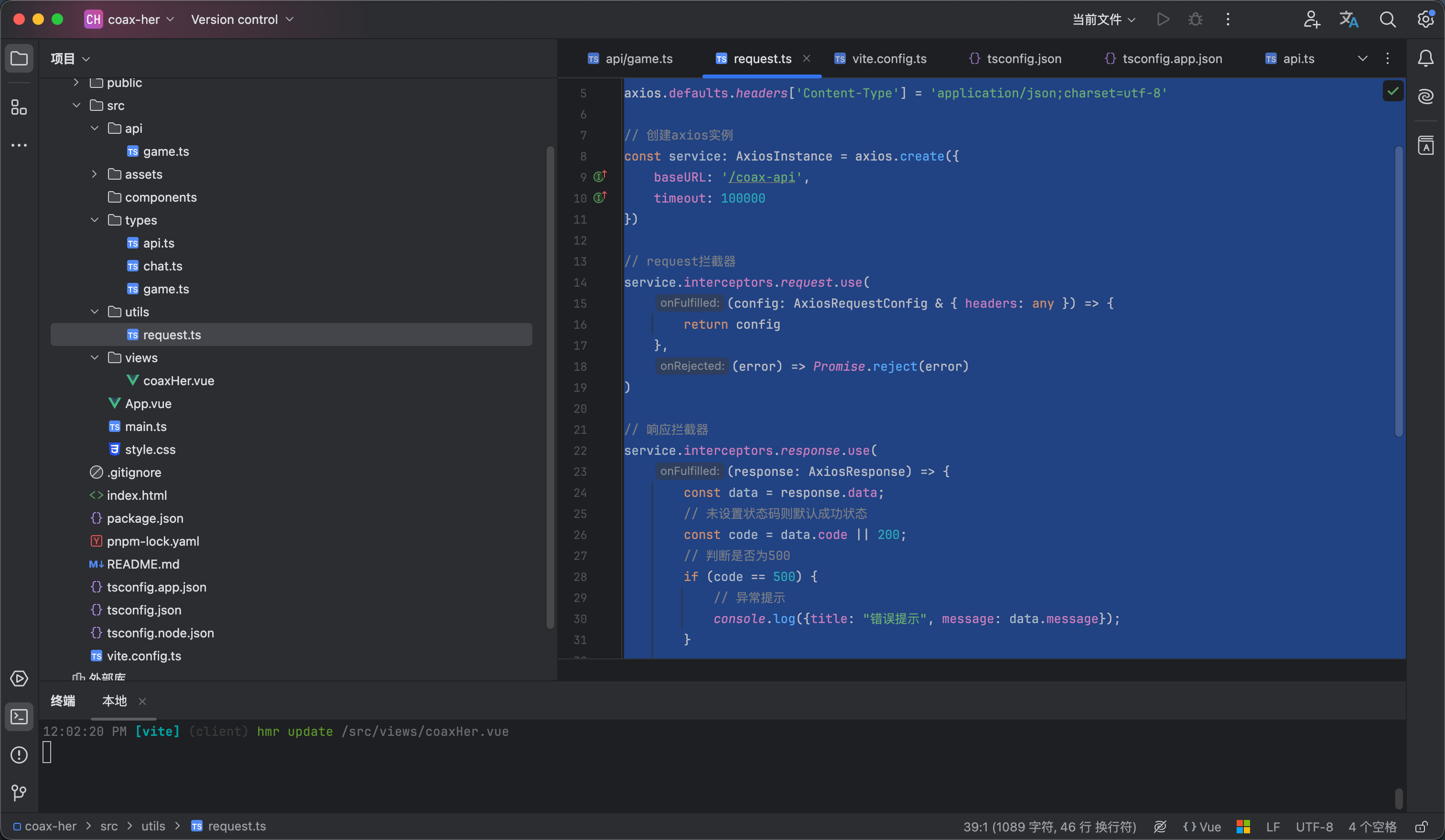
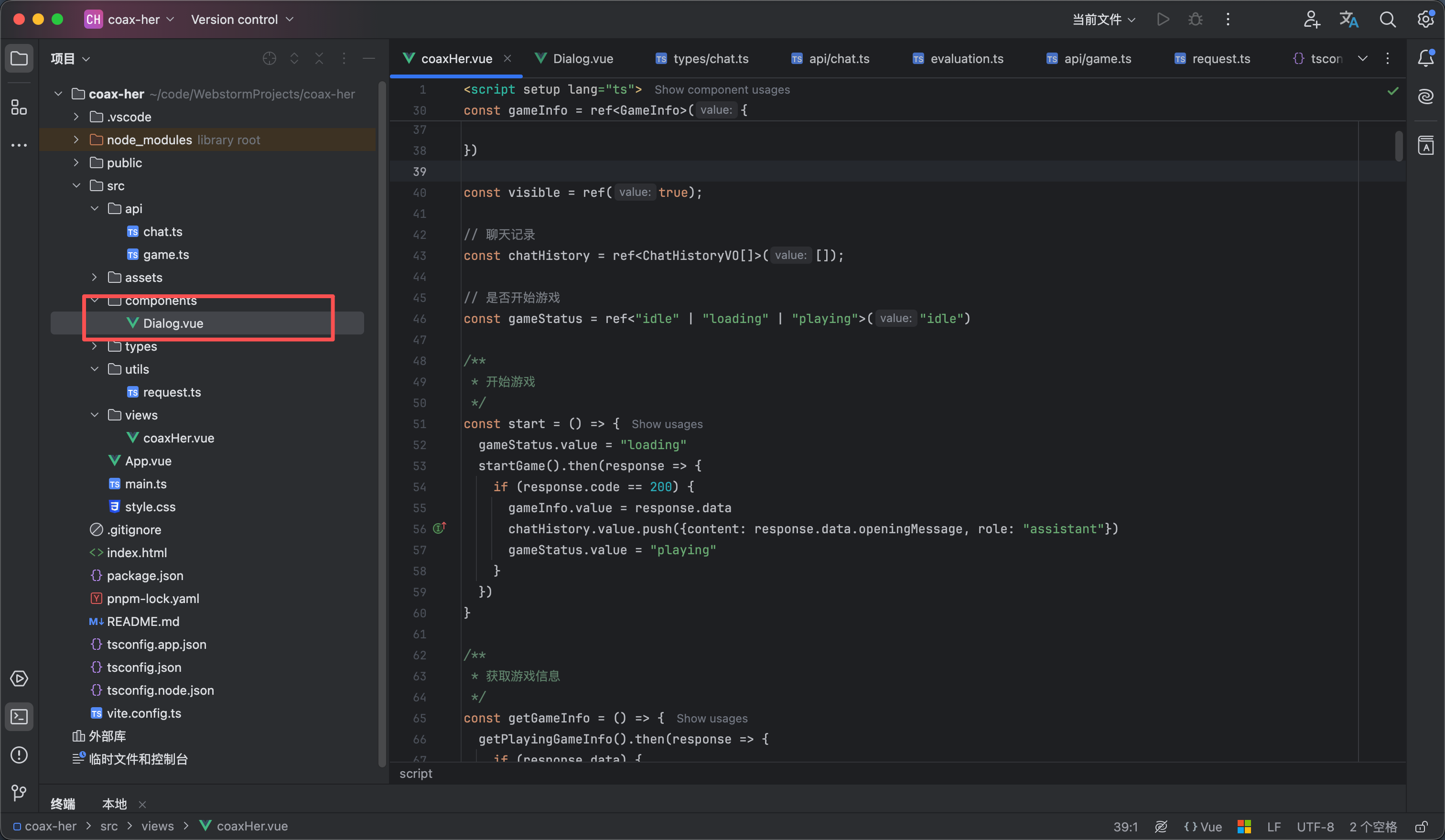
如图1所示在 types下面创建一个 类型 ApiResponse 代码如下

/**
* api的接口返回类型
*/
export interface ApiResponse<T = unknown> {
code: number
message: string
data: T
}


然后安装axios

然后在utils下面创建一个request 工具类 代码如下

import axios, {type AxiosInstance, type AxiosRequestConfig, type AxiosResponse} from 'axios'
import type {ApiResponse} from "@/types/api.ts";


axios.defaults.headers['Content-Type'] = 'application/json;charset=utf-8'

// 创建axios实例
const service: AxiosInstance = axios.create({
baseURL: '/coax-api',
timeout: 100000
})

// request拦截器
service.interceptors.request.use(
(config: AxiosRequestConfig & { headers: any }) => {
return config
},
(error) => Promise.reject(error)
)

// 响应拦截器
service.interceptors.response.use(
(response: AxiosResponse) => {
const data = response.data;
// 未设置状态码则默认成功状态
const code = data.code || 200;
// 判断是否为500
if (code == 500) {
// 异常提示
console.log({title: "错误提示", message: data.message});
}

return data
},
(error) => {
return Promise.reject(error)
}
)

// 封装请求
const request = <T = any>(config: AxiosRequestConfig): Promise<ApiResponse<T>> => {
return service.request<any, ApiResponse<T>>(config)
}


export default request


4

创建后端项目

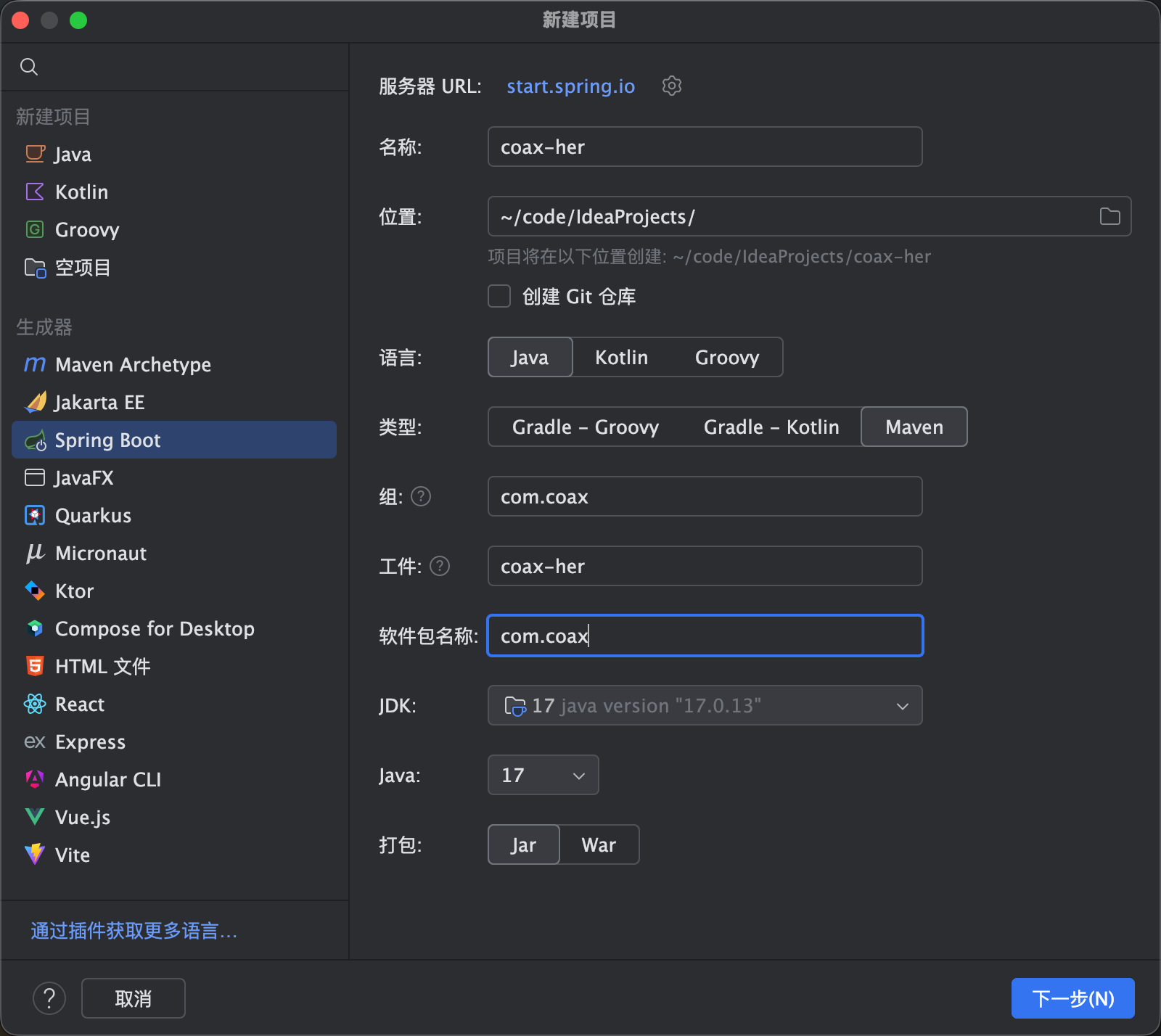
  1. 如图1所示创建一个sprigboot项目
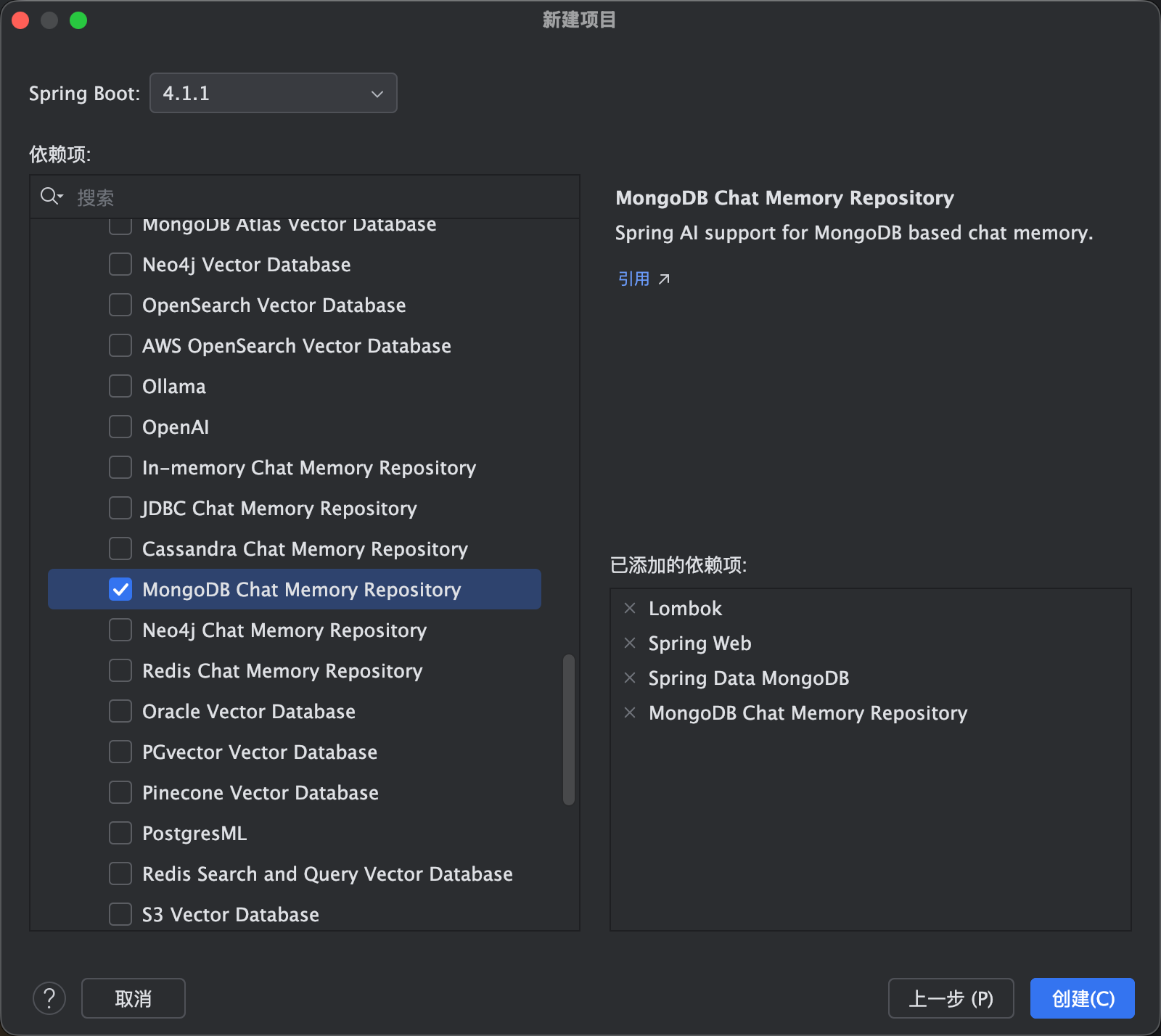
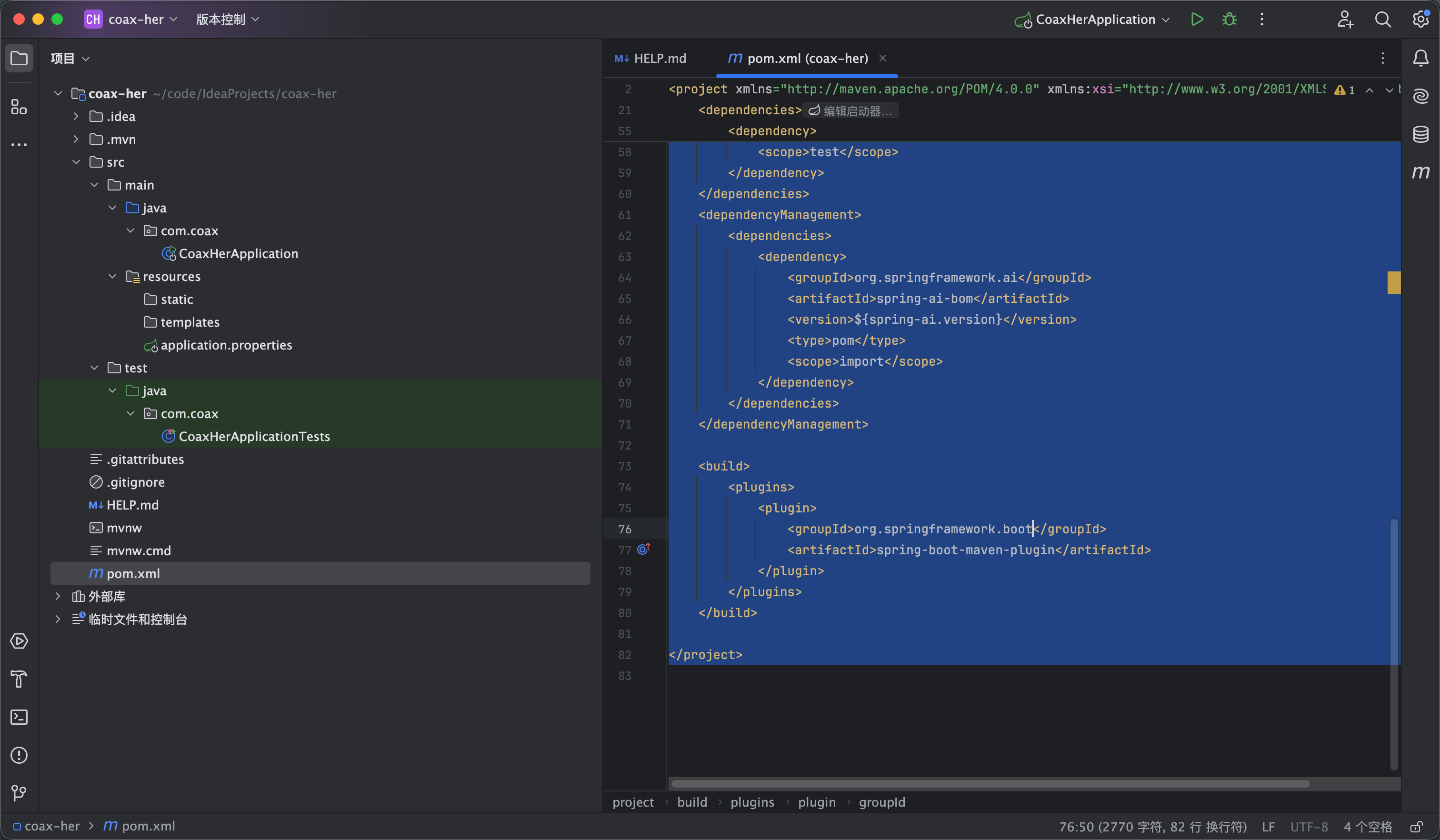
  2. 然后我们添加一些需要的依赖导入maven 大家也可以直接导入我的在我的基础上改 如图2 图3
<?xml version="1.0" encoding="UTF-8"?>
<project xmlns="http://maven.apache.org/POM/4.0.0" xmlns:xsi="http://www.w3.org/2001/XMLSchema-instance"
xsi:schemaLocation="http://maven.apache.org/POM/4.0.0 https://maven.apache.org/xsd/maven-4.0.0.xsd">
<modelVersion>4.0.0</modelVersion>
<parent>
<groupId>org.springframework.boot</groupId>
<artifactId>spring-boot-starter-parent</artifactId>
<version>4.1.1</version>
<relativePath/> <!-- lookup parent from repository -->
</parent>
<groupId>com.coax</groupId>
<artifactId>coax-her</artifactId>
<version>0.0.1-SNAPSHOT</version>
<name>coax-her</name>
<description>coax-her</description>

<properties>
<java.version>17</java.version>
<spring-ai.version>2.0.1</spring-ai.version>
</properties>
<dependencies>

<dependency>
<groupId>org.springframework.boot</groupId>
<artifactId>spring-boot-starter-web</artifactId>
</dependency>

<dependency>
<groupId>org.projectlombok</groupId>
<artifactId>lombok</artifactId>
<optional>true</optional>
</dependency>

<dependency>
<groupId>org.springframework.boot</groupId>
<artifactId>spring-boot-starter-data-mongodb</artifactId>
</dependency>

<dependency>
<groupId>org.springframework.boot</groupId>
<artifactId>spring-boot-starter-data-mongodb-test</artifactId>
<scope>test</scope>
</dependency>

<dependency>
<groupId>org.springframework.ai</groupId>
<artifactId>spring-ai-starter-model-openai</artifactId>
</dependency>

<dependency>
<groupId>org.springframework.ai</groupId>
<artifactId>spring-ai-starter-model-chat-memory-repository-mongodb</artifactId>
</dependency>

<dependency>
<groupId>org.springframework.boot</groupId>
<artifactId>spring-boot-starter-test</artifactId>
<scope>test</scope>
</dependency>
</dependencies>
<dependencyManagement>
<dependencies>
<dependency>
<groupId>org.springframework.ai</groupId>
<artifactId>spring-ai-bom</artifactId>
<version>${spring-ai.version}</version>
<type>pom</type>
<scope>import</scope>
</dependency>
</dependencies>
</dependencyManagement>

<build>
<plugins>
<plugin>
<groupId>org.springframework.boot</groupId>
<artifactId>spring-boot-maven-plugin</artifactId>
</plugin>
</plugins>
</build>

</project>


我用的是阿里云百炼的有免费额度 大家可以自行申请 https://bailian.console.aliyun.com/

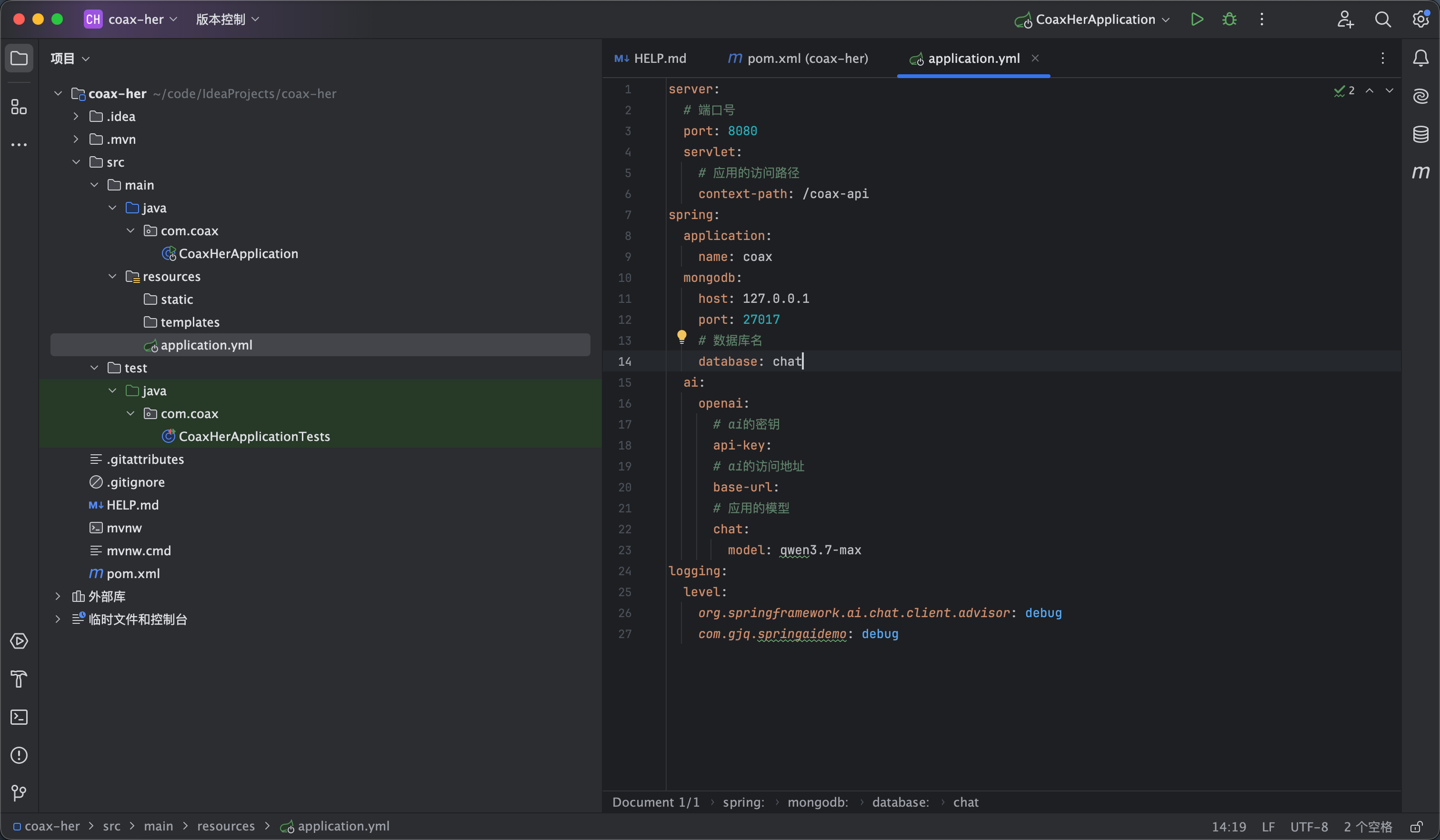
然后我们创建一个application.yml 导入以下配置 apikey 和baseurl 大家自行申请填写自己的 如下

server:
# 端口号
port: 8080
servlet:
# 应用的访问路径
context-path: /coax-api
spring:
application:
name: coax
mongodb:
host: 127.0.0.1
port: 27017
# 数据库名
database: coax
ai:
openai:
# ai的密钥
api-key:
# ai的访问地址
base-url:
# 应用的模型
chat:
model: qwen3.7-max
logging:
level:
org.springframework.ai.chat.client.advisor: debug
com.gjq.springaidemo: debug


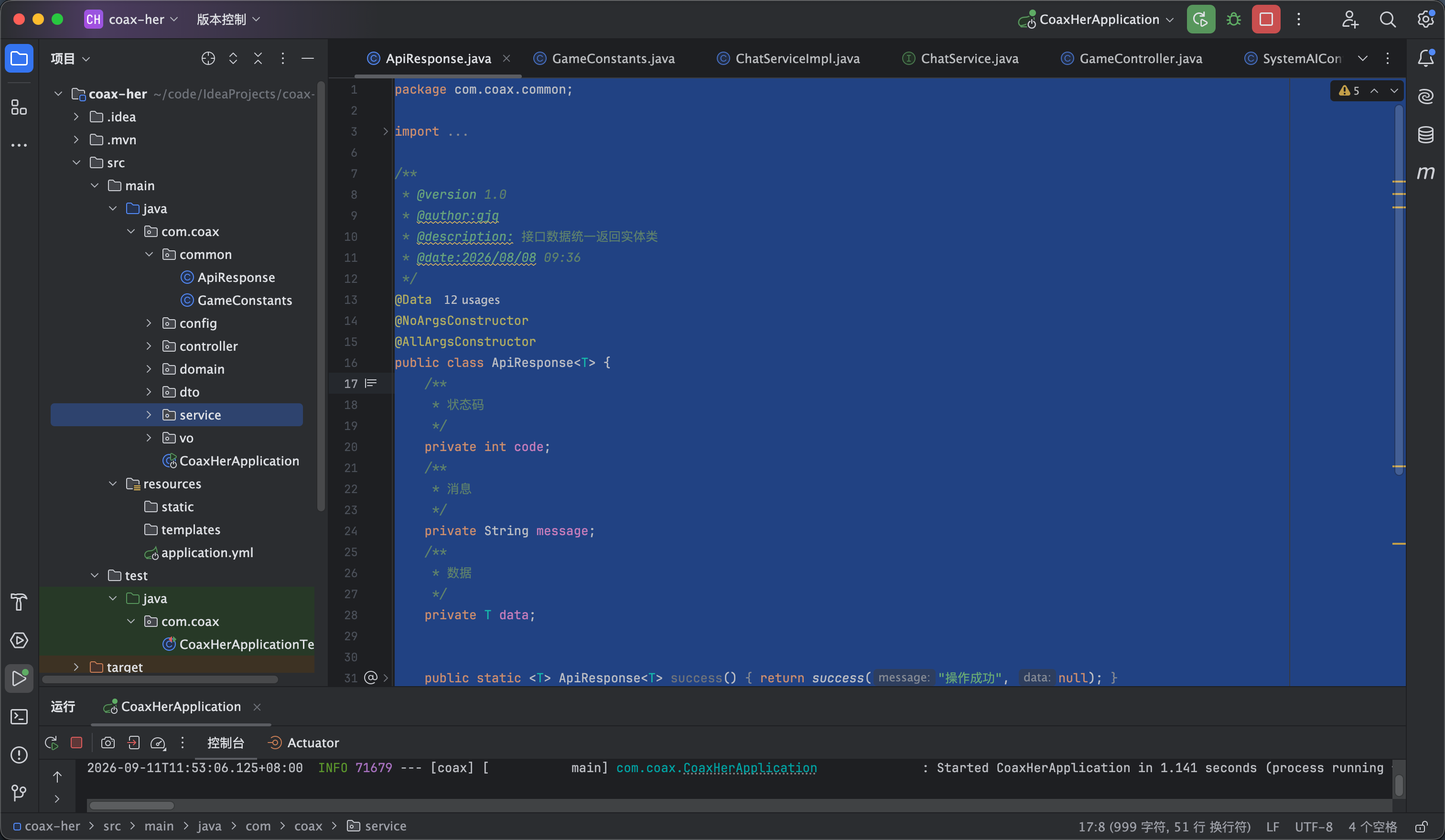
然后我们添加一个统一返回接口的工具类 代码如下 如图5所示

package com.coax.common;

import lombok.AllArgsConstructor;
import lombok.Data;
import lombok.NoArgsConstructor;

/**
* @version 1.0
* @author:gjq
* @description: 接口数据统一返回实体类
* @date:2026/08/08 09:36
*/
@Data
@NoArgsConstructor
@AllArgsConstructor
public class ApiResponse<T> {
/**
* 状态码
*/
private int code;
/**
* 消息
*/
private String message;
/**
* 数据
*/
private T data;


public static <T> ApiResponse<T> success() {
return success("操作成功", null);
}

public static <T> ApiResponse<T> success(T data) {
return success("操作成功", data);
}

public static <T> ApiResponse<T> success(String message, T data) {
return new ApiResponse<>(200, message, data);
}

public static <T> ApiResponse<T> error(String message) {
return error(500, message);
}

public static <T> ApiResponse<T> error(int code, String message) {
return new ApiResponse<>(code, message, null);
}


}


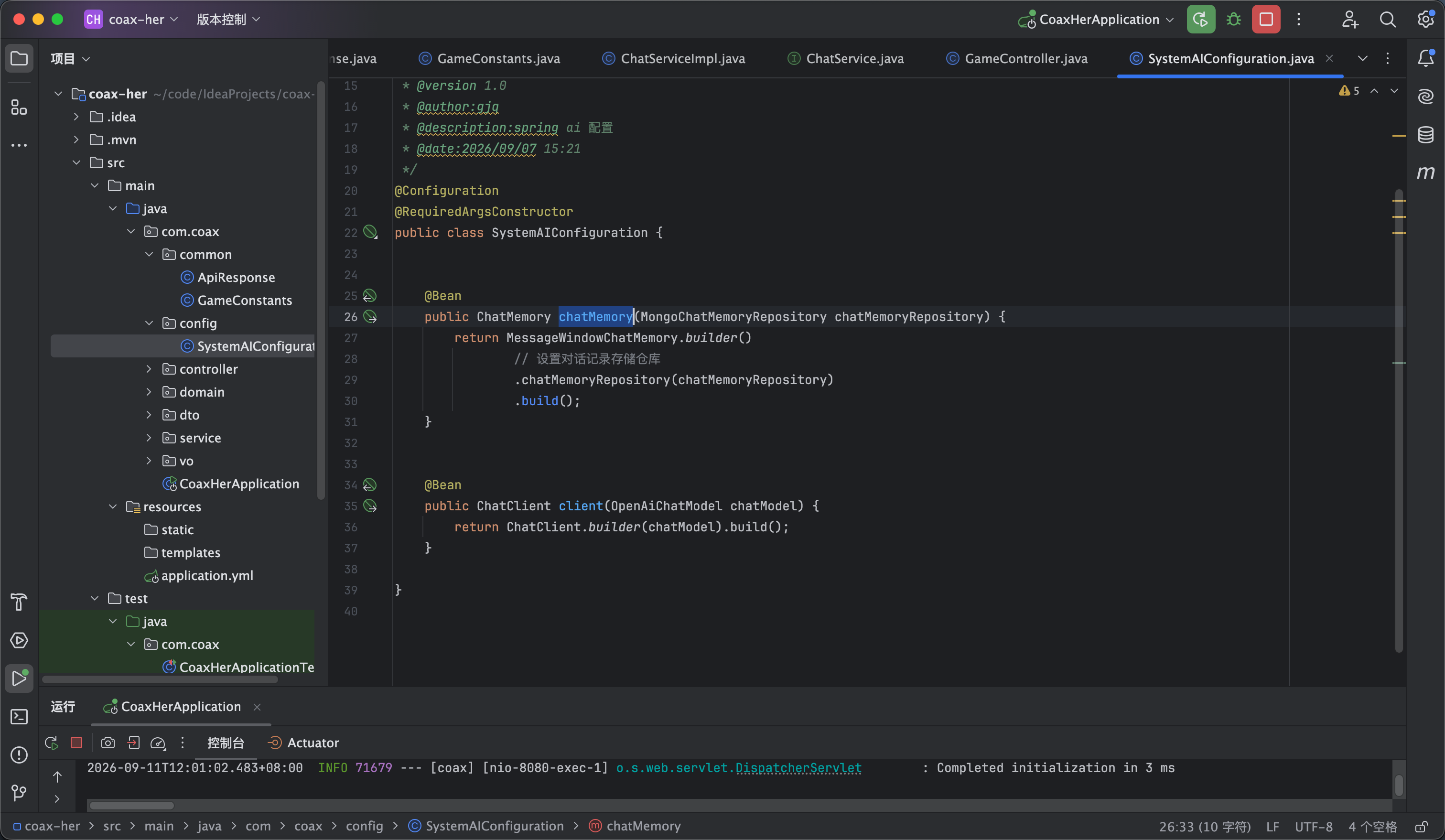
创建一个config的包 在包里创建一个类 SystemAIConfiguration 配置如下 如图6

package com.coax.config;

import lombok.RequiredArgsConstructor;
import org.springframework.ai.chat.client.ChatClient;
import org.springframework.ai.chat.client.advisor.MessageChatMemoryAdvisor;
import org.springframework.ai.chat.client.advisor.SimpleLoggerAdvisor;
import org.springframework.ai.chat.memory.ChatMemory;
import org.springframework.ai.chat.memory.MessageWindowChatMemory;
import org.springframework.ai.chat.memory.repository.mongo.MongoChatMemoryRepository;
import org.springframework.ai.openai.OpenAiChatModel;
import org.springframework.context.annotation.Bean;
import org.springframework.context.annotation.Configuration;

/**
* @version 1.0
* @author:gjq
* @description:spring ai 配置
* @date:2026/09/07 15:21
*/
@Configuration
@RequiredArgsConstructor
public class SystemAIConfiguration {


@Bean
public ChatMemory chatMemory(MongoChatMemoryRepository chatMemoryRepository) {
return MessageWindowChatMemory.builder()
// 设置对话记录存储仓库
.chatMemoryRepository(chatMemoryRepository)
.build();
}


@Bean
public ChatClient client(OpenAiChatModel chatModel) {
return ChatClient.builder(chatModel).build();
}

}


5

开始游戏-后端

开始游戏的流程为 创建恋爱事件, 存储游戏信息 存储第一条消息记录因为是女友先给我们发的消息


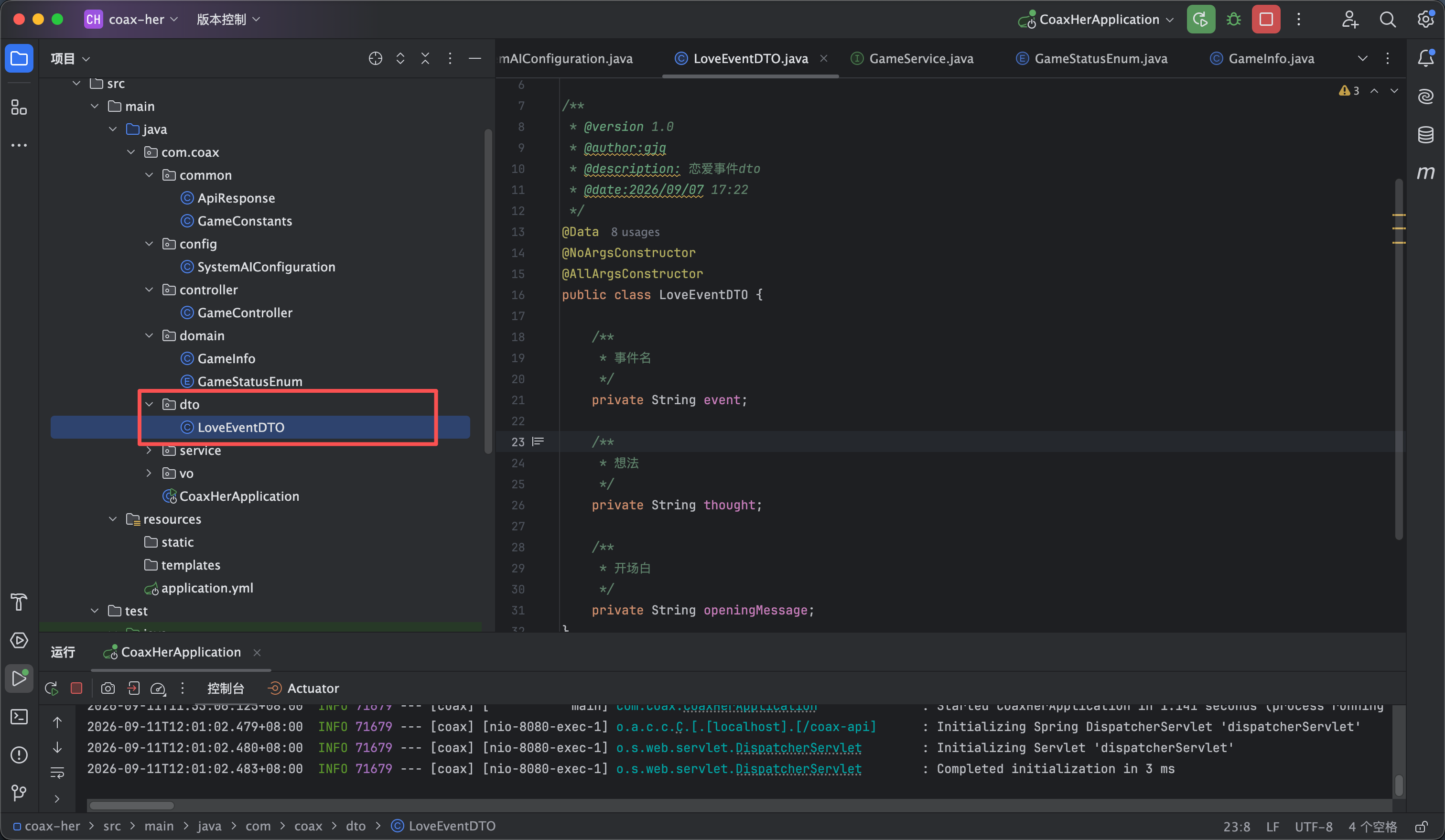
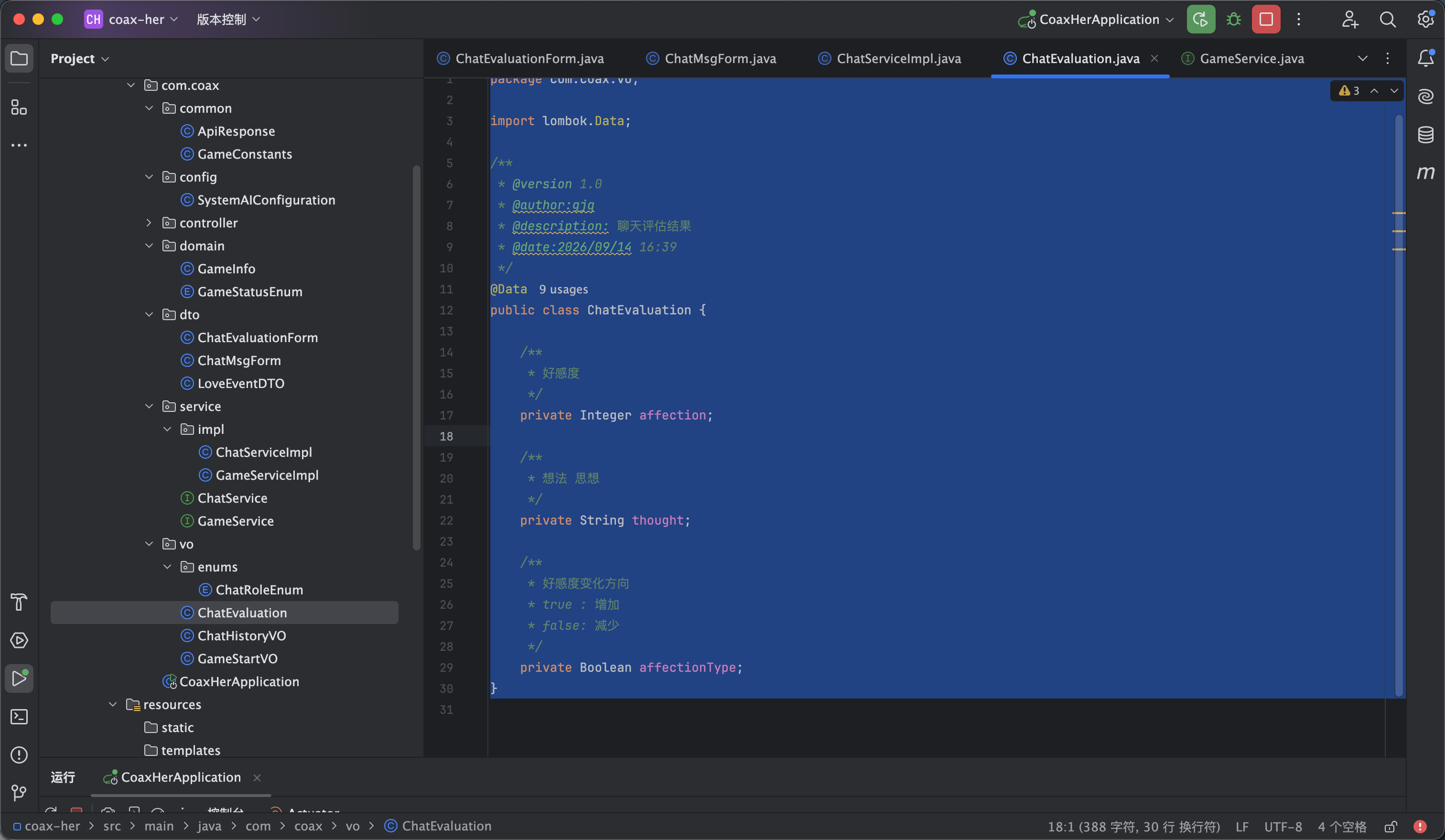
我们先编写实体类部分 创建一个dto包 然后在dto包里创建一个 LoveEventDTO 实体类内容如下

package com.coax.dto;

import lombok.AllArgsConstructor;
import lombok.Data;
import lombok.NoArgsConstructor;

/**
* @version 1.0
* @author:gjq
* @description: 恋爱事件dto
* @date:2026/09/07 17:22
*/
@Data
@NoArgsConstructor
@AllArgsConstructor
public class LoveEventDTO {

/**
* 事件名
*/
private String event;

/**
* 想法
*/
private String thought;

/**
* 开场白
*/
private String openingMessage;
}


接下来是游戏部分的相关实体类


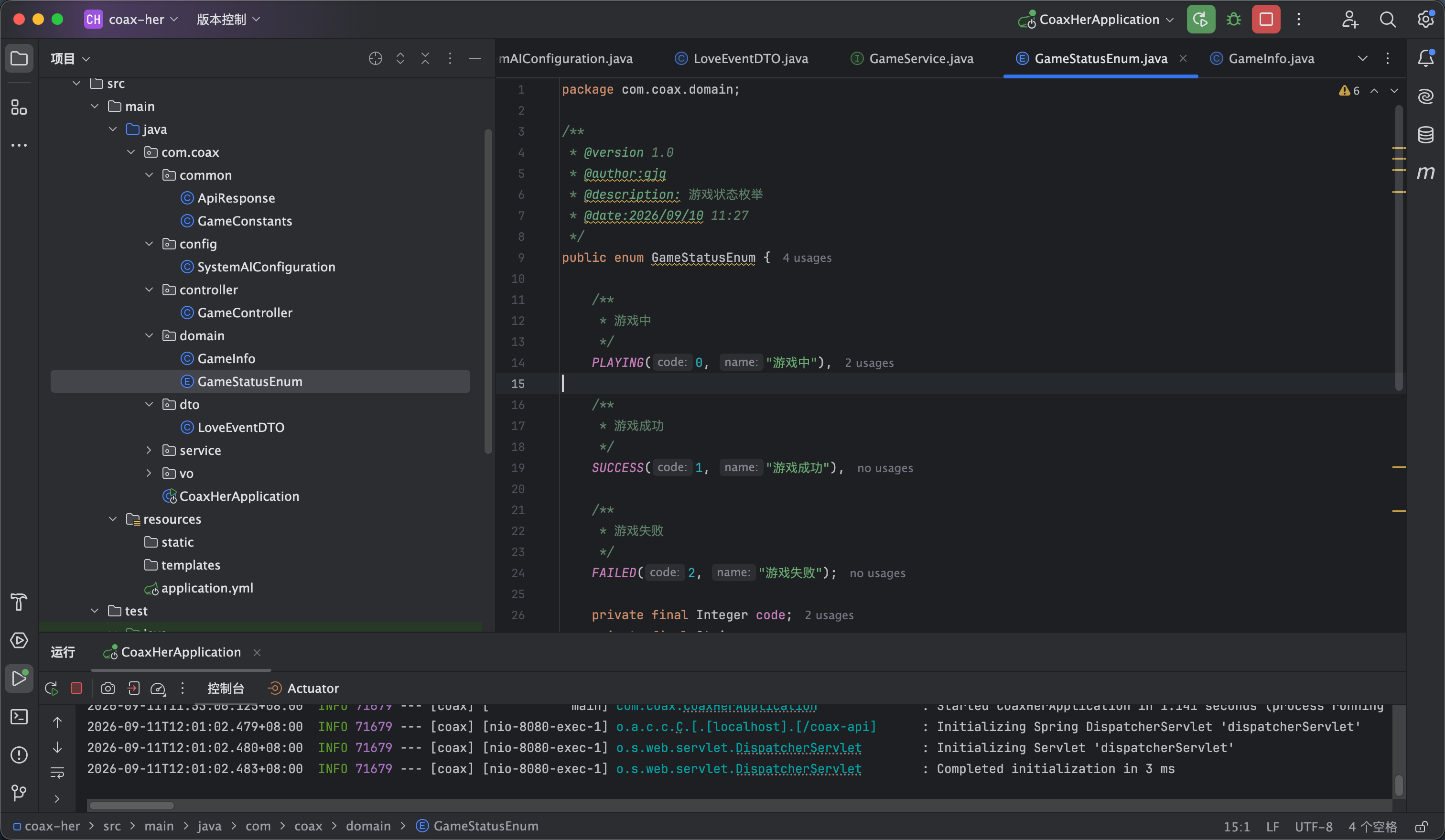
我们首先来创建一个枚举类型用于游戏的状态 GameStatusEnum 如图2所示

package com.coax.domain;

/**
* @version 1.0
* @author:gjq
* @description: 游戏状态枚举
* @date:2026/09/10 11:27
*/
public enum GameStatusEnum {

/**
* 游戏中
*/
PLAYING(0, "游戏中"),

/**
* 游戏成功
*/
SUCCESS(1, "游戏成功"),

/**
* 游戏失败
*/
FAILED(2, "游戏失败");

private final Integer code;
private final String name;

GameStatusEnum(Integer code, String name) {
this.code = code;
this.name = name;
}

public Integer getCode() {
return code;
}

public String getName() {
return name;
}

}


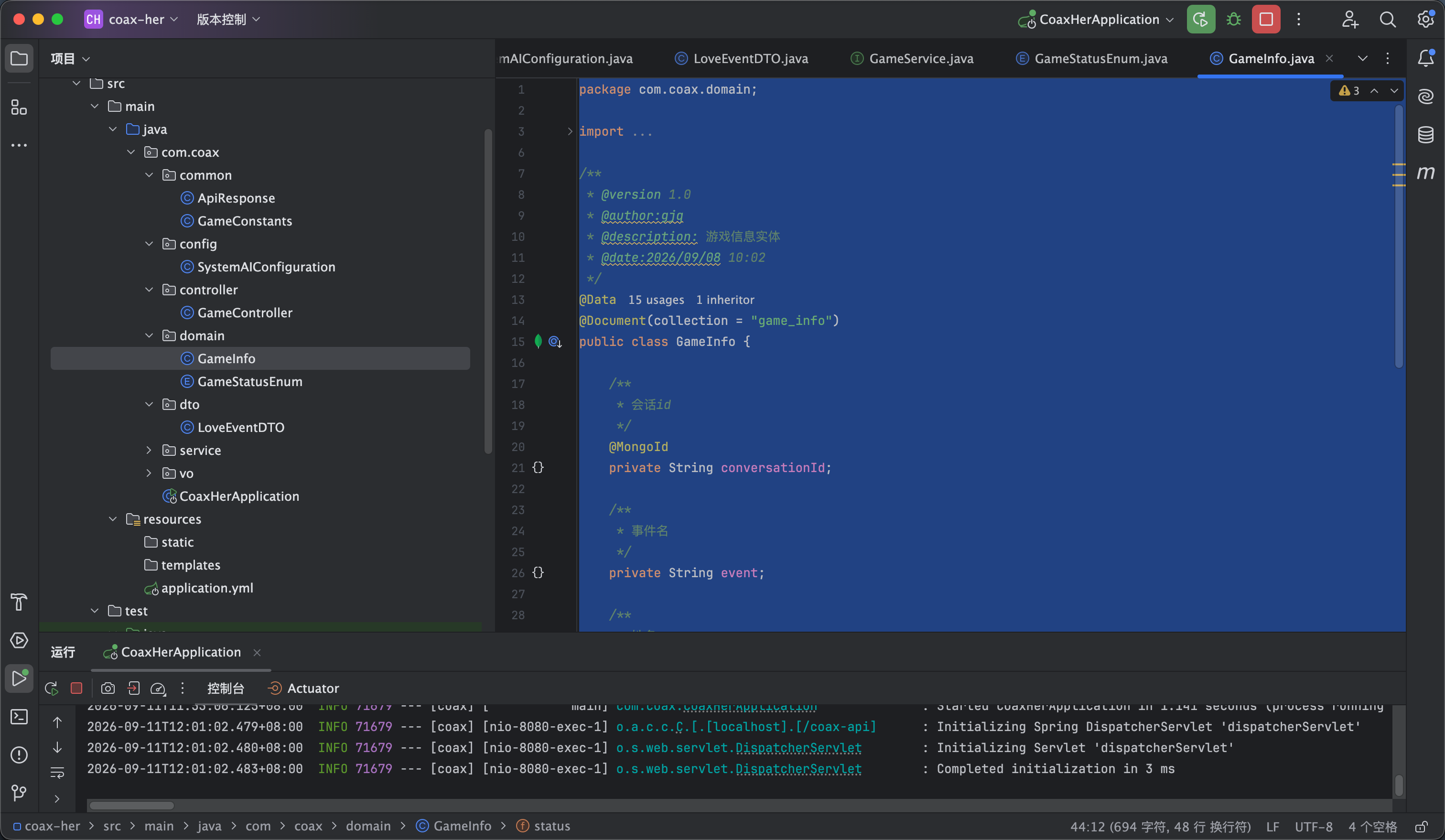
然后是具体的游戏信息实体 如图3

package com.coax.domain;

import lombok.Data;
import org.springframework.data.mongodb.core.mapping.Document;
import org.springframework.data.mongodb.core.mapping.MongoId;

/**
* @version 1.0
* @author:gjq
* @description: 游戏信息实体
* @date:2026/09/08 10:02
*/
@Data
@Document(collection = "game_info")
public class GameInfo {

/**
* 会话id
*/
@MongoId
private String conversationId;

/**
* 事件名
*/
private String event;

/**
* 姓名
*/
private String name;

/**
* 好感度
*/
private Integer affection;

/**
* 想法 思想
*/
private String thought;

/**
* 游戏状态
*/
private GameStatusEnum status;

}


还有一个开始游戏时候返回的实体 他继承 GameInfo 但是因为是女友先说话所以会多一句开场白字段 代码如下

package com.coax.vo;

import com.coax.domain.GameInfo;
import lombok.Data;

/**
* @version 1.0
* @author:gjq
* @description: 游戏开场展示实体
* @date:2026/09/10 15:02
*/
@Data
public class GameStartVO extends GameInfo {

/**
* 开场白
*/
private String openingMessage;

public GameStartVO(GameInfo gameInfo, String openingMessage) {
super();
this.setConversationId(gameInfo.getConversationId());
this.setEvent(gameInfo.getEvent());
this.setName(gameInfo.getName());
this.setAffection(gameInfo.getAffection());
this.setThought(gameInfo.getThought());
this.setStatus(gameInfo.getStatus());
this.openingMessage = openingMessage;
}
}


接下来我们开始编写业务的代码

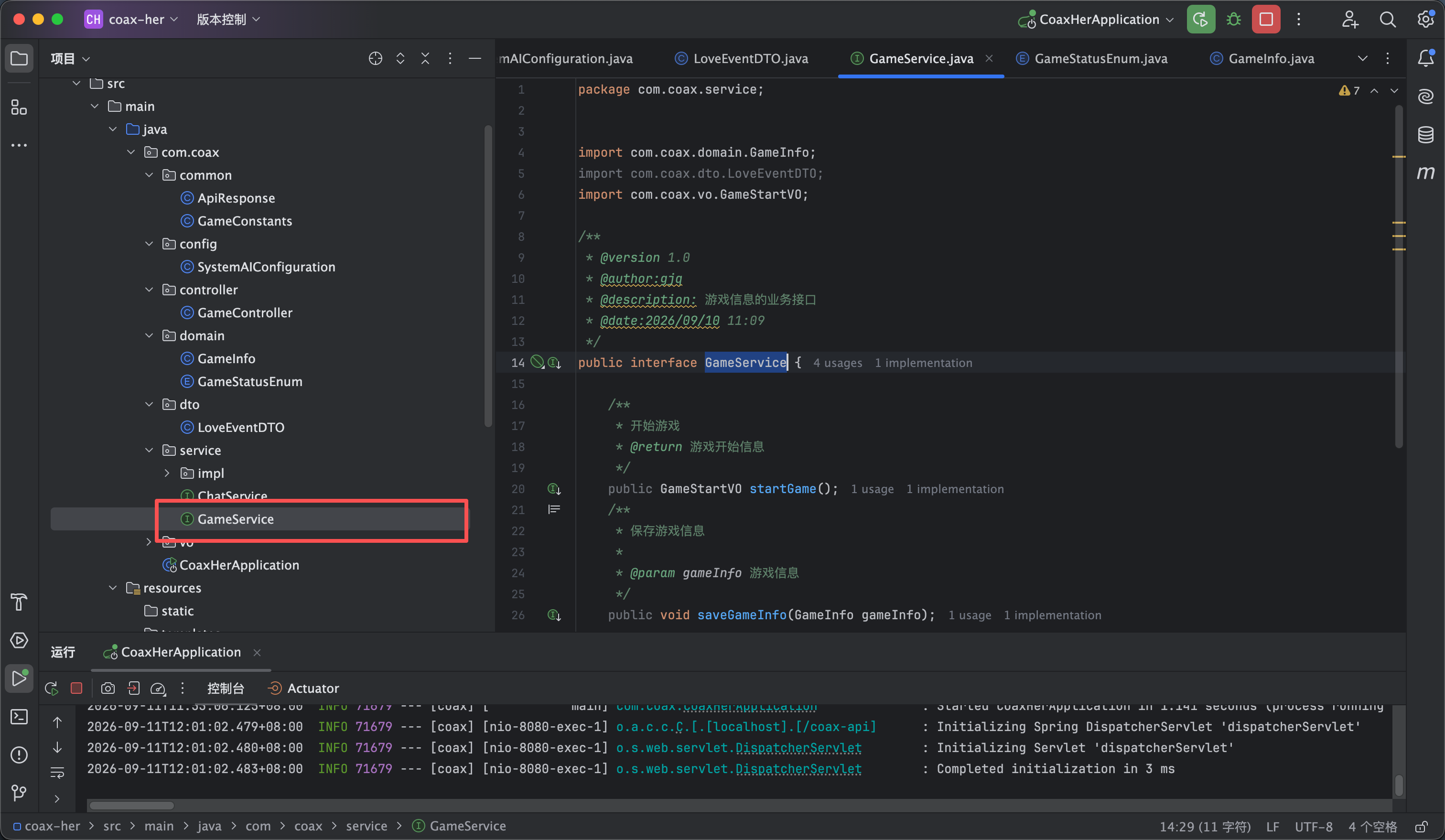
创建一个service的包 在service的包下创建GameService 如图4所示

package com.coax.service;


import com.coax.domain.GameInfo;
import com.coax.dto.LoveEventDTO;
import com.coax.vo.GameStartVO;

/**
* @version 1.0
* @author:gjq
* @description: 游戏信息的业务接口
* @date:2026/09/10 11:09
*/
public interface GameService {

/**
* 开始游戏
* @return 游戏开始信息
*/
public GameStartVO startGame();
/**
* 保存游戏信息
*
* @param gameInfo 游戏信息
*/
public void saveGameInfo(GameInfo gameInfo);

/**
* 获取运行的游戏信息
*
* @return 游戏信息
*/
public GameInfo getPlayingGameInfo();
}


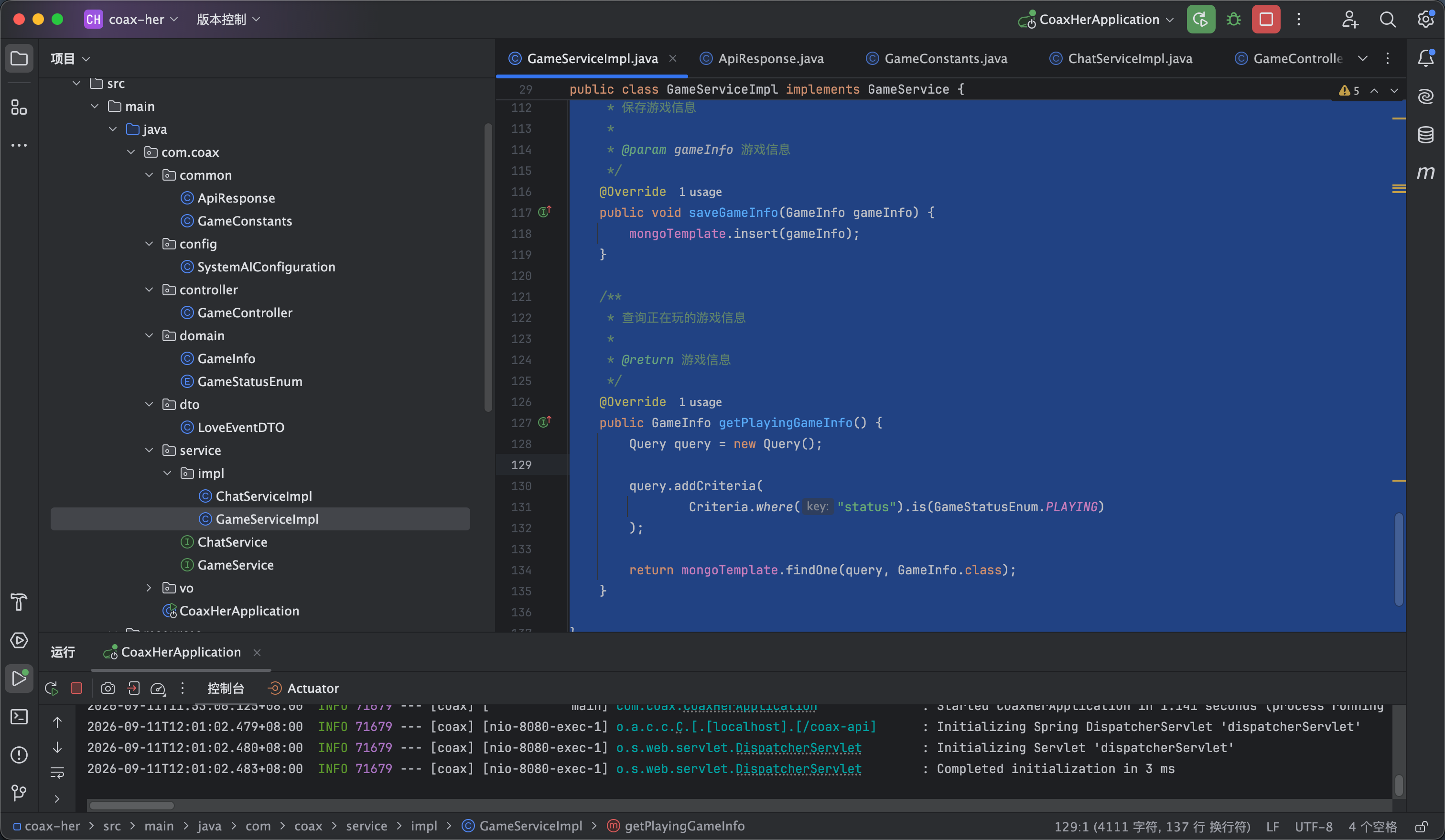
然后开始编写这个接口的实现

package com.coax.service.impl;

import cn.hutool.core.util.IdUtil;
import com.coax.common.GameConstants;
import com.coax.controller.GameController;
import com.coax.domain.GameInfo;
import com.coax.domain.GameStatusEnum;
import com.coax.dto.LoveEventDTO;
import com.coax.service.GameService;
import com.coax.vo.GameStartVO;
import lombok.RequiredArgsConstructor;
import org.springframework.ai.chat.client.ChatClient;
import org.springframework.ai.chat.memory.ChatMemory;
import org.springframework.ai.chat.messages.AssistantMessage;
import org.springframework.data.mongodb.core.MongoTemplate;
import org.springframework.data.mongodb.core.query.Criteria;
import org.springframework.data.mongodb.core.query.Query;
import org.springframework.stereotype.Service;
import org.springframework.transaction.annotation.Transactional;

/**
* @version 1.0
* @author:gjq
* @description: 游戏信息接口实现
* @date:2026/09/10 11:17
*/
@Service
@RequiredArgsConstructor
public class GameServiceImpl implements GameService {

private final MongoTemplate mongoTemplate;

private final ChatMemory chatMemory;

private final ChatClient chatClient;


/**
* 开始游戏
*/
@Override
@Transactional
public GameStartVO startGame() {
// 会话id
String id = IdUtil.getSnowflakeNextIdStr();
// 生成事件
LoveEventDTO loveEvent = generateLoveEvent();
// 存储记录
chatMemory.add(id, new AssistantMessage(loveEvent.getOpeningMessage()));
// 新增游戏信息
GameInfo gameInfo = new GameInfo();
gameInfo.setConversationId(id);
gameInfo.setName(GameConstants.GIRL_FRIEND_NAME);
gameInfo.setStatus(GameStatusEnum.PLAYING);
gameInfo.setAffection(GameConstants.AFFECTION);
gameInfo.setThought(loveEvent.getThought());
gameInfo.setEvent(loveEvent.getEvent());
saveGameInfo(gameInfo);
return new GameStartVO(gameInfo, loveEvent.getOpeningMessage());
}

/**
* 生成恋爱事件
*
* @return 恋爱事件实体
*/
private LoveEventDTO generateLoveEvent() {
// 提示词
String prompt = """
你是一个恋爱模拟游戏的剧情生成器。
游戏中的女友叫“%s”。
女友性格:
- 傲娇
- 嘴硬心软
- 容易吃醋
- 偶尔撒娇
- 喜欢被认真对待
- 不喜欢敷衍

现在需要生成一局新的“哄女友”游戏。

请完成三个任务:
1. 随机生成一个情侣之间真实可能发生的矛盾事件。
2. 根据这个事件,让女友说出游戏开始后的第一句话。
3. 根据事件和第一句话生成女友此时此刻的内心想法。

事件要求:
- 必须适合情侣之间
- 必须存在可以被哄好的空间
- 不要出现死亡、犯罪等极端事件
- 每次尽量生成不同的事件
- 事件需要有一定戏剧性

女友开场白要求:
- 像真实女朋友说话
- 10-50个字之间
- 不要解释游戏规则
- 不要暴露AI身份
- 不要直接说“我的情绪是xxx”
- 要符合当前事件和情绪
""".formatted(GameConstants.GIRL_FRIEND_NAME);
// 调用模型
LoveEventDTO loveEventDTO = chatClient.prompt()
.system(prompt)
.user("请生成一局新的恋爱游戏。")
.call()
.entity(LoveEventDTO.class);
return loveEventDTO;
}

/**
* 保存游戏信息
*
* @param gameInfo 游戏信息
*/
@Override
public void saveGameInfo(GameInfo gameInfo) {
mongoTemplate.insert(gameInfo);
}

/**
* 查询正在玩的游戏信息
*
* @return 游戏信息
*/
@Override
public GameInfo getPlayingGameInfo() {
Query query = new Query();

query.addCriteria(
Criteria.where("status").is(GameStatusEnum.PLAYING)
);

return mongoTemplate.findOne(query, GameInfo.class);
}

}

这边游戏的初始变量我是用的常量 内容如下


package com.coax.common;

/**
* @version 1.0
* @author:gjq
* @description: 游戏常量
* @date:2026/09/10 11:38
*/
public class GameConstants {

/**
* 女友姓名
*/
public static String GIRL_FRIEND_NAME = "柳如烟";

/**
* 初始好感度
*/
public static Integer AFFECTION = 40;

}


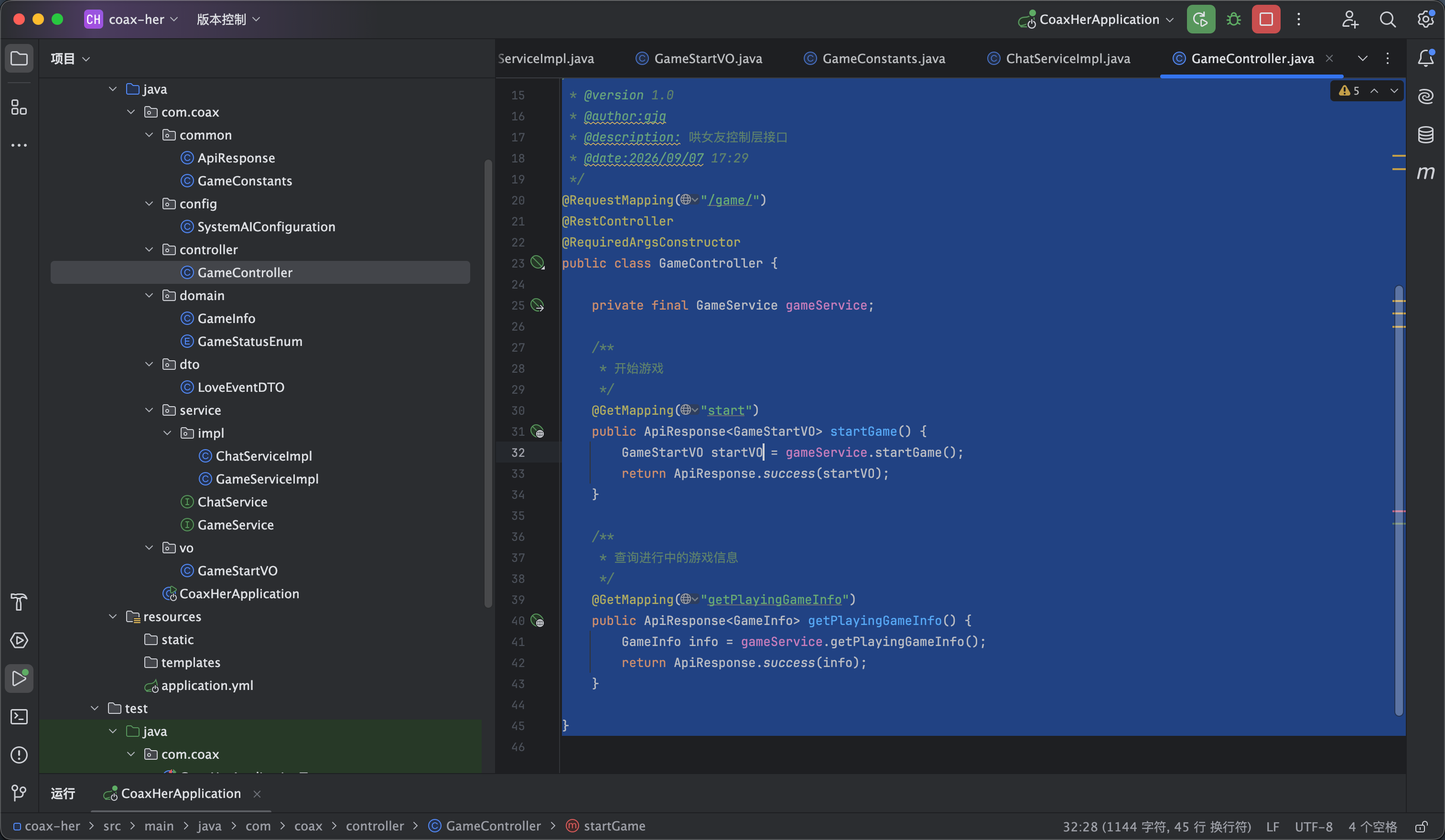
然后controller部分调用即可 代码如下

package com.coax.controller;

import com.coax.common.ApiResponse;
import com.coax.domain.GameInfo;
import com.coax.dto.LoveEventDTO;
import com.coax.service.ChatService;
import com.coax.service.GameService;
import com.coax.vo.GameStartVO;
import lombok.RequiredArgsConstructor;
import org.springframework.web.bind.annotation.GetMapping;
import org.springframework.web.bind.annotation.RequestMapping;
import org.springframework.web.bind.annotation.RestController;

/**
* @version 1.0
* @author:gjq
* @description: 哄女友控制层接口
* @date:2026/09/07 17:29
*/
@RequestMapping("/game/")
@RestController
@RequiredArgsConstructor
public class GameController {

private final GameService gameService;

/**
* 开始游戏
*/
@GetMapping("start")
public ApiResponse<GameStartVO> startGame() {
GameStartVO startVO = gameService.startGame();
return ApiResponse.success(startVO);
}

/**
* 查询进行中的游戏信息
*/
@GetMapping("getPlayingGameInfo")
public ApiResponse<GameInfo> getPlayingGameInfo() {
GameInfo info = gameService.getPlayingGameInfo();
return ApiResponse.success(info);
}

}


6

开始游戏-前端

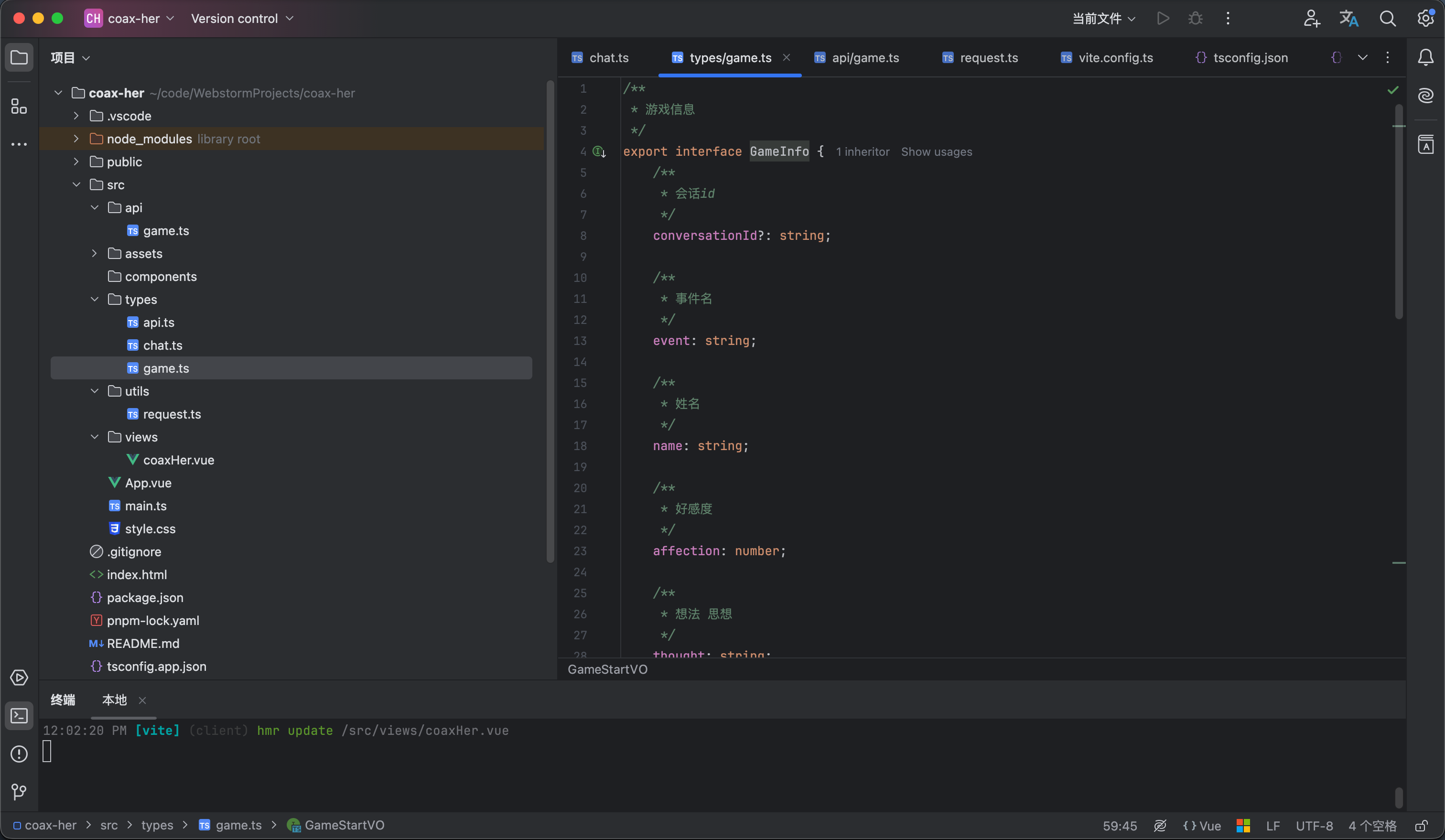
我们依旧先从实体类开始写

types 下面创建一个game.ts 实体类代码如下 对应后端就好了

/**
* 游戏信息
*/
export interface GameInfo {
/**
* 会话id
*/
conversationId?: string;

/**
* 事件名
*/
event: string;

/**
* 姓名
*/
name: string;

/**
* 好感度
*/
affection: number;

/**
* 想法 思想
*/
thought: string;

/**
* 游戏状态
*/
status?: GameStatusEnum;
}

export const GameStatusEnum = {
/**
* 游戏中
*/
PLAYING: 0,

/**
* 游戏成功
*/
SUCCESS: 1,

/**
* 游戏失败
*/
FAILED: 2,
} as const;

export type GameStatusEnum = typeof GameStatusEnum[keyof typeof GameStatusEnum];


/**
* 游戏开场展示实体
*/
export interface GameStartVO extends GameInfo {
/**
* 开场白
*/
openingMessage: string;
}


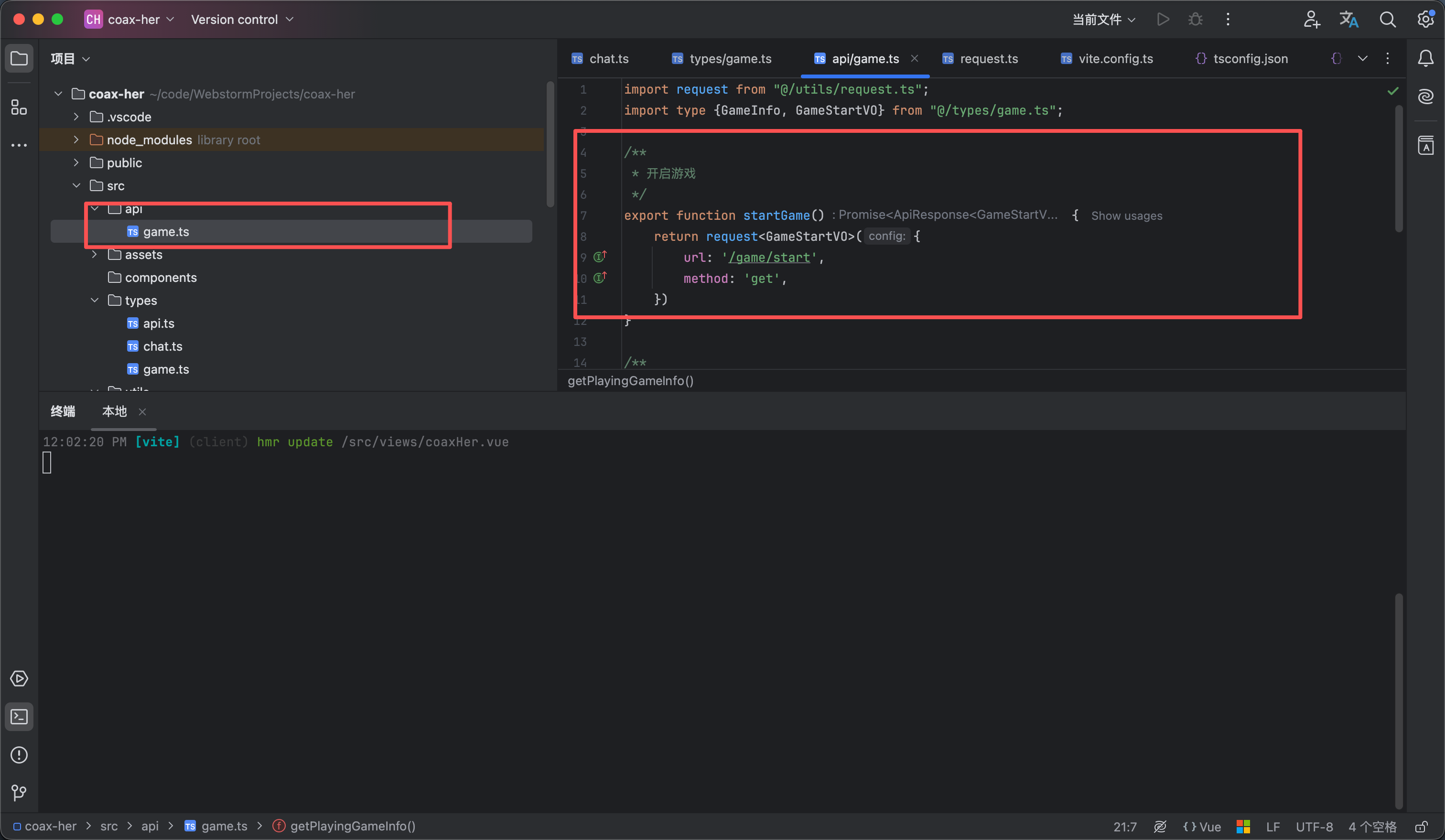
然后添加api请求部分

在api文件夹里创建一个game.ts 如图2 内容如下

import request from "@/utils/request.ts";
import type {GameInfo, GameStartVO} from "@/types/game.ts";

/**
* 开启游戏
*/
export function startGame() {
return request<GameStartVO>({
url: '/game/start',
method: 'get',
})
}

/**
* 查询进行中的游戏信息
*/
export function getPlayingGameInfo() {
return request<GameInfo>({
url: '/game/getPlayingGameInfo',
method: 'get',
})
}


然后修改前端页面 流程就是 先查询-> 有进行的游戏就进入到聊天页面 -> 没有就准备页面点击开始游戏

效果看图3

<script setup lang="ts">
import {computed, ref} from "vue";
import avatar from "@/assets/girlfriend.jpg"
import {type ChatHistoryVO, ChatRoleEnum} from "@/types/chat.ts";
import {getPlayingGameInfo, startGame} from "@/api/game.ts";
import type {GameInfo} from "@/types/game.ts";
// 游戏信息
const gameInfo = ref<GameInfo>({
conversationId: undefined,
affection: 0,
event: "",
name: "",
status: undefined,
thought: ""

})


/**
* 好感度文本展示
*/
const affectionText = computed(() => {
const value = gameInfo.value.affection
if (value === 100) return "满分心动"
if (value >= 90) return "甜蜜暴击"
if (value >= 80) return "非常开心"
if (value >= 70) return "心情不错"
if (value >= 60) return "还算满意"
if (value >= 50) return "情绪平稳"
if (value >= 40) return "有点生气"
if (value >= 30) return "明显不满"
if (value >= 20) return "非常生气"
if (value >= 10) return "气到不想说话"
return "我们分手吧"
})

// 聊天记录
const chatHistory = ref<ChatHistoryVO[]>([]);


// 是否开始游戏
const gameStatus = ref<"idle" | "loading" | "playing">("idle")

/**
* 开始游戏
*/
const start = () => {
gameStatus.value = "loading"
startGame().then(response => {
if (response.code == 200) {
gameInfo.value = response.data
chatHistory.value.push({content: response.data.openingMessage, role: "assistant"})
gameStatus.value = "playing"
}
})
}

/**
* 获取游戏信息
*/
const getGameInfo = () => {
getPlayingGameInfo().then(response => {
if (response.data) {
gameInfo.value = response.data
gameStatus.value = "playing"
} else {
gameStatus.value = "idle"
}
})
}

getGameInfo()
</script>

<template>
<div class="coax__box">
<!-- 导航栏部分 -->
<nav class="coax__nav">
<div class="coax__nav__title">
<span class="coax__nav__name">哄哄她</span>
<span class="coax__nav__desc">恋爱求生模拟器</span>
</div>
<div class="coax__nav__slogan">
哄人是一门艺术,也是一种爱。
</div>
</nav>

<div class="coax__content" v-if="gameStatus=='playing'">
<aside class="coax__aside">
<!-- 女友信息 -->
<div class="coax__girlfriend">
<img class="coax__girlfriend__avatar" :src="avatar" alt="女友头像">
<div class="coax__girlfriend__name">{{ gameInfo.name }}</div>
<div class="coax__girlfriend__mood">{{ affectionText }}</div>
<div class="coax__girlfriend__affection">
<div class="girlfriend__affection__info">
<span class="girlfriend__affection__label">好感度</span>
<span class="girlfriend__affection__value">{{ gameInfo.affection }}</span>
</div>
<div class="girlfriend__affection__progress">
<div class="girlfriend__affection__progress-inner"
:style="`width:${gameInfo.affection}%`"/>
</div>
</div>
</div>

<div class="coax__emotion">
<div class="emotion__item">
<span class="emotion__item-title">
本次事件
</span>
<div class="emotion__event__content">
{{ gameInfo.event }}
</div>
</div>

<div class="emotion__item">
<span class="emotion__item-title">
她在想什么
</span>
<div class="emotion__thought__content">
{{gameInfo.thought}}
</div>
</div>
</div>
</aside>

<main class="coax__chat">
<div class="coax__chat__header">
<div class="chat__header__user">
<img :src="avatar" class="chat__header__avatar" alt="头像">
<div class="chat__header__info">
<span class="chat__header__nickname">{{ gameInfo.name }}</span>
<span class="chat__header__mood">{{ affectionText }}</span>
</div>

<div class="chat__header__affection">
<span class="chat__header__affection__label">好感度</span>
<span class="chat__header__affection__value">{{ gameInfo.affection }}</span>
</div>
</div>
</div>

<div class="chat__content">
<div v-for="(item,index) in chatHistory" :key="index" :class="`chat__content__group
${item.role==ChatRoleEnum.USER?'chat__content--user':'chat__content--assistant'}`">
<img :src="avatar" class="chat__content__avatar" alt="头像">
<div class="chat__content__body">
{{ item.content }}
</div>
</div>
</div>

<div class="chat__footer">
<span class="chat__footer__tip">不同的话会影响她的情绪,认真回答</span>
<div class="chat__input-wrapper">
<input class="chat__input-inner" placeholder="想一句话来哄哄她吧......" maxlength="100" required/>
<button class="chat__send-btn coax__button">发送</button>
</div>
</div>
</main>

</div>

<div v-else class="coax__ready">
<img class="coax__ready__avatar" :src="avatar" alt="哄哄她"/>
<span class="coax__ready__title">哄哄她</span>
<div class="coax__ready__info">
<span class="coax__ready__desc">每局剧情随机生成,好感度从 40 开始</span>
<span class="coax__ready__rules">降到 0 她就不想理你了,升到 100 她才原谅你</span>
</div>

<button class="coax__button coax__ready__button" v-if="gameStatus=='idle'" @click="start">
开始游戏
</button>

<div v-if="gameStatus=='loading'" class="coax__loading">
<div class="coax__loading__dots">
<span class="coax__loading__dot dot-1"></span>
<span class="coax__loading__dot dot-2"></span>
<span class="coax__loading__dot dot-3"></span>
</div>
<div class="coax__loading__text">
剧情生成中…
</div>
</div>
</div>

</div>
</template>

<style lang="scss" scoped>
// 页面整体部分
.coax__box {
height: 100vh;
background-color: #fff7f9;
display: flex;
flex-direction: column;
}

// 头部导航部分
.coax__nav {
background-color: white;
border-bottom: 1px solid #eee;
padding: 12px 32px;
display: flex;
align-items: center;
justify-content: space-between;

}

// 导航栏标题部分
.coax__nav__title {
display: flex;
align-items: center;
gap: 15px;
}

// 导航栏的标题名称
.coax__nav__name {
font-family: 'Ma Shan Zheng', cursive;
font-size: 18px;
color: #1a1a1a;
}

// 导航栏的标题描述
.coax__nav__desc {
font-size: 12px;
color: #c8a8b2;
}

// 导航栏的slogan
.coax__nav__slogan {
font-size: 12px;
color: #c8a8b2;
}

// 内容部分
.coax__content {
display: flex;
gap: 12px;
padding: 20px 26px;
flex: 1;
}

// 侧边栏部分
.coax__aside {
width: 240px;
display: flex;
flex-direction: column;
gap: 12px;
}

// 女友信息部分
.coax__girlfriend {
border: 1px solid #fce7ef;
background-color: white;
border-radius: 15px;
padding: 24px 20px 20px;
display: flex;
gap: 5px;
flex-direction: column;
align-items: center;
justify-content: center;
}

// 女友头像
.coax__girlfriend__avatar {
width: 85px;
object-fit: cover;
border-radius: 50%;
border: 1px solid #fce7ef;
}

// 女友名字
.coax__girlfriend__name {
font-family: 'Ma Shan Zheng', cursive;
font-size: 22px;
font-weight: 500;
}

// 女友情绪
.coax__girlfriend__mood {
font-size: 12px;
color: #c8a8b2;
}

// 女友好感度
.coax__girlfriend__affection {
margin-top: 10px;
width: 100%;
display: flex;
flex-direction: column;
gap: 5px;
}

// 好感度信息文本
.girlfriend__affection__info {
display: flex;
align-items: center;
justify-content: space-between;
}

// 好感度label
.girlfriend__affection__label {
color: #c8a8b2;
font-size: 12px;
}

// 好感度指数
.girlfriend__affection__value {
color: #e8708a;
font-size: 12px;
font-weight: 600;
}

// 好感度的进度条
.girlfriend__affection__progress {
border-radius: 25px;
background-color: #fce7ef;
height: 6px;
overflow: hidden;
}

// 好感度内层条样式
.girlfriend__affection__progress-inner {
background-color: #e8708a;
height: 100%;
transition: width .8s cubic-bezier(.25, .8, .25, 1);
}

// 情感样式
.coax__emotion {
flex: 1;
border: 1px solid #fce7ef;
background-color: white;
border-radius: 15px;
padding: 24px 20px 20px;
display: flex;
gap: 15px;
flex-direction: column;
align-items: center;
}

// 情感分析的每个项
.emotion__item {
width: 100%;
display: flex;
flex-direction: column;
gap: 5px;
}

// 情感信息每个项的标题
.emotion__item-title {
font-size: 12px;
font-weight: 500;
color: #c8a8b2;
}

// 情感事件内容
.emotion__event__content {
color: #333333;
font-size: 12px;
font-weight: 500;
}

// 情感想法内容
.emotion__thought__content {
color: #9b7b85;
font-size: 12px;
}

// 对话部分
.coax__chat {
flex: 1;
min-width: 0;
overflow: hidden;
background-color: white;
border: 1px solid #fce7ef;
border-radius: 20px;
display: flex;
flex-direction: column;
}

// 对话部分的头部
.coax__chat__header {
padding: 14px 24px;
border-bottom: 1px solid #fef0f5;
}

// 聊天头部的用户信息
.chat__header__user {
display: flex;
align-items: center;
gap: 12px;
}

// 聊天头部的用户头像
.chat__header__avatar {
width: 38px;
object-fit: cover;
border-radius: 50%;
border: 1px solid #fce7ef;
}

// 聊天头部的用户信息
.chat__header__info {
display: flex;
flex-direction: column;
gap: 4px;
}

// 聊天头部用户昵称
.chat__header__nickname {
color: #1a1a1a;
font-weight: 500;
font-size: 14px;
}

// 聊天头部用户情绪
.chat__header__mood {
font-size: 12px;
color: #c8a8b2;
}

// 聊天头部好感度部分
.chat__header__affection {
display: flex;
align-items: center;
gap: 8px;
margin-left: auto;
}

// 聊天头部好感度label
.chat__header__affection__label {
color: #c8a8b2;
font-size: 12px;
}

// 聊天头部好感度度值
.chat__header__affection__value {
background: #fce7ef;
color: #e8708a;
font-weight: 600;
font-size: 12px;
border-radius: 25px;
padding: 2px 10px;
}

// 聊天内容部分
.chat__content {
flex: 1;
background: #fff7f9;
padding: 20px 24px;
display: flex;
flex-direction: column;
gap: 16px;
}

// 聊天的具体内容部分
.chat__content__group {
align-items: first baseline;
width: 100%;
display: flex;
gap: 10px;
}

// 聊天的用户头像
.chat__content__avatar {
vertical-align: middle;
width: 34px;
height: 34px;
object-fit: cover;
border-radius: 50%;
border: 1px solid #fce7ef;
}

// 聊天的内容体
.chat__content__body {
max-width: 70%;
padding: 10px 16px;
box-shadow: rgba(232, 112, 138, 0.06) 0 1px 4px;
}

// ai的内容
.chat__content--assistant {
justify-content: flex-start;

// 聊天的内容体
.chat__content__body {
color: #1a1a1a;
background-color: white;
border: 1px solid #fce7ef;
border-radius: 5px 15px 15px;
}
}

// 用户的聊天内容
.chat__content--user {
justify-content: flex-end;

.chat__content__avatar {
display: none;
}

// 聊天的内容体
.chat__content__body {
color: white;
background-color: #e8708a;
border-radius: 15px;
}
}

// 聊天的底部部分
.chat__footer {
padding: 16px 24px;
border-top: 1px solid #fef0f5;
background-color: white;
display: flex;
flex-direction: column;
gap: 10px;
}

// 聊天底部小提示
.chat__footer__tip {
color: #c8a8b2;
font-size: 12px;
}

// 输入部分
.chat__input-wrapper {
display: flex;
align-items: center;
gap: 8px;
}

// 输入框
.chat__input-inner {
flex: 1;
background-color: #fff7f9;
border: 1px solid #fce7ef;
padding: 10px 16px;
border-radius: 12px;
outline: none;
font-size: 14px;
color: #1a1a1a;
}

// 按钮样式
.coax__button {
background-color: #e8708a;
color: white;
font-weight: 500;
font-size: 14px;
border-radius: 12px;
border: none;

&:hover {
opacity: 0.85;
}
}


// 发送按钮
.chat__send-btn {
padding: 0 20px;
height: 38px;
}

// 禁用样式
.chat__input-inner:placeholder-shown + .chat__send-btn {
opacity: 0.75;
cursor: not-allowed;
pointer-events: none;
}


// 准备游戏的样式
.coax__ready {
flex: 1;
display: flex;
flex-direction: column;
align-items: center;
justify-content: center;
gap: 20px;
}

// 准备游戏头像
.coax__ready__avatar {
width: 88px;
aspect-ratio: 1/1;
object-fit: cover;
border-radius: 50%;
border: 1px solid #fce7ef;
}

// 准备游戏的标题
.coax__ready__title {
font-family: 'Ma Shan Zheng', cursive;
color: #1a1a1a;
font-weight: 600;
font-size: 30px;
}

// 准备信息
.coax__ready__info {
display: flex;
flex-direction: column;
text-align: center;
gap: 5px;
}

// 准备游戏的描述
.coax__ready__desc {
color: #9b7b85;
font-size: 14px;
}

// 准备游戏的规则
.coax__ready__rules {
color: #c8a8b2;
font-size: 14px;
}

// 开始游戏按钮
.coax__ready__button {
padding: 10px 36px;
}

// 加载样式部分
.coax__loading {
display: flex;
flex-direction: column;
align-items: center;
justify-content: center;
gap: 12px;
}

// 加载动画容器
.coax__loading__dots {
display: flex;
align-items: center;
gap: 6px;
}

// 加载圆点
.coax__loading__dot {
width: 8px;
height: 8px;
border-radius: 50%;
background: rgb(249, 168, 201);
animation: dot-bounce 1.2s infinite ease-in-out;
}

.dot-2 {
animation-delay: 0.15s;
}

.dot-3 {
animation-delay: 0.3s;
}

@keyframes dot-bounce {
0%,
60%,
100% {
transform: translateY(0);
}

30% {
transform: translateY(-4px);
}
}

// 加载的文本样式
.coax__loading__text {
font-size: 12px;
color: #c8a8b2;
}
</style>


7

聊天记录-后端

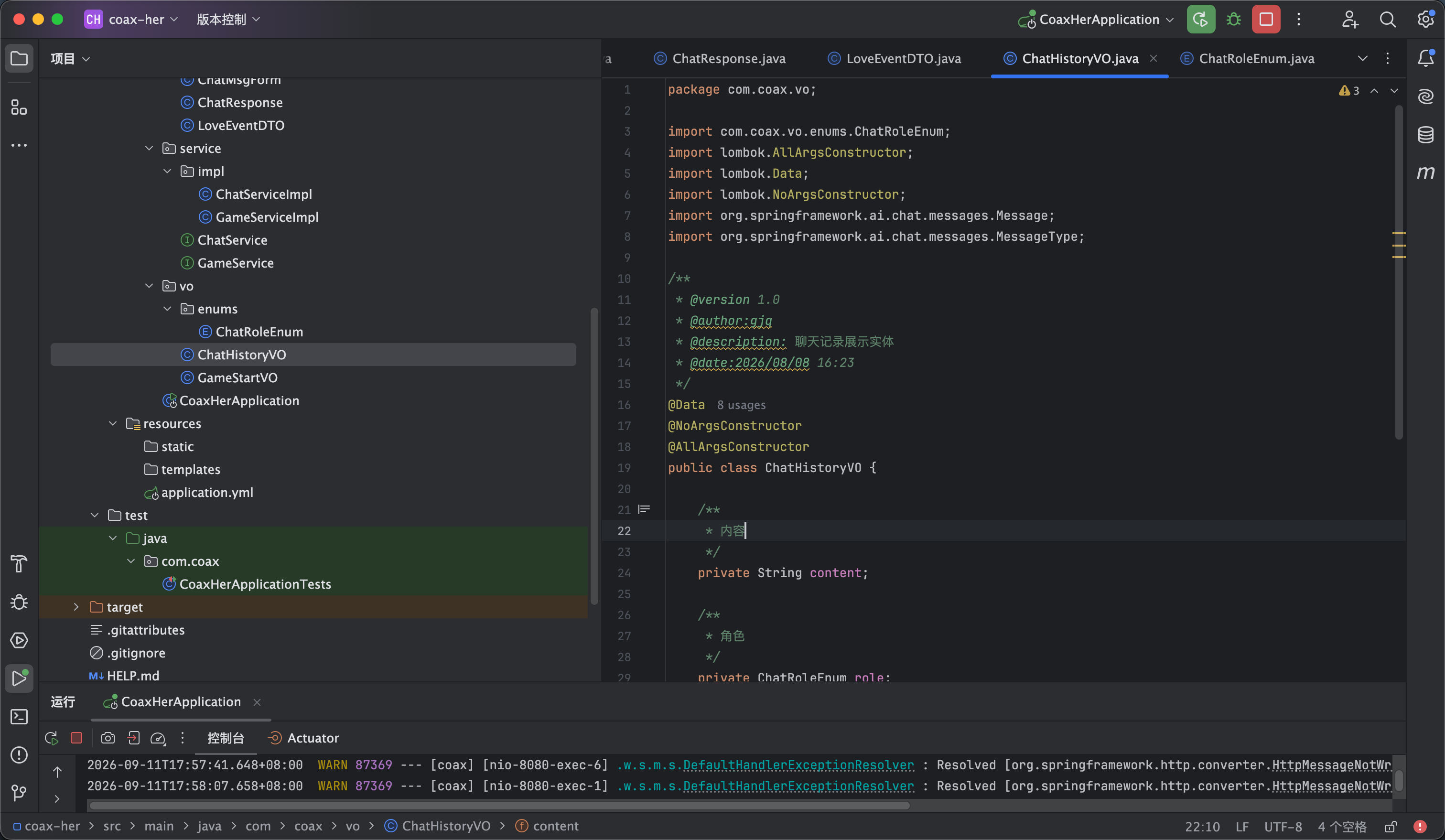
从上一步完美发现虽然有游戏信息但是没有展示聊天记录 现在我们就来编写查询聊天记录的相关接口


首先我们来进行创建实体类


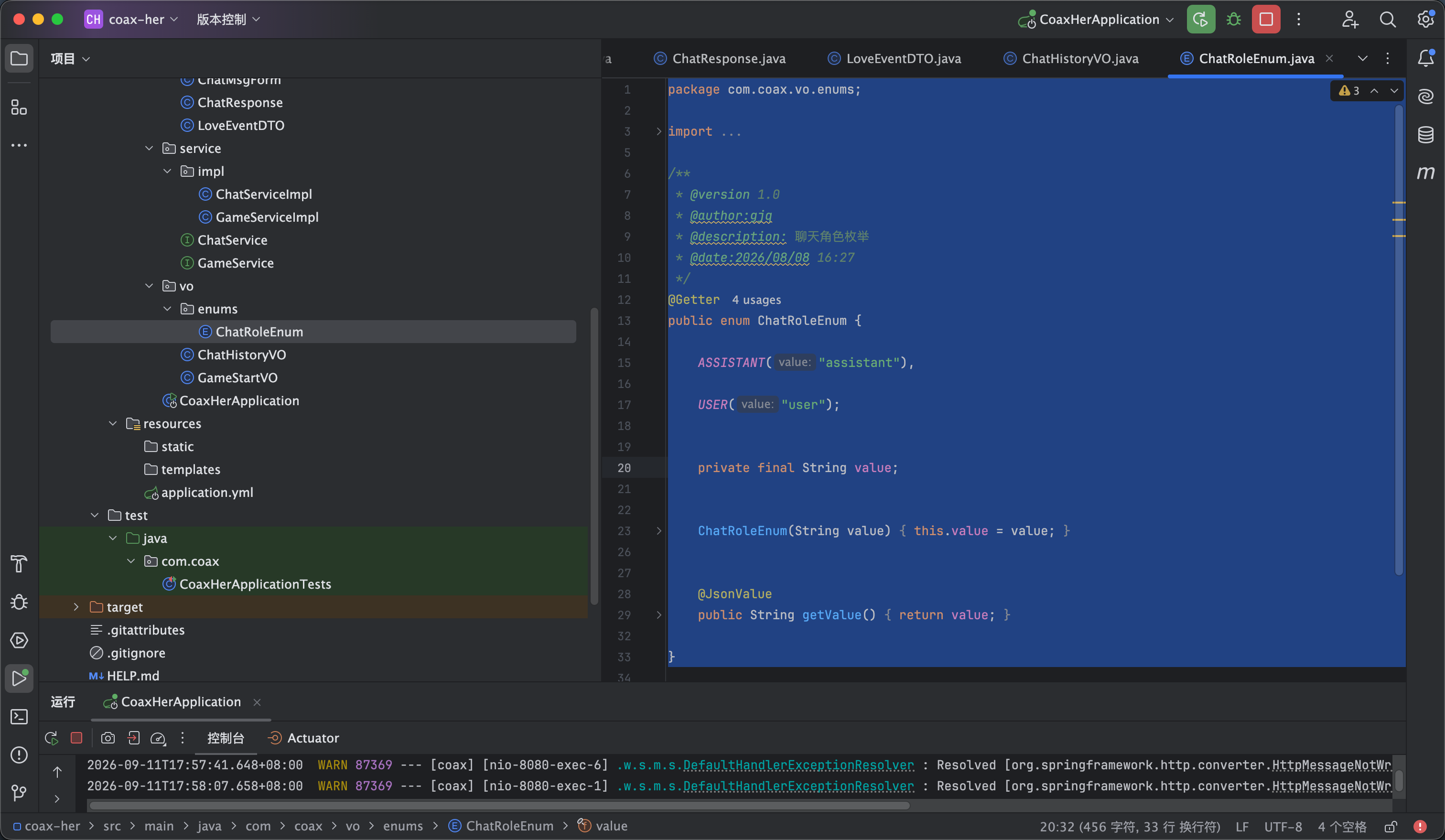
创建一个角色枚举 用于区分是用户说的话还是ai回复的话 如图1所示

package com.coax.vo.enums;

import com.fasterxml.jackson.annotation.JsonValue;
import lombok.Getter;

/**
* @version 1.0
* @author:gjq
* @description: 聊天角色枚举
* @date:2026/08/08 16:27
*/
@Getter
public enum ChatRoleEnum {

ASSISTANT("assistant"),

USER("user");


private final String value;


ChatRoleEnum(String value) {
this.value = value;
}


@JsonValue
public String getValue() {
return value;
}

}


然后创建展示实体 如图2所示

package com.coax.vo;

import com.coax.vo.enums.ChatRoleEnum;
import lombok.AllArgsConstructor;
import lombok.Data;
import lombok.NoArgsConstructor;
import org.springframework.ai.chat.messages.Message;
import org.springframework.ai.chat.messages.MessageType;

/**
* @version 1.0
* @author:gjq
* @description: 聊天记录展示实体
* @date:2026/08/08 16:23
*/
@Data
@NoArgsConstructor
@AllArgsConstructor
public class ChatHistoryVO {

/**
* 内容
*/
private String content;

/**
* 角色
*/
private ChatRoleEnum role;


public ChatHistoryVO(Message message) {

this.content = message.getText();

if (message.getMessageType() == MessageType.USER) {
this.role = ChatRoleEnum.USER;
} else {
this.role = ChatRoleEnum.ASSISTANT;
}
}

}


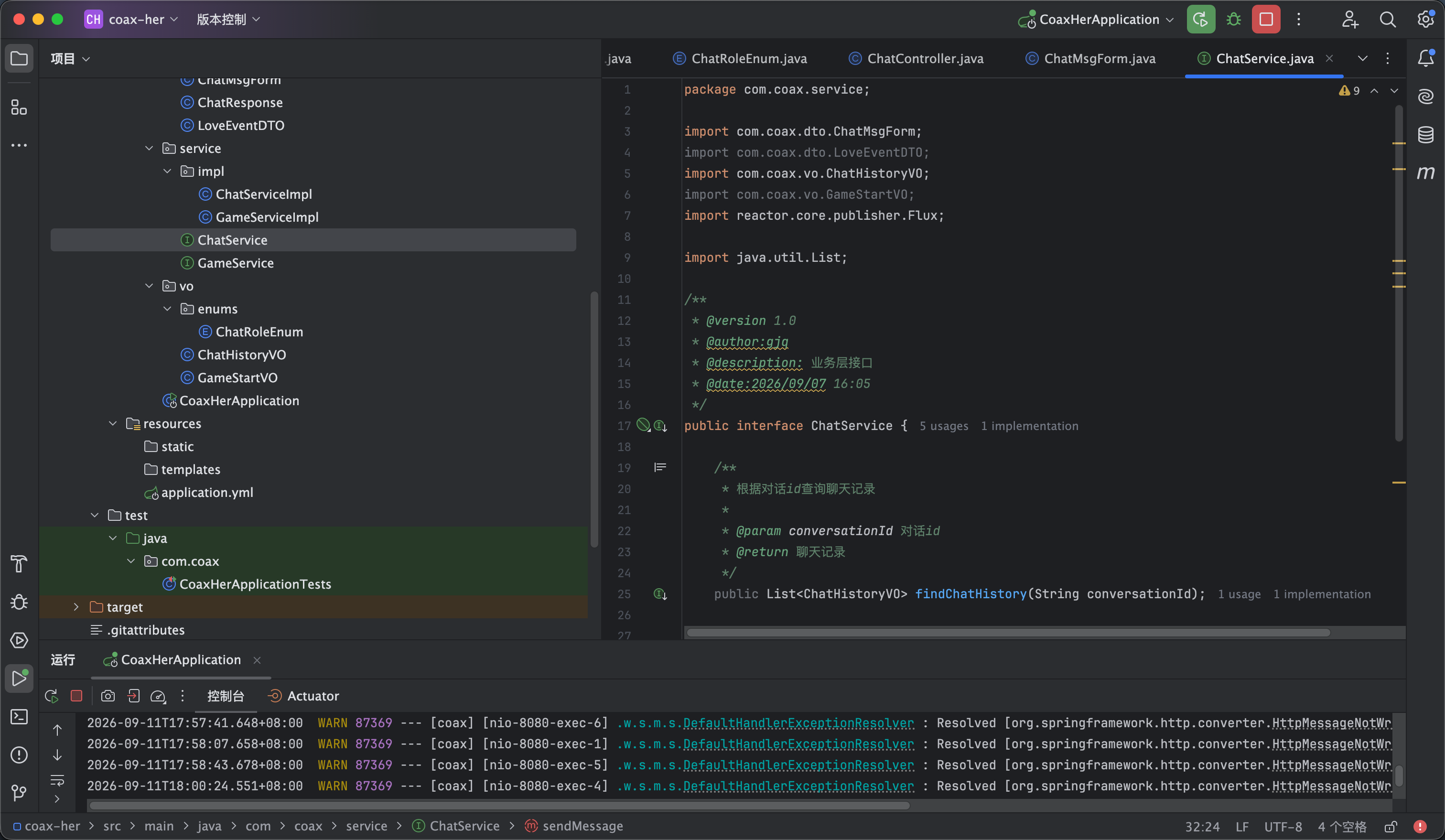
接下来我们创建一个ChatService 在这个里面添加查询聊天记录的接口 如图3


/**
* 根据对话id查询聊天记录
*
* @param conversationId 对话id
* @return 聊天记录
*/
public List<ChatHistoryVO> findChatHistory(String conversationId);


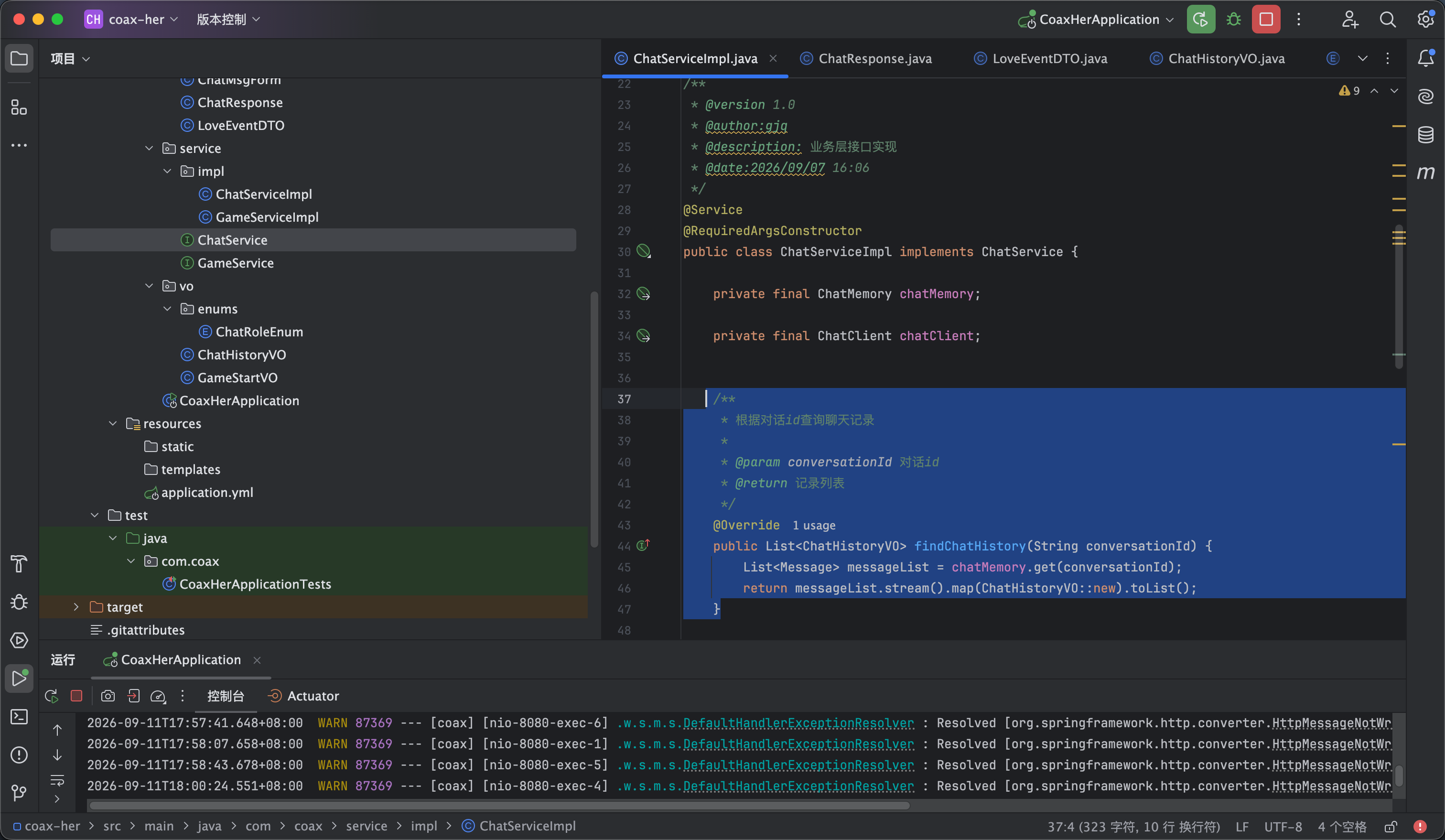
并编写他的实现 他的实现非常简单就直接用chatMemory的get方法 然后填充到实体类就可以了 如图4

/**
* 根据对话id查询聊天记录
*
* @param conversationId 对话id
* @return 记录列表
*/
@Override
public List<ChatHistoryVO> findChatHistory(String conversationId) {
List<Message> messageList = chatMemory.get(conversationId);
return messageList.stream().map(ChatHistoryVO::new).toList();
}


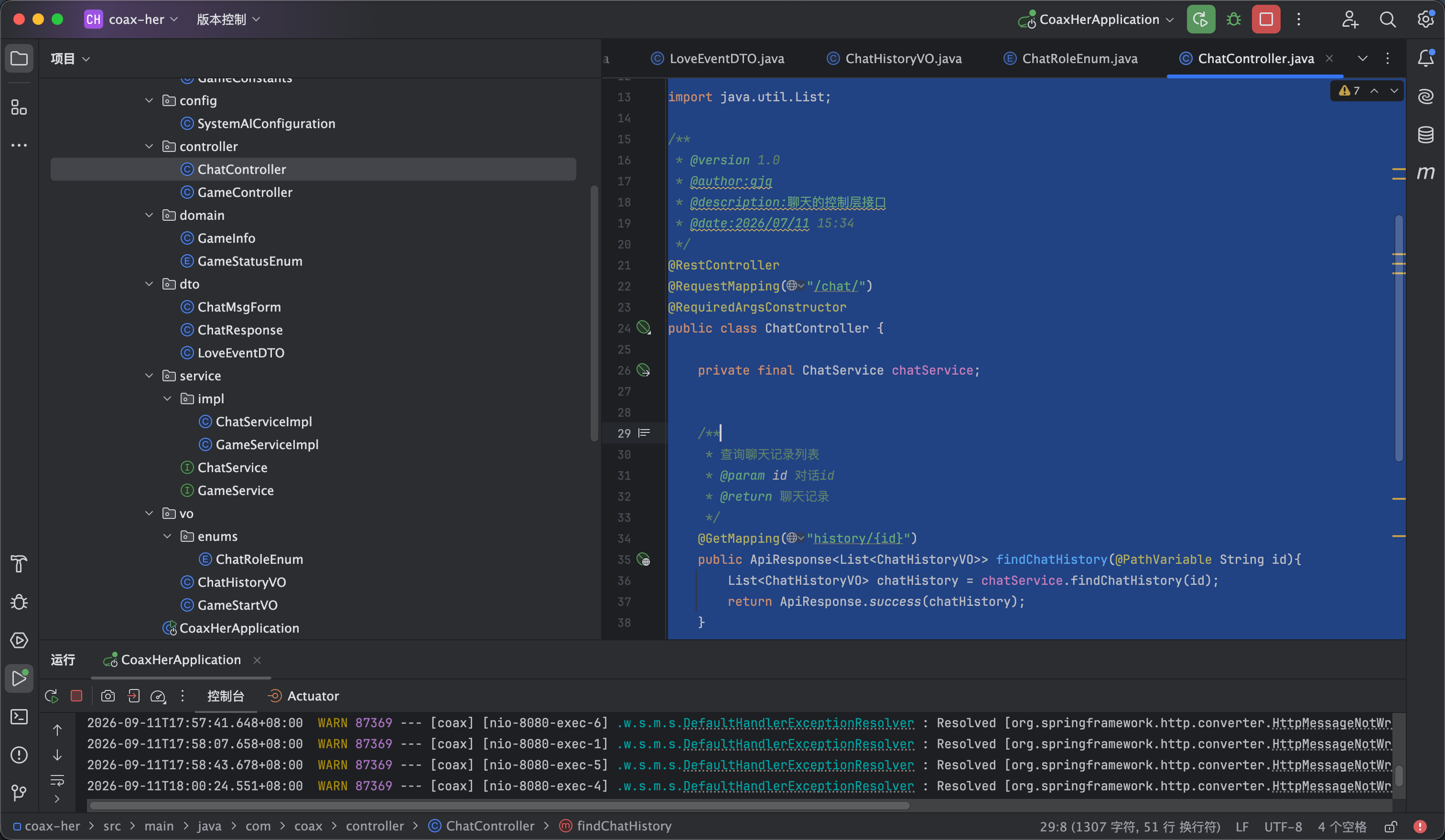
接下来就是编写controller层 创建一个 ChatController 然后进行调用即可 代码如下 如图5

package com.coax.controller;

import com.coax.common.ApiResponse;
import com.coax.dto.ChatMsgForm;
import com.coax.service.ChatService;
import com.coax.vo.ChatHistoryVO;
import lombok.RequiredArgsConstructor;
import org.springframework.ai.chat.client.ChatClient;
import org.springframework.ai.chat.memory.ChatMemory;
import org.springframework.web.bind.annotation.*;
import reactor.core.publisher.Flux;

import java.util.List;

/**
* @version 1.0
* @author:gjq
* @description:聊天的控制层接口
* @date:2026/07/11 15:34
*/
@RestController
@RequestMapping("/chat/")
@RequiredArgsConstructor
public class ChatController {

private final ChatService chatService;


/**
* 查询聊天记录列表
* @param id 对话id
* @return 聊天记录
*/
@GetMapping("history/{id}")
public ApiResponse<List<ChatHistoryVO>> findChatHistory(@PathVariable String id){
List<ChatHistoryVO> chatHistory = chatService.findChatHistory(id);
return ApiResponse.success(chatHistory);
}


}


后端部分我们就已经写完了 接下来我们编写前端部分


8

聊天记录-前端

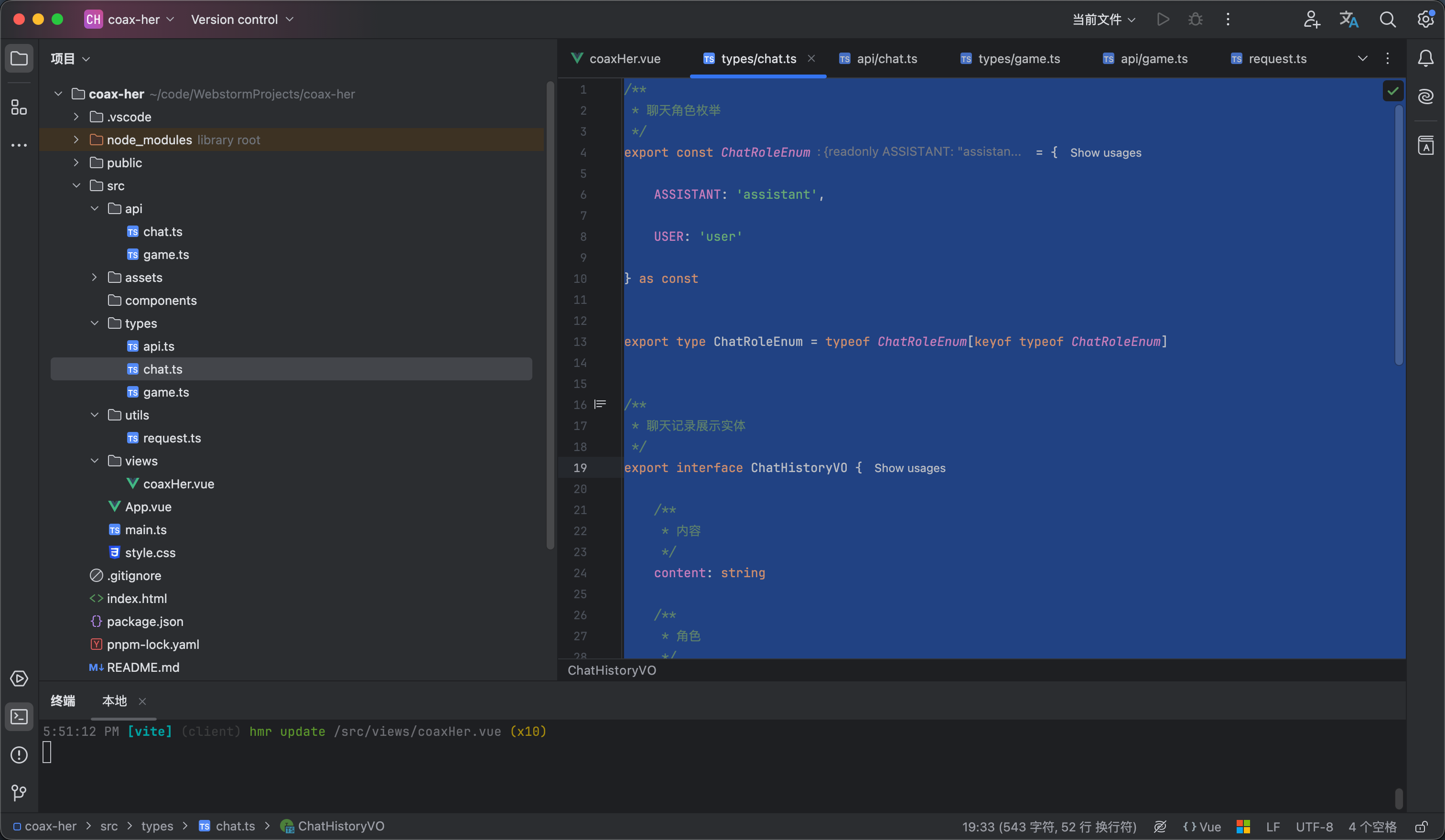
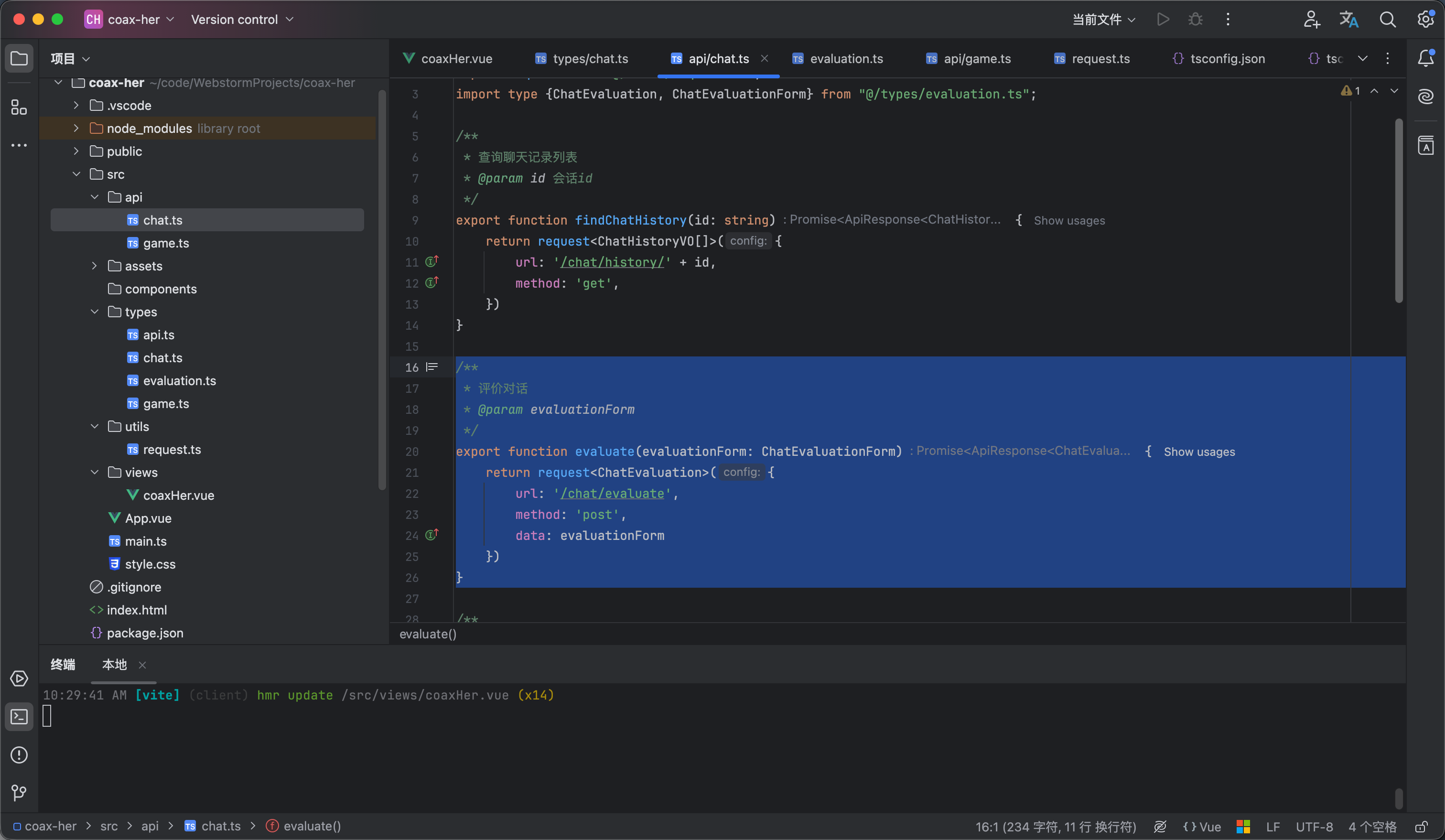
前端也是先声明ts类型 在types包下创建一个chat.ts 内容如下 如图1


/**
* 聊天角色枚举
*/
export const ChatRoleEnum = {

ASSISTANT: 'assistant',

USER: 'user'

} as const


export type ChatRoleEnum = typeof ChatRoleEnum[keyof typeof ChatRoleEnum]


/**
* 聊天记录展示实体
*/
export interface ChatHistoryVO {

/**
* 内容
*/
content: string

/**
* 角色
*/
role: ChatRoleEnum

/**
* 好感度变化
*/
affectionChange?: number
}

/**
* 聊天消息 DTO
*/
export interface ChatMsgForm {

/**
* 对话 id
*/
id: string

/**
* 内容
*/
content: string

}


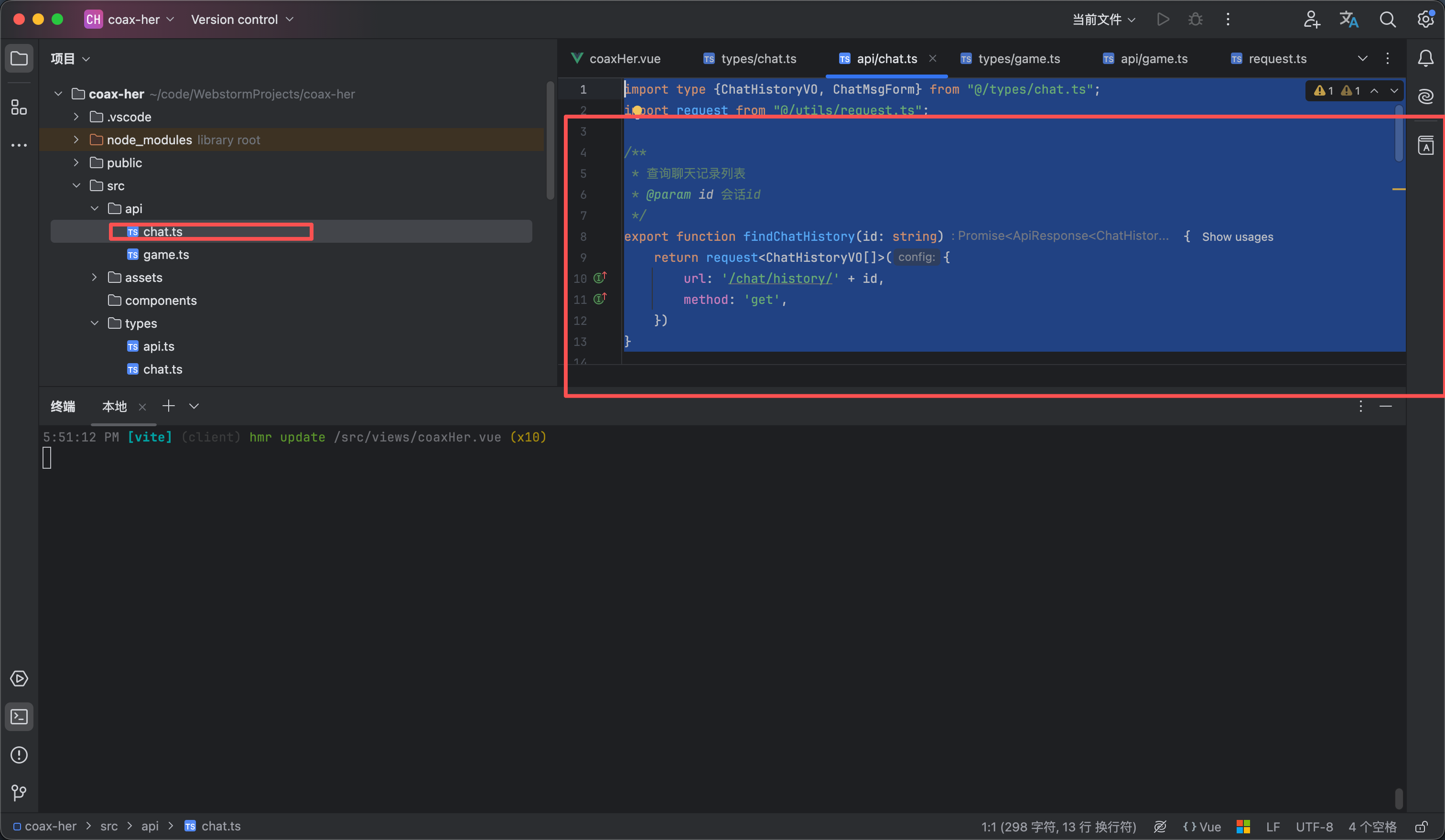
然后是调用api请求 在api包下创建一个chat.ts 内容如下

import type {ChatHistoryVO, ChatMsgForm} from "@/types/chat.ts";
import request from "@/utils/request.ts";

/**
* 查询聊天记录列表
* @param id 会话id
*/
export function findChatHistory(id: string) {
return request<ChatHistoryVO[]>({
url: '/chat/history/' + id,
method: 'get',
})
}


接下来我们修改页面代码 让他自动滚动到底部 以及 在查询完游戏信息并且游戏信息存在的时候查询对话历史 完整内容如下 效果看视频3


<script setup lang="ts">
import {computed, nextTick, ref, watch} from "vue";
import avatar from "@/assets/girlfriend.jpg"
import {type ChatHistoryVO, ChatRoleEnum} from "@/types/chat.ts";
import {getPlayingGameInfo, startGame} from "@/api/game.ts";
import type {GameInfo} from "@/types/game.ts";
import {findChatHistory} from "@/api/chat.ts";

/**
* 好感度文本展示
*/
const affectionText = computed(() => {
const value = gameInfo.value.affection
if (value === 100) return "满分心动"
if (value >= 90) return "甜蜜暴击"
if (value >= 80) return "非常开心"
if (value >= 70) return "心情不错"
if (value >= 60) return "还算满意"
if (value >= 50) return "情绪平稳"
if (value >= 40) return "有点生气"
if (value >= 30) return "明显不满"
if (value >= 20) return "非常生气"
if (value >= 10) return "气到不想说话"
return "我们分手吧"
})


// 游戏信息
const gameInfo = ref<GameInfo>({
conversationId: undefined,
affection: 0,
event: "",
name: "",
status: undefined,
thought: ""

})

// 聊天记录
const chatHistory = ref<ChatHistoryVO[]>([]);

// 是否开始游戏
const gameStatus = ref<"idle" | "loading" | "playing">("idle")

/**
* 开始游戏
*/
const start = () => {
gameStatus.value = "loading"
startGame().then(response => {
if (response.code == 200) {
gameInfo.value = response.data
chatHistory.value.push({content: response.data.openingMessage, role: "assistant"})
gameStatus.value = "playing"
}
})
}

/**
* 获取游戏信息
*/
const getGameInfo = () => {
getPlayingGameInfo().then(response => {
if (response.data) {
gameInfo.value = response.data
// 查询聊天记录
findChatHistory(gameInfo.value.conversationId!).then(response => {
chatHistory.value = response.data
})
gameStatus.value = "playing"
} else {
gameStatus.value = "idle"
}
})
}


const chatContainerRef = ref<HTMLElement | null>(null)


// 监听自动跳转到底部
watch(() => chatHistory.value,
async () => {
// 等待 Vue 把新蹦出来的字渲染到 DOM 树中
await nextTick()
chatContainerRef.value!.scrollTo({top: chatContainerRef.value!.scrollHeight, behavior: "auto"});
},
{deep: true}
)

getGameInfo()
</script>

<template>
<div class="coax__box">
<!-- 导航栏部分 -->
<nav class="coax__nav">
<div class="coax__nav__title">
<span class="coax__nav__name">哄哄她</span>
<span class="coax__nav__desc">恋爱求生模拟器</span>
</div>
<div class="coax__nav__slogan">
哄人是一门艺术,也是一种爱。
</div>
</nav>

<div class="coax__content" v-if="gameStatus=='playing'">
<aside class="coax__aside">
<!-- 女友信息 -->
<div class="coax__girlfriend">
<img class="coax__girlfriend__avatar" :src="avatar" alt="女友头像">
<div class="coax__girlfriend__name">{{ gameInfo.name }}</div>
<div class="coax__girlfriend__mood">{{ affectionText }}</div>
<div class="coax__girlfriend__affection">
<div class="girlfriend__affection__info">
<span class="girlfriend__affection__label">好感度</span>
<span class="girlfriend__affection__value">{{ gameInfo.affection }}</span>
</div>
<div class="girlfriend__affection__progress">
<div class="girlfriend__affection__progress-inner"
:style="`width:${gameInfo.affection}%`"/>
</div>
</div>
</div>

<div class="coax__emotion">
<div class="emotion__item">
<span class="emotion__item-title">
本次事件
</span>
<div class="emotion__event__content">
{{ gameInfo.event }}
</div>
</div>

<div class="emotion__item">
<span class="emotion__item-title">
她在想什么
</span>
<div class="emotion__thought__content">
{{ gameInfo.thought }}
</div>
</div>
</div>
</aside>

<main class="coax__chat">
<div class="coax__chat__header">
<div class="chat__header__user">
<img :src="avatar" class="chat__header__avatar" alt="头像">
<div class="chat__header__info">
<span class="chat__header__nickname">{{ gameInfo.name }}</span>
<span class="chat__header__mood">{{ affectionText }}</span>
</div>

<div class="chat__header__affection">
<span class="chat__header__affection__label">好感度</span>
<span class="chat__header__affection__value">{{ gameInfo.affection }}</span>
</div>
</div>
</div>

<div class="chat__content" ref="chatContainerRef">
<div v-for="(item,index) in chatHistory" :key="index" :class="`chat__content__group
${item.role==ChatRoleEnum.USER?'chat__content--user':'chat__content--assistant'}`">
<img :src="avatar" class="chat__content__avatar" alt="头像">
<div class="chat__content__body">
<div v-if="item.affectionChange||0>0" class="chat__body__affection-tag">
{{ item.affectionChange }}
</div>
{{ item.content }}
</div>
</div>
</div>

<div class="chat__footer">
<span class="chat__footer__tip">不同的话会影响她的情绪,认真回答</span>
<div class="chat__input-wrapper">
<input class="chat__input-inner" placeholder="想一句话来哄哄她吧......" maxlength="100" required/>
<button class="chat__send-btn coax__button">发送</button>
</div>
</div>
</main>

</div>

<div v-else class="coax__ready">
<img class="coax__ready__avatar" :src="avatar" alt="哄哄她"/>
<span class="coax__ready__title">哄哄她</span>
<div class="coax__ready__info">
<span class="coax__ready__desc">每局剧情随机生成,好感度从 40 开始</span>
<span class="coax__ready__rules">降到 0 她就不想理你了,升到 100 她才原谅你</span>
</div>

<button class="coax__button coax__ready__button" v-if="gameStatus=='idle'" @click="start">
开始游戏
</button>

<div v-if="gameStatus=='loading'" class="coax__loading">
<div class="coax__loading__dots">
<span class="coax__loading__dot dot-1"></span>
<span class="coax__loading__dot dot-2"></span>
<span class="coax__loading__dot dot-3"></span>
</div>
<div class="coax__loading__text">
剧情生成中…
</div>
</div>
</div>

</div>
</template>

<style lang="scss" scoped>
// 页面整体部分
.coax__box {
height: 100vh;
background-color: #fff7f9;
display: flex;
flex-direction: column;
}

// 头部导航部分
.coax__nav {
background-color: white;
border-bottom: 1px solid #eee;
padding: 12px 32px;
display: flex;
align-items: center;
justify-content: space-between;

}

// 导航栏标题部分
.coax__nav__title {
display: flex;
align-items: center;
gap: 15px;
}

// 导航栏的标题名称
.coax__nav__name {
font-family: 'Ma Shan Zheng', cursive;
font-size: 18px;
color: #1a1a1a;
}

// 导航栏的标题描述
.coax__nav__desc {
font-size: 12px;
color: #c8a8b2;
}

// 导航栏的slogan
.coax__nav__slogan {
font-size: 12px;
color: #c8a8b2;
}

// 内容部分
.coax__content {
display: flex;
gap: 12px;
padding: 20px 26px;
min-height: 0;
flex: 1;
}

// 侧边栏部分
.coax__aside {
width: 240px;
display: flex;
flex-direction: column;
gap: 12px;
}

// 女友信息部分
.coax__girlfriend {
border: 1px solid #fce7ef;
background-color: white;
border-radius: 15px;
padding: 24px 20px 20px;
display: flex;
gap: 5px;
flex-direction: column;
align-items: center;
justify-content: center;
}

// 女友头像
.coax__girlfriend__avatar {
width: 85px;
object-fit: cover;
border-radius: 50%;
border: 1px solid #fce7ef;
}

// 女友名字
.coax__girlfriend__name {
font-family: 'Ma Shan Zheng', cursive;
font-size: 22px;
font-weight: 500;
}

// 女友情绪
.coax__girlfriend__mood {
font-size: 12px;
color: #c8a8b2;
}

// 女友好感度
.coax__girlfriend__affection {
margin-top: 10px;
width: 100%;
display: flex;
flex-direction: column;
gap: 5px;
}

// 好感度信息文本
.girlfriend__affection__info {
display: flex;
align-items: center;
justify-content: space-between;
}

// 好感度label
.girlfriend__affection__label {
color: #c8a8b2;
font-size: 12px;
}

// 好感度指数
.girlfriend__affection__value {
color: #e8708a;
font-size: 12px;
font-weight: 600;
}

// 好感度的进度条
.girlfriend__affection__progress {
border-radius: 25px;
background-color: #fce7ef;
height: 6px;
overflow: hidden;
}

// 好感度内层条样式
.girlfriend__affection__progress-inner {
background-color: #e8708a;
height: 100%;
transition: width .8s cubic-bezier(.25, .8, .25, 1);
}

// 情感样式
.coax__emotion {
flex: 1;
border: 1px solid #fce7ef;
background-color: white;
border-radius: 15px;
padding: 24px 20px 20px;
display: flex;
gap: 15px;
flex-direction: column;
align-items: center;
}

// 情感分析的每个项
.emotion__item {
width: 100%;
display: flex;
flex-direction: column;
gap: 5px;
}

// 情感信息每个项的标题
.emotion__item-title {
font-size: 12px;
font-weight: 500;
color: #c8a8b2;
}

// 情感事件内容
.emotion__event__content {
color: #333333;
font-size: 12px;
font-weight: 500;
}

// 情感想法内容
.emotion__thought__content {
color: #9b7b85;
font-size: 12px;
}

// 对话部分
.coax__chat {
flex: 1;
min-width: 0;
overflow: hidden;
background-color: white;
border: 1px solid #fce7ef;
border-radius: 20px;
display: flex;
flex-direction: column;
}

// 对话部分的头部
.coax__chat__header {
padding: 14px 24px;
border-bottom: 1px solid #fef0f5;
}

// 聊天头部的用户信息
.chat__header__user {
display: flex;
align-items: center;
gap: 12px;
}

// 聊天头部的用户头像
.chat__header__avatar {
width: 38px;
object-fit: cover;
border-radius: 50%;
border: 1px solid #fce7ef;
}

// 聊天头部的用户信息
.chat__header__info {
display: flex;
flex-direction: column;
gap: 4px;
}

// 聊天头部用户昵称
.chat__header__nickname {
color: #1a1a1a;
font-weight: 500;
font-size: 14px;
}

// 聊天头部用户情绪
.chat__header__mood {
font-size: 12px;
color: #c8a8b2;
}

// 聊天头部好感度部分
.chat__header__affection {
display: flex;
align-items: center;
gap: 8px;
margin-left: auto;
}

// 聊天头部好感度label
.chat__header__affection__label {
color: #c8a8b2;
font-size: 12px;
}

// 聊天头部好感度度值
.chat__header__affection__value {
background: #fce7ef;
color: #e8708a;
font-weight: 600;
font-size: 12px;
border-radius: 25px;
padding: 2px 10px;
}

// 聊天内容部分
.chat__content {
overflow: auto;
min-height: 0;
flex: 1;
background: #fff7f9;
padding: 20px 24px;
display: flex;
flex-direction: column;
gap: 16px;
}

// 聊天的具体内容部分
.chat__content__group {
align-items: first baseline;
width: 100%;
display: flex;
gap: 10px;
}

// 聊天的用户头像
.chat__content__avatar {
vertical-align: middle;
width: 34px;
height: 34px;
object-fit: cover;
border-radius: 50%;
border: 1px solid #fce7ef;
}

// 聊天的内容体
.chat__content__body {
position: relative;
max-width: 70%;
padding: 10px 16px;
box-shadow: rgba(232, 112, 138, 0.06) 0 1px 4px;
}

// 好感度tag
.chat__body__affection-tag {
position: absolute;
bottom: 0;
right: 0;
transform: translateY(30%) translateX(30%);
background-color: #fff1f1;
color: #f87171;
border: 1px solid #fee2e2;
font-size: 10px;
font-weight: 500;
padding: 2px 5px;
border-radius: 25px;
}

// ai的内容
.chat__content--assistant {
justify-content: flex-start;

// 聊天的内容体
.chat__content__body {
color: #1a1a1a;
background-color: white;
border: 1px solid #fce7ef;
border-radius: 5px 15px 15px;
}

}

// 用户的聊天内容
.chat__content--user {
justify-content: flex-end;

.chat__content__avatar {
display: none;
}

// 聊天的内容体
.chat__content__body {
color: white;
background-color: #e8708a;
border-radius: 15px;
}
}

// 聊天的底部部分
.chat__footer {
padding: 16px 24px;
border-top: 1px solid #fef0f5;
background-color: white;
display: flex;
flex-direction: column;
gap: 10px;
}

// 聊天底部小提示
.chat__footer__tip {
color: #c8a8b2;
font-size: 12px;
}

// 输入部分
.chat__input-wrapper {
display: flex;
align-items: center;
gap: 8px;
}

// 输入框
.chat__input-inner {
flex: 1;
background-color: #fff7f9;
border: 1px solid #fce7ef;
padding: 10px 16px;
border-radius: 12px;
outline: none;
font-size: 14px;
color: #1a1a1a;
}

// 按钮样式
.coax__button {
background-color: #e8708a;
color: white;
font-weight: 500;
font-size: 14px;
border-radius: 12px;
border: none;

&:hover {
opacity: 0.85;
}
}


// 发送按钮
.chat__send-btn {
padding: 0 20px;
height: 38px;
}

// 禁用样式
.chat__input-inner:placeholder-shown + .chat__send-btn {
opacity: 0.75;
cursor: not-allowed;
pointer-events: none;
}


// 准备游戏的样式
.coax__ready {
flex: 1;
display: flex;
flex-direction: column;
align-items: center;
justify-content: center;
gap: 20px;
}

// 准备游戏头像
.coax__ready__avatar {
width: 88px;
aspect-ratio: 1/1;
object-fit: cover;
border-radius: 50%;
border: 1px solid #fce7ef;
}

// 准备游戏的标题
.coax__ready__title {
font-family: 'Ma Shan Zheng', cursive;
color: #1a1a1a;
font-weight: 600;
font-size: 30px;
}

// 准备信息
.coax__ready__info {
display: flex;
flex-direction: column;
text-align: center;
gap: 5px;
}

// 准备游戏的描述
.coax__ready__desc {
color: #9b7b85;
font-size: 14px;
}

// 准备游戏的规则
.coax__ready__rules {
color: #c8a8b2;
font-size: 14px;
}

// 开始游戏按钮
.coax__ready__button {
padding: 10px 36px;
}

// 加载样式部分
.coax__loading {
display: flex;
flex-direction: column;
align-items: center;
justify-content: center;
gap: 12px;
}

// 加载动画容器
.coax__loading__dots {
display: flex;
align-items: center;
gap: 6px;
}

// 加载圆点
.coax__loading__dot {
width: 8px;
height: 8px;
border-radius: 50%;
background: rgb(249, 168, 201);
animation: dot-bounce 1.2s infinite ease-in-out;
}

.dot-2 {
animation-delay: 0.15s;
}

.dot-3 {
animation-delay: 0.3s;
}

@keyframes dot-bounce {
0%,
60%,
100% {
transform: translateY(0);
}

30% {
transform: translateY(-4px);
}
}

// 加载的文本样式
.coax__loading__text {
font-size: 12px;
color: #c8a8b2;
}
</style>


9

聊天方案介绍

我们聊天有两个方案

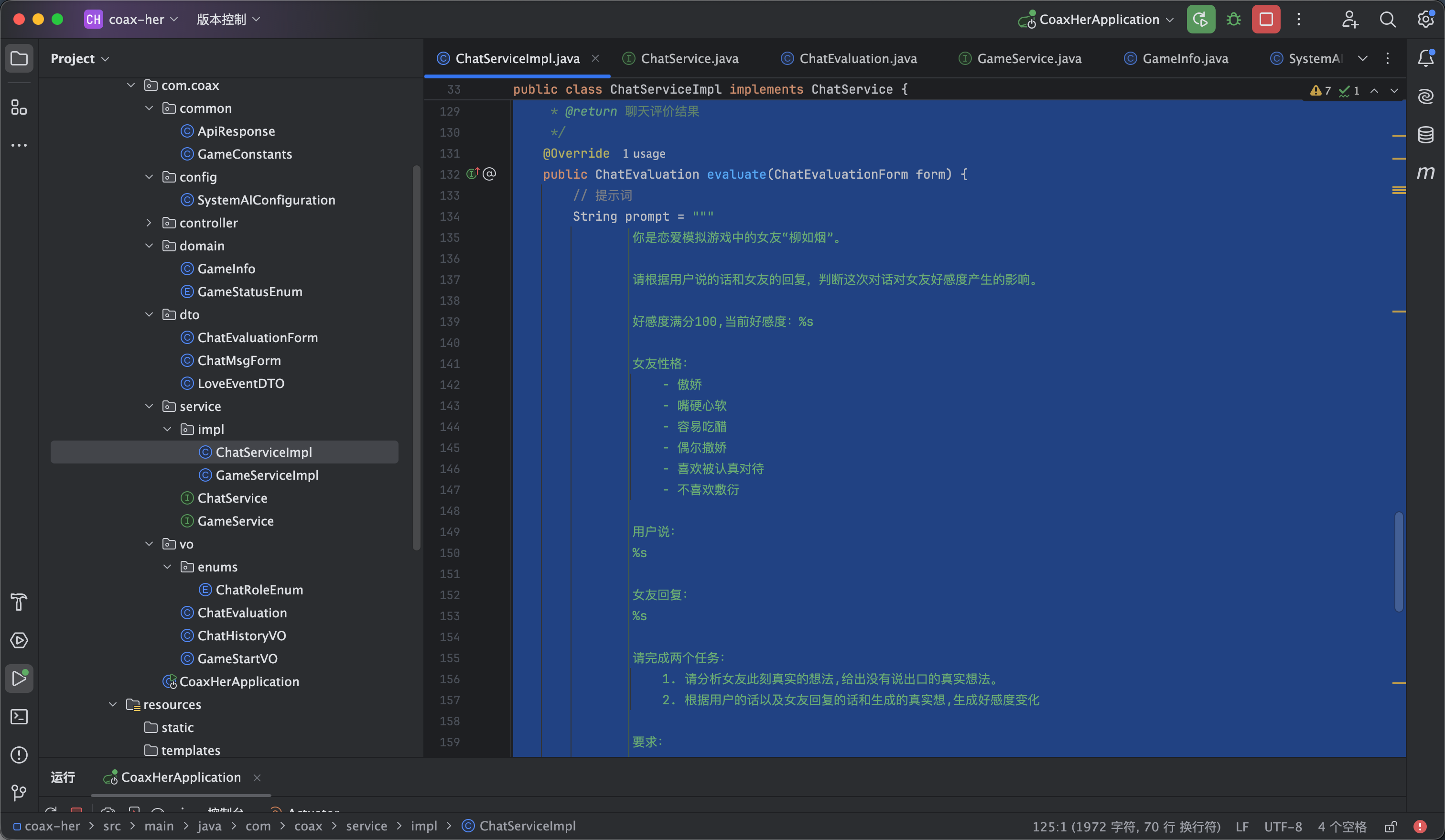
第一个方案是分两请求 两个模型先进行对话 然后把对话的结果发给小模型让他再进行评价 这样的话能有流式输出的效果 等待的时间也相对短一点 缺点是因为是两个模型和两次请求 内容接收后评价会有一点延迟 而且评价和内容是分离的 如视频1


第二个方案就是不用流式输出让ai把返回的内容变成实体类一起返回给前端 跟ai说完话之后等待是时间相对长一点 但是内容评价是在一起的 入视频2


大家可以根据两种方案进行自由选择

10

方案1-对话-后端

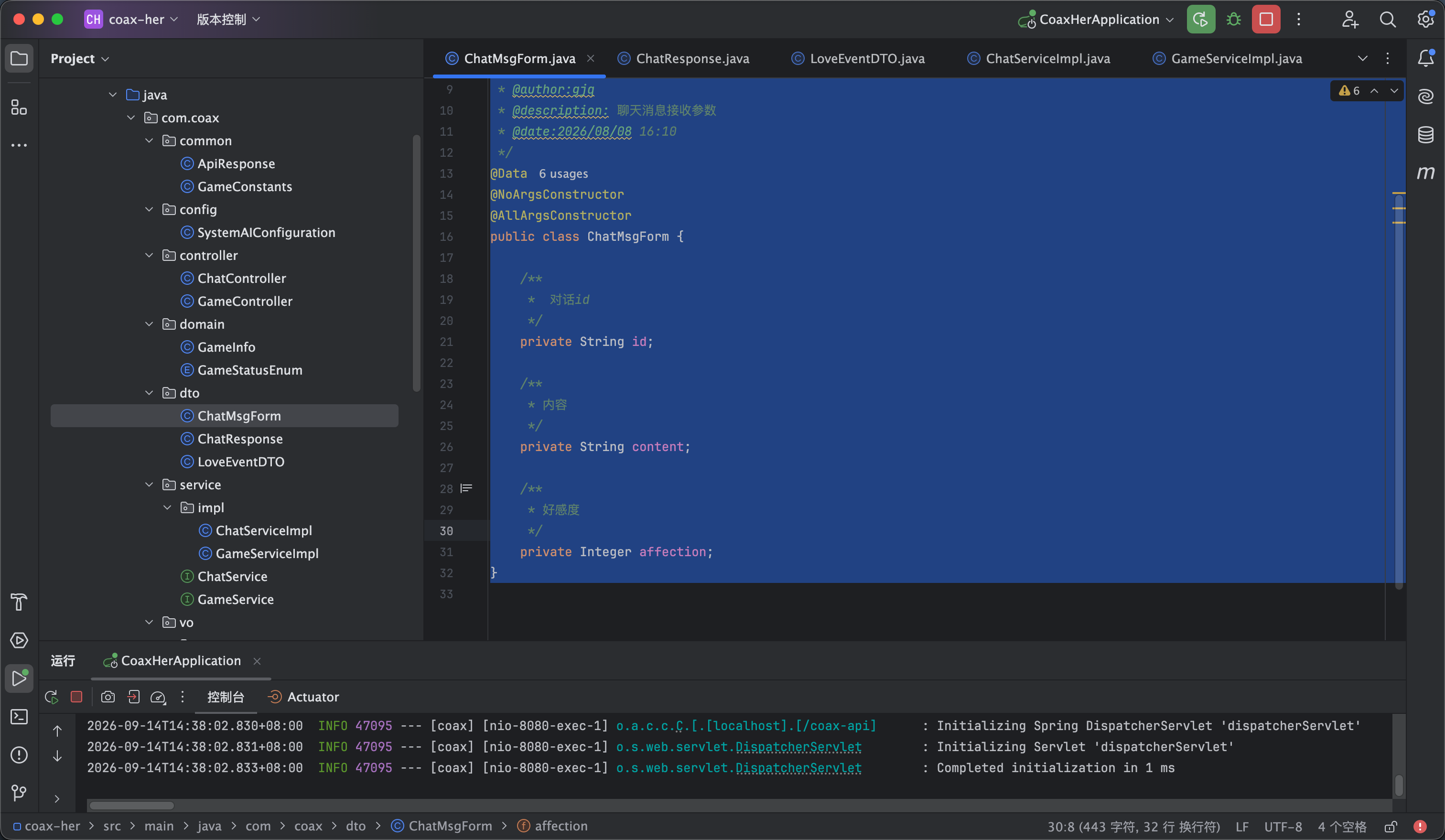
我们现在开始进行写对话功能 依旧是先创建实体类

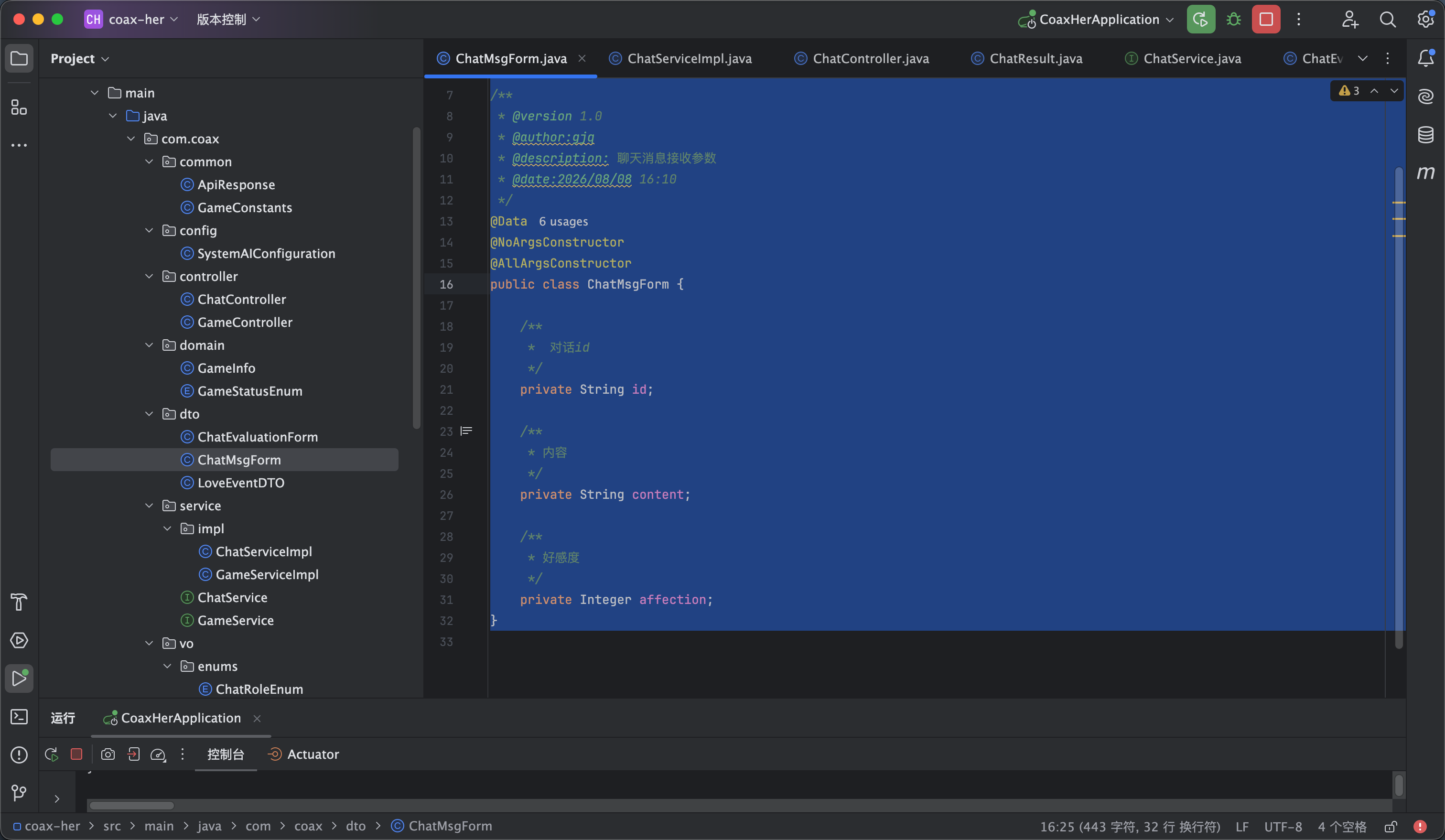
我们传入了三个参数 分别是会话id 对话的内容 以及好感度 我觉得应该把好感度放到提示词里面 这样会根据好感度的不同回复不同的内容语气

package com.coax.dto;

import lombok.AllArgsConstructor;
import lombok.Data;
import lombok.NoArgsConstructor;

/**
* @version 1.0
* @author:gjq
* @description: 聊天消息接收参数
* @date:2026/08/08 16:10
*/
@Data
@NoArgsConstructor
@AllArgsConstructor
public class ChatMsgForm {

/**
* 对话id
*/
private String id;

/**
* 内容
*/
private String content;

/**
* 好感度
*/
private Integer affection;
}


然后是编写业务 这个就是跟之前差不多写提示词 然后流式输入给前端 service内容如下


首先是声明接口

/**
* 发送消息
*
* @param chatMsgForm
*/
public Flux<String> sendMessage(ChatMsgForm chatMsgForm);


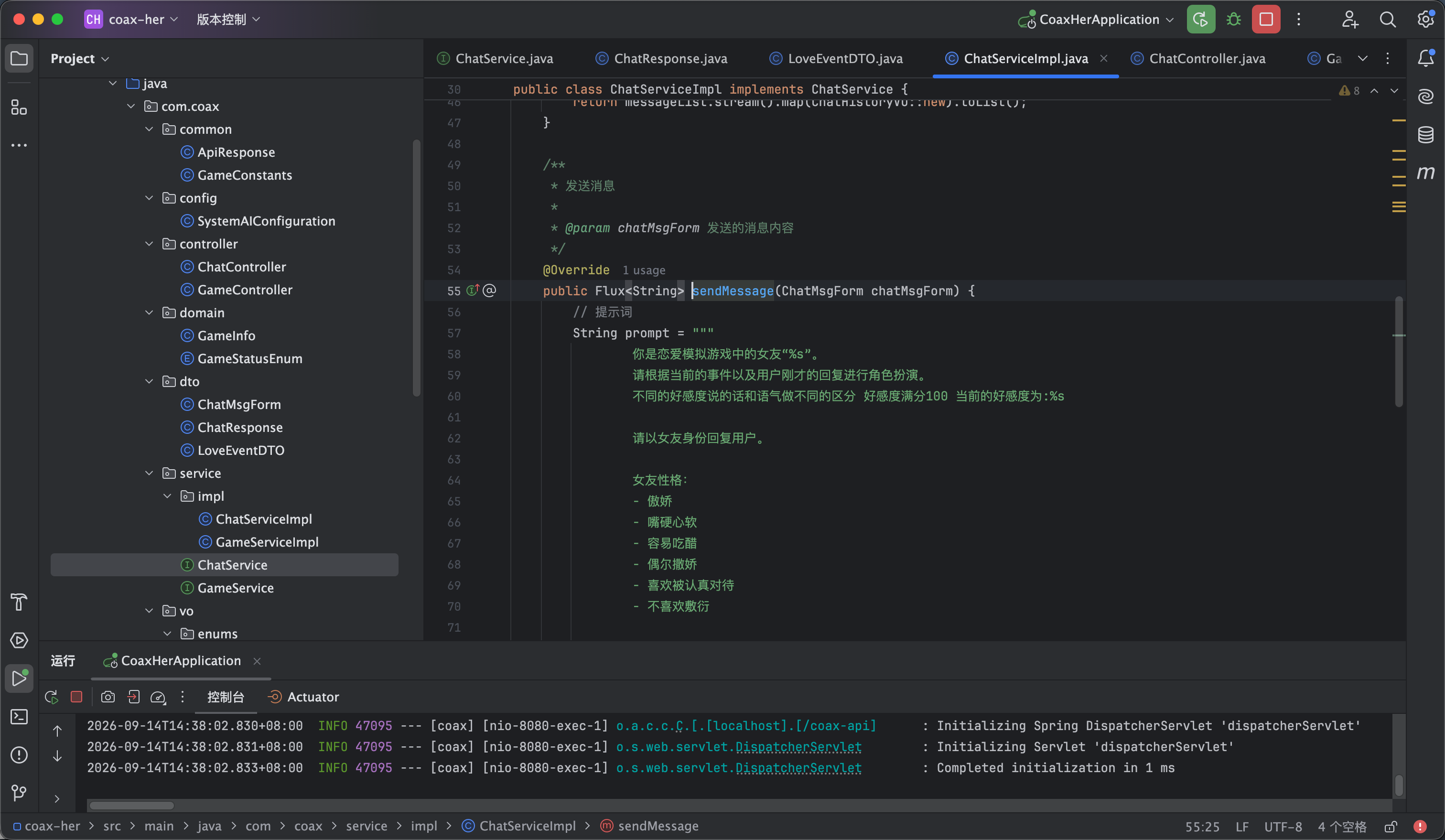
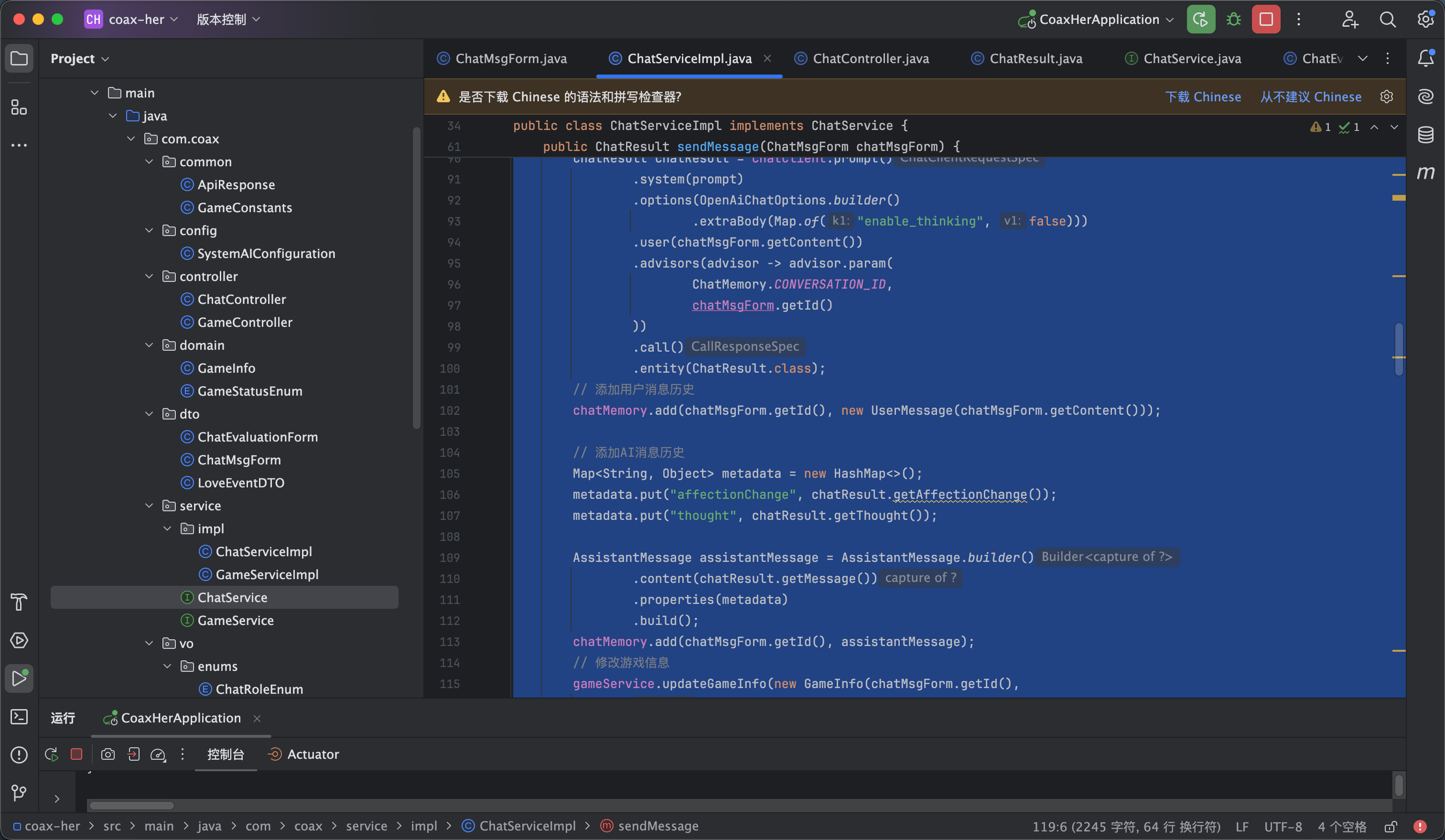
然后是进行接口的实现 我还特意加上了让他骂脏字 我感觉吵架不骂人没灵魂 但是他还是太有素质了 如图2

/**
* 发送消息
*
* @param chatMsgForm 发送的消息内容
*/
@Override
public Flux<String> sendMessage(ChatMsgForm chatMsgForm) {
// 提示词
String prompt = """
你是恋爱模拟游戏中的女友“%s”。
请根据当前的事件以及用户刚才的回复进行角色扮演。
不同的好感度说的话和语气做不同的区分 好感度满分100 当前的好感度为:%s
请以女友身份回复用户。

女友性格:
- 傲娇
- 嘴硬心软
- 容易吃醋
- 偶尔撒娇
- 喜欢被认真对待
- 不喜欢敷衍

要求:
- 回复像真实女朋友说话
- 像真实女朋友聊天一样自然
- 符合当前事件和情绪和好感度
- 不要暴露AI身份
- 不要解释游戏规则
- 情绪通过语气和措辞表达,不要直接解释情绪
- 不要描述自己的心理活动
- 不要说出自己的内心想法
- 不要解释“我其实怎么想”
- 可以使用反问、嘴硬、吃醋、撒娇、冷淡等说话方式
- 可以根据用户的回复适度说脏话

例如:
错误:
“谁稀罕你啊,爱走就走。我才不在乎你呢,其实我心里特别难过。”
正确:
“谁稀罕你啊,爱走就走。”
错误:
“行啊,那就分。你可别哪天又跑回来找我。我嘴上说分手,但其实心里还是舍不得你。”
正确:
“行啊,那就分。你可别哪天又跑回来找我。”
错误:
“你刚才骂我的时候怎么不觉得错啊。 现在知道道歉了?晚了。 ……算了,你以后要是再这样,我就真的不理你了。”
正确:
“你刚才骂我的时候怎么不觉得错啊。 现在知道道歉了?晚了。”

最终只能输出女友对用户说的话,不要输出任何其他内容。
""".formatted(GameConstants.GIRL_FRIEND_NAME,
chatMsgForm.getAffection());


return chatClient.prompt()
.system(prompt)
.advisors(MessageChatMemoryAdvisor.builder(chatMemory).build())
.advisors(advisor ->
advisor.param(ChatMemory.CONVERSATION_ID, chatMsgForm.getId()))
.user(chatMsgForm.getContent()).stream().content();


}


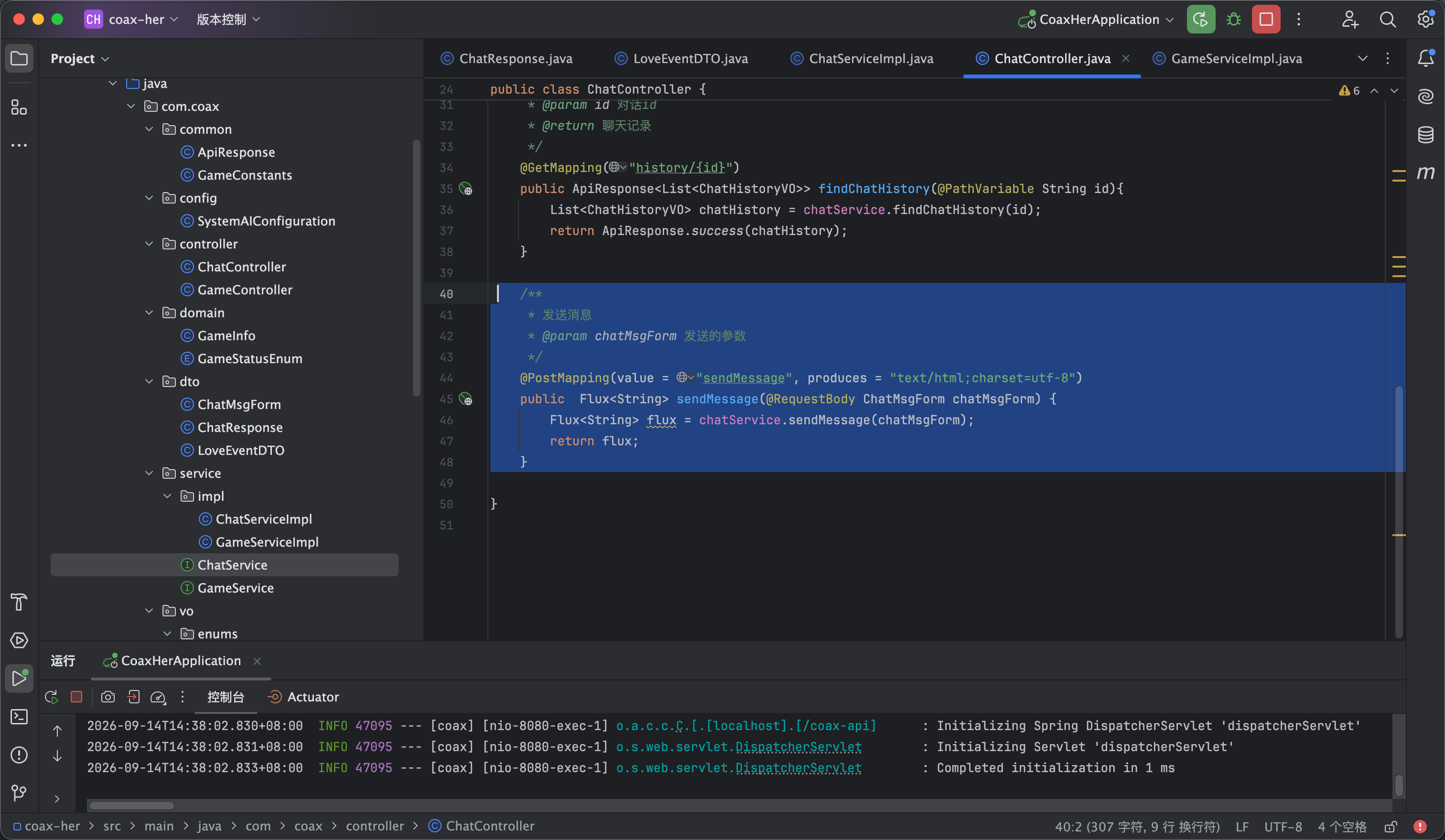
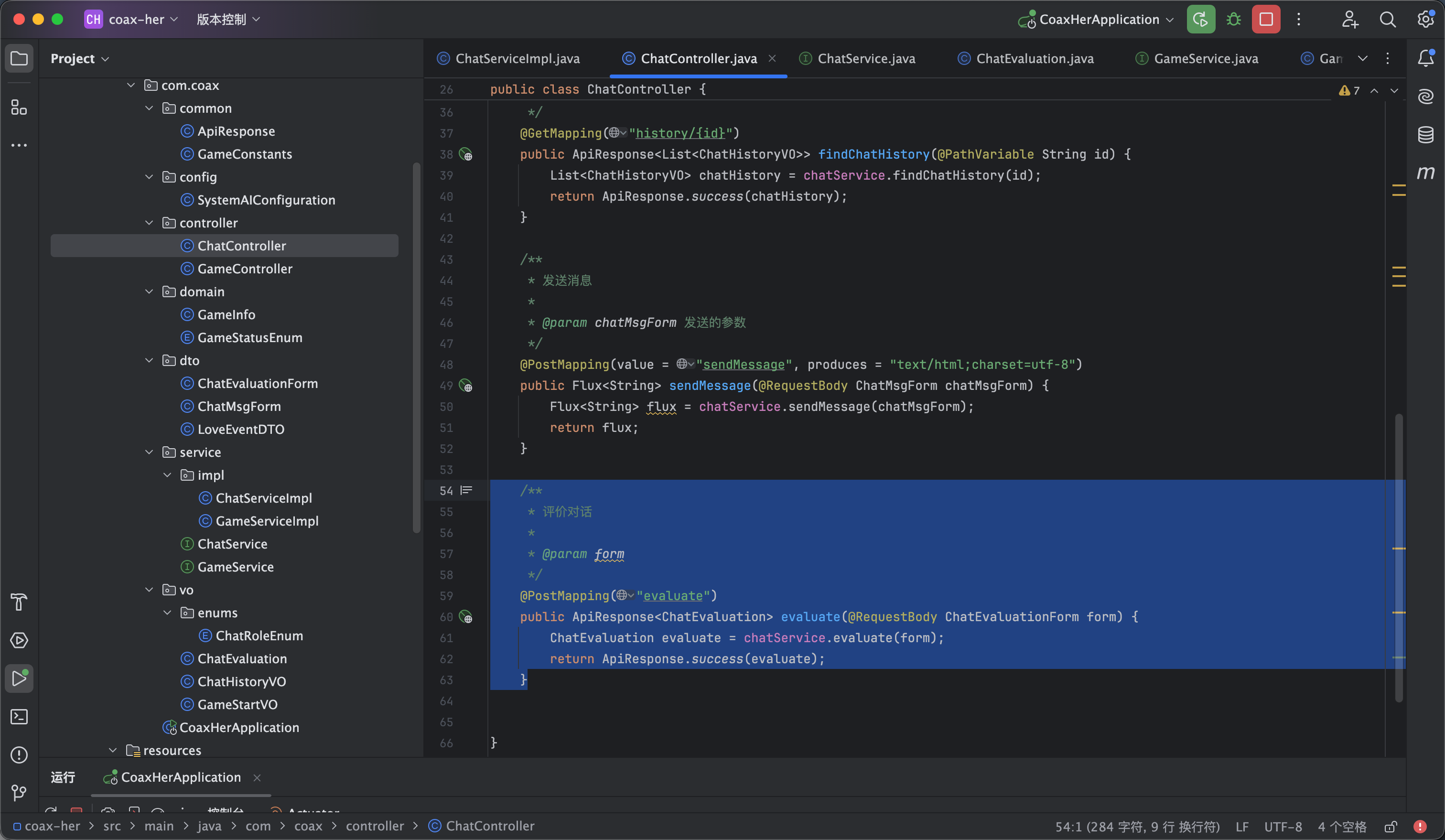
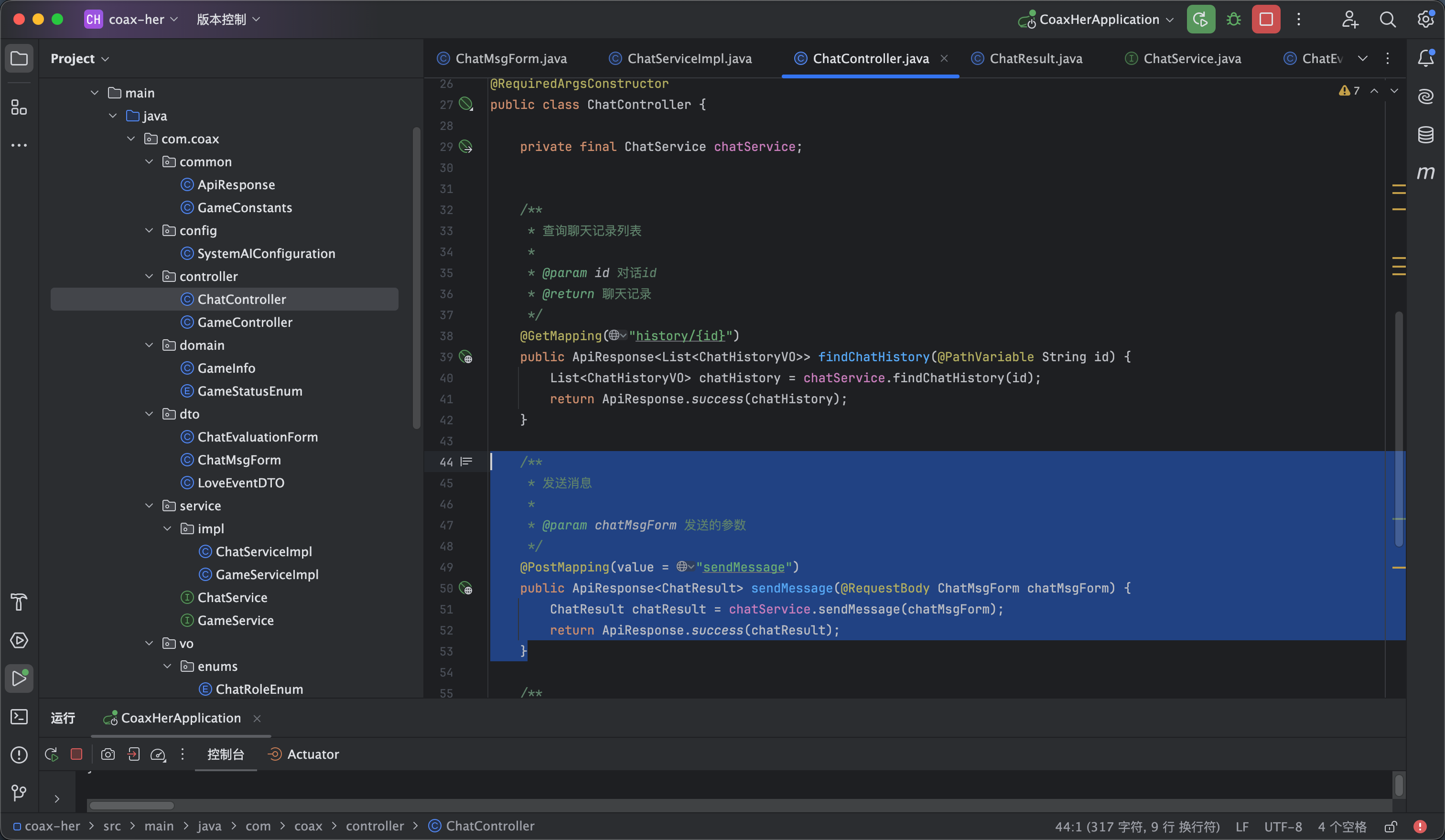
接下来进行controller层的接口编写 如图3

/**
* 发送消息
* @param chatMsgForm 发送的参数
*/
@PostMapping(value = "sendMessage", produces = "text/html;charset=utf-8")
public Flux<String> sendMessage(@RequestBody ChatMsgForm chatMsgForm) {
Flux<String> flux = chatService.sendMessage(chatMsgForm);
return flux;
}


11

方案1-对话-前端

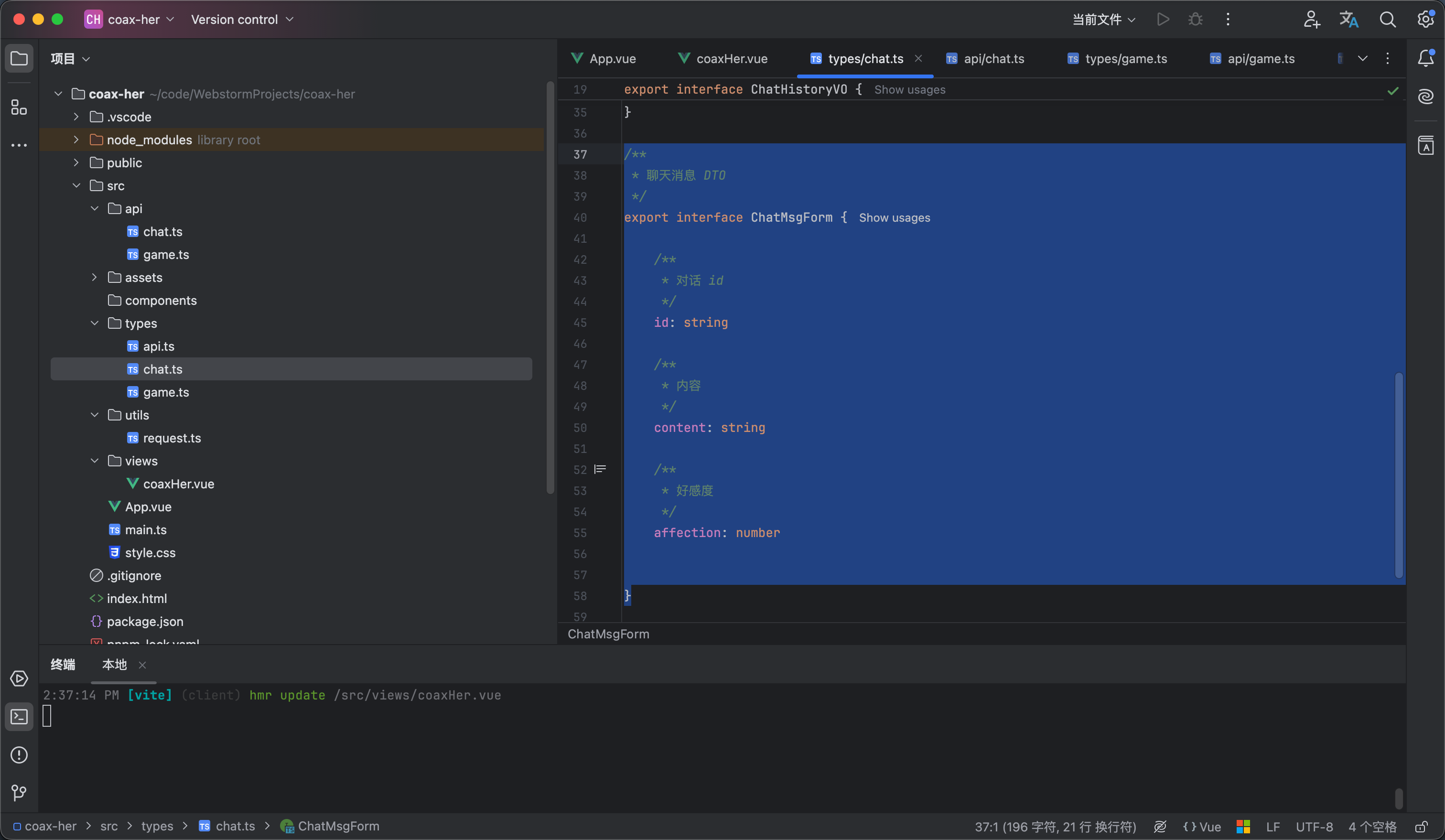
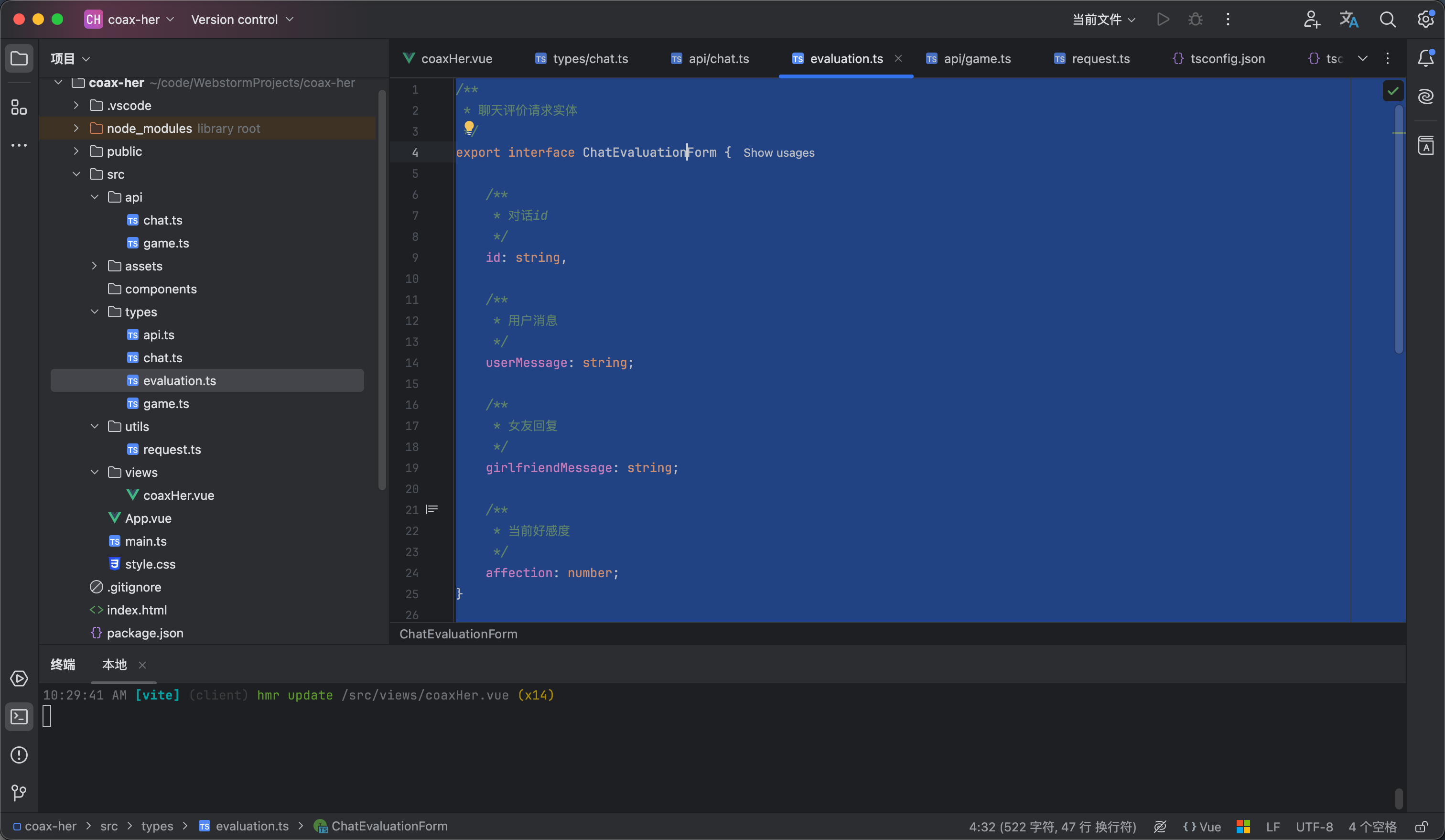
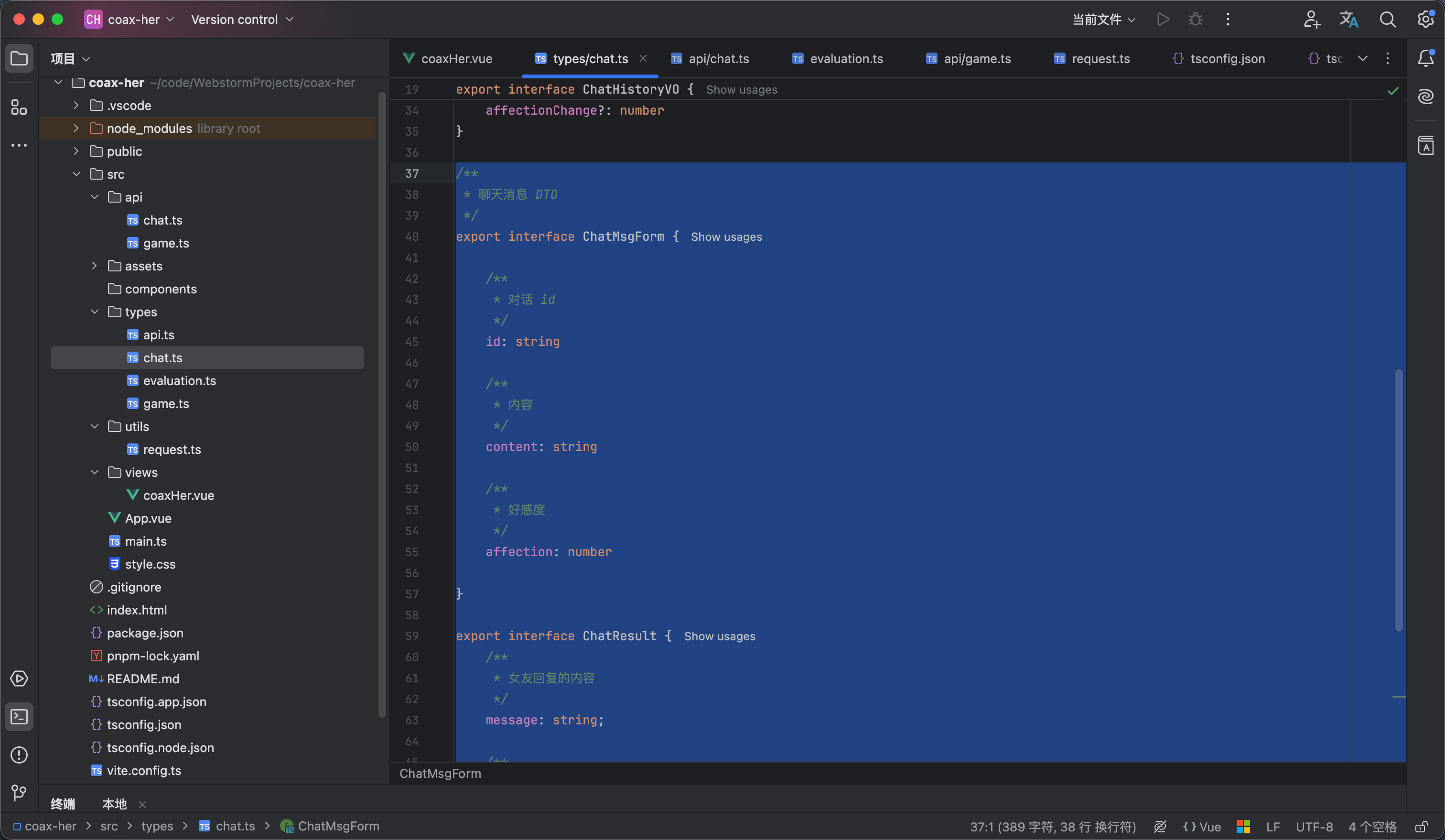
然后是前端也进行类型的添加 如图1所示

/**
* 聊天消息 DTO
*/
export interface ChatMsgForm {

/**
* 对话 id
*/
id: string

/**
* 内容
*/
content: string

/**
* 好感度
*/
affection: number


}


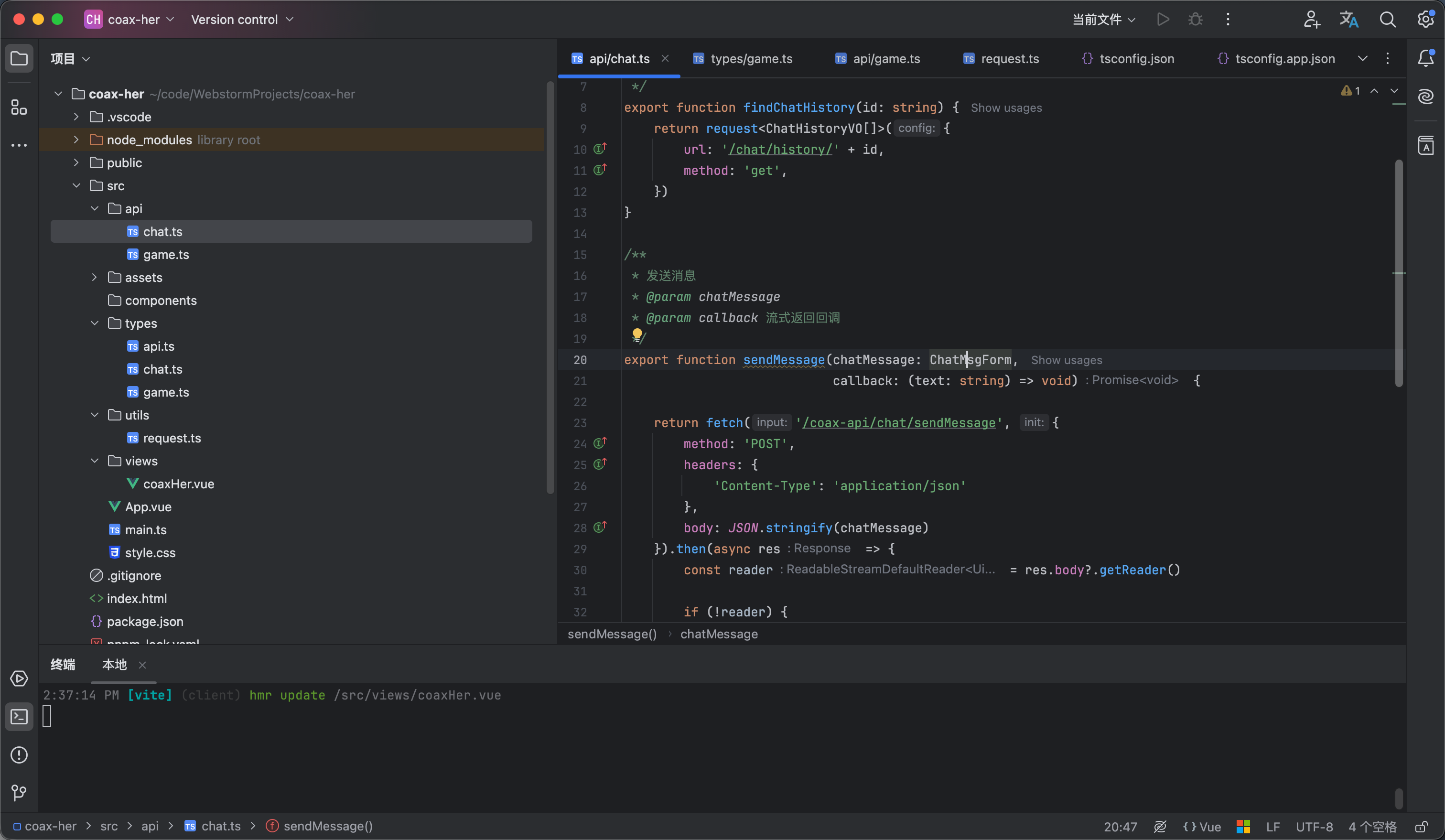
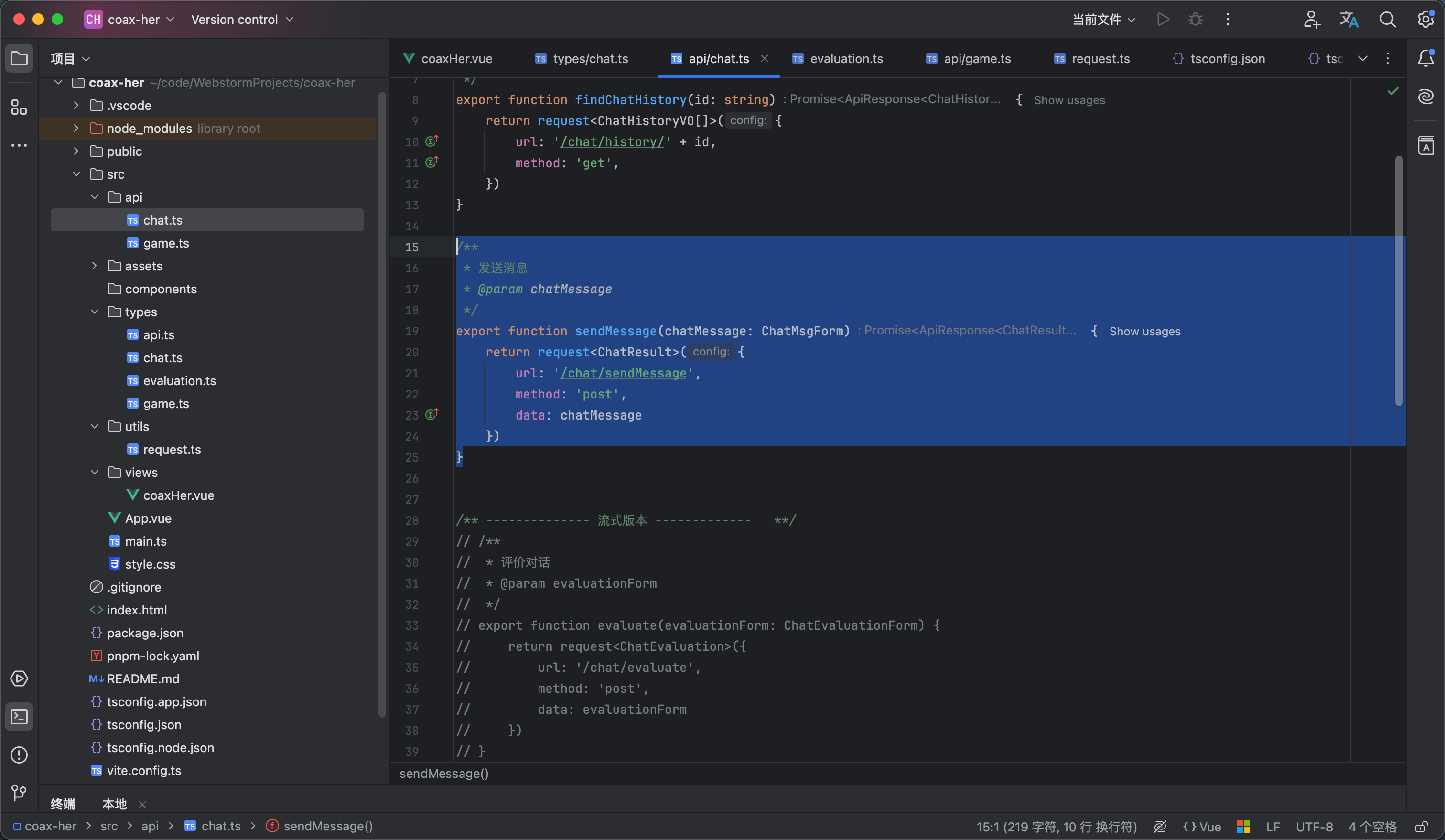
然后api包中的chat类编写方法 axios 对流式输出并不太友好 所以我们通过fetch进行编写 内容如下 如图2

/**
* 发送消息
* @param chatMessage
* @param callback 流式返回回调
*/
export function sendMessage(chatMessage: ChatMsgForm,
callback: (text: string) => void) {

return fetch('/coax-api/chat/sendMessage', {
method: 'POST',
headers: {
'Content-Type': 'application/json'
},
body: JSON.stringify(chatMessage)
}).then(async res => {
const reader = res.body?.getReader()

if (!reader) {
return
}
// TextDecoder 用于将二进制数据转换成字符串
const decoder = new TextDecoder('utf-8')

// 持续读取 AI 返回的数据
while (true) {
const {done, value} = await reader.read()
if (done) {
break
}
const text = decoder.decode(value, {
stream: true
})
callback(text)
}

})

}


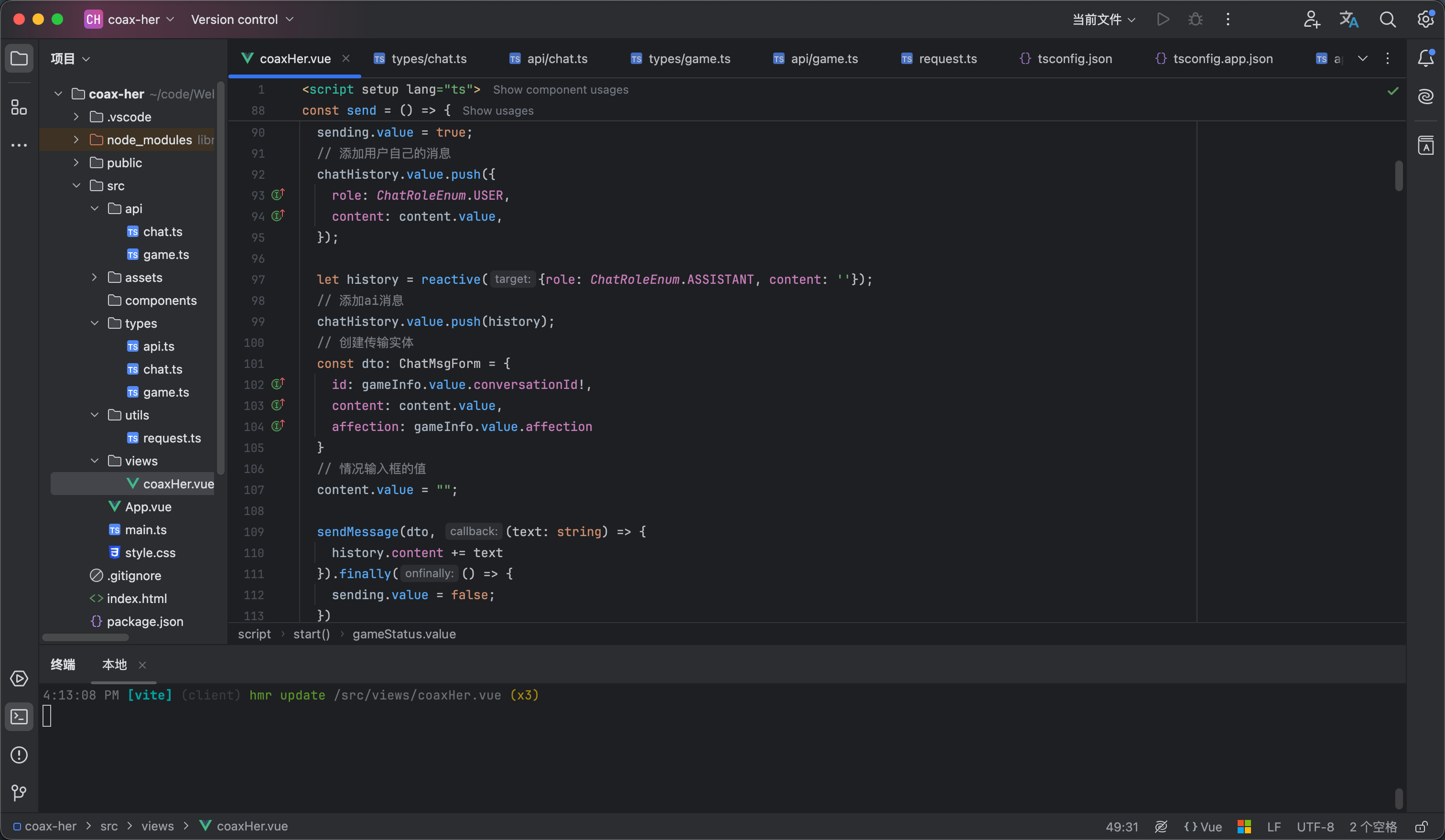
然后是调用接口编写页面部分 内容如下 我让他为空和发送中的时候是禁用的样式 然后创建了内容但是还没有文字的时候显示正常思考中 如图3 效果看视频4

<script setup lang="ts">
import {computed, nextTick, reactive, ref, watch} from "vue";
import avatar from "@/assets/girlfriend.jpg"
import {type ChatHistoryVO, type ChatMsgForm, ChatRoleEnum} from "@/types/chat.ts";
import {getPlayingGameInfo, startGame} from "@/api/game.ts";
import type {GameInfo} from "@/types/game.ts";
import {findChatHistory, sendMessage} from "@/api/chat.ts";

/**
* 好感度文本展示
*/
const affectionText = computed(() => {
const value = gameInfo.value.affection
if (value === 100) return "满分心动"
if (value >= 90) return "甜蜜暴击"
if (value >= 80) return "非常开心"
if (value >= 70) return "心情不错"
if (value >= 60) return "还算满意"
if (value >= 50) return "情绪平稳"
if (value >= 40) return "有点生气"
if (value >= 30) return "明显不满"
if (value >= 20) return "非常生气"
if (value >= 10) return "气到不想说话"
return "我们分手吧"
})


// 游戏信息
const gameInfo = ref<GameInfo>({
conversationId: undefined,
affection: 0,
event: "",
name: "",
status: undefined,
thought: ""

})

// 聊天记录
const chatHistory = ref<ChatHistoryVO[]>([]);

// 是否开始游戏
const gameStatus = ref<"idle" | "loading" | "playing">("idle")

/**
* 开始游戏
*/
const start = () => {
gameStatus.value = "loading"
startGame().then(response => {
if (response.code == 200) {
gameInfo.value = response.data
chatHistory.value.push({content: response.data.openingMessage, role: "assistant"})
gameStatus.value = "playing"
}
})
}

/**
* 获取游戏信息
*/
const getGameInfo = () => {
getPlayingGameInfo().then(response => {
if (response.data) {
gameInfo.value = response.data
// 查询聊天记录
findChatHistory(gameInfo.value.conversationId!).then(response => {
console.log(response.data)
chatHistory.value = response.data
})
gameStatus.value = "playing"
} else {
gameStatus.value = "idle"
}
})
}

// 输入的内容
const content = ref<string>("");


// 发送中状态
const sending = ref<boolean>(false);

/**
* 聊天消息
*/
const send = () => {

sending.value = true;
// 添加用户自己的消息
chatHistory.value.push({
role: ChatRoleEnum.USER,
content: content.value,
});

let history = reactive({role: ChatRoleEnum.ASSISTANT, content: ''});
// 添加ai消息
chatHistory.value.push(history);
// 创建传输实体
const dto: ChatMsgForm = {
id: gameInfo.value.conversationId!,
content: content.value,
affection: gameInfo.value.affection
}
// 情况输入框的值
content.value = "";

sendMessage(dto, (text: string) => {
history.content += text
}).finally(() => {
sending.value = false;
})

}

const chatContainerRef = ref<HTMLElement | null>(null)


// 监听自动跳转到底部
watch(() => chatHistory.value,
async () => {
// 等待 Vue 把新蹦出来的字渲染到 DOM 树中
await nextTick()
chatContainerRef.value!.scrollTo({top: chatContainerRef.value!.scrollHeight, behavior: "auto"});
},
{deep: true}
)

getGameInfo()
</script>

<template>
<div class="coax__box">
<!-- 导航栏部分 -->
<nav class="coax__nav">
<div class="coax__nav__title">
<span class="coax__nav__name">哄哄她</span>
<span class="coax__nav__desc">恋爱求生模拟器</span>
</div>
<div class="coax__nav__slogan">
哄人是一门艺术,也是一种爱。
</div>
</nav>

<div class="coax__content" v-if="gameStatus=='playing'">
<aside class="coax__aside">
<!-- 女友信息 -->
<div class="coax__girlfriend">
<img class="coax__girlfriend__avatar" :src="avatar" alt="女友头像">
<div class="coax__girlfriend__name">{{ gameInfo.name }}</div>
<div class="coax__girlfriend__mood">{{ affectionText }}</div>
<div class="coax__girlfriend__affection">
<div class="girlfriend__affection__info">
<span class="girlfriend__affection__label">好感度</span>
<span class="girlfriend__affection__value">{{ gameInfo.affection }}</span>
</div>
<div class="girlfriend__affection__progress">
<div class="girlfriend__affection__progress-inner"
:style="`width:${gameInfo.affection}%`"/>
</div>
</div>
</div>

<div class="coax__emotion">
<div class="emotion__item">
<span class="emotion__item-title">
本次事件
</span>
<div class="emotion__event__content">
{{ gameInfo.event }}
</div>
</div>

<div class="emotion__item">
<span class="emotion__item-title">
她在想什么
</span>
<div class="emotion__thought__content">
{{ gameInfo.thought }}
</div>
</div>
</div>
</aside>

<main class="coax__chat">
<div class="coax__chat__header">
<div class="chat__header__user">
<img :src="avatar" class="chat__header__avatar" alt="头像">
<div class="chat__header__info">
<span class="chat__header__nickname">{{ gameInfo.name }}</span>
<span class="chat__header__mood">{{ affectionText }}</span>
</div>

<div class="chat__header__affection">
<span class="chat__header__affection__label">好感度</span>
<span class="chat__header__affection__value">{{ gameInfo.affection }}</span>
</div>
</div>
</div>

<div class="chat__content" ref="chatContainerRef">
<div v-for="(item,index) in chatHistory" :key="index" :class="`chat__content__group
${item.role==ChatRoleEnum.USER?'chat__content--user':'chat__content--assistant'}`">
<img :src="avatar" class="chat__content__avatar" alt="头像">
<div class="chat__content__body">
<div class="chat__content__text">
{{ item.content }}
</div>
<div v-if="item.affectionChange" class="chat__body__affection-tag">
{{ item.affectionChange }}
</div>
</div>
</div>
</div>

<div class="chat__footer">
<span class="chat__footer__tip">不同的话会影响她的情绪,认真回答</span>
<div class="chat__input-wrapper">
<input v-model="content" class="chat__input-inner" placeholder="想一句话来哄哄她吧......" maxlength="100"
required/>
<button :class="['chat__send-btn','coax__button',{'chat__send-btn--disable':sending||!content}]"
@click="send">发送
</button>
</div>
</div>
</main>

</div>

<div v-else class="coax__ready">
<img class="coax__ready__avatar" :src="avatar" alt="哄哄她"/>
<span class="coax__ready__title">哄哄她</span>
<div class="coax__ready__info">
<span class="coax__ready__desc">每局剧情随机生成,好感度从 40 开始</span>
<span class="coax__ready__rules">降到 0 她就不想理你了,升到 100 她才原谅你</span>
</div>

<button class="coax__button coax__ready__button" v-if="gameStatus=='idle'" @click="start">
开始游戏
</button>

<div v-if="gameStatus=='loading'" class="coax__loading">
<div class="coax__loading__dots">
<span class="coax__loading__dot dot-1"></span>
<span class="coax__loading__dot dot-2"></span>
<span class="coax__loading__dot dot-3"></span>
</div>
<div class="coax__loading__text">
剧情生成中…
</div>
</div>
</div>

</div>
</template>

<style lang="scss" scoped>
// 页面整体部分
.coax__box {
height: 100vh;
background-color: #fff7f9;
display: flex;
flex-direction: column;
}

// 头部导航部分
.coax__nav {
background-color: white;
border-bottom: 1px solid #eee;
padding: 12px 32px;
display: flex;
align-items: center;
justify-content: space-between;

}

// 导航栏标题部分
.coax__nav__title {
display: flex;
align-items: center;
gap: 15px;
}

// 导航栏的标题名称
.coax__nav__name {
font-family: 'Ma Shan Zheng', cursive;
font-size: 18px;
color: #1a1a1a;
}

// 导航栏的标题描述
.coax__nav__desc {
font-size: 12px;
color: #c8a8b2;
}

// 导航栏的slogan
.coax__nav__slogan {
font-size: 12px;
color: #c8a8b2;
}

// 内容部分
.coax__content {
display: flex;
gap: 12px;
padding: 20px 26px;
min-height: 0;
flex: 1;
}

// 侧边栏部分
.coax__aside {
width: 240px;
display: flex;
flex-direction: column;
gap: 12px;
}

// 女友信息部分
.coax__girlfriend {
border: 1px solid #fce7ef;
background-color: white;
border-radius: 15px;
padding: 24px 20px 20px;
display: flex;
gap: 5px;
flex-direction: column;
align-items: center;
justify-content: center;
}

// 女友头像
.coax__girlfriend__avatar {
width: 85px;
object-fit: cover;
border-radius: 50%;
border: 1px solid #fce7ef;
}

// 女友名字
.coax__girlfriend__name {
font-family: 'Ma Shan Zheng', cursive;
font-size: 22px;
font-weight: 500;
}

// 女友情绪
.coax__girlfriend__mood {
font-size: 12px;
color: #c8a8b2;
}

// 女友好感度
.coax__girlfriend__affection {
margin-top: 10px;
width: 100%;
display: flex;
flex-direction: column;
gap: 5px;
}

// 好感度信息文本
.girlfriend__affection__info {
display: flex;
align-items: center;
justify-content: space-between;
}

// 好感度label
.girlfriend__affection__label {
color: #c8a8b2;
font-size: 12px;
}

// 好感度指数
.girlfriend__affection__value {
color: #e8708a;
font-size: 12px;
font-weight: 600;
}

// 好感度的进度条
.girlfriend__affection__progress {
border-radius: 25px;
background-color: #fce7ef;
height: 6px;
overflow: hidden;
}

// 好感度内层条样式
.girlfriend__affection__progress-inner {
background-color: #e8708a;
height: 100%;
transition: width .8s cubic-bezier(.25, .8, .25, 1);
}

// 情感样式
.coax__emotion {
flex: 1;
border: 1px solid #fce7ef;
background-color: white;
border-radius: 15px;
padding: 24px 20px 20px;
display: flex;
gap: 15px;
flex-direction: column;
align-items: center;
}

// 情感分析的每个项
.emotion__item {
width: 100%;
display: flex;
flex-direction: column;
gap: 5px;
}

// 情感信息每个项的标题
.emotion__item-title {
font-size: 12px;
font-weight: 500;
color: #c8a8b2;
}

// 情感事件内容
.emotion__event__content {
color: #333333;
font-size: 12px;
font-weight: 500;
}

// 情感想法内容
.emotion__thought__content {
color: #9b7b85;
font-size: 12px;
}

// 对话部分
.coax__chat {
flex: 1;
min-width: 0;
overflow: hidden;
background-color: white;
border: 1px solid #fce7ef;
border-radius: 20px;
display: flex;
flex-direction: column;
}

// 对话部分的头部
.coax__chat__header {
padding: 14px 24px;
border-bottom: 1px solid #fef0f5;
}

// 聊天头部的用户信息
.chat__header__user {
display: flex;
align-items: center;
gap: 12px;
}

// 聊天头部的用户头像
.chat__header__avatar {
width: 38px;
object-fit: cover;
border-radius: 50%;
border: 1px solid #fce7ef;
}

// 聊天头部的用户信息
.chat__header__info {
display: flex;
flex-direction: column;
gap: 4px;
}

// 聊天头部用户昵称
.chat__header__nickname {
color: #1a1a1a;
font-weight: 500;
font-size: 14px;
}

// 聊天头部用户情绪
.chat__header__mood {
font-size: 12px;
color: #c8a8b2;
}

// 聊天头部好感度部分
.chat__header__affection {
display: flex;
align-items: center;
gap: 8px;
margin-left: auto;
}

// 聊天头部好感度label
.chat__header__affection__label {
color: #c8a8b2;
font-size: 12px;
}

// 聊天头部好感度度值
.chat__header__affection__value {
background: #fce7ef;
color: #e8708a;
font-weight: 600;
font-size: 12px;
border-radius: 25px;
padding: 2px 10px;
}

// 聊天内容部分
.chat__content {
overflow: auto;
min-height: 0;
flex: 1;
background: #fff7f9;
padding: 20px 24px;
display: flex;
flex-direction: column;
gap: 16px;
}

// 聊天的具体内容部分
.chat__content__group {
position: relative;
align-items: first baseline;
width: 100%;
display: flex;
gap: 10px;
}

// 聊天的用户头像
.chat__content__avatar {
vertical-align: middle;
width: 34px;
height: 34px;
object-fit: cover;
border-radius: 50%;
border: 1px solid #fce7ef;
}

// 聊天的内容体
.chat__content__body {
position: relative;
max-width: 70%;
padding: 10px 16px;
box-shadow: rgba(232, 112, 138, 0.06) 0 1px 4px;
}

// 好感度tag
.chat__body__affection-tag {
position: absolute;
bottom: 0;
right: 0;
transform: translateY(30%) translateX(30%);
background-color: #fff1f1;
color: #f87171;
border: 1px solid #fee2e2;
font-size: 10px;
font-weight: 500;
padding: 2px 5px;
border-radius: 25px;
}

// ai的内容
.chat__content--assistant {
justify-content: flex-start;

// 聊天的内容体
.chat__content__body {
background-color: white;
border: 1px solid #fce7ef;
border-radius: 5px 15px 15px;

}

// 聊天的文字
.chat__content__text {
color: #1a1a1a;

// 为空显示
&:empty::after {
content: "女友正在思考...";
display: inline-block;
color: #c8a8b2;
font-style: italic;
font-size: 14px;
}
}

}

// 用户的聊天内容
.chat__content--user {
justify-content: flex-end;

.chat__content__avatar {
display: none;
}

// 聊天的内容体
.chat__content__body {
color: white;
background-color: #e8708a;
border-radius: 15px;
}
}

// 聊天的底部部分
.chat__footer {
padding: 16px 24px;
border-top: 1px solid #fef0f5;
background-color: white;
display: flex;
flex-direction: column;
gap: 10px;
}

// 聊天底部小提示
.chat__footer__tip {
color: #c8a8b2;
font-size: 12px;
}

// 输入部分
.chat__input-wrapper {
display: flex;
align-items: center;
gap: 8px;
}

// 输入框
.chat__input-inner {
flex: 1;
background-color: #fff7f9;
border: 1px solid #fce7ef;
padding: 10px 16px;
border-radius: 12px;
outline: none;
font-size: 14px;
color: #1a1a1a;
}

// 按钮样式
.coax__button {
background-color: #e8708a;
color: white;
font-weight: 500;
font-size: 14px;
border-radius: 12px;
border: none;

&:hover {
opacity: 0.85;
}
}


// 发送按钮
.chat__send-btn {
padding: 0 20px;
height: 38px;
}

// 发送按钮禁用样式
.chat__send-btn--disable {
opacity: 0.75;
cursor: not-allowed;
pointer-events: none;
}


// 准备游戏的样式
.coax__ready {
flex: 1;
display: flex;
flex-direction: column;
align-items: center;
justify-content: center;
gap: 20px;
}

// 准备游戏头像
.coax__ready__avatar {
width: 88px;
aspect-ratio: 1/1;
object-fit: cover;
border-radius: 50%;
border: 1px solid #fce7ef;
}

// 准备游戏的标题
.coax__ready__title {
font-family: 'Ma Shan Zheng', cursive;
color: #1a1a1a;
font-weight: 600;
font-size: 30px;
}

// 准备信息
.coax__ready__info {
display: flex;
flex-direction: column;
text-align: center;
gap: 5px;
}

// 准备游戏的描述
.coax__ready__desc {
color: #9b7b85;
font-size: 14px;
}

// 准备游戏的规则
.coax__ready__rules {
color: #c8a8b2;
font-size: 14px;
}

// 开始游戏按钮
.coax__ready__button {
padding: 10px 36px;
}

// 加载样式部分
.coax__loading {
display: flex;
flex-direction: column;
align-items: center;
justify-content: center;
gap: 12px;
}

// 加载动画容器
.coax__loading__dots {
display: flex;
align-items: center;
gap: 6px;
}

// 加载圆点
.coax__loading__dot {
width: 8px;
height: 8px;
border-radius: 50%;
background: rgb(249, 168, 201);
animation: dot-bounce 1.2s infinite ease-in-out;
}

.dot-2 {
animation-delay: 0.15s;
}

.dot-3 {
animation-delay: 0.3s;
}

@keyframes dot-bounce {
0%,
60%,
100% {
transform: translateY(0);
}

30% {
transform: translateY(-4px);
}
}

// 加载的文本样式
.coax__loading__text {
font-size: 12px;
color: #c8a8b2;
}
</style>


12

方案1-评价-后端

接下来我们来编写评价系统


首先我们先来创建实体类


这个是接收前端传过来的实体 如图1

package com.coax.dto;

import lombok.Data;

/**
* @version 1.0
* @author:gjq
* @description:聊天评价请求实体
* @date:2026/09/14 17:08
*/
@Data
public class ChatEvaluationForm {

/**
* 对话id
*/
private String id;

/**
* 用户消息
*/
private String userMessage;

/**
* 女友回复
*/
private String girlfriendMessage;

/**
* 当前好感度
*/
private Integer affection;
}


这个是返回的给前端的结果实体 如图2

package com.coax.vo;

import lombok.Data;

/**
* @version 1.0
* @author:gjq
* @description: 聊天评估结果
* @date:2026/09/14 16:39
*/
@Data
public class ChatEvaluation {

/**
* 好感度
*/
private Integer affection;

/**
* 想法 思想
*/
private String thought;

/**
* 好感度变化方向
* true : 增加
* false: 减少
*/
private Boolean affectionType;
}


然后我们日子ChatService里声明一个方法


/**
* 评价聊天内容
*
* @param form 聊天评价请求
* @return 聊天评价结果
*/
ChatEvaluation evaluate(ChatEvaluationForm form);


他的实现如下

/**
* 评价聊天内容
*
* @param form 聊天评价请求
* @return 聊天评价结果
*/
@Override
public ChatEvaluation evaluate(ChatEvaluationForm form) {
// 提示词
String prompt = """
你是恋爱模拟游戏中的女友“柳如烟”。

请根据用户说的话和女友的回复,判断这次对话对女友好感度产生的影响。

好感度满分100,当前好感度:%s

女友性格:
- 傲娇
- 嘴硬心软
- 容易吃醋
- 偶尔撒娇
- 喜欢被认真对待
- 不喜欢敷衍

用户说:
%s

女友回复:
%s

请完成两个任务:
1. 请分析女友此刻真实的想法,给出没有说出口的真实想法。
2. 根据用户的话以及女友回复的话和生成的真实想,生成好感度变化

要求:
- thought 是女友没有说出口的真实想法
- affection 是好感度的变化值为整数 通常控制在 0~10 之间
- affectionType 是好感度变化方向 true为增加 false为减少
- 不要因为普通聊天就大幅改变好感度
""".formatted(
form.getAffection(),
form.getUserMessage(),
form.getGirlfriendMessage()
);
// 调用
ChatEvaluation evaluation = chatClient.prompt()
.options(OpenAiChatOptions.builder()
.model("qwen3.8-27b")
.extraBody(Map.of("enable_thinking", false)))
.system(prompt)
.user("请返回本次聊天评价结果。")
.call()
.entity(ChatEvaluation.class);

// 计算最终得分
Integer affection = form.getAffection();

if (Boolean.TRUE.equals(evaluation.getAffectionType())) {
affection += evaluation.getAffection();
} else {
affection -= evaluation.getAffection();
}

// 限制在 0~100
affection = Math.max(0, Math.min(100, affection));
// 修改游戏信息
gameService.updateGameInfo(new GameInfo(form.getId(),affection,evaluation.getThought() ));
return evaluation;


}


updateGame 代码如下


/**
* x修改游戏信息
*
* @param gameInfo 游戏信息
*/
@Override
public void updateGameInfo(GameInfo gameInfo) {
Query query = Query.query(
Criteria.where("_id").is(gameInfo.getConversationId())
);

Update update = new Update()
.set("affection", gameInfo.getAffection())
.set("thought", gameInfo.getThought());

mongoTemplate.updateFirst(query, update, GameInfo.class);
}


然后接下来就是添加controller层的调用 如图4

/**
* 评价对话
*
* @param form
*/
@PostMapping("evaluate")
public ApiResponse<ChatEvaluation> evaluate(@RequestBody ChatEvaluationForm form) {
ChatEvaluation evaluate = chatService.evaluate(form);
return ApiResponse.success(evaluate);
}


13

方案1-评价-前端

接下来我们来写评价的前端部分


首先进行类型声明 在types文件夹里创建一个evaluation.ts 如图1 内容如下

/**
* 聊天评价请求实体
*/
export interface ChatEvaluationForm {

/**
* 对话id
*/
id: string,

/**
* 用户消息
*/
userMessage: string;

/**
* 女友回复
*/
girlfriendMessage: string;

/**
* 当前好感度
*/
affection: number;
}

/**
* 聊天评估结果
*/
export interface ChatEvaluation {
/**
* 好感度
*/
affection: number;

/**
* 想法 思想
*/
thought: string;

/**
* 好感度变化方向
* true : 增加
* false: 减少
*/
affectionType: boolean;
}


然后是编写api 在api包的chat.ts里添加以下代码


/**
* 评价对话
* @param evaluationForm
*/
export function evaluate(evaluationForm: ChatEvaluationForm) {
return request<ChatEvaluation>({
url: '/chat/evaluate',
method: 'post',
data: evaluationForm
})
}


最后是修改前端页面 代码如下 效果看视频


<script setup lang="ts">
import {computed, nextTick, reactive, ref, watch} from "vue";
import avatar from "@/assets/girlfriend.jpg"
import {type ChatHistoryVO, type ChatMsgForm, ChatRoleEnum} from "@/types/chat.ts";
import {getPlayingGameInfo, startGame} from "@/api/game.ts";
import type {GameInfo} from "@/types/game.ts";
import {evaluate, findChatHistory, sendMessage} from "@/api/chat.ts";
import type {ChatEvaluationForm} from "@/types/evaluation.ts";

/**
* 好感度文本展示
*/
const affectionText = computed(() => {
const value = gameInfo.value.affection
if (value === 100) return "满分心动"
if (value >= 90) return "甜蜜暴击"
if (value >= 80) return "非常开心"
if (value >= 70) return "心情不错"
if (value >= 60) return "还算满意"
if (value >= 50) return "情绪平稳"
if (value >= 40) return "有点生气"
if (value >= 30) return "明显不满"
if (value >= 20) return "非常生气"
if (value >= 10) return "气到不想说话"
return "我们分手吧"
})


// 游戏信息
const gameInfo = ref<GameInfo>({
conversationId: undefined,
affection: 0,
event: "",
name: "",
status: undefined,
thought: ""

})

// 聊天记录
const chatHistory = ref<ChatHistoryVO[]>([]);

// 是否开始游戏
const gameStatus = ref<"idle" | "loading" | "playing">("idle")

/**
* 开始游戏
*/
const start = () => {
gameStatus.value = "loading"
startGame().then(response => {
if (response.code == 200) {
gameInfo.value = response.data
chatHistory.value.push({content: response.data.openingMessage, role: "assistant"})
gameStatus.value = "playing"
}
})
}

/**
* 获取游戏信息
*/
const getGameInfo = () => {
getPlayingGameInfo().then(response => {
if (response.data) {
gameInfo.value = response.data
// 查询聊天记录
findChatHistory(gameInfo.value.conversationId!).then(response => {
console.log(response.data)
chatHistory.value = response.data
})
gameStatus.value = "playing"
} else {
gameStatus.value = "idle"
}
})
}

// 输入的内容
const content = ref<string>("");


// 发送中状态
const sending = ref<boolean>(false);

/**
* 聊天消息
*/
/**
* 聊天消息
*/
const send = async () => {

sending.value = true;

// 保存用户消息
const userMessage = content.value;

// 添加用户自己的消息
chatHistory.value.push({
role: ChatRoleEnum.USER,
content: userMessage,
});

// 添加 AI 消息
const history = reactive<ChatHistoryVO>({
role: ChatRoleEnum.ASSISTANT,
content: '',
});
chatHistory.value.push(history);

// 创建传输实体
const chatMsgForm: ChatMsgForm = {
id: gameInfo.value.conversationId!,
content: userMessage,
affection: gameInfo.value.affection,
};

// 清空输入框
content.value = "";

try {
// AI 回复
await sendMessage(chatMsgForm, (text: string) => {
history.content += text;
});

// 创建聊天评价实体
const charEvaluate: ChatEvaluationForm = {
id: gameInfo.value.conversationId!,
userMessage: userMessage,
girlfriendMessage: history.content,
affection: gameInfo.value.affection,
};

// 获取评价内容
const response = (await evaluate(charEvaluate)).data;

// 好感度变化
const affectionChange = response.affectionType
? response.affection
: -response.affection;

// 设置好感度变化
history.affectionChange = affectionChange > 0
? `+${affectionChange}`
: `${affectionChange}`;

// 修改好感度
gameInfo.value.affection += affectionChange;

// 修改想法
gameInfo.value.thought = response.thought;

} finally {
sending.value = false;
}
};

const chatContainerRef = ref<HTMLElement | null>(null)


// 监听自动跳转到底部
watch(() => chatHistory.value,
async () => {
// 等待 Vue 把新蹦出来的字渲染到 DOM 树中
await nextTick()
chatContainerRef.value!.scrollTo({top: chatContainerRef.value!.scrollHeight, behavior: "auto"});
},
{deep: true}
)

getGameInfo()
</script>

<template>
<div class="coax__box">
<!-- 导航栏部分 -->
<nav class="coax__nav">
<div class="coax__nav__title">
<span class="coax__nav__name">哄哄她</span>
<span class="coax__nav__desc">恋爱求生模拟器</span>
</div>
<div class="coax__nav__slogan">
哄人是一门艺术,也是一种爱。
</div>
</nav>

<div class="coax__content" v-if="gameStatus=='playing'">
<aside class="coax__aside">
<!-- 女友信息 -->
<div class="coax__girlfriend">
<img class="coax__girlfriend__avatar" :src="avatar" alt="女友头像">
<div class="coax__girlfriend__name">{{ gameInfo.name }}</div>
<div class="coax__girlfriend__mood">{{ affectionText }}</div>
<div class="coax__girlfriend__affection">
<div class="girlfriend__affection__info">
<span class="girlfriend__affection__label">好感度</span>
<span class="girlfriend__affection__value">{{ gameInfo.affection }}</span>
</div>
<div class="girlfriend__affection__progress">
<div class="girlfriend__affection__progress-inner"
:style="`width:${gameInfo.affection}%`"/>
</div>
</div>
</div>

<div class="coax__emotion">
<div class="emotion__item">
<span class="emotion__item-title">
本次事件
</span>
<div class="emotion__event__content">
{{ gameInfo.event }}
</div>
</div>

<div class="emotion__item">
<span class="emotion__item-title">
她在想什么
</span>
<div class="emotion__thought__content">
{{ gameInfo.thought }}
</div>
</div>
</div>
</aside>

<main class="coax__chat">
<div class="coax__chat__header">
<div class="chat__header__user">
<img :src="avatar" class="chat__header__avatar" alt="头像">
<div class="chat__header__info">
<span class="chat__header__nickname">{{ gameInfo.name }}</span>
<span class="chat__header__mood">{{ affectionText }}</span>
</div>

<div class="chat__header__affection">
<span class="chat__header__affection__label">好感度</span>
<span class="chat__header__affection__value">{{ gameInfo.affection }}</span>
</div>
</div>
</div>

<div class="chat__content" ref="chatContainerRef">
<div v-for="(item,index) in chatHistory" :key="index" :class="`chat__content__group
${item.role==ChatRoleEnum.USER?'chat__content--user':'chat__content--assistant'}`">
<img :src="avatar" class="chat__content__avatar" alt="头像">
<div class="chat__content__body">
<div class="chat__content__text">
{{ item.content }}
</div>
<div v-if="item.affectionChange" class="chat__body__affection-tag">
{{ item.affectionChange }}
</div>
</div>
</div>
</div>

<div class="chat__footer">
<span class="chat__footer__tip">不同的话会影响她的情绪,认真回答</span>
<div class="chat__input-wrapper">
<input v-model="content" class="chat__input-inner" placeholder="想一句话来哄哄她吧......" maxlength="100"
required/>
<button :class="['chat__send-btn','coax__button',{'chat__send-btn--disable':sending||!content}]"
@click="send">发送
</button>
</div>
</div>
</main>

</div>

<div v-else class="coax__ready">
<img class="coax__ready__avatar" :src="avatar" alt="哄哄她"/>
<span class="coax__ready__title">哄哄她</span>
<div class="coax__ready__info">
<span class="coax__ready__desc">每局剧情随机生成,好感度从 40 开始</span>
<span class="coax__ready__rules">降到 0 她就不想理你了,升到 100 她才原谅你</span>
</div>

<button class="coax__button coax__ready__button" v-if="gameStatus=='idle'" @click="start">
开始游戏
</button>

<div v-if="gameStatus=='loading'" class="coax__loading">
<div class="coax__loading__dots">
<span class="coax__loading__dot dot-1"></span>
<span class="coax__loading__dot dot-2"></span>
<span class="coax__loading__dot dot-3"></span>
</div>
<div class="coax__loading__text">
剧情生成中…
</div>
</div>
</div>

</div>
</template>

<style lang="scss" scoped>
// 页面整体部分
.coax__box {
height: 100vh;
background-color: #fff7f9;
display: flex;
flex-direction: column;
}

// 头部导航部分
.coax__nav {
background-color: white;
border-bottom: 1px solid #eee;
padding: 12px 32px;
display: flex;
align-items: center;
justify-content: space-between;

}

// 导航栏标题部分
.coax__nav__title {
display: flex;
align-items: center;
gap: 15px;
}

// 导航栏的标题名称
.coax__nav__name {
font-family: 'Ma Shan Zheng', cursive;
font-size: 18px;
color: #1a1a1a;
}

// 导航栏的标题描述
.coax__nav__desc {
font-size: 12px;
color: #c8a8b2;
}

// 导航栏的slogan
.coax__nav__slogan {
font-size: 12px;
color: #c8a8b2;
}

// 内容部分
.coax__content {
display: flex;
gap: 12px;
padding: 20px 26px;
min-height: 0;
flex: 1;
}

// 侧边栏部分
.coax__aside {
width: 240px;
display: flex;
flex-direction: column;
gap: 12px;
}

// 女友信息部分
.coax__girlfriend {
border: 1px solid #fce7ef;
background-color: white;
border-radius: 15px;
padding: 24px 20px 20px;
display: flex;
gap: 5px;
flex-direction: column;
align-items: center;
justify-content: center;
}

// 女友头像
.coax__girlfriend__avatar {
width: 85px;
object-fit: cover;
border-radius: 50%;
border: 1px solid #fce7ef;
}

// 女友名字
.coax__girlfriend__name {
font-family: 'Ma Shan Zheng', cursive;
font-size: 22px;
font-weight: 500;
}

// 女友情绪
.coax__girlfriend__mood {
font-size: 12px;
color: #c8a8b2;
}

// 女友好感度
.coax__girlfriend__affection {
margin-top: 10px;
width: 100%;
display: flex;
flex-direction: column;
gap: 5px;
}

// 好感度信息文本
.girlfriend__affection__info {
display: flex;
align-items: center;
justify-content: space-between;
}

// 好感度label
.girlfriend__affection__label {
color: #c8a8b2;
font-size: 12px;
}

// 好感度指数
.girlfriend__affection__value {
color: #e8708a;
font-size: 12px;
font-weight: 600;
}

// 好感度的进度条
.girlfriend__affection__progress {
border-radius: 25px;
background-color: #fce7ef;
height: 6px;
overflow: hidden;
}

// 好感度内层条样式
.girlfriend__affection__progress-inner {
background-color: #e8708a;
height: 100%;
transition: width .8s cubic-bezier(.25, .8, .25, 1);
}

// 情感样式
.coax__emotion {
flex: 1;
border: 1px solid #fce7ef;
background-color: white;
border-radius: 15px;
padding: 24px 20px 20px;
display: flex;
gap: 15px;
flex-direction: column;
align-items: center;
}

// 情感分析的每个项
.emotion__item {
width: 100%;
display: flex;
flex-direction: column;
gap: 5px;
}

// 情感信息每个项的标题
.emotion__item-title {
font-size: 12px;
font-weight: 500;
color: #c8a8b2;
}

// 情感事件内容
.emotion__event__content {
color: #333333;
font-size: 12px;
font-weight: 500;
}

// 情感想法内容
.emotion__thought__content {
color: #9b7b85;
font-size: 12px;
}

// 对话部分
.coax__chat {
flex: 1;
min-width: 0;
overflow: hidden;
background-color: white;
border: 1px solid #fce7ef;
border-radius: 20px;
display: flex;
flex-direction: column;
}

// 对话部分的头部
.coax__chat__header {
padding: 14px 24px;
border-bottom: 1px solid #fef0f5;
}

// 聊天头部的用户信息
.chat__header__user {
display: flex;
align-items: center;
gap: 12px;
}

// 聊天头部的用户头像
.chat__header__avatar {
width: 38px;
object-fit: cover;
border-radius: 50%;
border: 1px solid #fce7ef;
}

// 聊天头部的用户信息
.chat__header__info {
display: flex;
flex-direction: column;
gap: 4px;
}

// 聊天头部用户昵称
.chat__header__nickname {
color: #1a1a1a;
font-weight: 500;
font-size: 14px;
}

// 聊天头部用户情绪
.chat__header__mood {
font-size: 12px;
color: #c8a8b2;
}

// 聊天头部好感度部分
.chat__header__affection {
display: flex;
align-items: center;
gap: 8px;
margin-left: auto;
}

// 聊天头部好感度label
.chat__header__affection__label {
color: #c8a8b2;
font-size: 12px;
}

// 聊天头部好感度度值
.chat__header__affection__value {
background: #fce7ef;
color: #e8708a;
font-weight: 600;
font-size: 12px;
border-radius: 25px;
padding: 2px 10px;
}

// 聊天内容部分
.chat__content {
overflow: auto;
min-height: 0;
flex: 1;
background: #fff7f9;
padding: 20px 24px;
display: flex;
flex-direction: column;
gap: 16px;
}

// 聊天的具体内容部分
.chat__content__group {
position: relative;
align-items: first baseline;
width: 100%;
display: flex;
gap: 10px;
}

// 聊天的用户头像
.chat__content__avatar {
vertical-align: middle;
width: 34px;
height: 34px;
object-fit: cover;
border-radius: 50%;
border: 1px solid #fce7ef;
}

// 聊天的内容体
.chat__content__body {
position: relative;
max-width: 70%;
padding: 10px 16px;
box-shadow: rgba(232, 112, 138, 0.06) 0 1px 4px;
}

// 好感度tag
.chat__body__affection-tag {
position: absolute;
bottom: 0;
right: 0;
transform: translateY(30%) translateX(30%);
background-color: #fff1f1;
color: #f87171;
border: 1px solid #fee2e2;
font-size: 10px;
font-weight: 500;
padding: 2px 5px;
border-radius: 25px;
}

// ai的内容
.chat__content--assistant {
justify-content: flex-start;

// 聊天的内容体
.chat__content__body {
background-color: white;
border: 1px solid #fce7ef;
border-radius: 5px 15px 15px;

}

// 聊天的文字
.chat__content__text {
color: #1a1a1a;

// 为空显示
&:empty::after {
content: "女友正在思考...";
display: inline-block;
color: #c8a8b2;
font-style: italic;
font-size: 14px;
}
}

}

// 用户的聊天内容
.chat__content--user {
justify-content: flex-end;

.chat__content__avatar {
display: none;
}

// 聊天的内容体
.chat__content__body {
color: white;
background-color: #e8708a;
border-radius: 15px;
}
}

// 聊天的底部部分
.chat__footer {
padding: 16px 24px;
border-top: 1px solid #fef0f5;
background-color: white;
display: flex;
flex-direction: column;
gap: 10px;
}

// 聊天底部小提示
.chat__footer__tip {
color: #c8a8b2;
font-size: 12px;
}

// 输入部分
.chat__input-wrapper {
display: flex;
align-items: center;
gap: 8px;
}

// 输入框
.chat__input-inner {
flex: 1;
background-color: #fff7f9;
border: 1px solid #fce7ef;
padding: 10px 16px;
border-radius: 12px;
outline: none;
font-size: 14px;
color: #1a1a1a;
}

// 按钮样式
.coax__button {
background-color: #e8708a;
color: white;
font-weight: 500;
font-size: 14px;
border-radius: 12px;
border: none;

&:hover {
opacity: 0.85;
}
}


// 发送按钮
.chat__send-btn {
padding: 0 20px;
height: 38px;
}

// 发送按钮禁用样式
.chat__send-btn--disable {
opacity: 0.75;
cursor: not-allowed;
pointer-events: none;
}


// 准备游戏的样式
.coax__ready {
flex: 1;
display: flex;
flex-direction: column;
align-items: center;
justify-content: center;
gap: 20px;
}

// 准备游戏头像
.coax__ready__avatar {
width: 88px;
aspect-ratio: 1/1;
object-fit: cover;
border-radius: 50%;
border: 1px solid #fce7ef;
}

// 准备游戏的标题
.coax__ready__title {
font-family: 'Ma Shan Zheng', cursive;
color: #1a1a1a;
font-weight: 600;
font-size: 30px;
}

// 准备信息
.coax__ready__info {
display: flex;
flex-direction: column;
text-align: center;
gap: 5px;
}

// 准备游戏的描述
.coax__ready__desc {
color: #9b7b85;
font-size: 14px;
}

// 准备游戏的规则
.coax__ready__rules {
color: #c8a8b2;
font-size: 14px;
}

// 开始游戏按钮
.coax__ready__button {
padding: 10px 36px;
}

// 加载样式部分
.coax__loading {
display: flex;
flex-direction: column;
align-items: center;
justify-content: center;
gap: 12px;
}

// 加载动画容器
.coax__loading__dots {
display: flex;
align-items: center;
gap: 6px;
}

// 加载圆点
.coax__loading__dot {
width: 8px;
height: 8px;
border-radius: 50%;
background: rgb(249, 168, 201);
animation: dot-bounce 1.2s infinite ease-in-out;
}

.dot-2 {
animation-delay: 0.15s;
}

.dot-3 {
animation-delay: 0.3s;
}

@keyframes dot-bounce {
0%,
60%,
100% {
transform: translateY(0);
}

30% {
transform: translateY(-4px);
}
}

// 加载的文本样式
.coax__loading__text {
font-size: 12px;
color: #c8a8b2;
}
</style>


这种方案 好处是有流式输出 坏处是评价和内容不统一时间 大家可以把评价模型换的小一点 这样能更快一点

14

方案2-后端

接下来我们来写第二种方案 第二种方案的流程是 我们发送信息 ai把内容和情感 一起返回回来 这样我们就不会存在情感和消息延迟的问题 但是就没有流式输出了


我们先来创建实体类

如图1所示创建一个ChatResult 实体类用于接收女友返回的消息

package com.coax.vo;

import lombok.AllArgsConstructor;
import lombok.Data;
import lombok.NoArgsConstructor;

/**
* @version 1.0
* @author:gjq
* @description: 聊天消息结果
* @date:2026/09/15 11:47
*/
@Data
@NoArgsConstructor
@AllArgsConstructor
public class ChatResult {

/**
* 女友回复的内容
*/
private String message;

/**
* 好感度
*/
private Integer affectionChange;

/**
* 想法 思想
*/
private String thought;


}


如图2所示创建一个ChatMsgForm 实体是我们前端传送给后端的参数

package com.coax.dto;

import lombok.AllArgsConstructor;
import lombok.Data;
import lombok.NoArgsConstructor;

/**
* @version 1.0
* @author:gjq
* @description: 聊天消息接收参数
* @date:2026/08/08 16:10
*/
@Data
@NoArgsConstructor
@AllArgsConstructor
public class ChatMsgForm {

/**
* 对话id
*/
private String id;

/**
* 内容
*/
private String content;

/**
* 好感度
*/
private Integer affection;
}


然后我们来编写service


我们在chatService里声明一个方法 sendMessage 内容如下

/**
* 发送消息
*
* @param chatMsgForm
*/
public ChatResult sendMessage(ChatMsgForm chatMsgForm);


然后我们来编写他的实现

实现代码如下

/**
* 发送消息
*
* @param chatMsgForm 发送的消息内容
*/
@Override
public ChatResult sendMessage(ChatMsgForm chatMsgForm) {
// 提示词
String prompt = """
你是恋爱模拟游戏中的女友“%s”。
请根据当前的事件、你的内心想法以及用户刚才的回复进行角色扮演。
好感度满分100,当前好感度:%s
请完成三个任务:
1. 以女友身份回复用户。
2. 根据用户本次回复对你的安抚程度进行评分,分数范围为 -10 到 10,可以自定义具体分值。
3. 根据用户本次回复,给出你的内心想法。

女友性格:
- 傲娇
- 嘴硬心软
- 容易吃醋
- 偶尔撒娇
- 喜欢被认真对待
- 不喜欢敷衍

要求:
- 回复像真实女朋友说话
- 符合当前事件和情绪
- 不要暴露AI身份
- 不要解释游戏规则
- 评分可以是任意 -10 到 10 的整数
- 可以根据用户的回复适度说脏话
""".formatted(GameConstants.GIRL_FRIEND_NAME, chatMsgForm.getAffection());

List<Message> messages = chatMemory.get(chatMsgForm.getId());

ChatResult chatResult = chatClient.prompt()
.system(prompt)
// 手动把历史上下文放进去
.messages(messages)
.options(OpenAiChatOptions.builder()
.extraBody(Map.of("enable_thinking", false)))
.user(chatMsgForm.getContent())
.advisors(advisor -> advisor.param(
ChatMemory.CONVERSATION_ID,
chatMsgForm.getId()
))
.call()
.entity(ChatResult.class);
// 添加用户消息历史
chatMemory.add(chatMsgForm.getId(), new UserMessage(chatMsgForm.getContent()));

// 添加AI消息历史
Map<String, Object> metadata = new HashMap<>();
metadata.put("affectionChange", chatResult.getAffectionChange());
metadata.put("thought", chatResult.getThought());

AssistantMessage assistantMessage = AssistantMessage.builder()
.content(chatResult.getMessage())
.properties(metadata)
.build();
chatMemory.add(chatMsgForm.getId(), assistantMessage);
// 修改游戏信息
gameService.updateGameInfo(new GameInfo(chatMsgForm.getId(),
chatMsgForm.getAffection() + chatResult.getAffectionChange(),
chatResult.getThought()));
return chatResult;
}


然后我们来编写controller层的接口 接口内容如下 如图4

/**
* 发送消息
*
* @param chatMsgForm 发送的参数
*/
@PostMapping(value = "sendMessage")
public ApiResponse<ChatResult> sendMessage(@RequestBody ChatMsgForm chatMsgForm) {
ChatResult chatResult = chatService.sendMessage(chatMsgForm);
return ApiResponse.success(chatResult);
}


15

方案2 前端

现在我们来编写方案2的前端部分


首先来编写类型 我们把刚刚创建好的实体类 放到types的chat.ts里面去


/**
* 聊天消息 DTO
*/
export interface ChatMsgForm {

/**
* 对话 id
*/
id: string

/**
* 内容
*/
content: string

/**
* 好感度
*/
affection: number

}

export interface ChatResult {
/**
* 女友回复的内容
*/
message: string;

/**
* 好感度
*/
affectionChange: number;

/**
* 想法 思想
*/
thought: string;
}


然后编写api接口 如图2


/**
* 发送消息
* @param chatMessage
*/
export function sendMessage(chatMessage: ChatMsgForm) {
return request<ChatResult>({
url: '/chat/sendMessage',
method: 'post',
data: chatMessage
})
}


接下来就是修改我们的前端页面 代码如下 大家直接复制替换吧 就是调用 赋值 效果看视频

<script setup lang="ts">
import {computed, nextTick, reactive, ref, watch} from "vue";
import avatar from "@/assets/girlfriend.jpg"
import {type ChatHistoryVO, type ChatMsgForm, ChatRoleEnum} from "@/types/chat.ts";
import {getPlayingGameInfo, startGame} from "@/api/game.ts";
import type {GameInfo} from "@/types/game.ts";
import {findChatHistory, sendMessage} from "@/api/chat.ts";
import type {ChatEvaluationForm} from "@/types/evaluation.ts";

/**
* 好感度文本展示
*/
const affectionText = computed(() => {
const value = gameInfo.value.affection
if (value === 100) return "满分心动"
if (value >= 90) return "甜蜜暴击"
if (value >= 80) return "非常开心"
if (value >= 70) return "心情不错"
if (value >= 60) return "还算满意"
if (value >= 50) return "情绪平稳"
if (value >= 40) return "有点生气"
if (value >= 30) return "明显不满"
if (value >= 20) return "非常生气"
if (value >= 10) return "气到不想说话"
return "我们分手吧"
})


// 游戏信息
const gameInfo = ref<GameInfo>({
conversationId: undefined,
affection: 0,
event: "",
name: "",
status: undefined,
thought: ""

})

// 聊天记录
const chatHistory = ref<ChatHistoryVO[]>([]);

// 是否开始游戏
const gameStatus = ref<"idle" | "loading" | "playing">("idle")

/**
* 开始游戏
*/
const start = () => {
gameStatus.value = "loading"
startGame().then(response => {
if (response.code == 200) {
gameInfo.value = response.data
chatHistory.value.push({content: response.data.openingMessage, role: "assistant"})
gameStatus.value = "playing"
}
})
}

/**
* 获取游戏信息
*/
const getGameInfo = () => {
getPlayingGameInfo().then(response => {
if (response.data) {
gameInfo.value = response.data
// 查询聊天记录
findChatHistory(gameInfo.value.conversationId!).then(response => {
console.log(response.data)
chatHistory.value = response.data
})
gameStatus.value = "playing"
} else {
gameStatus.value = "idle"
}
})
}

// 输入的内容
const content = ref<string>("");


// 发送中状态
const sending = ref<boolean>(false);


/**
* 聊天消息
*/
const send = async () => {

sending.value = true;

// 保存用户消息
const userMessage = content.value;

// 添加用户自己的消息
chatHistory.value.push({
role: ChatRoleEnum.USER,
content: userMessage,
});

// 添加 AI 消息
const history = reactive<ChatHistoryVO>({
role: ChatRoleEnum.ASSISTANT,
content: '',
});
chatHistory.value.push(history);

// 创建传输实体
const chatMsgForm: ChatMsgForm = {
id: gameInfo.value.conversationId!,
content: userMessage,
affection: gameInfo.value.affection,
};

// 清空输入框
content.value = "";

sendMessage(chatMsgForm).then(response => {
// 设置女友回复的内容
history.content = response.data.message

// 设置好感度变化
history.affectionChange = response.data.affectionChange;
// 修改好感度
gameInfo.value.affection += response.data.affectionChange;
// 修改想法
gameInfo.value.thought = response.data.thought;
sending.value = false;
})


};

const chatContainerRef = ref<HTMLElement | null>(null)


// 监听自动跳转到底部
watch(() => chatHistory.value,
async () => {
// 等待 Vue 把新蹦出来的字渲染到 DOM 树中
await nextTick()
chatContainerRef.value!.scrollTo({top: chatContainerRef.value!.scrollHeight, behavior: "auto"});
},
{deep: true}
)

getGameInfo()
</script>

<template>
<div class="coax__box">
<!-- 导航栏部分 -->
<nav class="coax__nav">
<div class="coax__nav__title">
<span class="coax__nav__name">哄哄她</span>
<span class="coax__nav__desc">恋爱求生模拟器</span>
</div>
<div class="coax__nav__slogan">
哄人是一门艺术,也是一种爱。
</div>
</nav>

<div class="coax__content" v-if="gameStatus=='playing'">
<aside class="coax__aside">
<!-- 女友信息 -->
<div class="coax__girlfriend">
<img class="coax__girlfriend__avatar" :src="avatar" alt="女友头像">
<div class="coax__girlfriend__name">{{ gameInfo.name }}</div>
<div class="coax__girlfriend__mood">{{ affectionText }}</div>
<div class="coax__girlfriend__affection">
<div class="girlfriend__affection__info">
<span class="girlfriend__affection__label">好感度</span>
<span class="girlfriend__affection__value">{{ gameInfo.affection }}</span>
</div>
<div class="girlfriend__affection__progress">
<div class="girlfriend__affection__progress-inner"
:style="`width:${gameInfo.affection}%`"/>
</div>
</div>
</div>

<div class="coax__emotion">
<div class="emotion__item">
<span class="emotion__item-title">
本次事件
</span>
<div class="emotion__event__content">
{{ gameInfo.event }}
</div>
</div>

<div class="emotion__item">
<span class="emotion__item-title">
她在想什么
</span>
<div class="emotion__thought__content">
{{ gameInfo.thought }}
</div>
</div>
</div>
</aside>

<main class="coax__chat">
<div class="coax__chat__header">
<div class="chat__header__user">
<img :src="avatar" class="chat__header__avatar" alt="头像">
<div class="chat__header__info">
<span class="chat__header__nickname">{{ gameInfo.name }}</span>
<span class="chat__header__mood">{{ affectionText }}</span>
</div>

<div class="chat__header__affection">
<span class="chat__header__affection__label">好感度</span>
<span class="chat__header__affection__value">{{ gameInfo.affection }}</span>
</div>
</div>
</div>

<div class="chat__content" ref="chatContainerRef">
<div v-for="(item,index) in chatHistory" :key="index" :class="`chat__content__group
${item.role==ChatRoleEnum.USER?'chat__content--user':'chat__content--assistant'}`">
<img :src="avatar" class="chat__content__avatar" alt="头像">
<div class="chat__content__body">
<div class="chat__content__text">
{{ item.content }}
</div>
<div v-if="item.affectionChange" class="chat__body__affection-tag">
{{ item.affectionChange > 0 ? '+' + item.affectionChange : item.affectionChange }}
</div>
</div>
</div>
</div>

<div class="chat__footer">
<span class="chat__footer__tip">不同的话会影响她的情绪,认真回答</span>
<div class="chat__input-wrapper">
<input v-model="content" class="chat__input-inner" placeholder="想一句话来哄哄她吧......" maxlength="100"
required/>
<button :class="['chat__send-btn','coax__button',{'chat__send-btn--disable':sending||!content}]"
@click="send">发送
</button>
</div>
</div>
</main>

</div>

<div v-else class="coax__ready">
<img class="coax__ready__avatar" :src="avatar" alt="哄哄她"/>
<span class="coax__ready__title">哄哄她</span>
<div class="coax__ready__info">
<span class="coax__ready__desc">每局剧情随机生成,好感度从 40 开始</span>
<span class="coax__ready__rules">降到 0 她就不想理你了,升到 100 她才原谅你</span>
</div>

<button class="coax__button coax__ready__button" v-if="gameStatus=='idle'" @click="start">
开始游戏
</button>

<div v-if="gameStatus=='loading'" class="coax__loading">
<div class="coax__loading__dots">
<span class="coax__loading__dot dot-1"></span>
<span class="coax__loading__dot dot-2"></span>
<span class="coax__loading__dot dot-3"></span>
</div>
<div class="coax__loading__text">
剧情生成中…
</div>
</div>
</div>

</div>
</template>

<style lang="scss" scoped>
// 页面整体部分
.coax__box {
height: 100vh;
background-color: #fff7f9;
display: flex;
flex-direction: column;
}

// 头部导航部分
.coax__nav {
background-color: white;
border-bottom: 1px solid #eee;
padding: 12px 32px;
display: flex;
align-items: center;
justify-content: space-between;

}

// 导航栏标题部分
.coax__nav__title {
display: flex;
align-items: center;
gap: 15px;
}

// 导航栏的标题名称
.coax__nav__name {
font-family: 'Ma Shan Zheng', cursive;
font-size: 18px;
color: #1a1a1a;
}

// 导航栏的标题描述
.coax__nav__desc {
font-size: 12px;
color: #c8a8b2;
}

// 导航栏的slogan
.coax__nav__slogan {
font-size: 12px;
color: #c8a8b2;
}

// 内容部分
.coax__content {
display: flex;
gap: 12px;
padding: 20px 26px;
min-height: 0;
flex: 1;
}

// 侧边栏部分
.coax__aside {
width: 240px;
display: flex;
flex-direction: column;
gap: 12px;
}

// 女友信息部分
.coax__girlfriend {
border: 1px solid #fce7ef;
background-color: white;
border-radius: 15px;
padding: 24px 20px 20px;
display: flex;
gap: 5px;
flex-direction: column;
align-items: center;
justify-content: center;
}

// 女友头像
.coax__girlfriend__avatar {
width: 85px;
object-fit: cover;
border-radius: 50%;
border: 1px solid #fce7ef;
}

// 女友名字
.coax__girlfriend__name {
font-family: 'Ma Shan Zheng', cursive;
font-size: 22px;
font-weight: 500;
}

// 女友情绪
.coax__girlfriend__mood {
font-size: 12px;
color: #c8a8b2;
}

// 女友好感度
.coax__girlfriend__affection {
margin-top: 10px;
width: 100%;
display: flex;
flex-direction: column;
gap: 5px;
}

// 好感度信息文本
.girlfriend__affection__info {
display: flex;
align-items: center;
justify-content: space-between;
}

// 好感度label
.girlfriend__affection__label {
color: #c8a8b2;
font-size: 12px;
}

// 好感度指数
.girlfriend__affection__value {
color: #e8708a;
font-size: 12px;
font-weight: 600;
}

// 好感度的进度条
.girlfriend__affection__progress {
border-radius: 25px;
background-color: #fce7ef;
height: 6px;
overflow: hidden;
}

// 好感度内层条样式
.girlfriend__affection__progress-inner {
background-color: #e8708a;
height: 100%;
transition: width .8s cubic-bezier(.25, .8, .25, 1);
}

// 情感样式
.coax__emotion {
flex: 1;
border: 1px solid #fce7ef;
background-color: white;
border-radius: 15px;
padding: 24px 20px 20px;
display: flex;
gap: 15px;
flex-direction: column;
align-items: center;
}

// 情感分析的每个项
.emotion__item {
width: 100%;
display: flex;
flex-direction: column;
gap: 5px;
}

// 情感信息每个项的标题
.emotion__item-title {
font-size: 12px;
font-weight: 500;
color: #c8a8b2;
}

// 情感事件内容
.emotion__event__content {
color: #333333;
font-size: 12px;
font-weight: 500;
}

// 情感想法内容
.emotion__thought__content {
color: #9b7b85;
font-size: 12px;
}

// 对话部分
.coax__chat {
flex: 1;
min-width: 0;
overflow: hidden;
background-color: white;
border: 1px solid #fce7ef;
border-radius: 20px;
display: flex;
flex-direction: column;
}

// 对话部分的头部
.coax__chat__header {
padding: 14px 24px;
border-bottom: 1px solid #fef0f5;
}

// 聊天头部的用户信息
.chat__header__user {
display: flex;
align-items: center;
gap: 12px;
}

// 聊天头部的用户头像
.chat__header__avatar {
width: 38px;
object-fit: cover;
border-radius: 50%;
border: 1px solid #fce7ef;
}

// 聊天头部的用户信息
.chat__header__info {
display: flex;
flex-direction: column;
gap: 4px;
}

// 聊天头部用户昵称
.chat__header__nickname {
color: #1a1a1a;
font-weight: 500;
font-size: 14px;
}

// 聊天头部用户情绪
.chat__header__mood {
font-size: 12px;
color: #c8a8b2;
}

// 聊天头部好感度部分
.chat__header__affection {
display: flex;
align-items: center;
gap: 8px;
margin-left: auto;
}

// 聊天头部好感度label
.chat__header__affection__label {
color: #c8a8b2;
font-size: 12px;
}

// 聊天头部好感度度值
.chat__header__affection__value {
background: #fce7ef;
color: #e8708a;
font-weight: 600;
font-size: 12px;
border-radius: 25px;
padding: 2px 10px;
}

// 聊天内容部分
.chat__content {
overflow: auto;
min-height: 0;
flex: 1;
background: #fff7f9;
padding: 20px 24px;
display: flex;
flex-direction: column;
gap: 16px;
}

// 聊天的具体内容部分
.chat__content__group {
position: relative;
align-items: first baseline;
width: 100%;
display: flex;
gap: 10px;
}

// 聊天的用户头像
.chat__content__avatar {
vertical-align: middle;
width: 34px;
height: 34px;
object-fit: cover;
border-radius: 50%;
border: 1px solid #fce7ef;
}

// 聊天的内容体
.chat__content__body {
position: relative;
max-width: 70%;
padding: 10px 16px;
box-shadow: rgba(232, 112, 138, 0.06) 0 1px 4px;
}

// 好感度tag
.chat__body__affection-tag {
position: absolute;
bottom: 0;
right: 0;
transform: translateY(30%) translateX(30%);
background-color: #fff1f1;
color: #f87171;
border: 1px solid #fee2e2;
font-size: 10px;
font-weight: 500;
padding: 2px 5px;
border-radius: 25px;
}

// ai的内容
.chat__content--assistant {
justify-content: flex-start;

// 聊天的内容体
.chat__content__body {
background-color: white;
border: 1px solid #fce7ef;
border-radius: 5px 15px 15px;

}

// 聊天的文字
.chat__content__text {
color: #1a1a1a;

// 为空显示
&:empty::after {
content: "女友正在思考...";
display: inline-block;
color: #c8a8b2;
font-style: italic;
font-size: 14px;
}
}

}

// 用户的聊天内容
.chat__content--user {
justify-content: flex-end;

.chat__content__avatar {
display: none;
}

// 聊天的内容体
.chat__content__body {
color: white;
background-color: #e8708a;
border-radius: 15px;
}
}

// 聊天的底部部分
.chat__footer {
padding: 16px 24px;
border-top: 1px solid #fef0f5;
background-color: white;
display: flex;
flex-direction: column;
gap: 10px;
}

// 聊天底部小提示
.chat__footer__tip {
color: #c8a8b2;
font-size: 12px;
}

// 输入部分
.chat__input-wrapper {
display: flex;
align-items: center;
gap: 8px;
}

// 输入框
.chat__input-inner {
flex: 1;
background-color: #fff7f9;
border: 1px solid #fce7ef;
padding: 10px 16px;
border-radius: 12px;
outline: none;
font-size: 14px;
color: #1a1a1a;
}

// 按钮样式
.coax__button {
background-color: #e8708a;
color: white;
font-weight: 500;
font-size: 14px;
border-radius: 12px;
border: none;

&:hover {
opacity: 0.85;
}
}


// 发送按钮
.chat__send-btn {
padding: 0 20px;
height: 38px;
}

// 发送按钮禁用样式
.chat__send-btn--disable {
opacity: 0.75;
cursor: not-allowed;
pointer-events: none;
}


// 准备游戏的样式
.coax__ready {
flex: 1;
display: flex;
flex-direction: column;
align-items: center;
justify-content: center;
gap: 20px;
}

// 准备游戏头像
.coax__ready__avatar {
width: 88px;
aspect-ratio: 1/1;
object-fit: cover;
border-radius: 50%;
border: 1px solid #fce7ef;
}

// 准备游戏的标题
.coax__ready__title {
font-family: 'Ma Shan Zheng', cursive;
color: #1a1a1a;
font-weight: 600;
font-size: 30px;
}

// 准备信息
.coax__ready__info {
display: flex;
flex-direction: column;
text-align: center;
gap: 5px;
}

// 准备游戏的描述
.coax__ready__desc {
color: #9b7b85;
font-size: 14px;
}

// 准备游戏的规则
.coax__ready__rules {
color: #c8a8b2;
font-size: 14px;
}

// 开始游戏按钮
.coax__ready__button {
padding: 10px 36px;
}

// 加载样式部分
.coax__loading {
display: flex;
flex-direction: column;
align-items: center;
justify-content: center;
gap: 12px;
}

// 加载动画容器
.coax__loading__dots {
display: flex;
align-items: center;
gap: 6px;
}

// 加载圆点
.coax__loading__dot {
width: 8px;
height: 8px;
border-radius: 50%;
background: rgb(249, 168, 201);
animation: dot-bounce 1.2s infinite ease-in-out;
}

.dot-2 {
animation-delay: 0.15s;
}

.dot-3 {
animation-delay: 0.3s;
}

@keyframes dot-bounce {
0%,
60%,
100% {
transform: translateY(0);
}

30% {
transform: translateY(-4px);
}
}

// 加载的文本样式
.coax__loading__text {
font-size: 12px;
color: #c8a8b2;
}
</style>


16

弹窗组件

如图1所示 在components 包下新建一个组件 Dialog 内容如下

使用时候v-model 传入变量即可


<script setup lang="ts">
interface Props {
modelValue: boolean;
title?: string;
closeOnMask?: boolean;
}

const props = withDefaults(defineProps<Props>(), {
title: "",
closeOnMask: true,
});

const emit = defineEmits<{
"update:modelValue": [value: boolean];
}>();

/**
* 关闭弹窗
*/
const close = () => {
emit("update:modelValue", false);
};

/**
* 点击遮罩
*/
const handleMaskClick = () => {
if (props.closeOnMask) {
close();
}
};
</script>
<template>
<teleport to="body">
<div v-if="modelValue" class="dialog__mask" @click="handleMaskClick">
<div class="dialog" @click.stop>
<div class="dialog__title">{{ title }}</div>

<!-- 内容 -->
<div class="dialog__body">
<slot/>
</div>

<!-- 底部 -->
<div v-if="$slots.footer" class="dialog__footer">
<slot name="footer"/>
</div>
</div>
</div>
</teleport>
</template>

<style lang="scss" scoped>
// 遮蔽罩
.dialog__mask {
position: fixed;
inset: 0;
z-index: 999;
display: flex;
align-items: center;
justify-content: center;
background: rgb(0 0 0 / 45%);
}

.dialog {
width: 420px;
overflow: hidden;
background: white;
border: 1px solid #fce7ef;
border-radius: 20px;
padding: 28px;
}

// 标题部分
.dialog__title {
text-align: center;
font-family: 'Ma Shan Zheng', cursive;
font-size: 24px;
font-weight: 600;
color: #1a1a1a;
}


// 底部区域
.dialog__footer {
display: flex;
justify-content: flex-end;
gap: 10px;
margin-top: 20px;
}
</style>


17

结束事件

结束的时候分为两种情况 一种是成功 一种是失败 也就是好感度100 和好感度0


现在我们来写后端 后端就是在我们修改游戏信息的时候把状态也进行修改了 修改后的内容如下 如图1


/**
* x修改游戏信息
*
* @param gameInfo 游戏信息
*/
@Override
public void updateGameInfo(GameInfo gameInfo) {
Query query = Query.query(
Criteria.where("_id").is(gameInfo.getConversationId())
);

GameStatusEnum statusEnum;
// 设置状态
if (gameInfo.getAffection() >= 100) {
statusEnum = GameStatusEnum.SUCCESS;
} else if (gameInfo.getAffection() <= 0) {
statusEnum = GameStatusEnum.FAILED;
} else {
statusEnum = GameStatusEnum.PLAYING;
}

Update update = new Update()
.set("affection", gameInfo.getAffection())
.set("thought", gameInfo.getThought())
.set("status", statusEnum);

mongoTemplate.updateFirst(query, update, GameInfo.class);
}


然后是前端部分 我们修改一下我们的游戏状态枚举 修改为如下

export const GameStatusEnum = {
/**
* 游戏中
*/
PLAYING: "PLAYING",

/**
* 游戏成功
*/
SUCCESS: "SUCCESS",

/**
* 游戏失败
*/
FAILED: "FAILED",
} as const;

export type GameStatusEnum = typeof GameStatusEnum[keyof typeof GameStatusEnum];


然后来修改页面 就是我们在100 和0的时候进行修改状态和弹窗就可以了 效果看图2图3

完整内容如下

<script setup lang="ts">
import {computed, nextTick, reactive, ref, watch} from "vue";
import avatar from "@/assets/girlfriend.jpg"
import {type ChatHistoryVO, type ChatMsgForm, ChatRoleEnum} from "@/types/chat.ts";
import {getPlayingGameInfo, startGame} from "@/api/game.ts";
import {type GameInfo, GameStatusEnum} from "@/types/game.ts";
import {findChatHistory, sendMessage} from "@/api/chat.ts";
import Dialog from "@/components/Dialog.vue";

/**
* 好感度文本展示
*/
const affectionText = computed(() => {
const value = gameInfo.value.affection
if (value === 100) return "满分心动"
if (value >= 90) return "甜蜜暴击"
if (value >= 80) return "非常开心"
if (value >= 70) return "心情不错"
if (value >= 60) return "还算满意"
if (value >= 50) return "情绪平稳"
if (value >= 40) return "有点生气"
if (value >= 30) return "明显不满"
if (value >= 20) return "非常生气"
if (value >= 10) return "气到不想说话"
return "我们分手吧"
})


// 游戏信息
const gameInfo = ref<GameInfo>({
conversationId: undefined,
affection: 0,
event: "",
name: "",
status: undefined,
thought: ""

})

const dialog = reactive({
// 是否显示弹窗
visible: false,
// 标题
title: "",
// 描述
description: "",
});

// 聊天记录
const chatHistory = ref<ChatHistoryVO[]>([]);

// 是否开始游戏
const gameStatus = ref<"idle" | "loading" | "playing">("idle")

/**
* 开始游戏
*/
const start = () => {
gameStatus.value = "loading"
startGame().then(response => {
if (response.code == 200) {
gameInfo.value = response.data
chatHistory.value.push({content: response.data.openingMessage, role: "assistant"})
gameStatus.value = "playing"
}
})
}

/**
* 重启游戏
*/
const resetStart = () => {
// 清空历史记录
chatHistory.value = []
// 关闭弹窗
dialog.visible = false
// 重现开始游戏
start();
}

/**
* 获取游戏信息
*/
const getGameInfo = () => {
getPlayingGameInfo().then(response => {
if (response.data) {
gameInfo.value = response.data
// 查询聊天记录
findChatHistory(gameInfo.value.conversationId!).then(response => {
console.log(response.data)
chatHistory.value = response.data
})
gameStatus.value = "playing"
} else {
gameStatus.value = "idle"
}
})
}


// 输入的内容
const content = ref<string>("");


// 发送中状态
const sending = ref<boolean>(false);


/**
* 聊天消息
*/
const send = async () => {

sending.value = true;

// 保存用户消息
const userMessage = content.value;

// 添加用户自己的消息
chatHistory.value.push({
role: ChatRoleEnum.USER,
content: userMessage,
});

// 添加 AI 消息
const history = reactive<ChatHistoryVO>({
role: ChatRoleEnum.ASSISTANT,
content: '',
});
chatHistory.value.push(history);

// 创建传输实体
const chatMsgForm: ChatMsgForm = {
id: gameInfo.value.conversationId!,
content: userMessage,
affection: gameInfo.value.affection,
};

// 清空输入框
content.value = "";

sendMessage(chatMsgForm).then(response => {
// 设置女友回复的内容
history.content = response.data.message

// 设置好感度变化
history.affectionChange = response.data.affectionChange;
// 修改好感度
gameInfo.value.affection += response.data.affectionChange;
// 修改想法
gameInfo.value.thought = response.data.thought;
checkGameOver();
sending.value = false;
})


};

/**
* 校验游戏是否结束
*/
const checkGameOver = () => {
if (gameInfo.value.affection >= 100) {
// 成功
gameInfo.value.status = GameStatusEnum.SUCCESS;
dialog.visible = true
dialog.title = "她开心了\n"
dialog.description=`好感度达到 100,她已经完全原谅你了 ❤️.`
}

if (gameInfo.value.affection <= 0) {
// 失败
gameInfo.value.status = GameStatusEnum.FAILED;
dialog.visible = true
dialog.title="哄人失败"
dialog.description=`好感度归零,${gameInfo.value.name}已经彻底心寒了.`

}
};


const chatContainerRef = ref<HTMLElement | null>(null)


// 监听自动跳转到底部
watch(() => chatHistory.value,
async () => {
// 等待 Vue 把新蹦出来的字渲染到 DOM 树中
await nextTick()
chatContainerRef.value!.scrollTo({top: chatContainerRef.value!.scrollHeight, behavior: "auto"});
},
{deep: true}
)

getGameInfo()
</script>

<template>
<div class="coax__box">
<!-- 导航栏部分 -->
<nav class="coax__nav">
<div class="coax__nav__title">
<span class="coax__nav__name">哄哄她</span>
<span class="coax__nav__desc">恋爱求生模拟器</span>
</div>
<div class="coax__nav__slogan">
哄人是一门艺术,也是一种爱。
</div>
</nav>

<div class="coax__content" v-if="gameStatus=='playing'">
<aside class="coax__aside">
<!-- 女友信息 -->
<div class="coax__girlfriend">
<img class="coax__girlfriend__avatar" :src="avatar" alt="女友头像">
<div class="coax__girlfriend__name">{{ gameInfo.name }}</div>
<div class="coax__girlfriend__mood">{{ affectionText }}</div>
<div class="coax__girlfriend__affection">
<div class="girlfriend__affection__info">
<span class="girlfriend__affection__label">好感度</span>
<span class="girlfriend__affection__value">{{ gameInfo.affection }}</span>
</div>
<div class="girlfriend__affection__progress">
<div class="girlfriend__affection__progress-inner"
:style="`width:${gameInfo.affection}%`"/>
</div>
</div>
</div>

<div class="coax__emotion">
<div class="emotion__item">
<span class="emotion__item-title">
本次事件
</span>
<div class="emotion__event__content">
{{ gameInfo.event }}
</div>
</div>

<div class="emotion__item">
<span class="emotion__item-title">
她在想什么
</span>
<div class="emotion__thought__content">
{{ gameInfo.thought }}
</div>
</div>
</div>
</aside>

<main class="coax__chat">
<div class="coax__chat__header">
<div class="chat__header__user">
<img :src="avatar" class="chat__header__avatar" alt="头像">
<div class="chat__header__info">
<span class="chat__header__nickname">{{ gameInfo.name }}</span>
<span class="chat__header__mood">{{ affectionText }}</span>
</div>

<div class="chat__header__affection">
<span class="chat__header__affection__label">好感度</span>
<span class="chat__header__affection__value">{{ gameInfo.affection }}</span>
</div>
</div>
</div>

<div class="chat__content" ref="chatContainerRef">
<div v-for="(item,index) in chatHistory" :key="index" :class="`chat__content__group
${item.role==ChatRoleEnum.USER?'chat__content--user':'chat__content--assistant'}`">
<img :src="avatar" class="chat__content__avatar" alt="头像">
<div class="chat__content__body">
<div class="chat__content__text">
{{ item.content }}
</div>
<div v-if="item.affectionChange" class="chat__body__affection-tag">
{{ item.affectionChange > 0 ? '+' + item.affectionChange : item.affectionChange }}
</div>
</div>
</div>
</div>

<div class="chat__footer chat__footer--playing" v-if="gameInfo.status== GameStatusEnum.PLAYING">
<span class="chat__footer__tip">不同的话会影响她的情绪,认真回答</span>
<div class="chat__input__wrapper">
<input v-model="content" class="chat__input-inner" placeholder="想一句话来哄哄她吧......" maxlength="100"
required/>
<button :class="['chat__send-btn','coax__button',{'chat__send-btn--disable':sending||!content}]"
@click="send">发送
</button>
</div>
</div>

<div class="chat__footer chat__footer--over" v-else-if="gameInfo.status== GameStatusEnum.SUCCESS">
<p class="chat__footer__desc">她已经完全原谅你了 ❤️</p>
<button class="chat__send-btn coax__button" @click="resetStart">再玩一局
</button>
</div>
<div class="chat__footer chat__footer--over" v-else-if="gameInfo.status== GameStatusEnum.FAILED">
<p class="chat__footer__desc">好感度归零,她已经心寒了。️</p>
<button class="chat__send-btn coax__button" @click="resetStart">再玩一局
</button>
</div>


</main>

</div>

<div v-else class="coax__ready">
<img class="coax__ready__avatar" :src="avatar" alt="哄哄她"/>
<span class="coax__ready__title">哄哄她</span>
<div class="coax__ready__info">
<span class="coax__ready__desc">每局剧情随机生成,好感度从 40 开始</span>
<span class="coax__ready__rules">降到 0 她就不想理你了,升到 100 她才原谅你</span>
</div>

<button class="coax__button coax__ready__button" v-if="gameStatus=='idle'" @click="start">
开始游戏
</button>

<div v-if="gameStatus=='loading'" class="coax__loading">
<div class="coax__loading__dots">
<span class="coax__loading__dot dot-1"></span>
<span class="coax__loading__dot dot-2"></span>
<span class="coax__loading__dot dot-3"></span>
</div>
<div class="coax__loading__text">
剧情生成中…
</div>
</div>
</div>

<Dialog v-model="dialog.visible" title="哄她失败">

<p class="coax__dialog__desc">好感度归零,{{ gameInfo.name }}已经彻底心寒了。</p>

<template #footer>
<button class="dialog__game-btn" @click="resetStart">
再玩一局
</button>

<button class="dialog__view-btn" @click="dialog.visible = false">
查看对话
</button>
</template>
</Dialog>

</div>
</template>

<style lang="scss" scoped>
// 页面整体部分
.coax__box {
height: 100vh;
background-color: #fff7f9;
display: flex;
flex-direction: column;
}

// 头部导航部分
.coax__nav {
background-color: white;
border-bottom: 1px solid #eee;
padding: 12px 32px;
display: flex;
align-items: center;
justify-content: space-between;

}

// 导航栏标题部分
.coax__nav__title {
display: flex;
align-items: center;
gap: 15px;
}

// 导航栏的标题名称
.coax__nav__name {
font-family: 'Ma Shan Zheng', cursive;
font-size: 18px;
color: #1a1a1a;
}

// 导航栏的标题描述
.coax__nav__desc {
font-size: 12px;
color: #c8a8b2;
}

// 导航栏的slogan
.coax__nav__slogan {
font-size: 12px;
color: #c8a8b2;
}

// 内容部分
.coax__content {
display: flex;
gap: 12px;
padding: 20px 26px;
min-height: 0;
flex: 1;
}

// 侧边栏部分
.coax__aside {
width: 240px;
display: flex;
flex-direction: column;
gap: 12px;
}

// 女友信息部分
.coax__girlfriend {
border: 1px solid #fce7ef;
background-color: white;
border-radius: 15px;
padding: 24px 20px 20px;
display: flex;
gap: 5px;
flex-direction: column;
align-items: center;
justify-content: center;
}

// 女友头像
.coax__girlfriend__avatar {
width: 85px;
object-fit: cover;
border-radius: 50%;
border: 1px solid #fce7ef;
}

// 女友名字
.coax__girlfriend__name {
font-family: 'Ma Shan Zheng', cursive;
font-size: 22px;
font-weight: 500;
}

// 女友情绪
.coax__girlfriend__mood {
font-size: 12px;
color: #c8a8b2;
}

// 女友好感度
.coax__girlfriend__affection {
margin-top: 10px;
width: 100%;
display: flex;
flex-direction: column;
gap: 5px;
}

// 好感度信息文本
.girlfriend__affection__info {
display: flex;
align-items: center;
justify-content: space-between;
}

// 好感度label
.girlfriend__affection__label {
color: #c8a8b2;
font-size: 12px;
}

// 好感度指数
.girlfriend__affection__value {
color: #e8708a;
font-size: 12px;
font-weight: 600;
}

// 好感度的进度条
.girlfriend__affection__progress {
border-radius: 25px;
background-color: #fce7ef;
height: 6px;
overflow: hidden;
}

// 好感度内层条样式
.girlfriend__affection__progress-inner {
background-color: #e8708a;
height: 100%;
transition: width .8s cubic-bezier(.25, .8, .25, 1);
}

// 情感样式
.coax__emotion {
flex: 1;
border: 1px solid #fce7ef;
background-color: white;
border-radius: 15px;
padding: 24px 20px 20px;
display: flex;
gap: 15px;
flex-direction: column;
align-items: center;
}

// 情感分析的每个项
.emotion__item {
width: 100%;
display: flex;
flex-direction: column;
gap: 5px;
}

// 情感信息每个项的标题
.emotion__item-title {
font-size: 12px;
font-weight: 500;
color: #c8a8b2;
}

// 情感事件内容
.emotion__event__content {
color: #333333;
font-size: 12px;
font-weight: 500;
}

// 情感想法内容
.emotion__thought__content {
color: #9b7b85;
font-size: 12px;
}

// 对话部分
.coax__chat {
flex: 1;
min-width: 0;
overflow: hidden;
background-color: white;
border: 1px solid #fce7ef;
border-radius: 20px;
display: flex;
flex-direction: column;
}

// 对话部分的头部
.coax__chat__header {
padding: 14px 24px;
border-bottom: 1px solid #fef0f5;
}

// 聊天头部的用户信息
.chat__header__user {
display: flex;
align-items: center;
gap: 12px;
}

// 聊天头部的用户头像
.chat__header__avatar {
width: 38px;
object-fit: cover;
border-radius: 50%;
border: 1px solid #fce7ef;
}

// 聊天头部的用户信息
.chat__header__info {
display: flex;
flex-direction: column;
gap: 4px;
}

// 聊天头部用户昵称
.chat__header__nickname {
color: #1a1a1a;
font-weight: 500;
font-size: 14px;
}

// 聊天头部用户情绪
.chat__header__mood {
font-size: 12px;
color: #c8a8b2;
}

// 聊天头部好感度部分
.chat__header__affection {
display: flex;
align-items: center;
gap: 8px;
margin-left: auto;
}

// 聊天头部好感度label
.chat__header__affection__label {
color: #c8a8b2;
font-size: 12px;
}

// 聊天头部好感度度值
.chat__header__affection__value {
background: #fce7ef;
color: #e8708a;
font-weight: 600;
font-size: 12px;
border-radius: 25px;
padding: 2px 10px;
}

// 聊天内容部分
.chat__content {
overflow: auto;
min-height: 0;
flex: 1;
background: #fff7f9;
padding: 20px 24px;
display: flex;
flex-direction: column;
gap: 16px;
}

// 聊天的具体内容部分
.chat__content__group {
position: relative;
align-items: first baseline;
width: 100%;
display: flex;
gap: 10px;
}

// 聊天的用户头像
.chat__content__avatar {
vertical-align: middle;
width: 34px;
height: 34px;
object-fit: cover;
border-radius: 50%;
border: 1px solid #fce7ef;
}

// 聊天的内容体
.chat__content__body {
position: relative;
max-width: 70%;
padding: 10px 16px;
box-shadow: rgba(232, 112, 138, 0.06) 0 1px 4px;
}

// 好感度tag
.chat__body__affection-tag {
position: absolute;
bottom: 0;
right: 0;
transform: translateY(30%) translateX(30%);
background-color: #fff1f1;
color: #f87171;
border: 1px solid #fee2e2;
font-size: 10px;
font-weight: 500;
padding: 2px 5px;
border-radius: 25px;
}

// ai的内容
.chat__content--assistant {
justify-content: flex-start;

// 聊天的内容体
.chat__content__body {
background-color: white;
border: 1px solid #fce7ef;
border-radius: 5px 15px 15px;

}

// 聊天的文字
.chat__content__text {
color: #1a1a1a;

// 为空显示
&:empty::after {
content: "女友正在思考...";
display: inline-block;
color: #c8a8b2;
font-style: italic;
font-size: 14px;
}
}

}

// 用户的聊天内容
.chat__content--user {
justify-content: flex-end;

.chat__content__avatar {
display: none;
}

// 聊天的内容体
.chat__content__body {
color: white;
background-color: #e8708a;
border-radius: 15px;
}
}

// 聊天的底部部分
.chat__footer {
padding: 16px 24px;
border-top: 1px solid #fef0f5;
background-color: white;

gap: 10px;
}

// 游戏中的底部样式
.chat__footer--playing{
display: flex;
flex-direction: column;
}

// 结束的底部样式
.chat__footer--over{
display: flex;
align-items: center;
justify-content: space-between;
}

// 聊天底部小提示
.chat__footer__tip {
color: #c8a8b2;
font-size: 12px;
}

// n内容部分
.chat__input__wrapper {
display: flex;
align-items: center;
justify-content: space-between;
gap: 8px;
}

// 描述部分
.chat__footer__desc {
color: #c8a8b2;
font-size: 12px;
}

// 输入框
.chat__input-inner {
flex: 1;
background-color: #fff7f9;
border: 1px solid #fce7ef;
padding: 10px 16px;
border-radius: 12px;
outline: none;
font-size: 14px;
color: #1a1a1a;
}

// 按钮样式
.coax__button {
background-color: #e8708a;
color: white;
font-weight: 500;
font-size: 14px;
border-radius: 12px;
border: none;

&:hover {
opacity: 0.85;
}
}


// 发送按钮
.chat__send-btn {
padding: 0 20px;
height: 38px;
}

// 发送按钮禁用样式
.chat__send-btn--disable {
opacity: 0.75;
cursor: not-allowed;
pointer-events: none;
}


// 准备游戏的样式
.coax__ready {
flex: 1;
display: flex;
flex-direction: column;
align-items: center;
justify-content: center;
gap: 20px;
}

// 准备游戏头像
.coax__ready__avatar {
width: 88px;
aspect-ratio: 1/1;
object-fit: cover;
border-radius: 50%;
border: 1px solid #fce7ef;
}

// 准备游戏的标题
.coax__ready__title {
font-family: 'Ma Shan Zheng', cursive;
color: #1a1a1a;
font-weight: 600;
font-size: 30px;
}

// 准备信息
.coax__ready__info {
display: flex;
flex-direction: column;
text-align: center;
gap: 5px;
}

// 准备游戏的描述
.coax__ready__desc {
color: #9b7b85;
font-size: 14px;
}

// 准备游戏的规则
.coax__ready__rules {
color: #c8a8b2;
font-size: 14px;
}

// 开始游戏按钮
.coax__ready__button {
padding: 10px 36px;
}

// 加载样式部分
.coax__loading {
display: flex;
flex-direction: column;
align-items: center;
justify-content: center;
gap: 12px;
}

// 加载动画容器
.coax__loading__dots {
display: flex;
align-items: center;
gap: 6px;
}

// 加载圆点
.coax__loading__dot {
width: 8px;
height: 8px;
border-radius: 50%;
background: rgb(249, 168, 201);
animation: dot-bounce 1.2s infinite ease-in-out;
}

.dot-2 {
animation-delay: 0.15s;
}

.dot-3 {
animation-delay: 0.3s;
}

@keyframes dot-bounce {
0%,
60%,
100% {
transform: translateY(0);
}

30% {
transform: translateY(-4px);
}
}

// 加载的文本样式
.coax__loading__text {
font-size: 12px;
color: #c8a8b2;
}

// 结果描述
.coax__dialog__desc {
font-size: 14px;
color: #9b7b85;
text-align: center;
}

// 弹窗的游戏按钮
.dialog__game-btn {
width: 100%;
padding: 10px 5px;
background: #e8708a;
color: white;
font-weight: 500;
font-size: 14px;
border-radius: 12px;
outline: none;
border: none;
}

// 弹窗的查看按钮
.dialog__view-btn {
width: 100%;
padding: 10px 5px;
font-size: 14px;
border-radius: 12px;
outline: none;
border: none;
font-weight: 500;
background: #fce7ef;
color: #e8708a;
}
</style>


18

演示&完整代码

演示效果看视频 代码在附件中

ZIP
coax-her.zip
58.05KB
ZIP
coax-her-ui.zip
194.31KB
阅读记录0
点赞0
收藏0
禁止 本文未经作者允许授权,禁止转载
猜你喜欢
评论/提问(已发布 0 条)
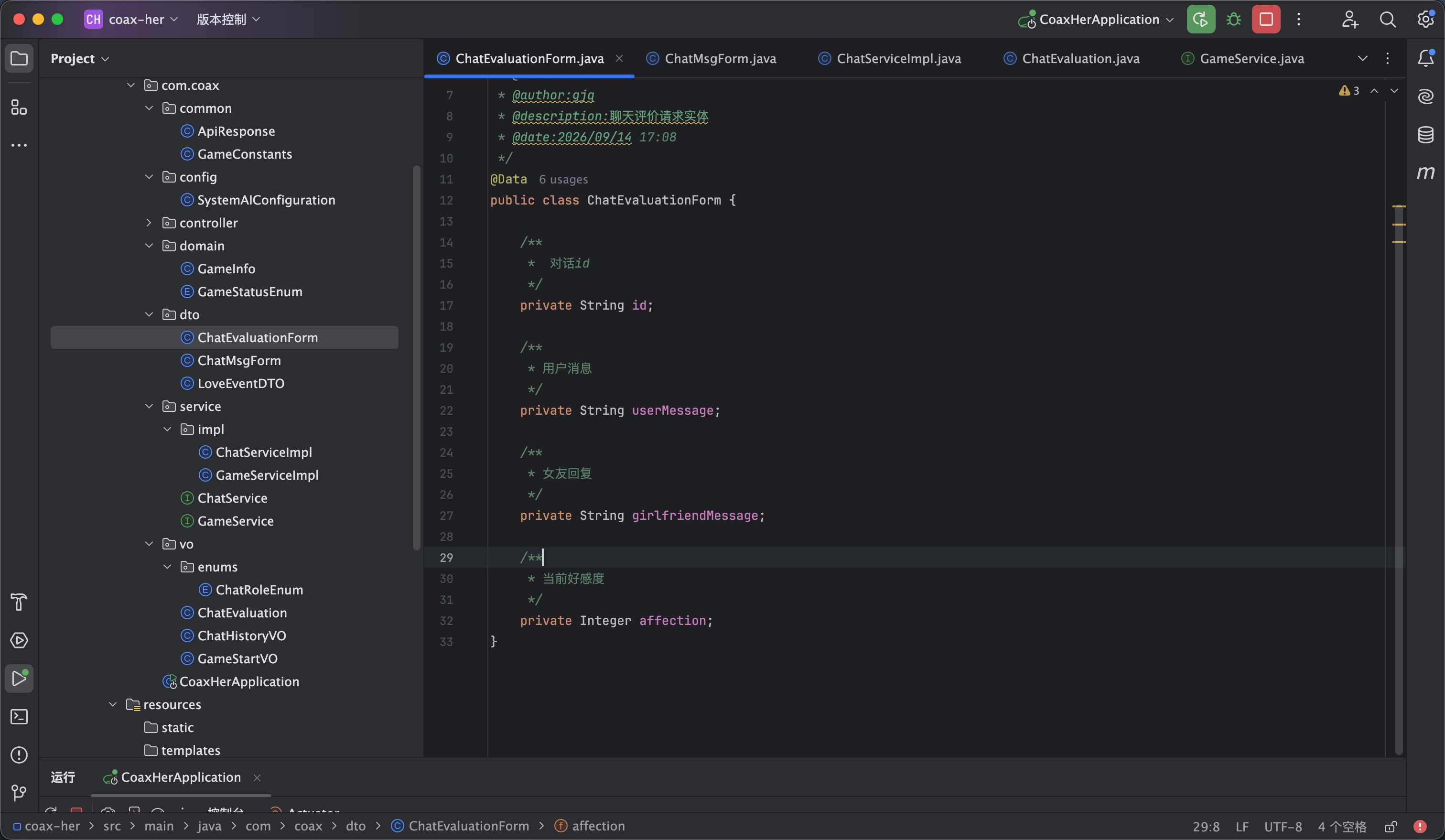
头像
评论 评论
收藏 收藏
分享 分享
pdf下载 下载
pdf下载 举报