Java Swing实现打地鼠小游戏

 0
0 0
0 0
0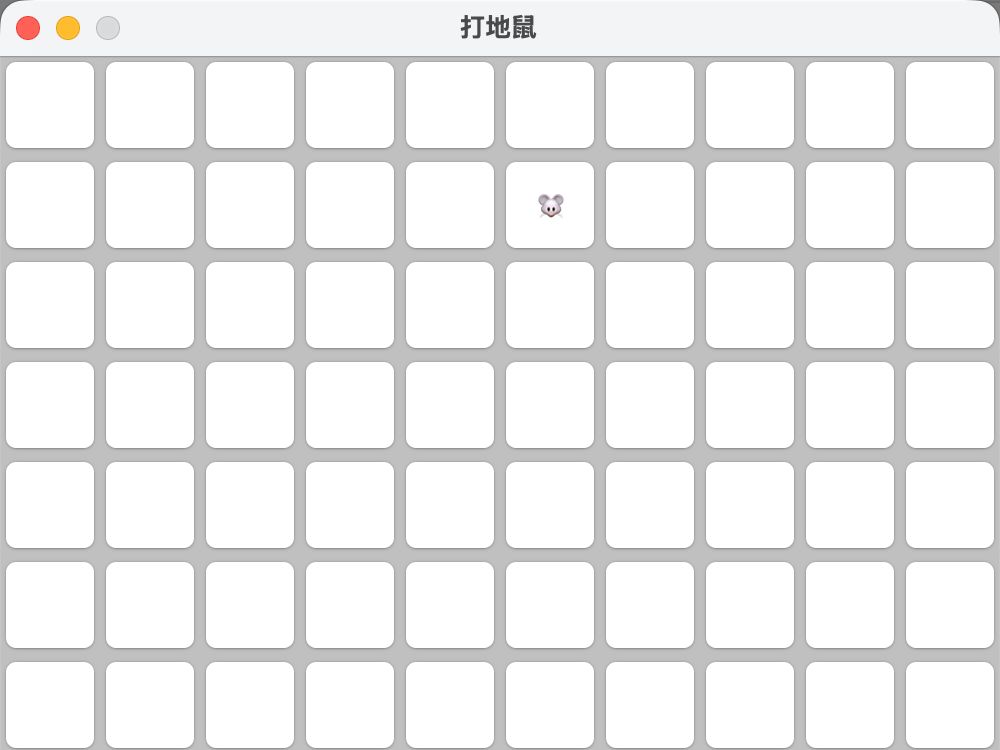
本文基于 Java Swing 实现了一个简易版打地鼠小游戏,从零搭建了二维网格地图系统,并逐步完成了地鼠随机生成、自动移动、玩家点击交互以及分数统计等核心功能。
项目采用分层设计思想,将游戏逻辑与界面展示进行拆分,通过 Grid 管理游戏状态,GamePanel 负责界面渲染,实现了基础的游戏引擎结构雏形。
本项目适合作为 Java Swing 图形界面编程的练手项目,同时也可作为小游戏开发与事件驱动编程的入门实践案例。
1
窗口&格子


1234
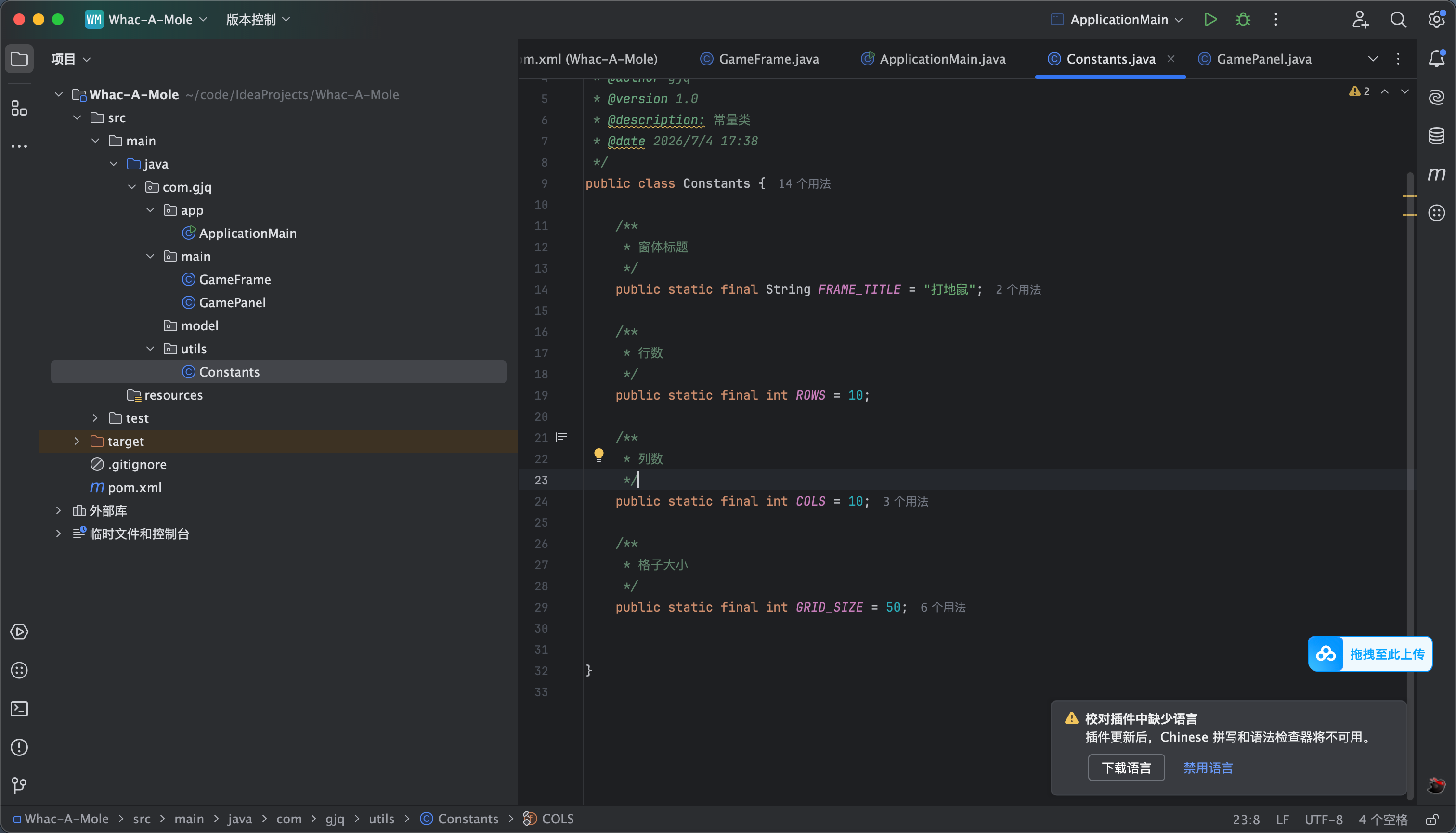
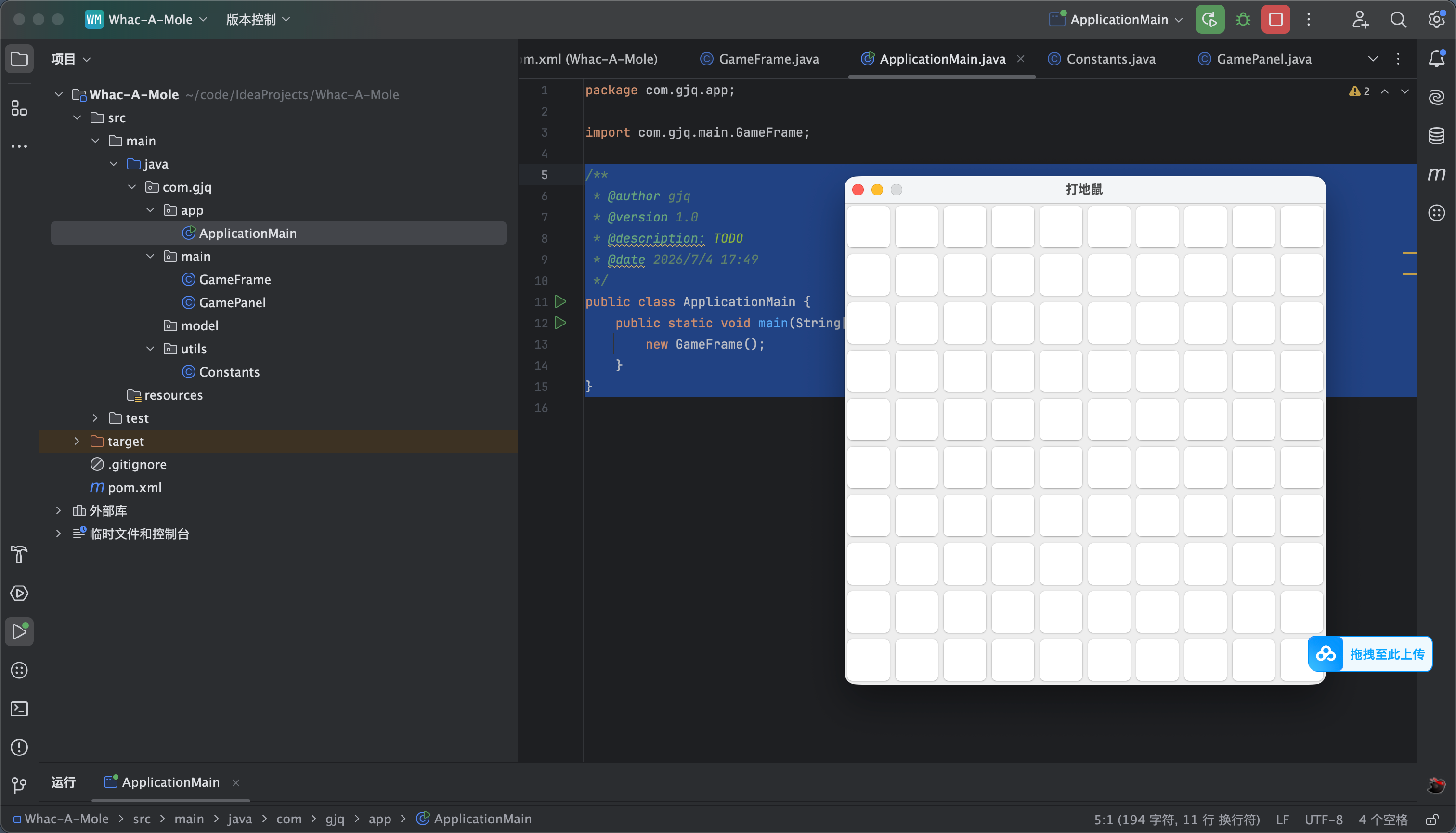
首先创建一个常量类 如图1所示用于存放一些常量信息
package com.gjq.utils;
/**
* @author gjq
* @version 1.0
* @description: 常量类
* @date 2026/7/4 17:38
*/
public class Constants {
/**
* 窗体标题
*/
public static final String FRAME_TITLE = "打地鼠";
/**
* 行数
*/
public static final int ROWS = 10;
/**
* 列数
*/
public static final int COLS = 10;
/**
* 格子大小
*/
public static final int GRID_SIZE = 50;
}
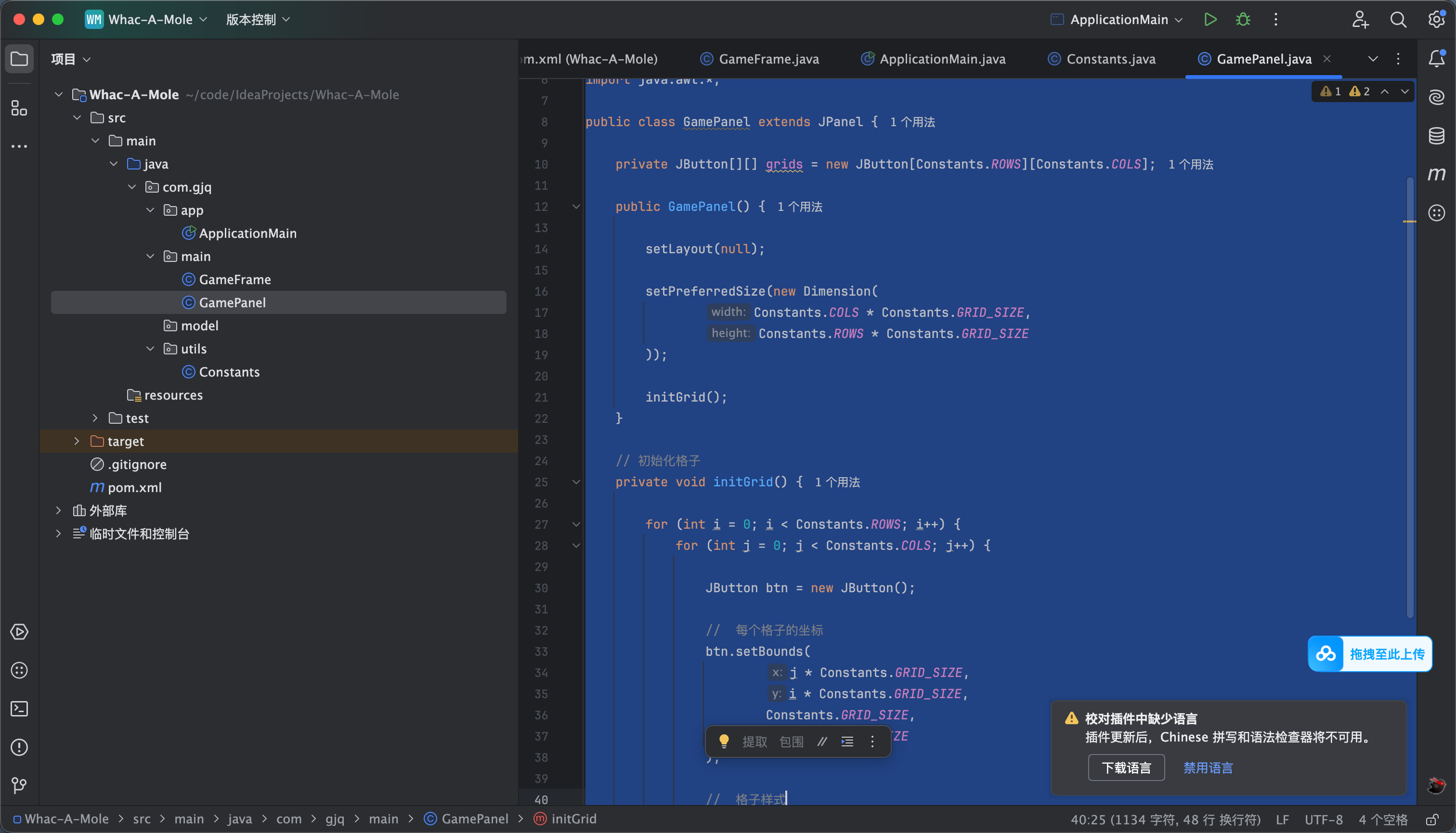
接下来我们就需要 画格子 准确来讲应是创建按钮 我们每个格子都是一个按钮 这样才能出现打地鼠的操作
代码如下 就是两层循环 然后一次创建button
package com.gjq.main;
import com.gjq.utils.Constants;
import javax.swing.*;
import java.awt.*;
public class GamePanel extends JPanel {
private JButton[][] grids = new JButton[Constants.ROWS][Constants.COLS];
public GamePanel() {
setLayout(null);
setPreferredSize(new Dimension(
Constants.COLS * Constants.GRID_SIZE,
Constants.ROWS * Constants.GRID_SIZE
));
initGrid();
}
// 初始化格子
private void initGrid() {
for (int i = 0; i < Constants.ROWS; i++) {
for (int j = 0; j < Constants.COLS; j++) {
JButton btn = new JButton();
// 每个格子的坐标
btn.setBounds(
j * Constants.GRID_SIZE,
i * Constants.GRID_SIZE,
Constants.GRID_SIZE,
Constants.GRID_SIZE
);
// 格子样式
btn.setBackground(Color.LIGHT_GRAY);
btn.setFocusPainted(false);
grids[i][j] = btn;
add(btn);
}
}
}
}
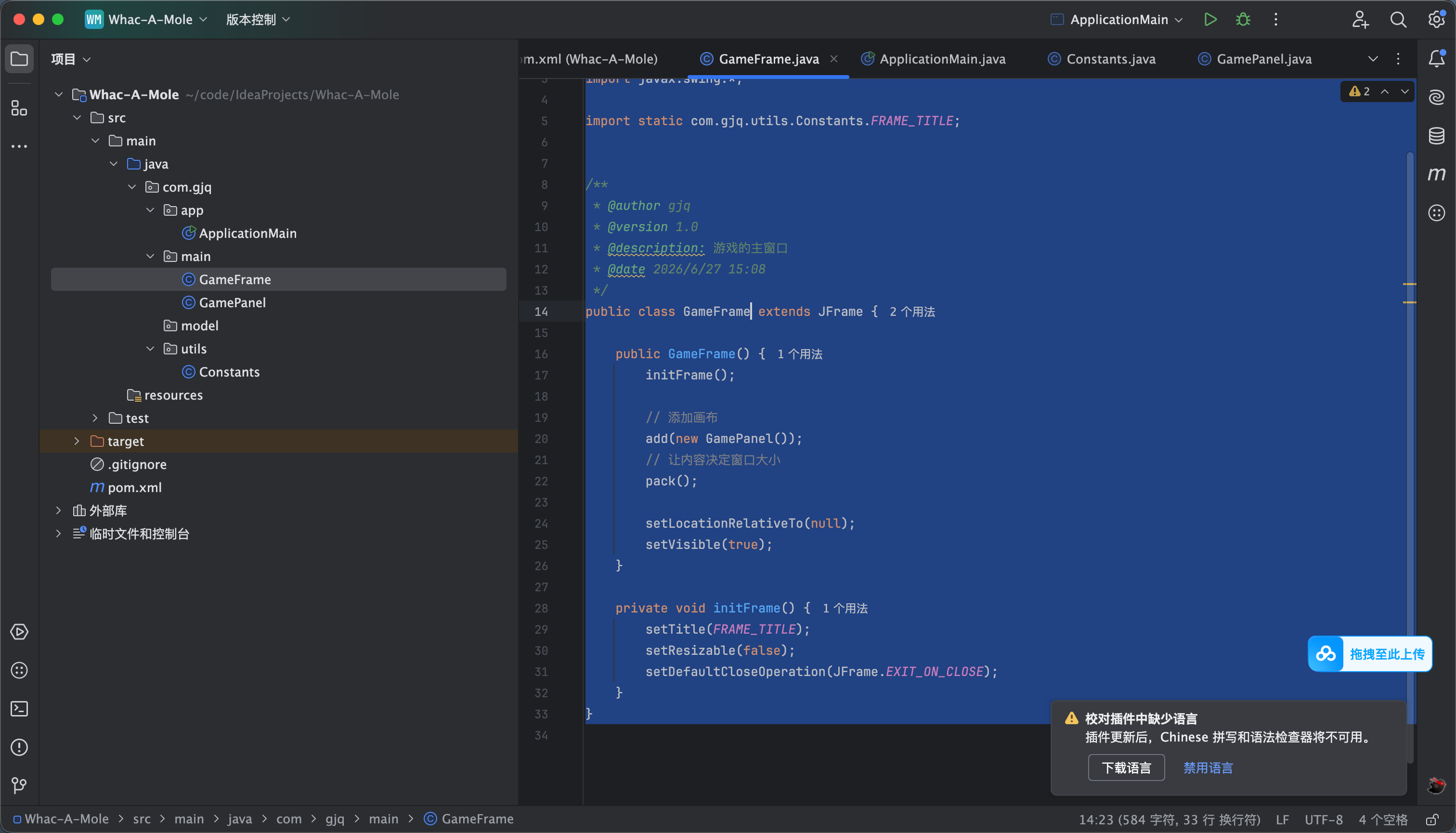
然后就是创建窗口并引入刚刚的格子代码
package com.gjq.main;
import javax.swing.*;
import static com.gjq.utils.Constants.FRAME_TITLE;
/**
* @author gjq
* @version 1.0
* @description: 游戏的主窗口
* @date 2026/6/27 15:08
*/
public class GameFrame extends JFrame {
public GameFrame() {
initFrame();
// 添加画布
add(new GamePanel());
// 让内容决定窗口大小
pack();
setLocationRelativeTo(null);
setVisible(true);
}
private void initFrame() {
setTitle(FRAME_TITLE);
setResizable(false);
setDefaultCloseOperation(JFrame.EXIT_ON_CLOSE);
}
}
然后创建一个main 函数引入窗口 启动即可 效果看图
/**
* @author gjq
* @version 1.0
* @description: TODO
* @date 2026/7/4 17:49
*/
public class ApplicationMain {
public static void main(String[] args) {
new GameFrame();
}
}
2
生成老鼠
12
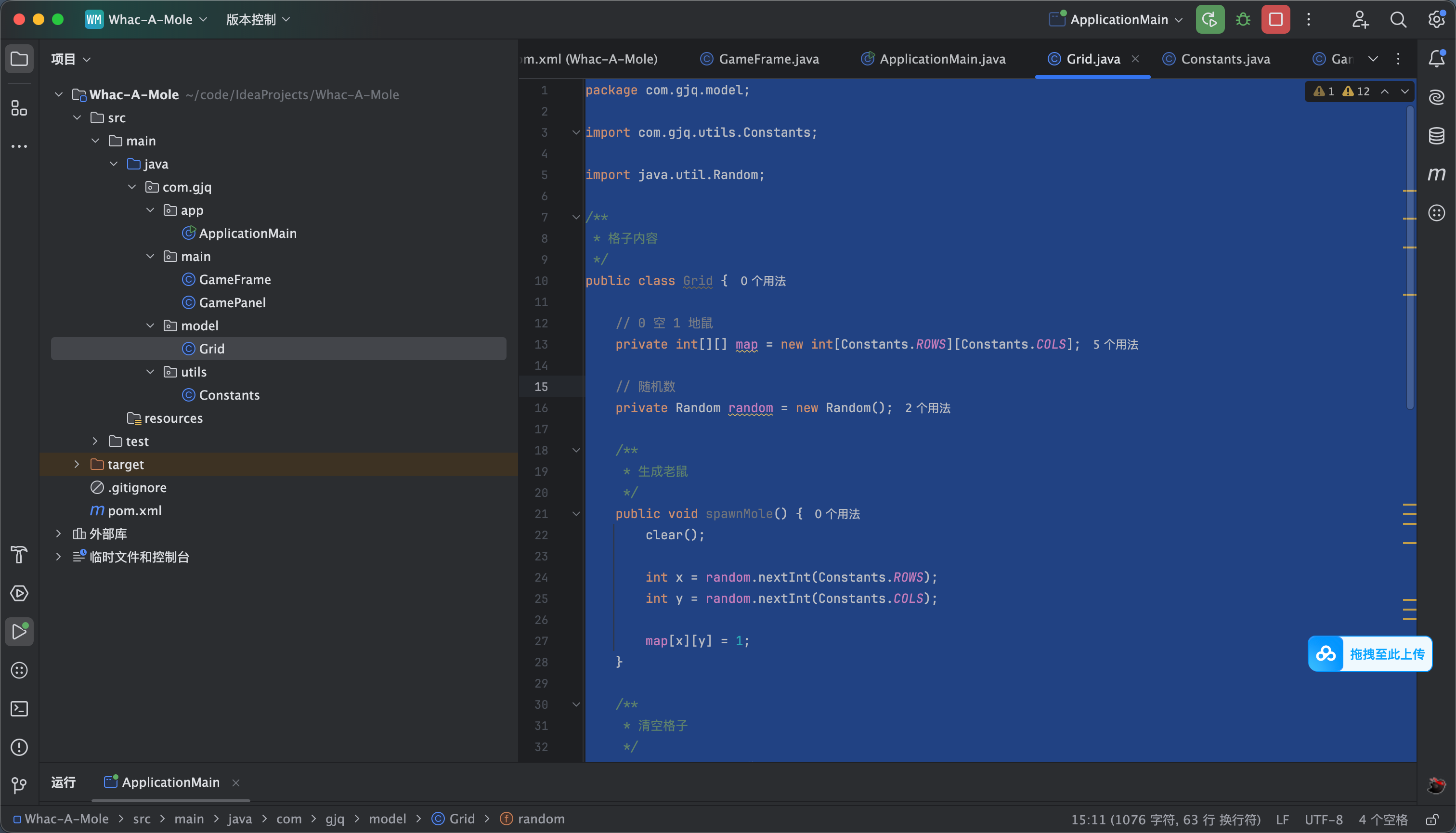
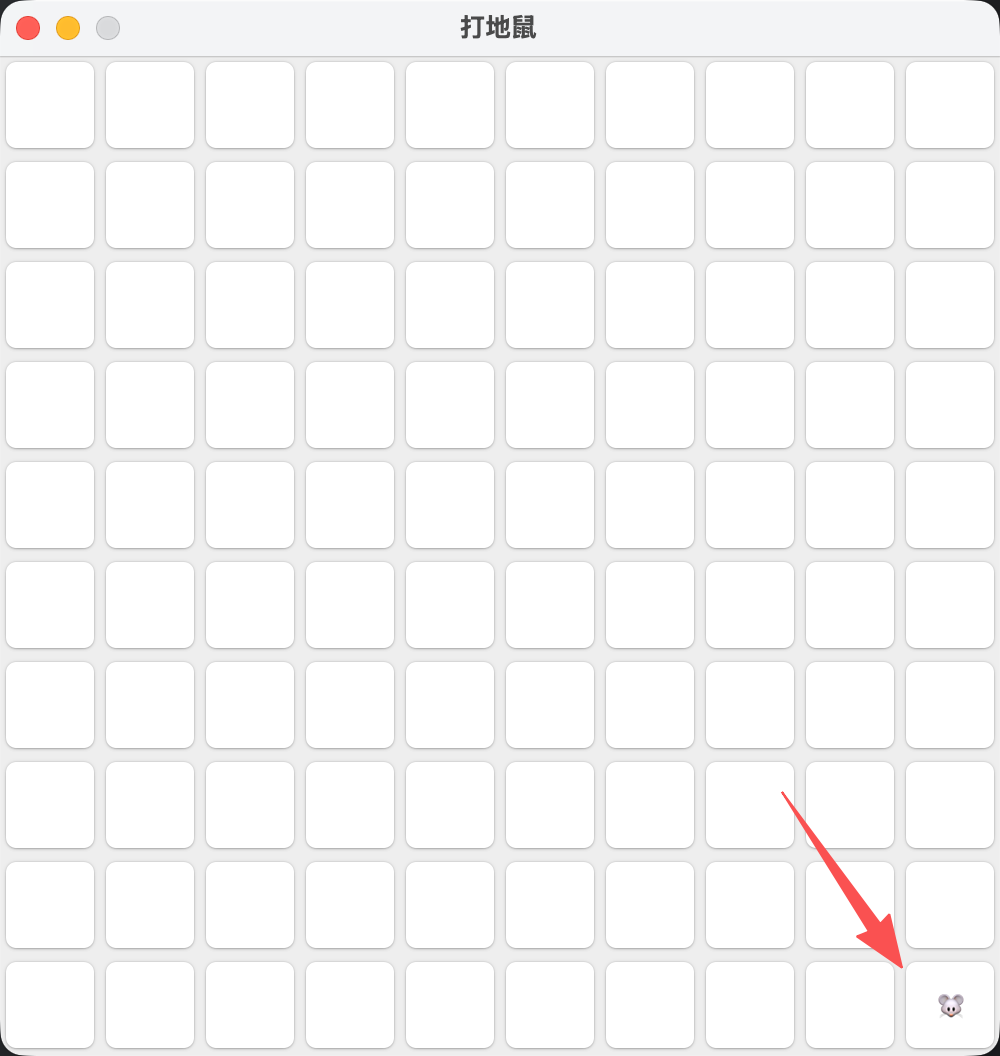
创建一个model 包 在这个里面创建一个grid类 这个类里就填写每个格子的数据代码 比如是否为老鼠
代码如下
package com.gjq.model;
import com.gjq.utils.Constants;
import java.util.Random;
/**
* 格子内容
*/
public class Grid {
// 0 空 1 地鼠
private int[][] map = new int[Constants.ROWS][Constants.COLS];
// 随机数
private Random random = new Random();
/**
* 生成老鼠
*/
public void spawnMole() {
clear();
int x = random.nextInt(Constants.ROWS);
int y = random.nextInt(Constants.COLS);
map[x][y] = 1;
}
/**
* 清空格子
*/
public void clear() {
for (int i = 0; i < Constants.ROWS; i++) {
for (int j = 0; j < Constants.COLS; j++) {
map[i][j] = 0;
}
}
}
/**
* 判断是否为地鼠
* @param x
* @param y
* @return
*/
public boolean isMole(int x, int y) {
return map[x][y] == 1;
}
/**
* 击打老鼠
* @param x
* @param y
* @return
*/
public boolean hit(int x, int y) {
if (map[x][y] == 1) {
map[x][y] = 0;
return true;
}
return false;
}
}
然后修改 GamePanel 代码如下
package com.gjq.main;
import com.gjq.model.Grid;
import com.gjq.utils.Constants;
import javax.swing.*;
import java.awt.*;
public class GamePanel extends JPanel {
private JButton[][] buttons = new JButton[Constants.ROWS][Constants.COLS];
private Grid grid = new Grid();
public GamePanel() {
setLayout(null);
setPreferredSize(new Dimension(
Constants.COLS * Constants.GRID_SIZE,
Constants.ROWS * Constants.GRID_SIZE
));
grid.spawnMole();
initGrid();
refreshUI();
}
// 初始化格子
private void initGrid() {
for (int i = 0; i < Constants.ROWS; i++) {
for (int j = 0; j < Constants.COLS; j++) {
JButton btn = new JButton();
// 每个格子的坐标
btn.setBounds(
j * Constants.GRID_SIZE,
i * Constants.GRID_SIZE,
Constants.GRID_SIZE,
Constants.GRID_SIZE
);
// 格子样式
btn.setBackground(Color.LIGHT_GRAY);
btn.setFocusPainted(false);
buttons[i][j] = btn;
add(btn);
}
}
}
// 刷新显示
private void refreshUI() {
for (int i = 0; i < Constants.ROWS; i++) {
for (int j = 0; j < Constants.COLS; j++) {
if (grid.isMole(i, j)) {
buttons[i][j].setText("🐭");
} else {
buttons[i][j].setText("");
}
}
}
}
}
3
刷新老鼠位置
刷新老鼠位置只需要加一个定时即可 代码如下
package com.gjq.main;
import com.gjq.model.Grid;
import com.gjq.utils.Constants;
import javax.swing.*;
import java.awt.*;
public class GamePanel extends JPanel {
private JButton[][] buttons = new JButton[Constants.ROWS][Constants.COLS];
private Grid grid = new Grid();
public GamePanel() {
setLayout(null);
setPreferredSize(new Dimension(
Constants.COLS * Constants.GRID_SIZE,
Constants.ROWS * Constants.GRID_SIZE
));
initGrid();
startMoleMove();
}
/**
* 画格子
*/
private void initGrid() {
for (int i = 0; i < Constants.ROWS; i++) {
for (int j = 0; j < Constants.COLS; j++) {
JButton btn = new JButton();
btn.setBounds(
j * Constants.GRID_SIZE,
i * Constants.GRID_SIZE,
Constants.GRID_SIZE,
Constants.GRID_SIZE
);
btn.setBackground(Color.LIGHT_GRAY);
btn.setFocusPainted(false);
buttons[i][j] = btn;
add(btn);
}
}
}
/**
* 定时
*/
private void startMoleMove() {
// 700ms 生成新位置
new javax.swing.Timer(700, e -> {
grid.spawnMole();
refreshUI();
}).start();
}
/**
* 刷新UI
*/
private void refreshUI() {
for (int i = 0; i < Constants.ROWS; i++) {
for (int j = 0; j < Constants.COLS; j++) {
JButton btn = buttons[i][j];
if (grid.isMole(i, j)) {
btn.setText("🐭");
} else {
btn.setText("");
}
// 统一恢复颜色
btn.setBackground(Color.LIGHT_GRAY);
}
}
}
}
4
点击处理
现在就需要我们在格子哪里添加一个点击事件 然后通过之前写的方法判断是否击打成功并改个颜色 效果看视频
package com.gjq.main;
import com.gjq.model.Grid;
import com.gjq.utils.Constants;
import javax.swing.*;
import java.awt.*;
public class GamePanel extends JPanel {
private JButton[][] buttons = new JButton[Constants.ROWS][Constants.COLS];
private Grid grid = new Grid();
public GamePanel() {
setLayout(null);
setPreferredSize(new Dimension(
Constants.COLS * Constants.GRID_SIZE,
Constants.ROWS * Constants.GRID_SIZE
));
initGrid();
startMoleMove();
}
/**
* 画格子
*/
private void initGrid() {
for (int i = 0; i < Constants.ROWS; i++) {
for (int j = 0; j < Constants.COLS; j++) {
JButton btn = new JButton();
btn.setBounds(
j * Constants.GRID_SIZE,
i * Constants.GRID_SIZE,
Constants.GRID_SIZE,
Constants.GRID_SIZE
);
btn.setBackground(Color.LIGHT_GRAY);
btn.setFocusPainted(false);
// ⭐⭐⭐ 关键修复(最小改动)
btn.setOpaque(true);
btn.setContentAreaFilled(true);
int x = i;
int y = j;
btn.addActionListener(e -> handleClick(x, y));
buttons[i][j] = btn;
add(btn);
}
}
}
/**
* 点击老鼠)
*/
private void handleClick(int x, int y) {
if (grid.isMole(x, y)) {
buttons[x][y].setBackground(Color.GREEN);
grid.clear();
} else {
buttons[x][y].setBackground(Color.RED);
}
// 0.5秒后恢复颜色
new javax.swing.Timer(500, e -> {
buttons[x][y].setBackground(Color.LIGHT_GRAY);
refreshUI();
((javax.swing.Timer) e.getSource()).stop();
}).start();
}
/**
* 地鼠移动
*/
private void startMoleMove() {
new javax.swing.Timer(700, e -> {
grid.spawnMole();
refreshUI();
}).start();
}
/**
* 刷新UI
*/
private void refreshUI() {
for (int i = 0; i < Constants.ROWS; i++) {
for (int j = 0; j < Constants.COLS; j++) {
JButton btn = buttons[i][j];
if (grid.isMole(i, j)) {
btn.setText("🐭");
} else {
btn.setText("");
}
}
}
}
}
5
加分机制
有了之前的铺垫分数就好写了 就添加一个变量 然后++ 在做展示就行了
package com.gjq.main;
import com.gjq.model.Grid;
import com.gjq.utils.Constants;
import javax.swing.*;
import java.awt.*;
public class GamePanel extends JPanel {
private JButton[][] buttons = new JButton[Constants.ROWS][Constants.COLS];
private Grid grid = new Grid();
// 分数
private int score = 0;
private JLabel scoreLabel;
public GamePanel() {
setLayout(null);
setPreferredSize(new Dimension(
Constants.COLS * Constants.GRID_SIZE,
Constants.ROWS * Constants.GRID_SIZE
));
// 分数UI
scoreLabel = new JLabel("分数: 0");
scoreLabel.setBounds(10, 5, 100, 30);
add(scoreLabel);
initGrid();
startMoleMove();
}
/**
* 画格子
*/
private void initGrid() {
for (int i = 0; i < Constants.ROWS; i++) {
for (int j = 0; j < Constants.COLS; j++) {
JButton btn = new JButton();
btn.setBounds(
j * Constants.GRID_SIZE,
i * Constants.GRID_SIZE,
Constants.GRID_SIZE,
Constants.GRID_SIZE
);
btn.setBackground(Color.LIGHT_GRAY);
btn.setFocusPainted(false);
btn.setOpaque(true);
btn.setContentAreaFilled(true);
int x = i;
int y = j;
btn.addActionListener(e -> handleClick(x, y));
buttons[i][j] = btn;
add(btn);
}
}
}
/**
* 点击老鼠)
*/
private void handleClick(int x, int y) {
if (grid.isMole(x, y)) {
buttons[x][y].setBackground(Color.GREEN);
grid.clear();
// 命中加分
score++;
scoreLabel.setText("分数: " + score);
} else {
buttons[x][y].setBackground(Color.RED);
}
// 0.5秒后恢复颜色
new javax.swing.Timer(500, e -> {
buttons[x][y].setBackground(Color.LIGHT_GRAY);
refreshUI();
((javax.swing.Timer) e.getSource()).stop();
}).start();
}
/**
* 地鼠移动
*/
private void startMoleMove() {
new javax.swing.Timer(700, e -> {
grid.spawnMole();
refreshUI();
}).start();
}
/**
* 刷新UI
*/
private void refreshUI() {
for (int i = 0; i < Constants.ROWS; i++) {
for (int j = 0; j < Constants.COLS; j++) {
JButton btn = buttons[i][j];
if (grid.isMole(i, j)) {
btn.setText("🐭");
} else {
btn.setText("");
}
}
}
}
}
 0
0 0
0 0
0 qq空间
qq空间  微博
微博  复制链接
复制链接  分享
分享  本文未经作者允许授权,禁止转载
 更多相关项目
猜你喜欢
评论/提问(已发布 0 条)

 评论
评论  收藏
收藏  分享
分享  下载
下载  举报
举报  回顶部
回顶部