uniapp 小程序 uni-icons 图标的使用以及google的引入使用


懒羊羊学前端
原创
发布时间: 2026-03-05 16:58:10 | 阅读数 0收藏数 0评论数 0
封面
在 UniApp 小程序开发中,图标是构建界面不可或缺的一部分。官方提供的 uni-icons 组件可以快速实现常见图标展示,使用简单、体积轻量,非常适合日常开发需求。但在实际项目中,内置图标数量有限,很多开发者会选择扩展第三方图标库。常见的 Iconfont 虽然资源丰富,但部分图标存在商用限制,需要注意版权问题。相比之下,Google 提供的 Google Material Icons 开源且风格统一,更适合商业项目。本文将介绍 uni-icons 的基础使用,以及如何在 UniApp 中引入 Google Icons。
1

使用uni-icons 图标
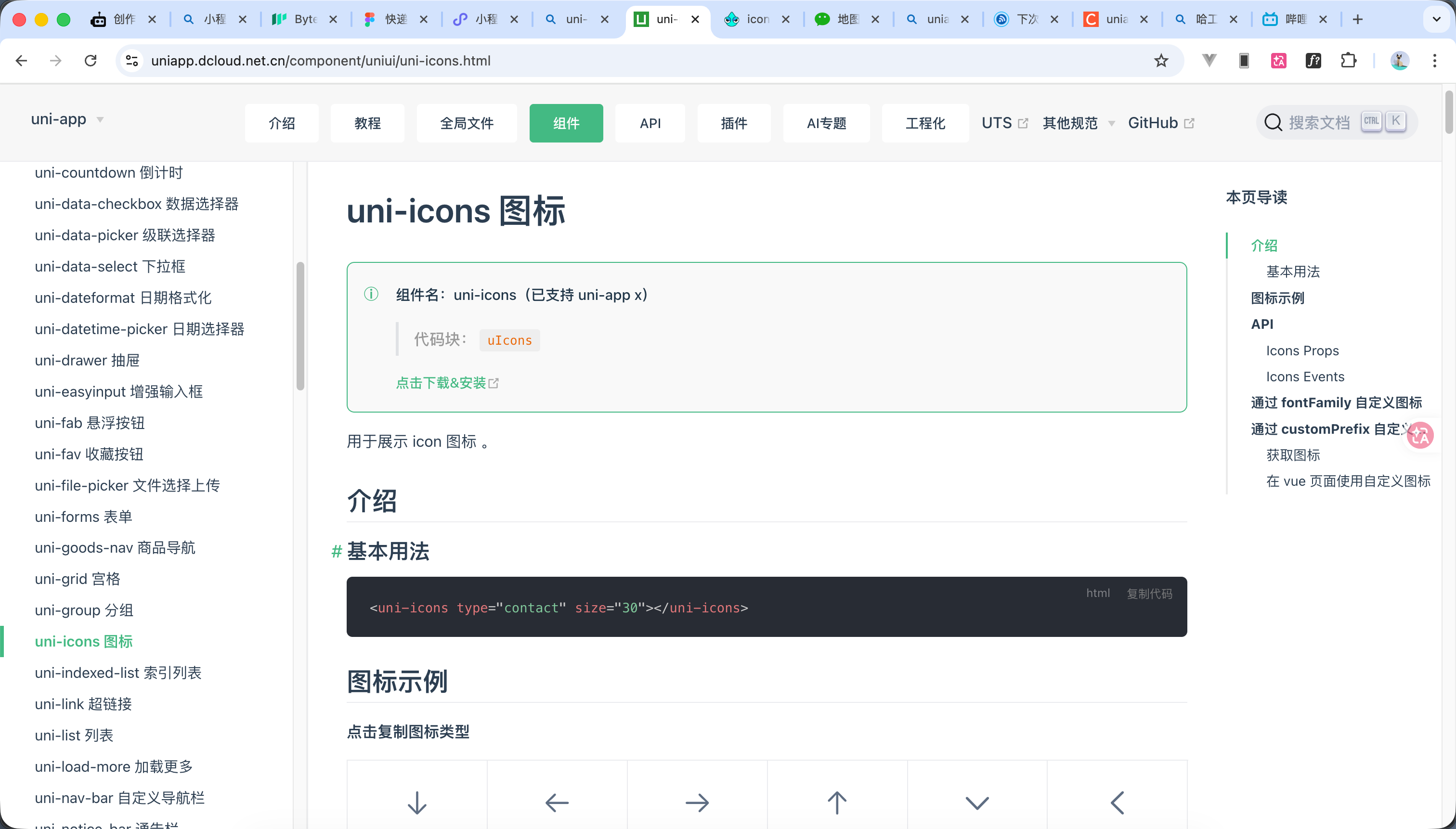
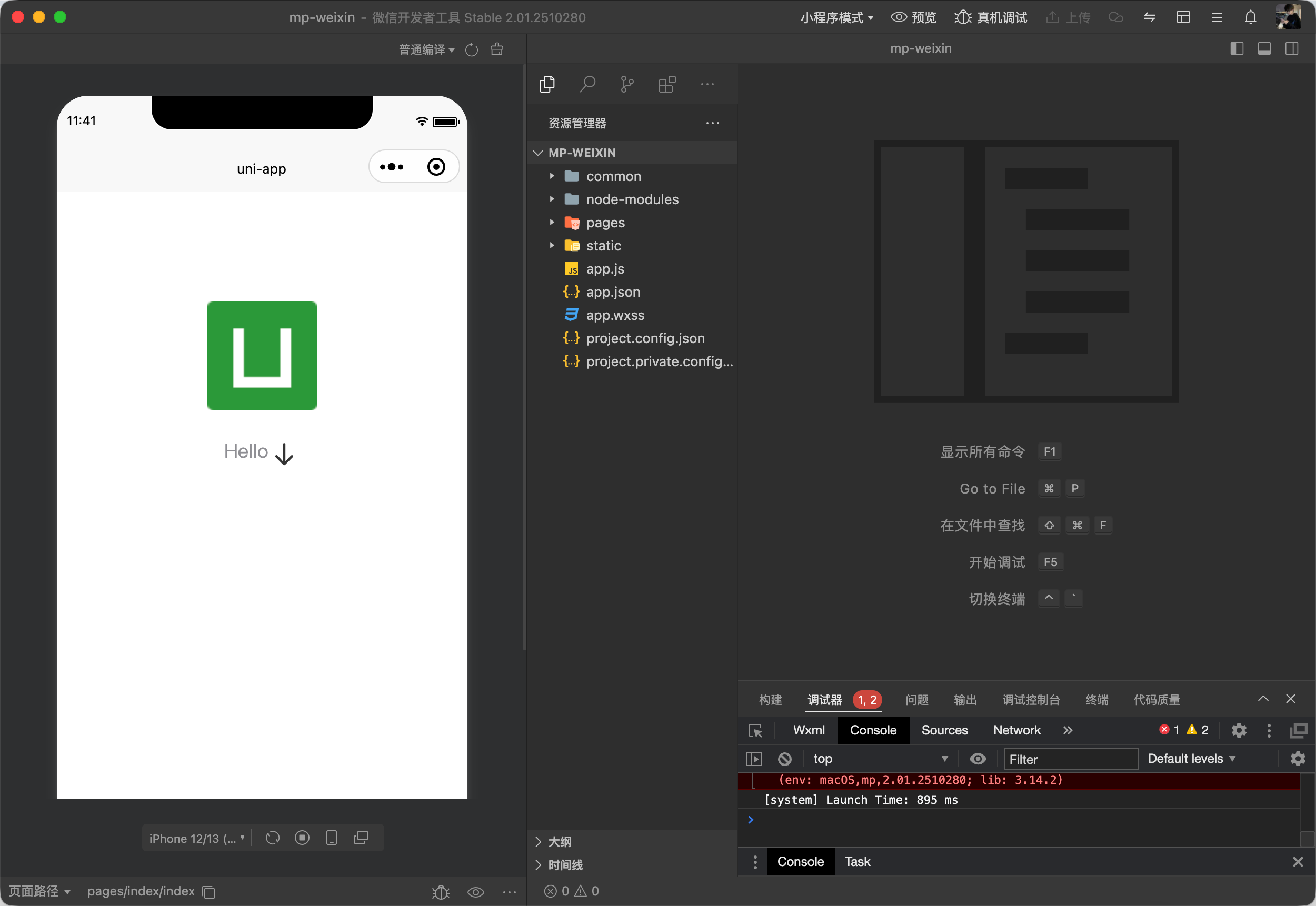
如官方所示 使用以下代码

<uni-icons type="arrow-down" size="30"></uni-icons>


官方链接如下 https://uniapp.dcloud.net.cn/component/uniui/uni-icons.html

2

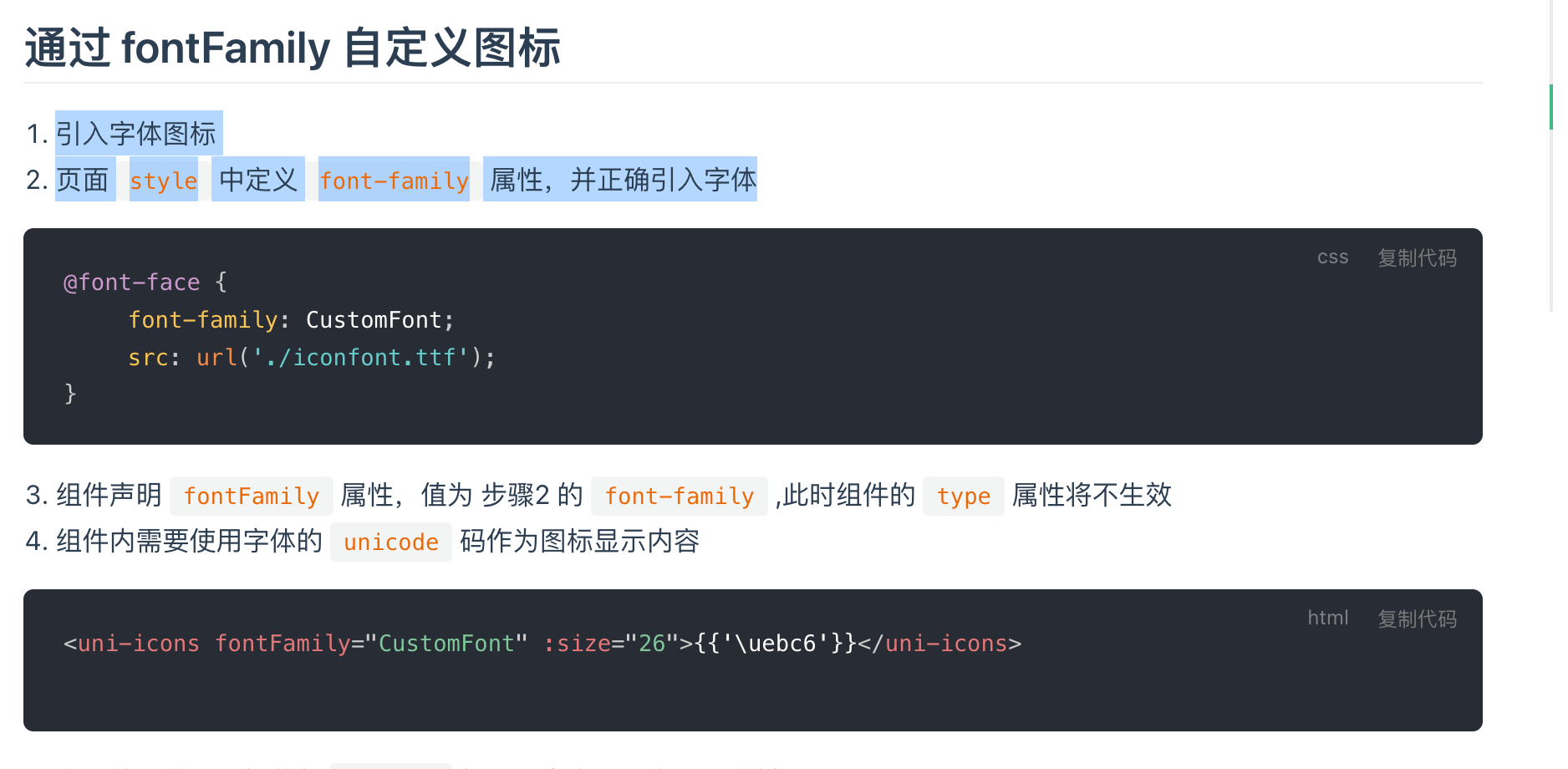
通过 fontFamily 自定义图标

  1. 引入字体图标
  2. 页面 style 中定义 font-family 属性,并正确引入字体


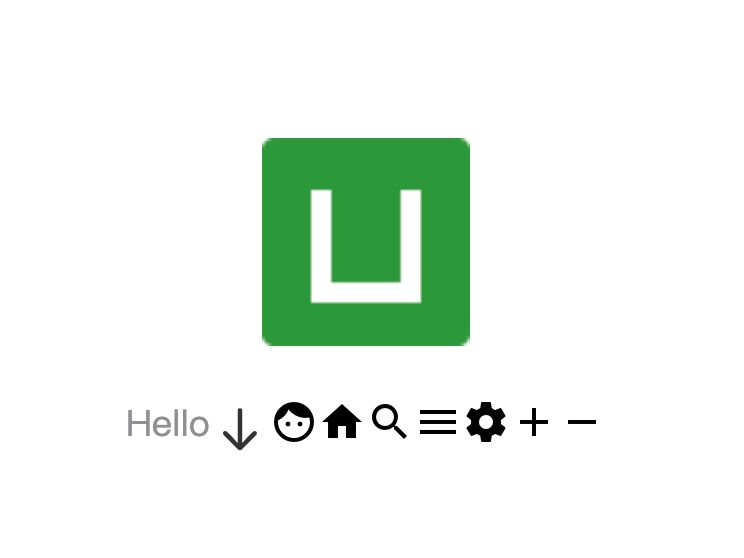
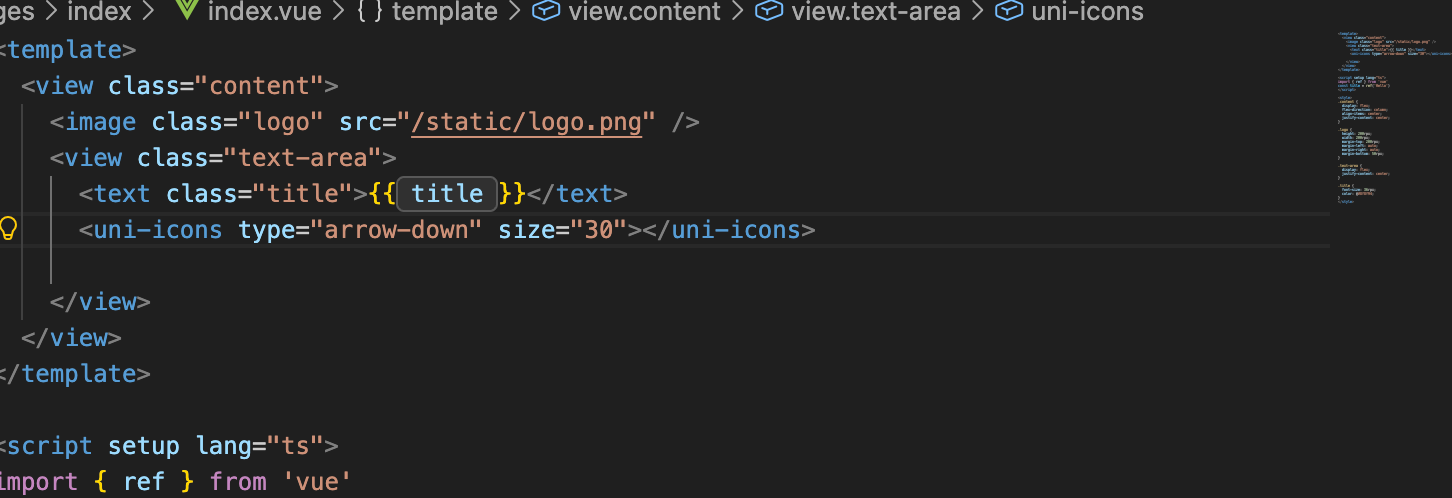
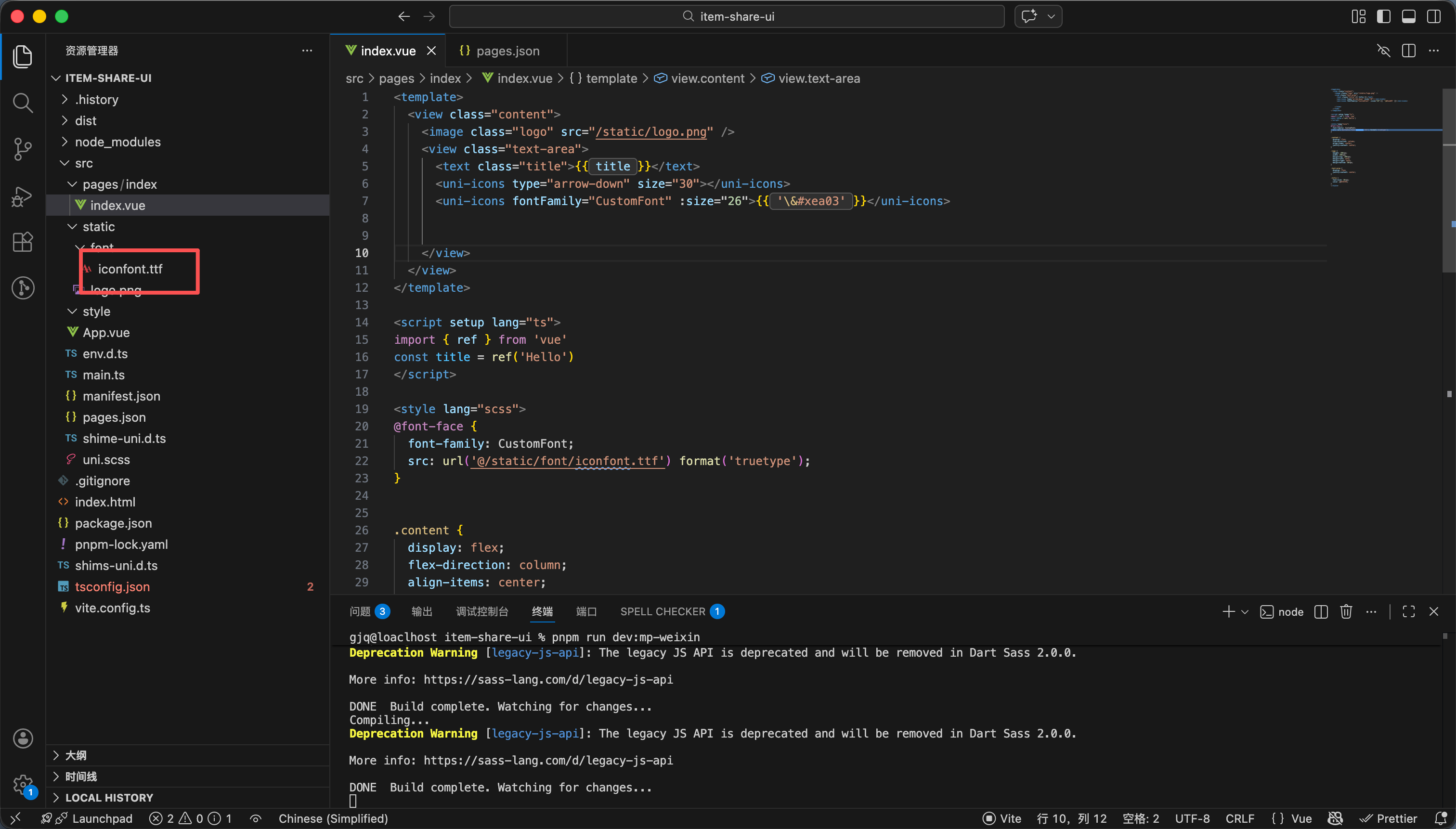
演示代码如下 效果

<template>
<view class="content">
<image class="logo" src="/static/logo.png" />
<view class="text-area">
<text class="title">{{ title }}</text>
<uni-icons type="arrow-down" size="30"></uni-icons>
<uni-icons fontFamily="CustomFont" :size="26">{{ '\&#xea03' }}</uni-icons>


</view>
</view>
</template>

<script setup lang="ts">
import { ref } from 'vue'
const title = ref('Hello')
</script>

<style lang="scss">
@font-face {
font-family: CustomFont;
src: url('@/static/font/iconfont.ttf') format('truetype');
}


.content {
display: flex;
flex-direction: column;
align-items: center;
justify-content: center;
}

.logo {
height: 200rpx;
width: 200rpx;
margin-top: 200rpx;
margin-left: auto;
margin-right: auto;
margin-bottom: 50rpx;
}

.text-area {
display: flex;
justify-content: center;
}

.title {
font-size: 36rpx;
color: #8f8f94;
}
</style>

3

阿里图标库的导入以及使用

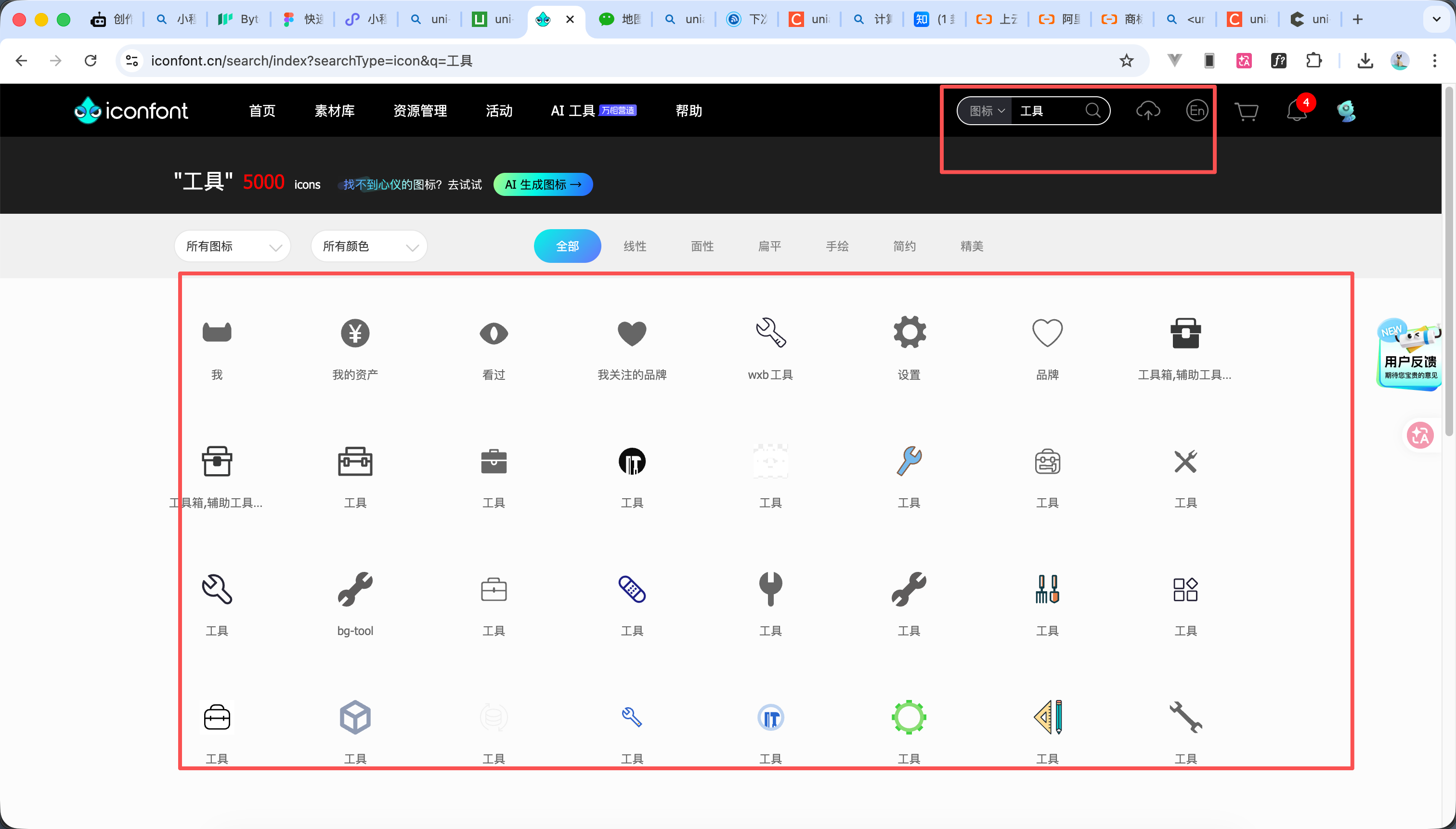
https://www.iconfont.cn/ 这个是阿里云图标官网


  1. 如图1所示搜索想要的图标
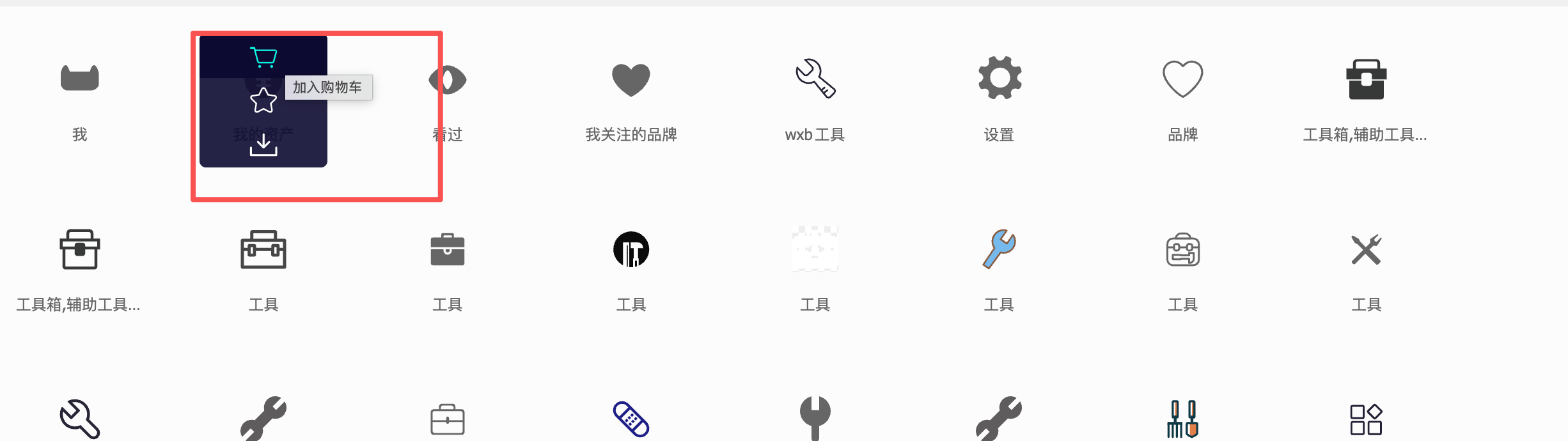
  2. 然后鼠标悬浮 点击加入到购物车
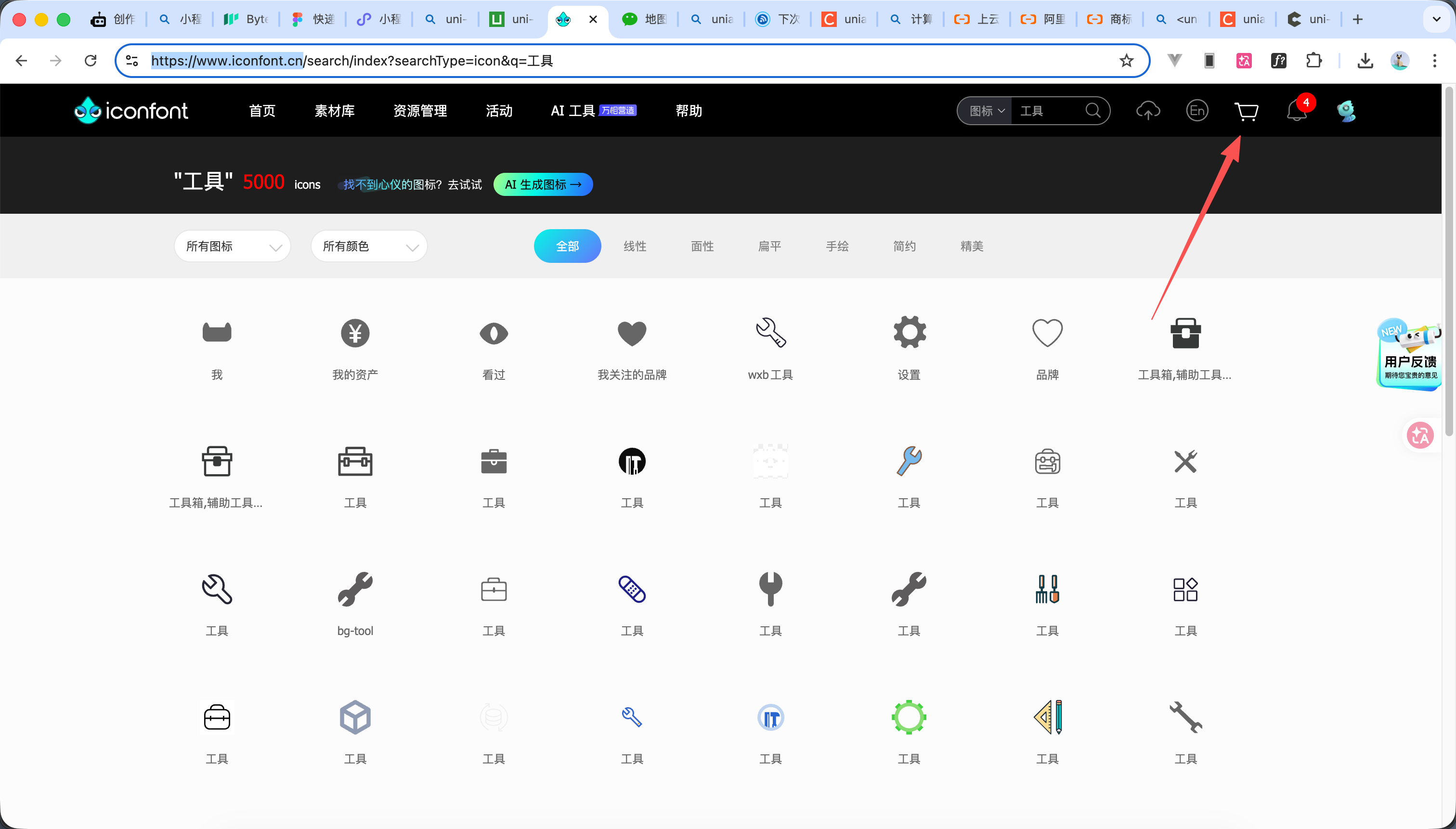
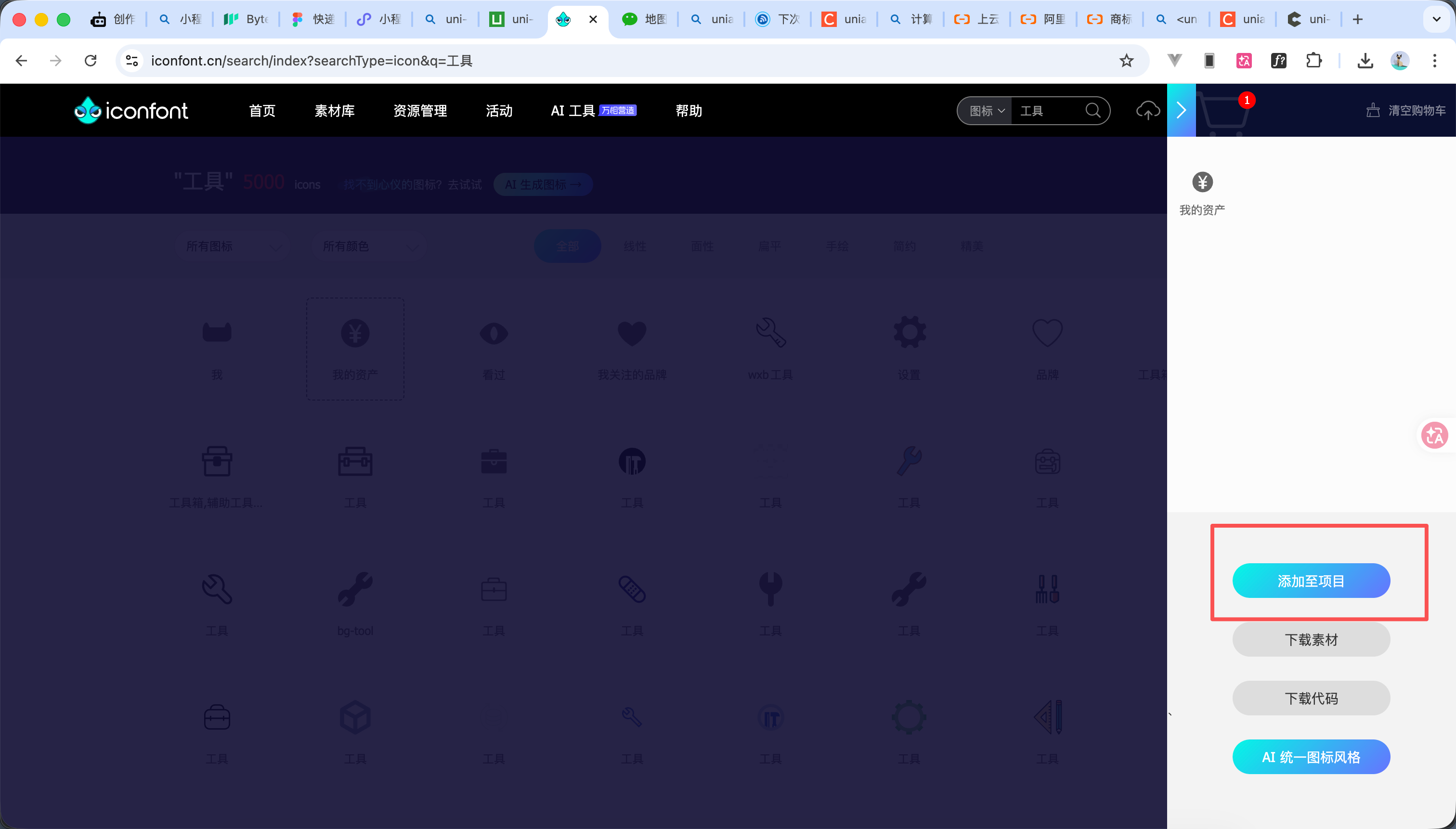
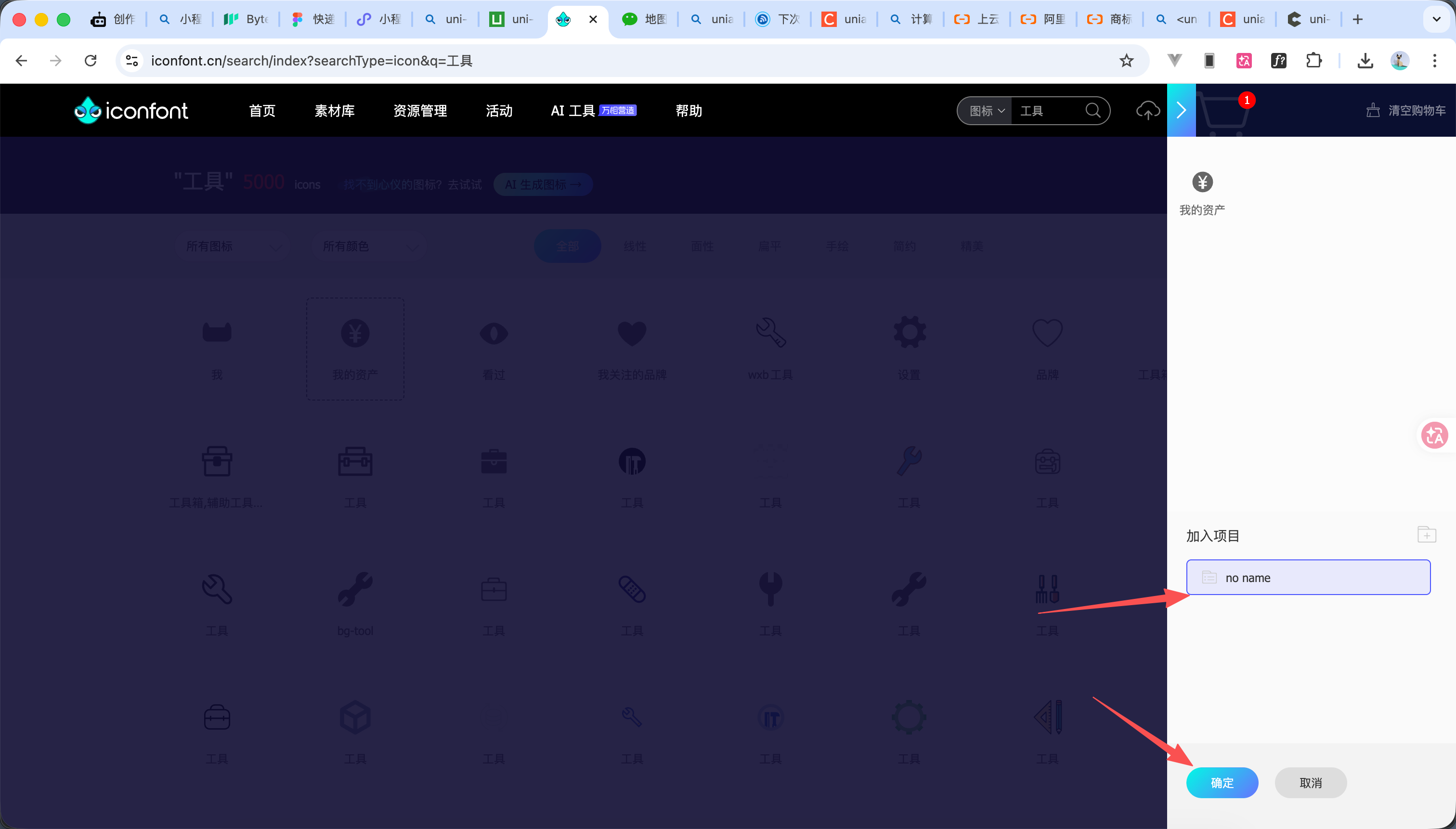
  3. 都添加好之后点击上方这个购物车图标,然后点击添加至项目 选择项目点击确定 如图 3,4,5
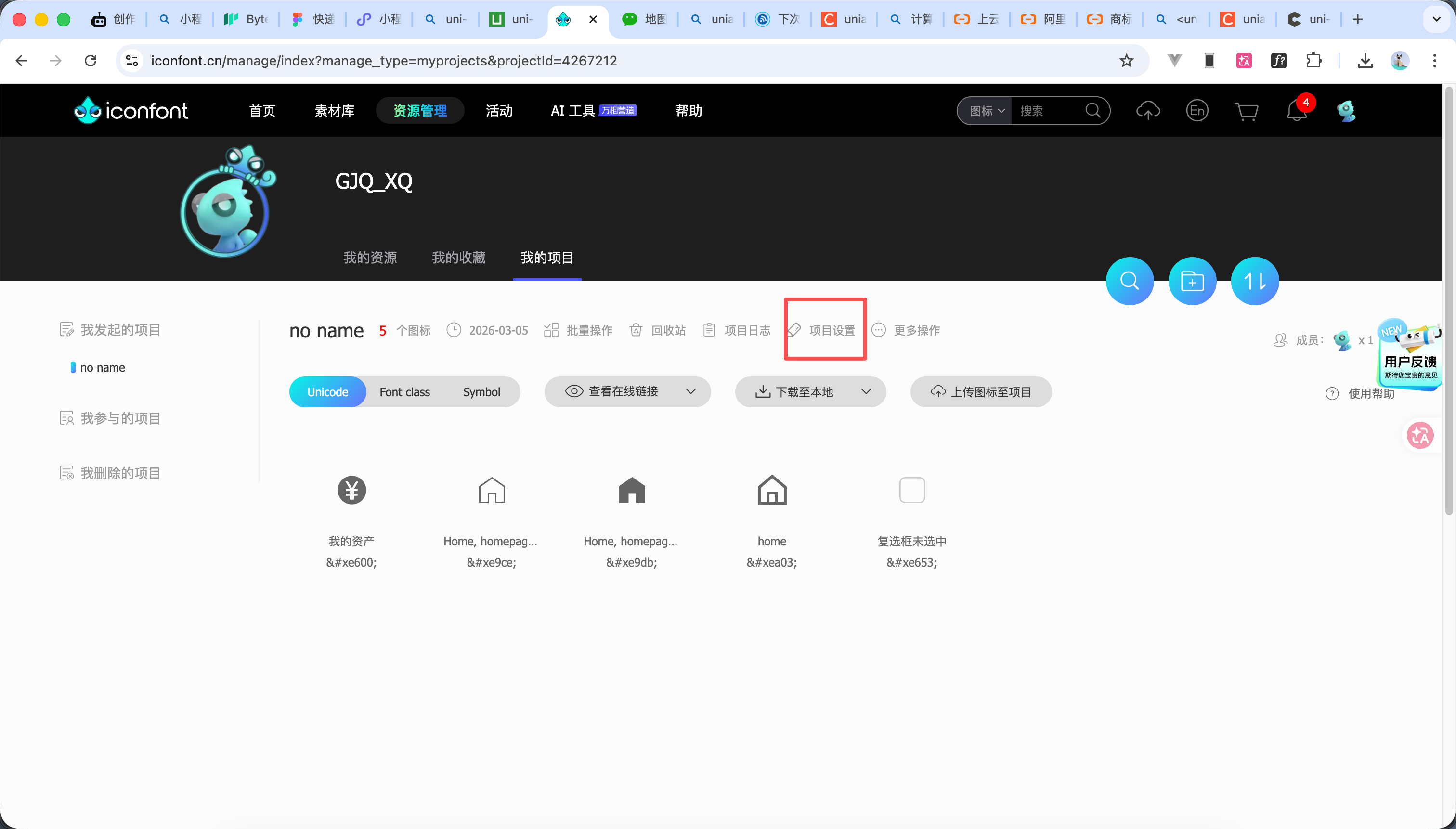
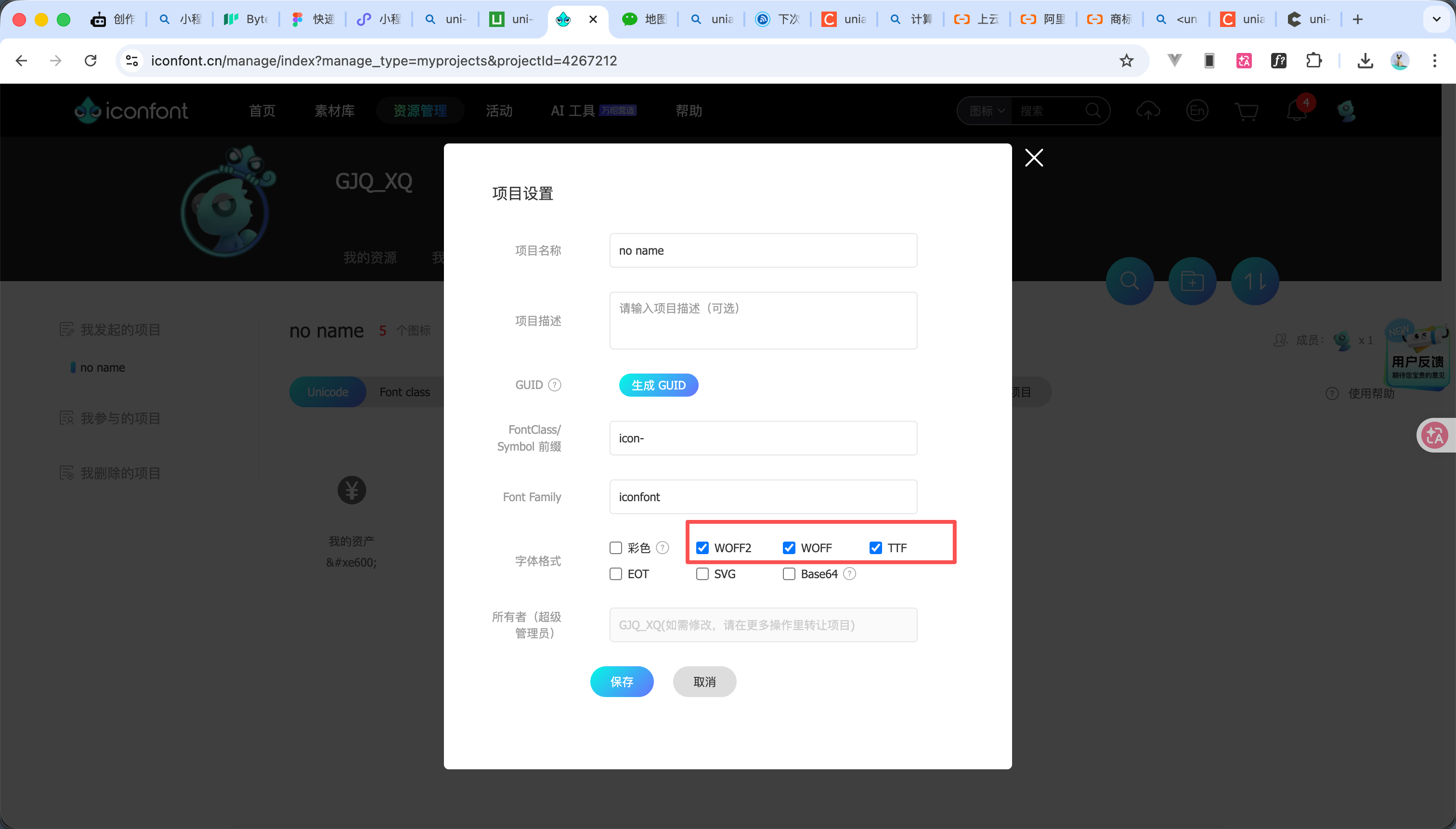
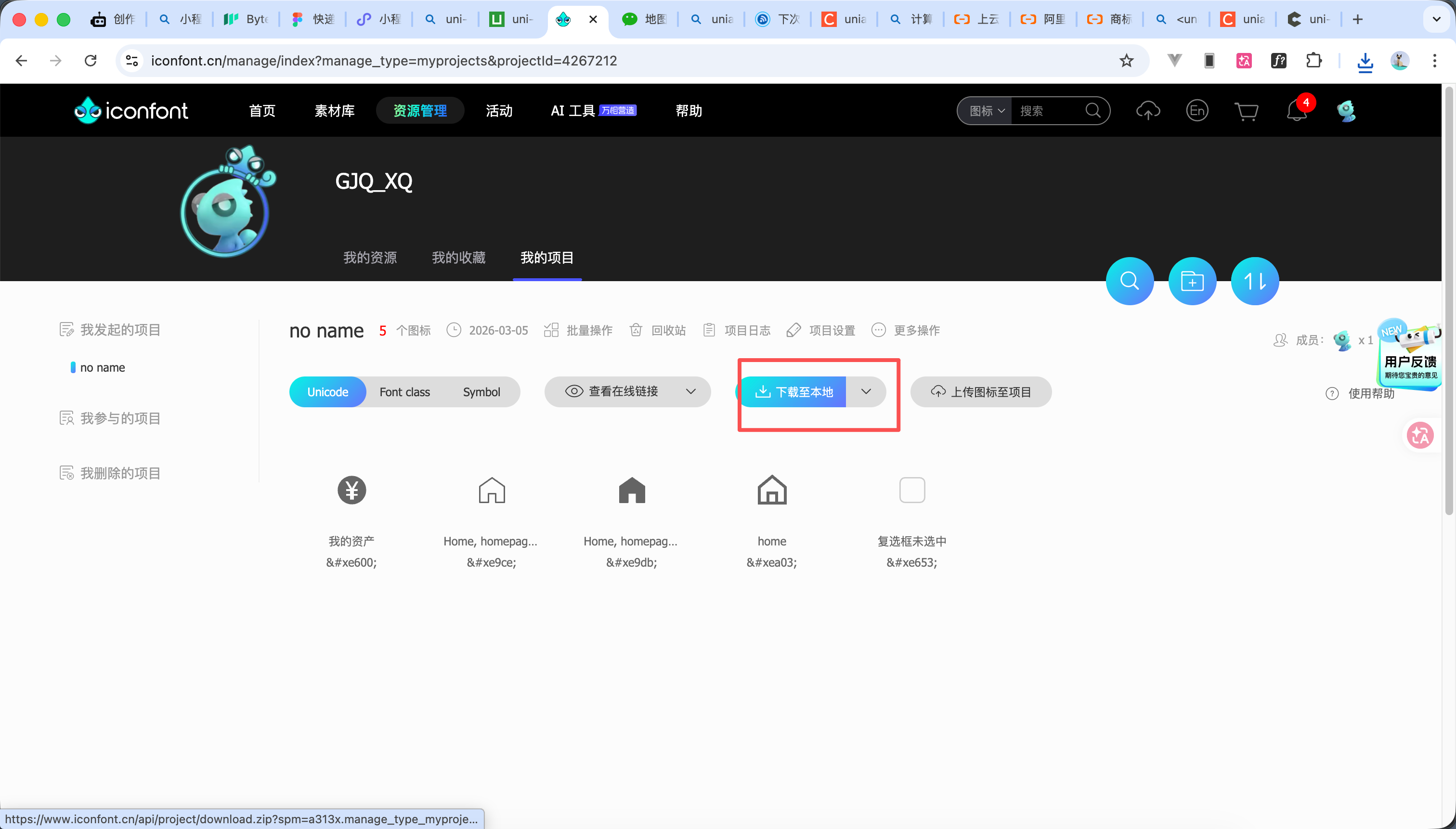
  4. 然后点击上方项目设置 勾选如图7的字体格式 点击确定
  5. 然后点击下载至本地,他会下载一个压缩包点击解压即可
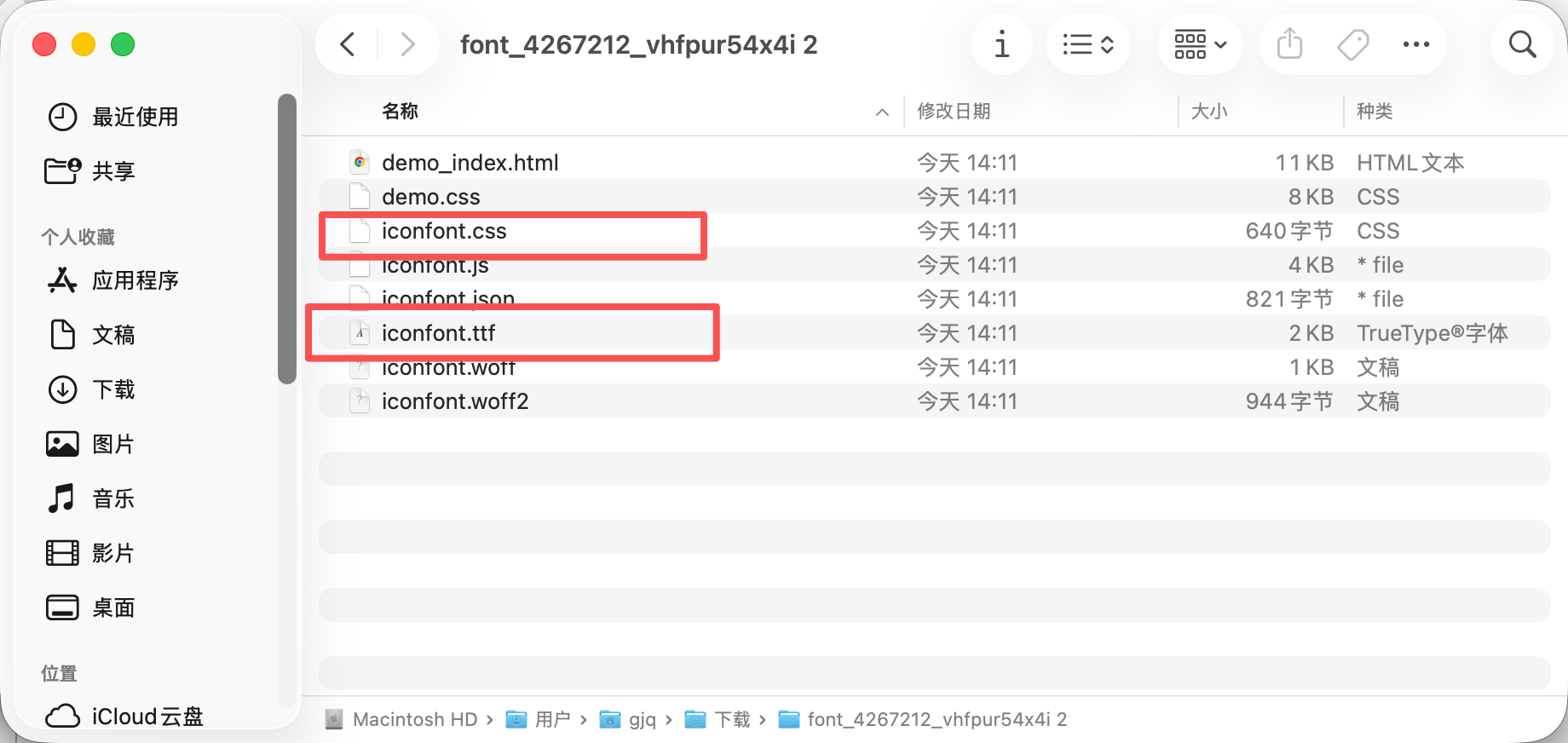
  6. 下载解压后,需要用到的文件暂时有两个 iconfont.cssiconfont.ttf: 如图10
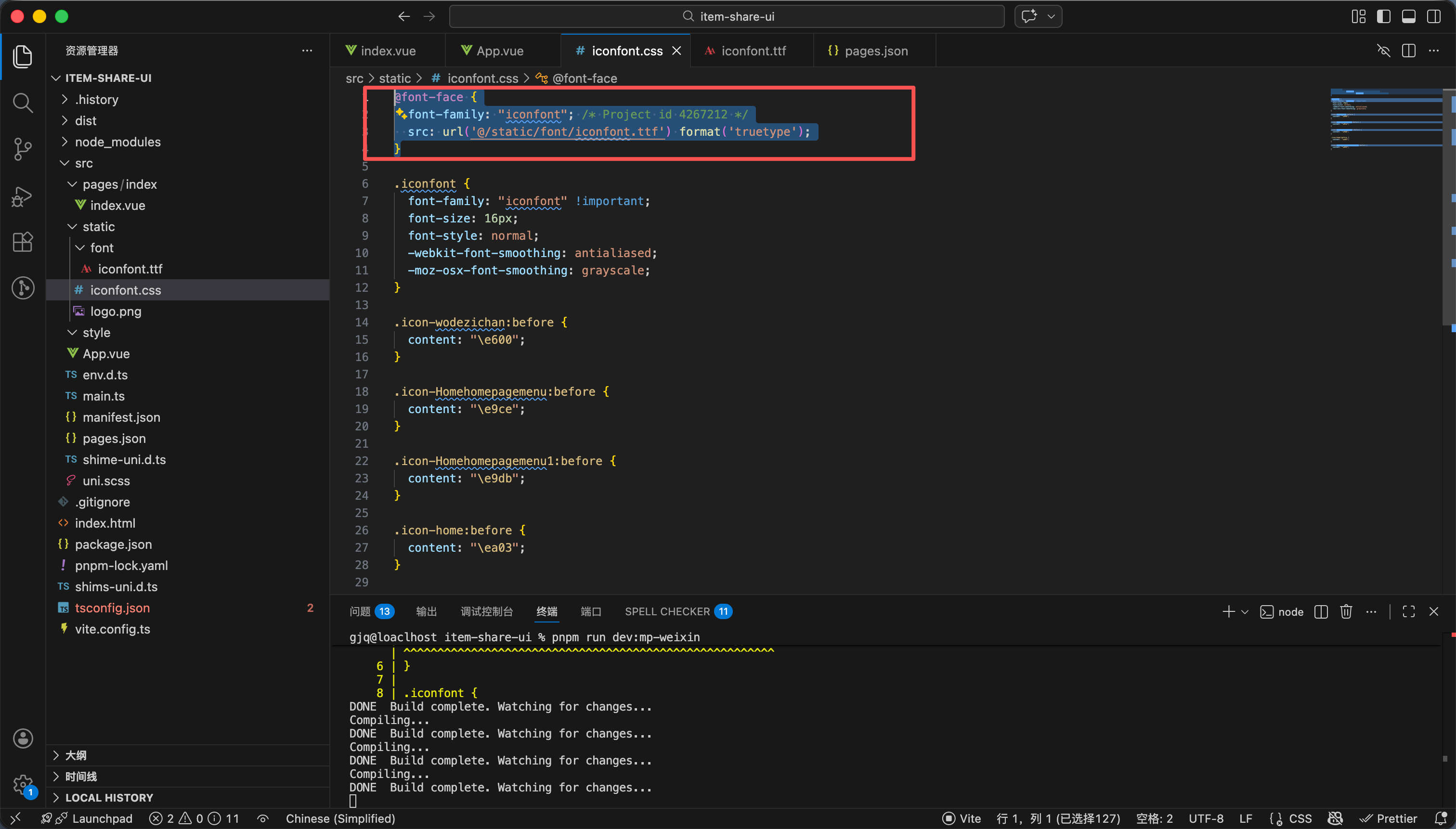
  7. 修改css中的字体路径如图11
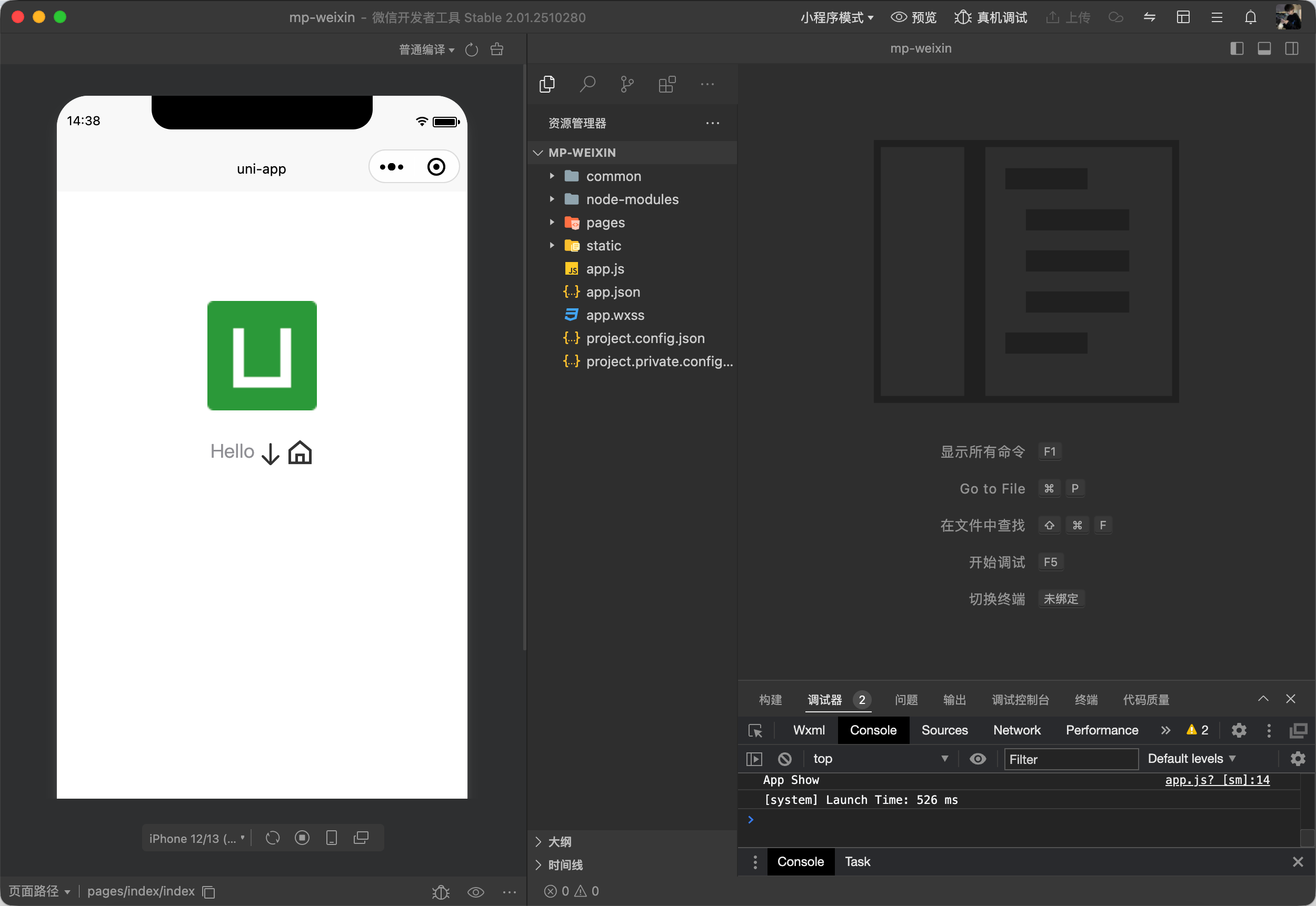
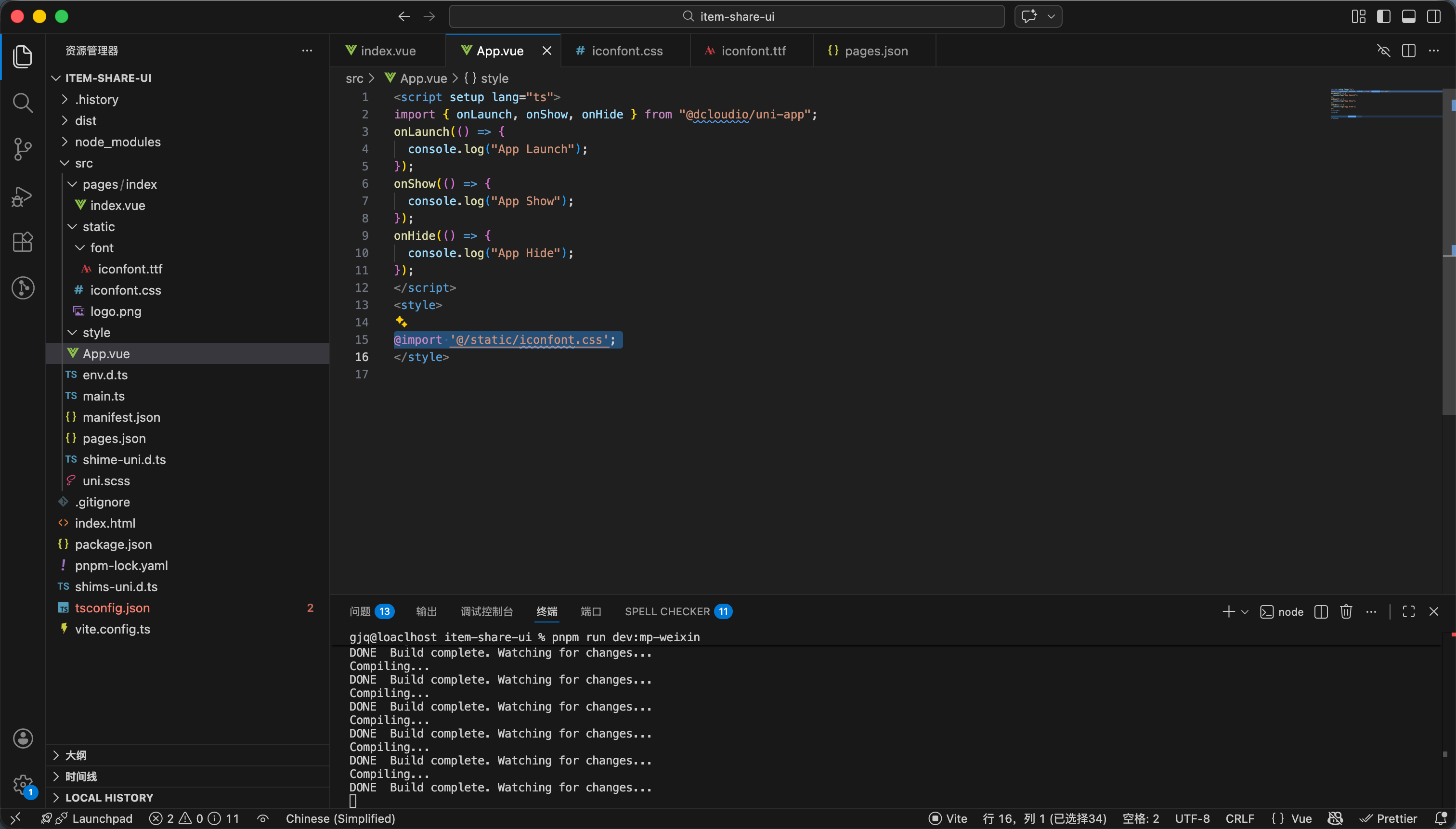
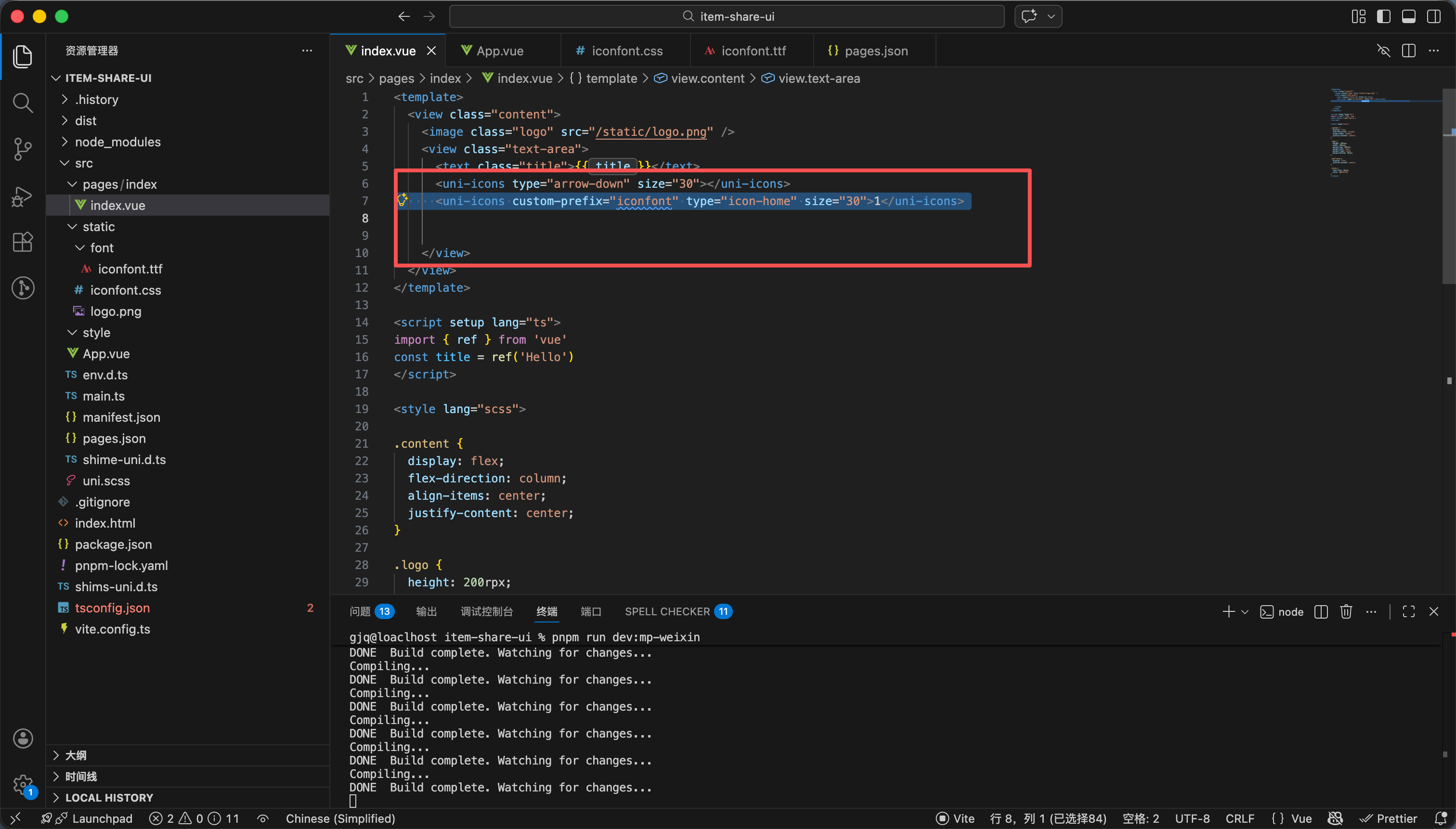
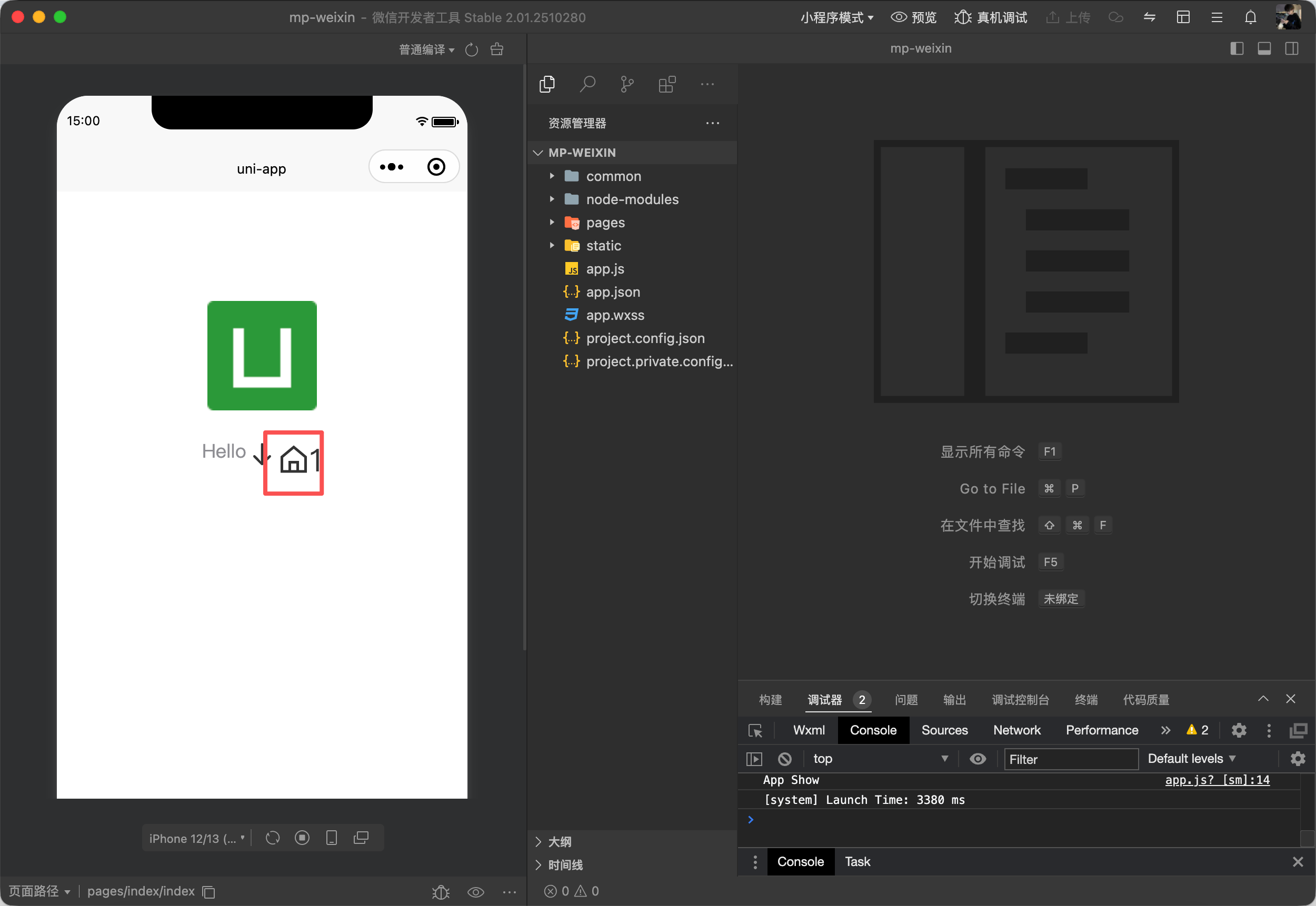
  8. app.vue里引入文件 然后以下代码进行使用 如图11 图12
<uni-icons custom-prefix="iconfont" type="icon-home" size="30">1</uni-icons>

效果如图13

4

使用google 字体图标

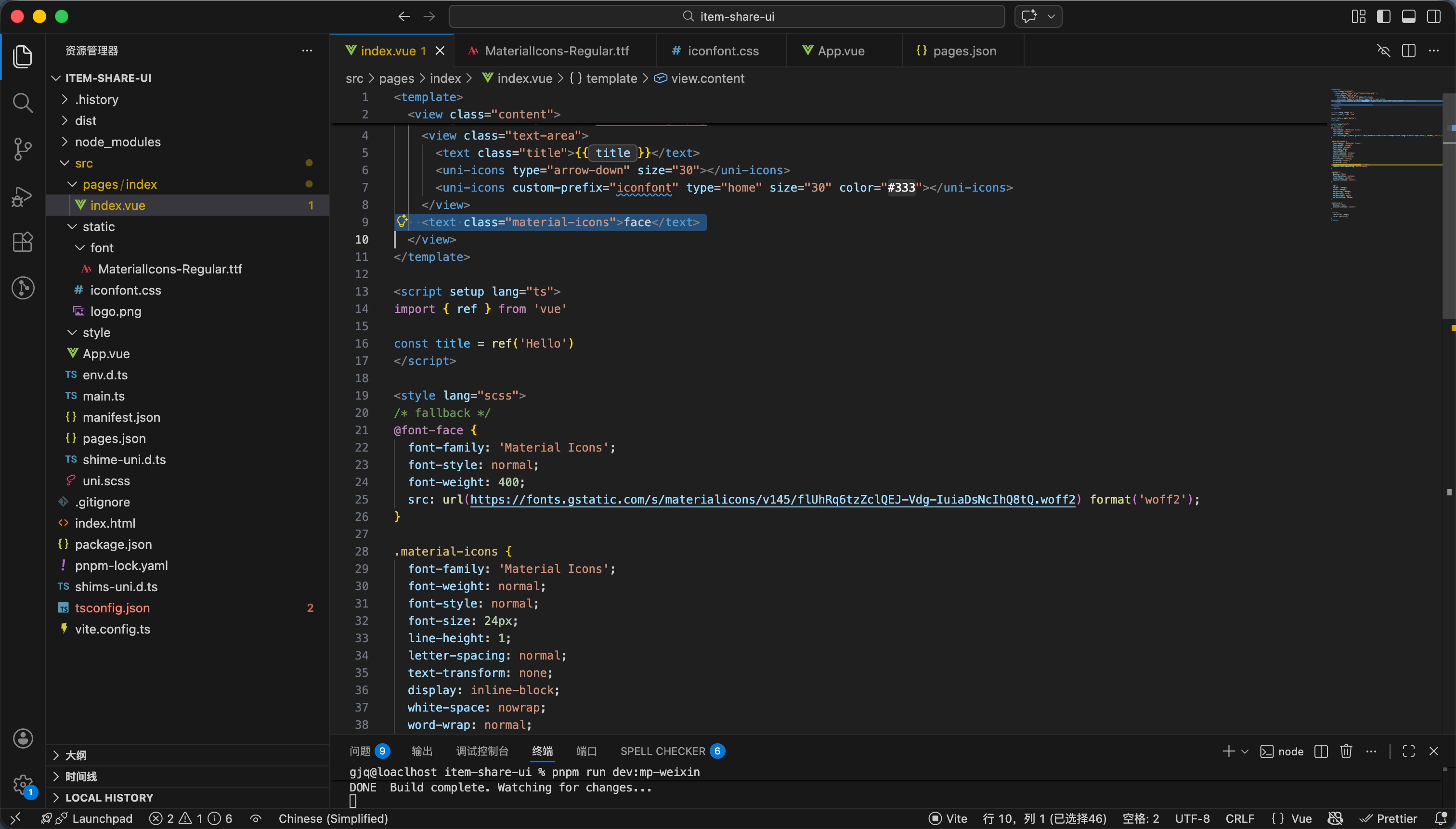
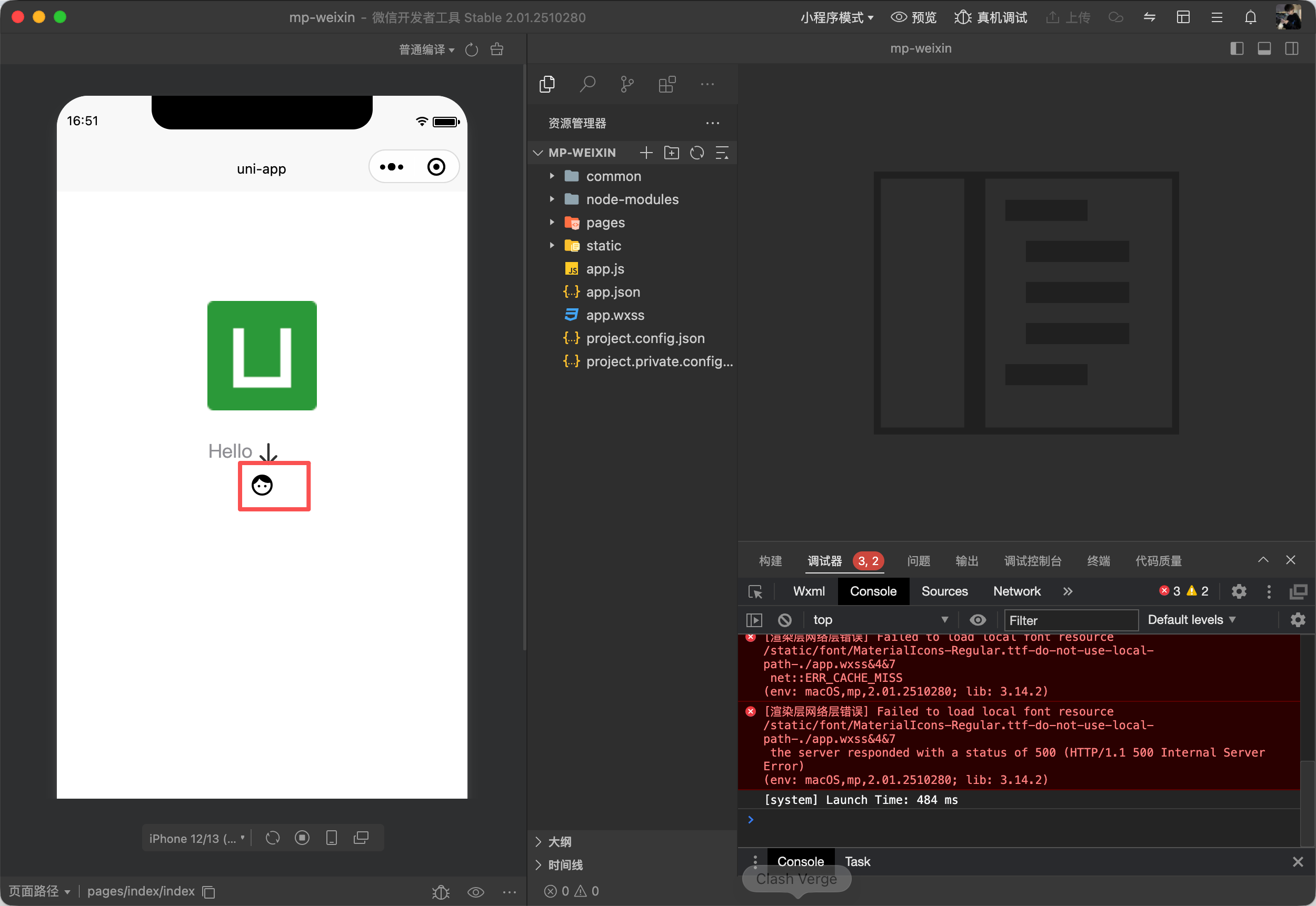
阿里云的图标不能商用 我们使用google的 这个是可以商用的


https://fonts.google.com/icons 这个是google官方链接


标签内容如下

<text class="material-icons">face</text>


css如下

@font-face {
font-family: 'Material Icons';
font-style: normal;
font-weight: 400;
src: url(https://fonts.gstatic.com/s/materialicons/v145/flUhRq6tzZclQEJ-Vdg-IuiaDsNcIhQ8tQ.woff2) format('woff2');
}

.material-icons {
font-family: 'Material Icons';
font-weight: normal;
font-style: normal;
font-size: 24px;
line-height: 1;
letter-spacing: normal;
text-transform: none;
display: inline-block;
white-space: nowrap;
word-wrap: normal;
direction: ltr;
-webkit-font-feature-settings: 'liga';
-webkit-font-smoothing: antialiased;
}

阅读记录0
点赞0
收藏0
禁止 本文未经作者允许授权,禁止转载
猜你喜欢
评论/提问(已发布 0 条)
评论 评论
收藏 收藏
分享 分享
pdf下载 下载
pdf下载 举报