Vue3 实现 B 站视频站外播放器:输入 URL 自动解析为 player.bilibili.com

 0
0 0
0 0
0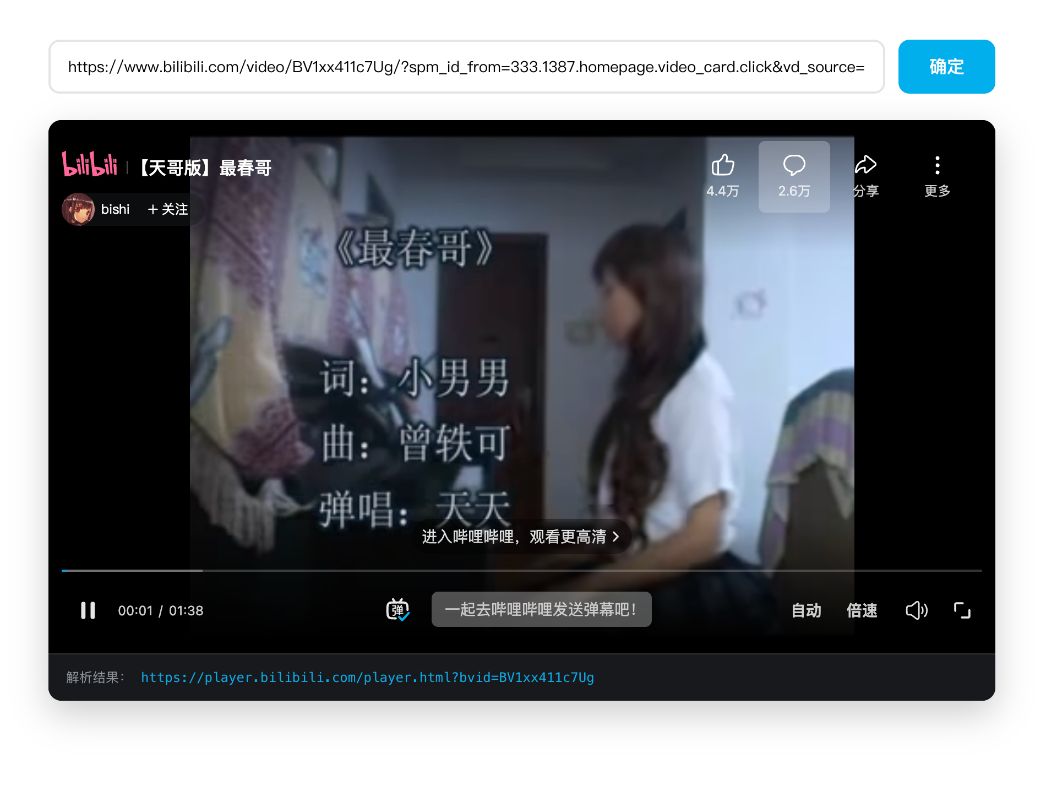
本文将带你使用 Vue3 实现一个 B 站视频站外播放器组件:只需输入一个普通的 Bilibili 视频链接,即可自动解析 BV 号与分页参数,并生成可嵌入的 player.bilibili.com 外链播放器。教程涵盖 URL 解析逻辑、参数校验、安全 iframe 嵌入方式以及组件封装思路,适合想提升前端工程能力与实战经验的开发者阅读。通过这个小工具,你将掌握如何把真实业务需求拆解为可维护的 Vue 组件,并理解浏览器 URL API 在实际项目中的应用。
1
官方内容
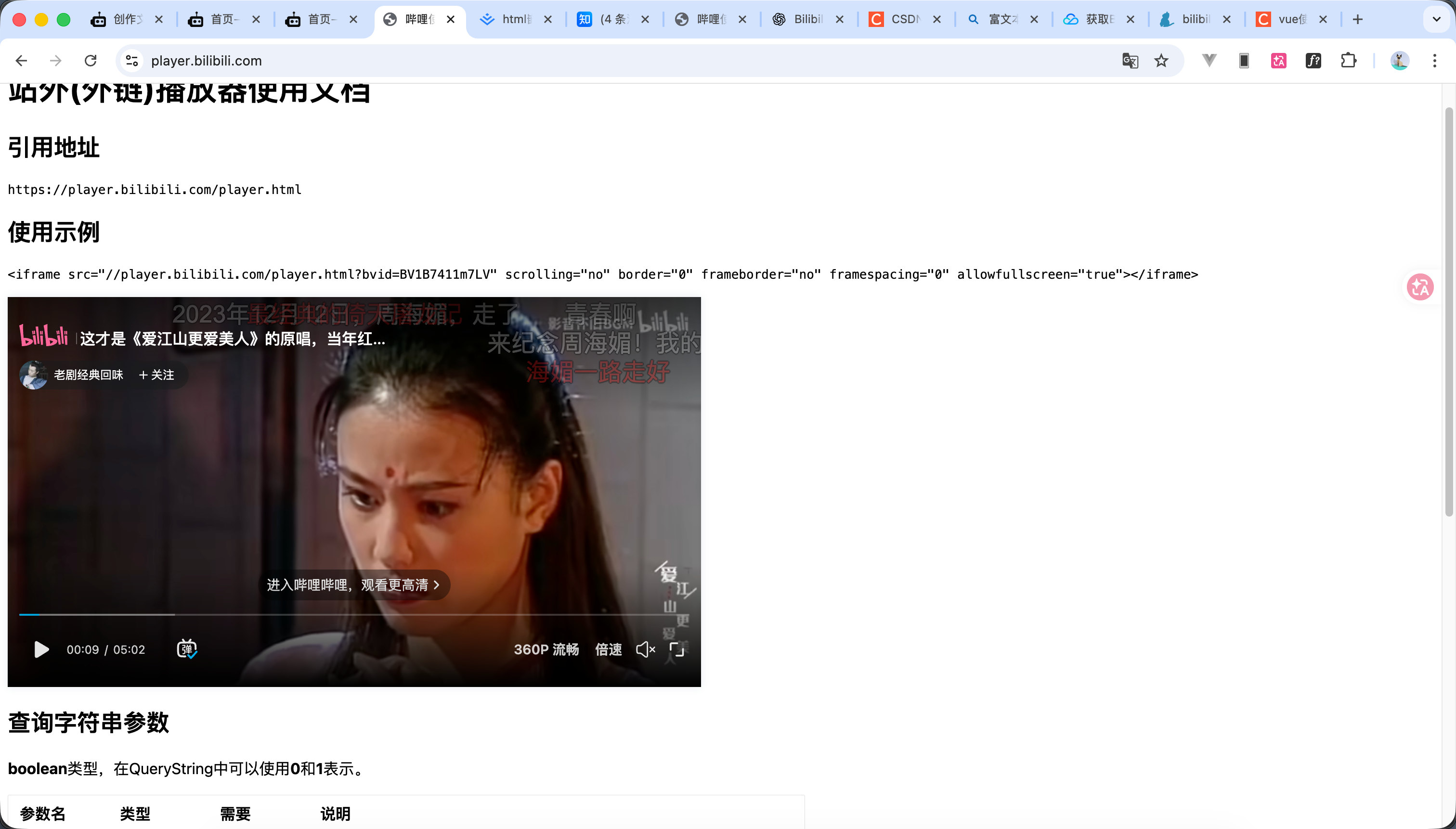
https://player.bilibili.com/ 如图所示这个是相关的文档就是有点简陋
站外(外链)播放器使用文档
引用地址
https://player.bilibili.com/player.html
使用示例
<iframe src="//player.bilibili.com/player.html?bvid=BV1B7411m7LV" scrolling="no" border="0" frameborder="no" framespacing="0" allowfullscreen="true"></iframe>
查询字符串参数
boolean类型,在QueryString中可以使用0和1表示。
参数名 | 类型 | 需要 | 说明 |
援助 |
| UGC 视频 ID。aid、bvid 选择其一即可 | |
cid |
| UGC 视频 ID | |
bvid |
| ✅ | UGC 视频 ID。aid、bvid 选择其一即可 |
seasonId |
| OGV 视频 ID | |
剧集ID |
| ✅ | OGV 视频ID。优先级为aid、bvid |
海报 |
| 展示封面 | |
自动播放 |
| 自动播放 | |
静音 |
| 静音 | |
t |
| 跳转到媒体的首要时间点,单位:秒 | |
弹幕 |
|
| |
种类 |
| 群组类型。非通用业务需要此参数 | |
参考 |
| 跳链时携带当前的Referrer。用于合作方查询来自嵌入网站的跳转次数 | |
p |
| 多 P 视频的集数。从 1 开始统计,若有 cid 参数,则此参数不生效 |
2
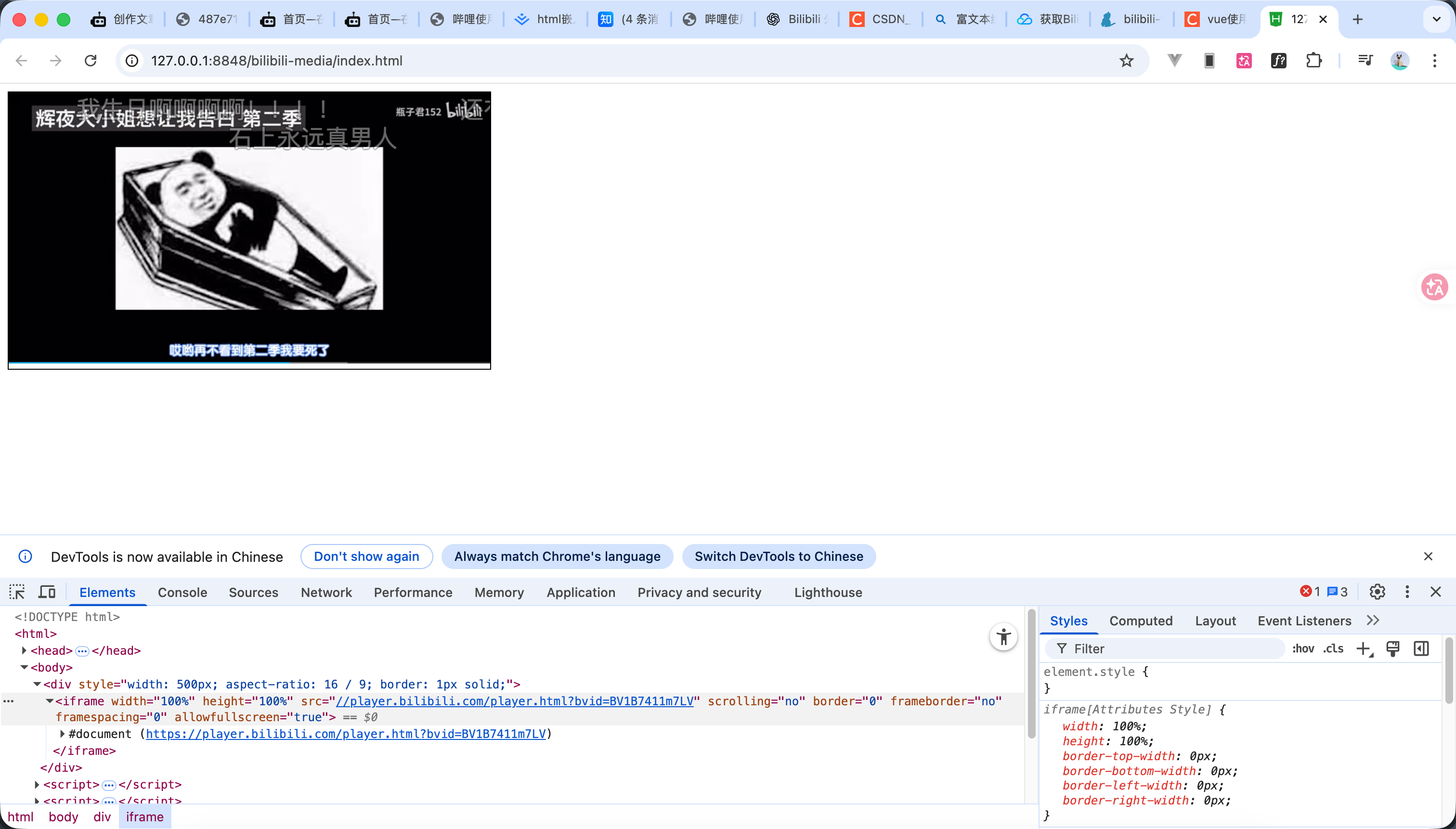
内嵌使用


123
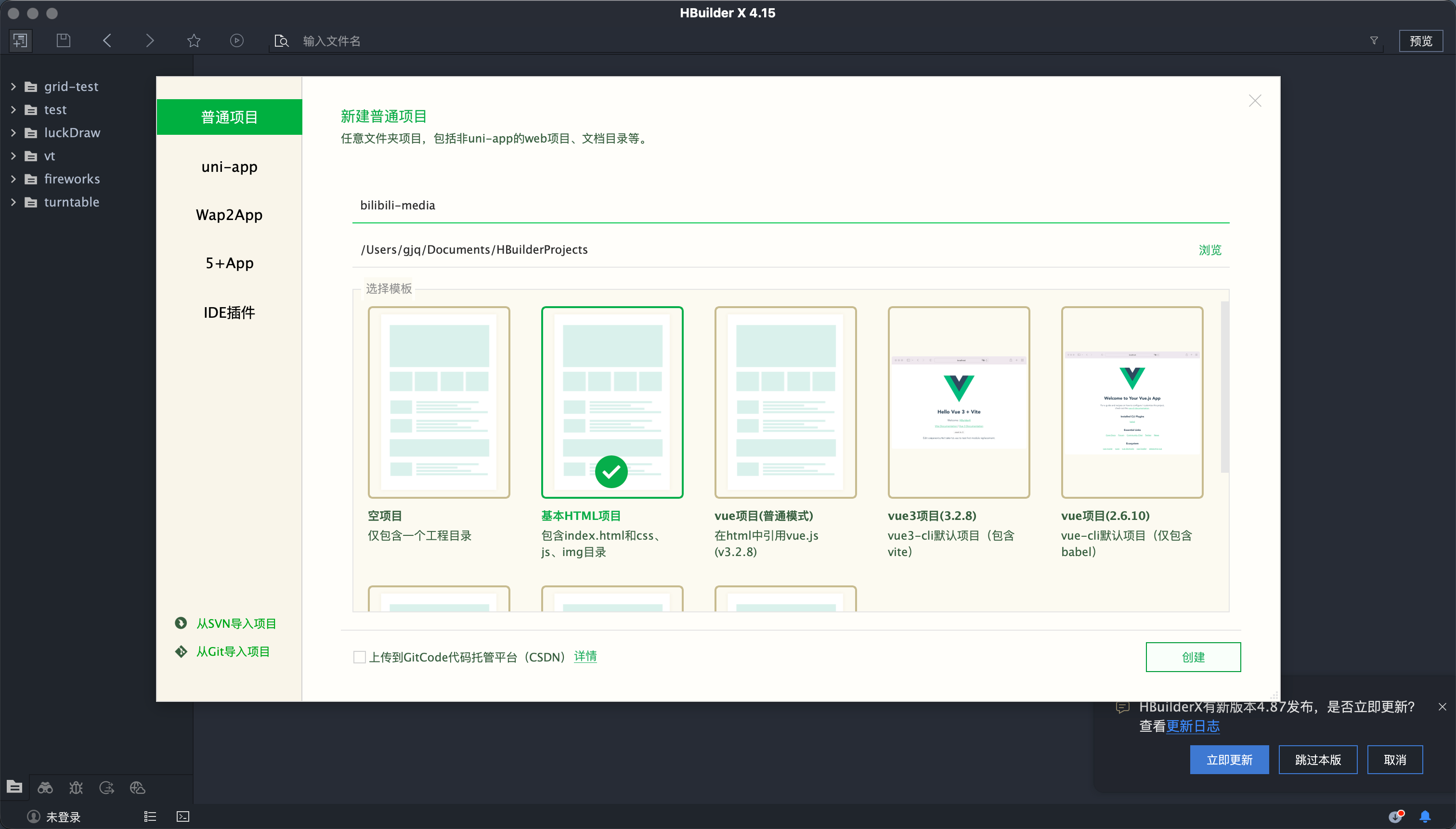
- 首先我们新建一个基本的html项目 如图1所示
- 代码如下
<!DOCTYPE html>
<html>
<head>
<meta charset="utf-8" />
<title></title>
</head>
<body>
<div style="width: 80%; aspect-ratio: 16 / 9; border: 1px solid;">
<iframe width="100%" height="100%" src="//player.bilibili.com/player.html?bvid=BV1B7411m7LV&danmaku=true&poster=true&autoplay=false" scrolling="no" border="0" frameborder="no" framespacing="0" allowfullscreen="true"></iframe>
</div>
</body>
</html>
3
解析网址方式介绍
如视频讲解 我们接下来要做的就是把
https://www.bilibili.com/video/BV1hj6BB4Eh4/?spm_id_from=333.1007.tianma.1-1-1.click
解析为
<iframe src="//player.bilibili.com/player.html?isOutside=true&aid=115983612123221&bvid=BV1hj6BB4Eh4&cid=35709586164&p=1" scrolling="no" border="0" frameborder="no" framespacing="0" allowfullscreen="true"></iframe>
4
正则表达式
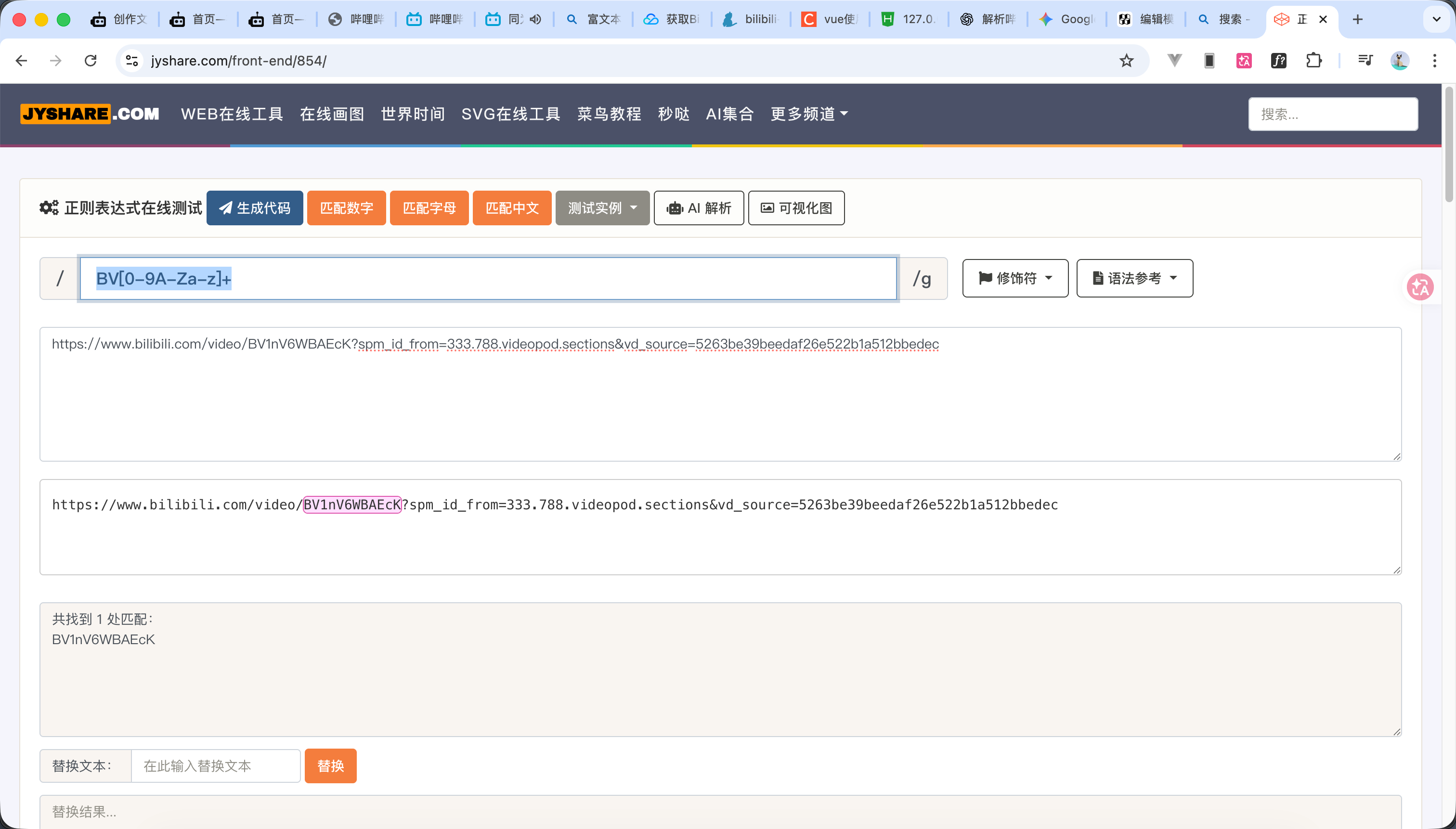
测试效果如图所示
BV[0-9A-Za-z]+
BV:这表示匹配必须以大写的 "B" 和 "V" 两个字母开头。因为 B 站视频 ID 都是 BV 开头的。
[0-9A-Za-z]:这是一个字符集,表示紧跟在 BV 后面的字符可以是:
0-9:任何数字A-Z:任何大写字母a-z:任何小写字母
+:这是一个量词,表示前面的字符集(即数字或字母)必须出现 1 次或多次。
5
输入链接解析外链
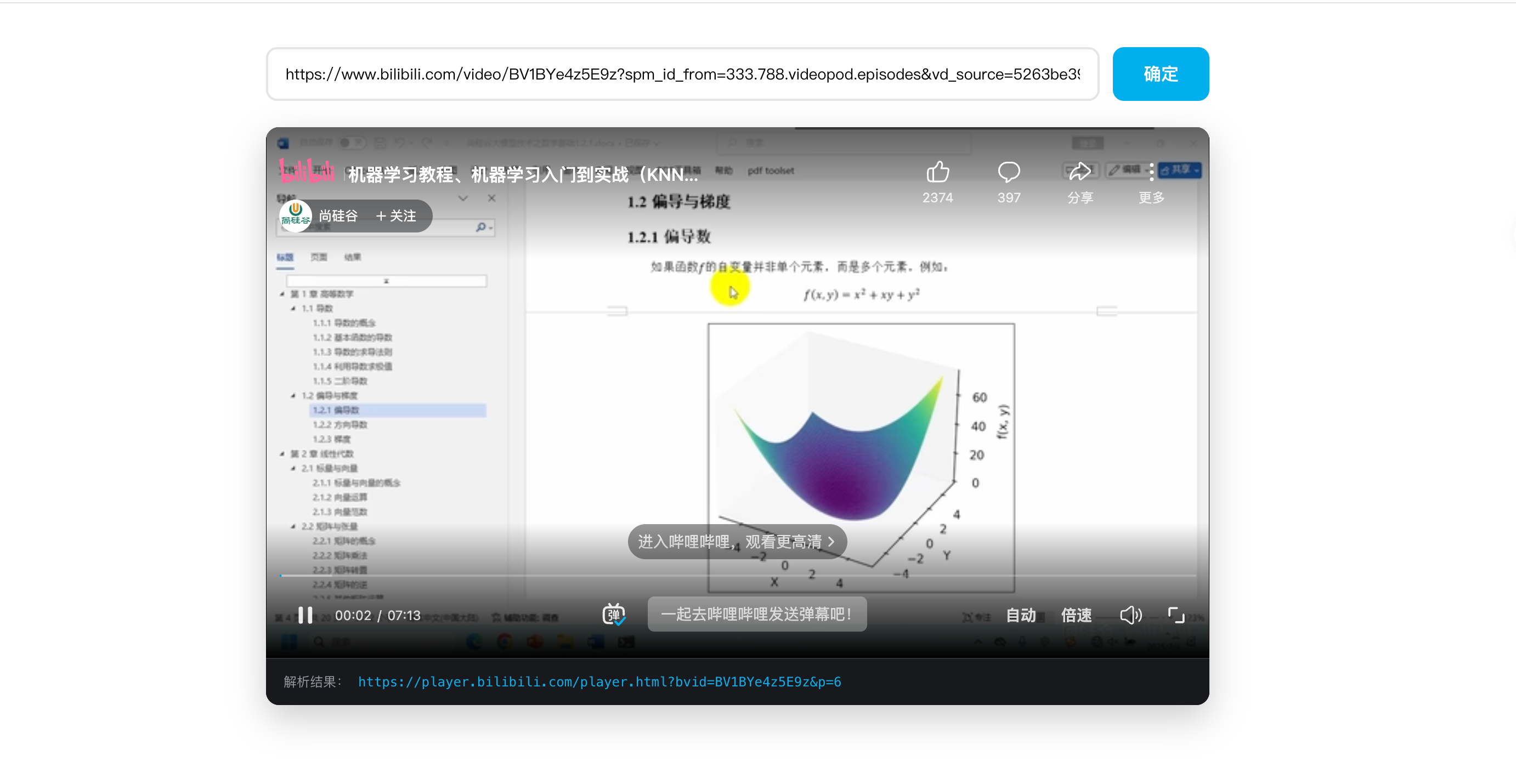
代码如下 流程是我们输入链接 然后点击确定触发方法, 然后判断是否为哔哩哔哩的路径 判断是否有BV的参数,大家这里判断也可以自行修改比如判断是不是https开头的之类的 然后获取分页参数即可 代码如下
<template>
<div class="bili-parser">
<div class="input-wrapper">
<input
v-model.trim="inputUrl"
placeholder="粘贴 B 站链接,例如:https://www.bilibili.com/video/BVxxxx"
class="url-input"
@keyup.enter="handleEmbed"
/>
<button class="confirm-btn" @click="handleEmbed">确定</button>
</div>
<div v-if="bilibiliUrl" class="player-box">
<div class="iframe-container">
<iframe
:src="bilibiliUrl"
allowfullscreen
referrerpolicy="no-referrer"
sandbox="allow-scripts allow-same-origin allow-popups"
/>
</div>
<div class="info-bar">
<span>解析结果:<code>{{ bilibiliUrl }}</code></span>
</div>
</div>
</div>
</template>
<script setup>
import { ref } from 'vue';
const inputUrl = ref('');
const bilibiliUrl = ref('');
/**
* 解析逻辑
*/
function parseBili(url) {
if (!url) return null;
// 严格路径校验:必须包含 bilibili.com/video/
if (!url.includes('bilibili.com/video/')) {
return null;
}
// 提取 BV 号 (使用你指定的正则逻辑)
const bvMatch = url.match(/BV[0-9A-Za-z]+/);
if (!bvMatch) return null;
const bvid = bvMatch[0];
// 提取 分页p 参数 (不使用 try-catch)
let page = null;
// 补齐协议头,确保 URL 构造器不会报错
const safeUrl = url.startsWith('http') ? url : `https://${url.startsWith('//') ? url.substring(2) : url}`;
// 只有字符串包含点号(合法域名特征)且包含问号时才解析参数
if (safeUrl.includes('.') && safeUrl.includes('?')) {
const urlObj = new URL(safeUrl);
const p = urlObj.searchParams.get('p');
// 验证 p 是否为有效数字
if (p && !isNaN(p)) {
page = p;
}
}
return { bvid, page };
}
/**
* 点击确定或回车触发
*/
const handleEmbed = () => {
const result = parseBili(inputUrl.value);
if (!result) {
bilibiliUrl.value = '';
alert('请输入正确的 B 站视频链接(需包含 bilibili.com/video/)');
return;
}
const { bvid, page } = result;
// 使用 URL 对象构建嵌入链接
const embed = new URL('https://player.bilibili.com/player.html');
embed.searchParams.set('bvid', bvid);
// 核心逻辑:只有 page 存在时,才向 URLSearchParams 添加 p
if (page) {
embed.searchParams.set('p', page);
}
bilibiliUrl.value = embed.toString();
};
</script>
<style scoped>
.bili-parser {
max-width: 900px;
margin: 40px auto;
padding: 0 20px;
}
.input-wrapper {
display: flex;
gap: 12px;
margin-bottom: 24px;
}
.url-input {
flex: 1;
padding: 12px 16px;
border: 2px solid #e3e5e7;
border-radius: 10px;
font-size: 14px;
outline: none;
transition: border-color 0.2s;
}
.url-input:focus {
border-color: #00aeec;
}
.confirm-btn {
padding: 0 28px;
background: #00aeec;
color: white;
border: none;
border-radius: 10px;
cursor: pointer;
font-weight: 600;
}
.player-box {
background: #000;
border-radius: 12px;
overflow: hidden;
box-shadow: 0 12px 32px rgba(0, 0, 0, 0.2);
}
.iframe-container {
position: relative;
width: 100%;
padding-top: 56.25%; /* 16:9 */
}
.iframe-container iframe {
position: absolute;
top: 0;
left: 0;
width: 100%;
height: 100%;
border: none;
}
.info-bar {
padding: 12px 16px;
background: #18191c;
color: #9499a0;
font-size: 12px;
border-top: 1px solid #2f3134;
}
.info-bar code {
color: #00aeec;
margin-left: 8px;
}
</style>
6
演示
演示效果看视频 完整代码在上一步
 0
0 0
0 0
0 qq空间
qq空间  微博
微博  复制链接
复制链接  分享
分享  本文未经作者允许授权,禁止转载
 更多相关项目
猜你喜欢
评论/提问(已发布 0 条)

 评论
评论  收藏
收藏  分享
分享  下载
下载  举报
举报  回顶部
回顶部