Spring Boot+Vue 前后端分离实战:微光聊天室项目(架构与登录功能实现)


崧峻
原创
发布时间: 2026-01-05 15:51:01 | 阅读数 0收藏数 0评论数 0
封面
本文基于 Spring Boot + Vue 技术栈,从 0 到 1 搭建一个前后端分离的实战项目 —— 微光聊天室。作为系列文章的第一篇,重点介绍项目的整体架构设计与用户登录功能的实现过程。文章将从项目背景出发,讲解前后端分离架构的设计思路,分别完成后端 Spring Boot 工程与前端 Vue 工程的基础搭建,并逐步实现登录模块,包括接口设计、数据交互流程以及前端登录页面的实现方式。通过本篇内容,读者可以系统了解一个完整前后端分离项目的起步流程,掌握登录功能在实际项目中的实现思路,为后续聊天室核心功能的开发打下良好的基础,适合希望通过实战提升项目能力的 Java 与前端开发者阅读。
1

完整代码

大家如果只要代码的话可以直接下载 开头和结尾都有

获取邮箱授权码可以看第六步验证码模块

ZIP
glow-chat.zip
334.80KB
ZIP
glow-ui.zip
1.13MB
SQL
glow_chat.sql
1.78KB
2

创建项目

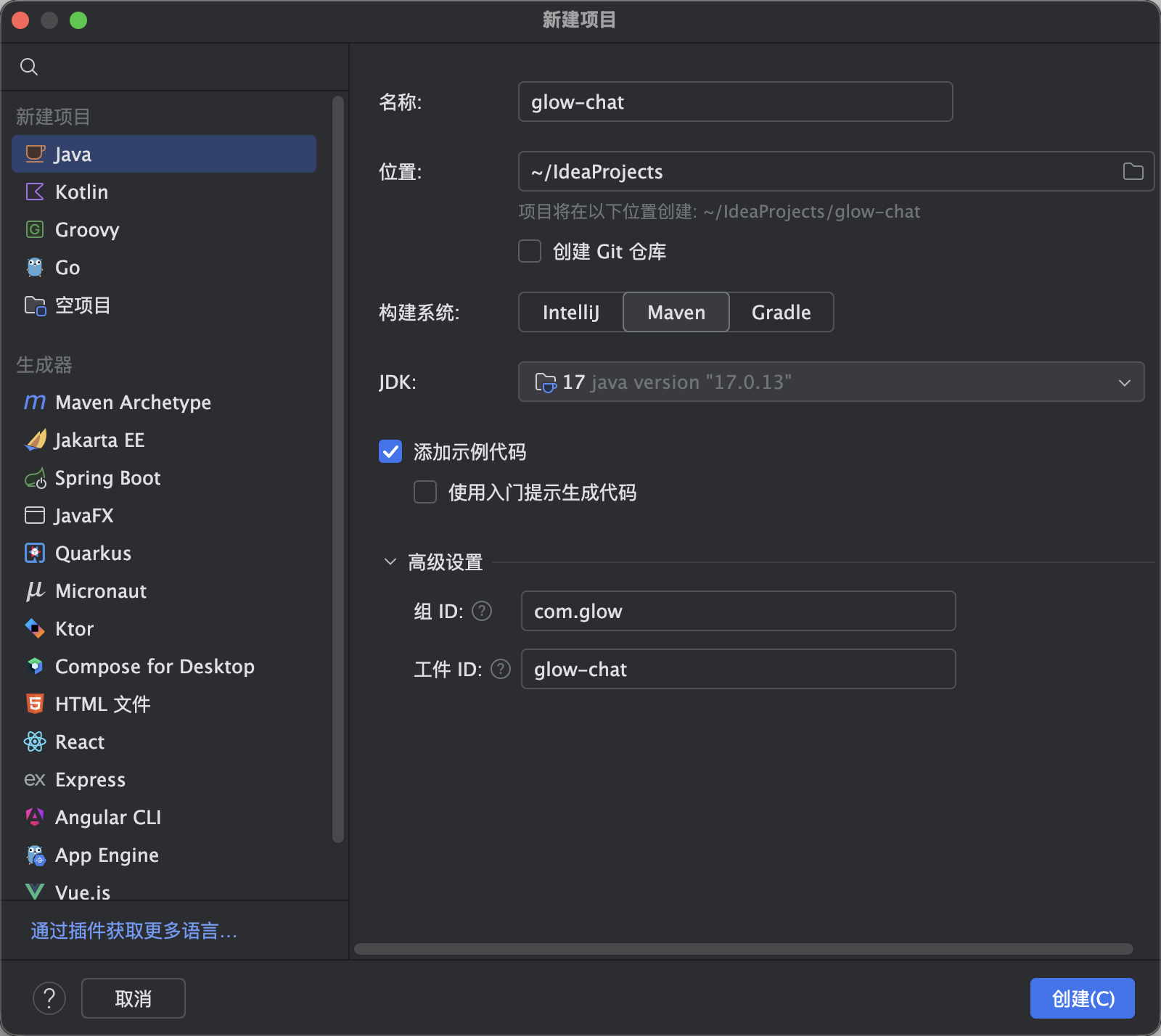
  1. 如图1所示创建一个java的项目
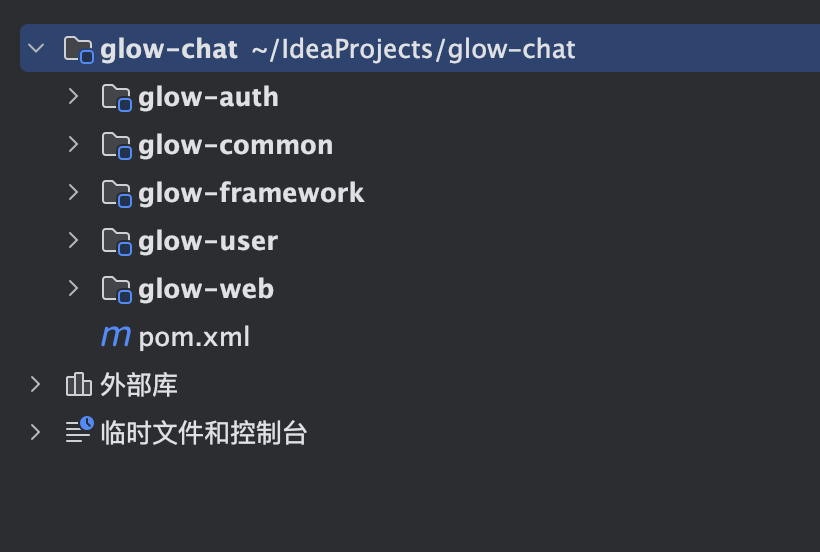
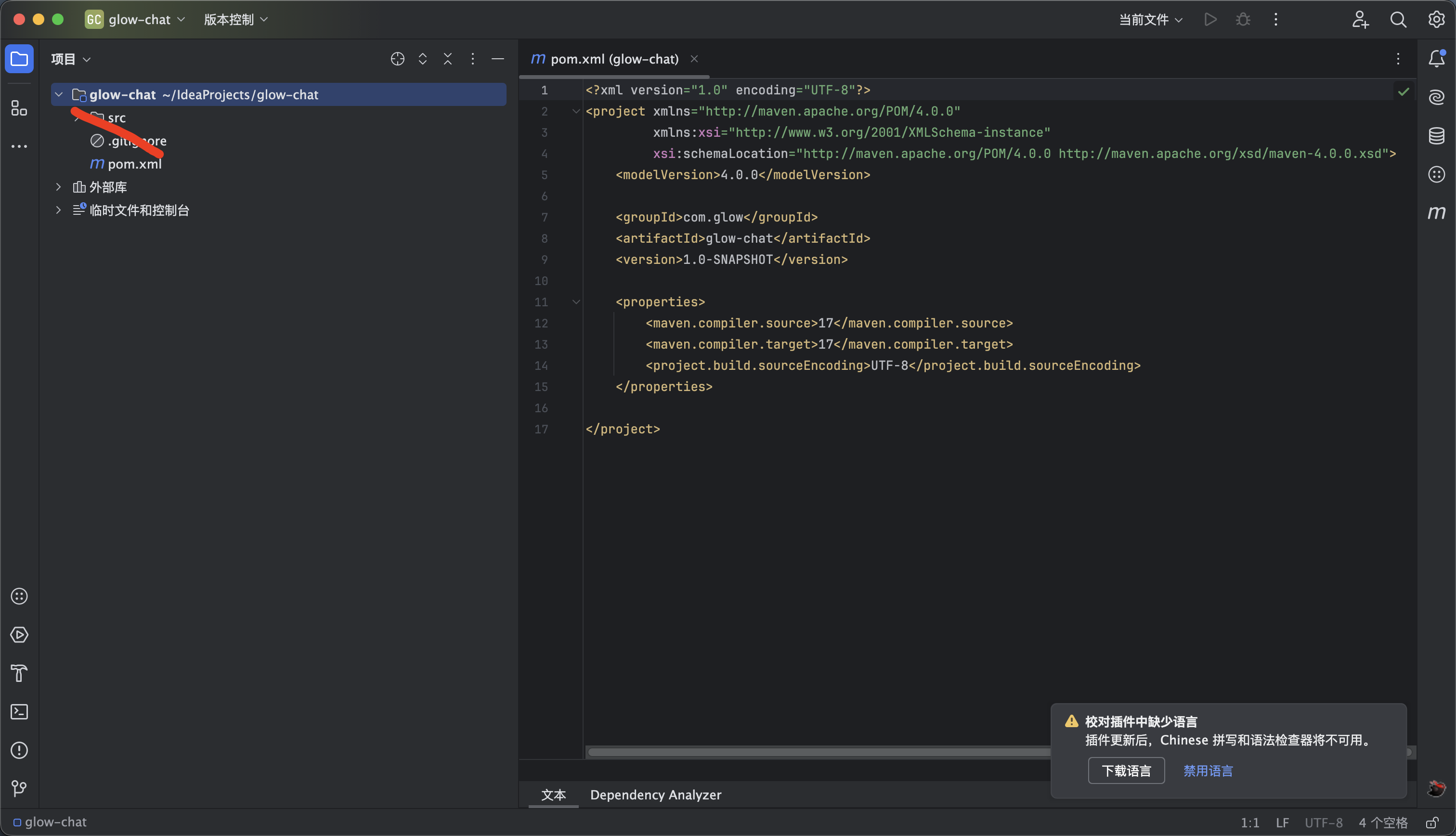
  2. 把无用的项目删除只留下pom.xml 如图2所示
  3. 然后修改pom.xml 为如下内容 如果dependencyManagement报错那么就删除先下载好依赖再添加回去
<?xml version="1.0" encoding="UTF-8"?>
<project xmlns="http://maven.apache.org/POM/4.0.0"
xmlns:xsi="http://www.w3.org/2001/XMLSchema-instance"
xsi:schemaLocation="http://maven.apache.org/POM/4.0.0
https://maven.apache.org/xsd/maven-4.0.0.xsd">

<modelVersion>4.0.0</modelVersion>

<!-- 父 POM:Spring Boot starter parent -->
<parent>
<groupId>org.springframework.boot</groupId>
<artifactId>spring-boot-starter-parent</artifactId>
<version>3.5.9</version>
<relativePath/> <!-- 从仓库下载 parent -->
</parent>

<!-- 项目基本信息 -->
<groupId>com.glow</groupId>
<artifactId>glow-chat</artifactId>
<version>0.0.1-SNAPSHOT</version>
<packaging>pom</packaging>
<name>微光聊天室</name>

<!-- 多模块 -->
<modules>
<module>glow-web</module>
<module>glow-auth</module>
<module>glow-auth/glow-login</module>
<module>glow-auth/glow-security</module>
<module>glow-common</module>
<module>glow-framework</module>
<module>glow-user</module>
<module>glow-auth/glow-captcha</module>
</modules>

<!-- 全局属性 -->
<properties>
<!-- Java 编译版本 -->
<java.version>17</java.version>
<!-- Spring Boot 版本,用于 dependencyManagement 或其他地方引用 -->
<spring-boot.version>3.5.9</spring-boot.version>
<!-- MyBatis-Plus 版本 -->
<mybatis-plus.version>3.5.10.1</mybatis-plus.version>
<!-- druid版本 -->
<druid.version>1.2.24</druid.version>
<!-- fastjson版本 -->
<fastjson.version>2.0.60</fastjson.version>
<fastjson.spring6.version>2.0.59</fastjson.spring6.version>
<!-- 校验组件的版本 -->
<validation.version>3.1.2</validation.version>
<!-- 工具组件的版本 -->
<commons.version>3.20.0</commons.version>
<!-- jwt的版本 -->
<jwt.version>4.4.0</jwt.version>
<!-- useragent客户端解析的版本 -->
<useragent.version>7.32.0</useragent.version>
<!-- ip解析工具版本 -->
<ip.version>2.7.6</ip.version>
</properties>

<!-- 版本管理 -->
<dependencyManagement>
<dependencies>
<!-- MyBatis-Plus -->
<dependency>
<groupId>com.baomidou</groupId>
<artifactId>mybatis-plus-spring-boot3-starter</artifactId>
<version>${mybatis-plus.version}</version>
</dependency>

<!-- 阿里JSON解析器 -->
<dependency>
<groupId>com.alibaba.fastjson2</groupId>
<artifactId>fastjson2</artifactId>
<version>${fastjson.version}</version>
</dependency>
<!-- https://mvnrepository.com/artifact/com.alibaba.fastjson2/fastjson2-extension-spring6 -->
<dependency>
<groupId>com.alibaba.fastjson2</groupId>
<artifactId>fastjson2-extension-spring6</artifactId>
<version>${fastjson.spring6.version}</version>
</dependency>
<!-- Spring Boot Starter Web -->
<dependency>
<groupId>org.springframework.boot</groupId>
<artifactId>spring-boot-starter-web</artifactId>
<version>${spring-boot.version}</version>
</dependency>

<!-- Spring Boot Starter Security -->
<dependency>
<groupId>org.springframework.boot</groupId>
<artifactId>spring-boot-starter-security</artifactId>
<version>${spring-boot.version}</version>
</dependency>

<!-- 数据库连接池 https://mvnrepository.com/artifact/com.alibaba/druid-spring-boot-3-starter -->
<dependency>
<groupId>com.alibaba</groupId>
<artifactId>druid-spring-boot-3-starter</artifactId>
<version>${druid.version}</version>
</dependency>

<!-- Lombok -->
<dependency>
<groupId>org.projectlombok</groupId>
<artifactId>lombok</artifactId>
<optional>true</optional>
<version>1.18.36</version>
</dependency>

<!-- 测试依赖 -->
<dependency>
<groupId>org.springframework.boot</groupId>
<artifactId>spring-boot-starter-test</artifactId>
<scope>test</scope>
<version>${spring-boot.version}</version>
</dependency>

<!-- 工具模块 -->
<dependency>
<groupId>com.glow</groupId>
<artifactId>glow-common</artifactId>
<version>0.0.1-SNAPSHOT</version>
</dependency>

<!-- 基础框架功能模块 -->
<dependency>
<groupId>com.glow</groupId>
<artifactId>glow-framework</artifactId>
<version>0.0.1-SNAPSHOT</version>
</dependency>
<!-- 用户模块 -->
<dependency>
<groupId>com.glow</groupId>
<artifactId>glow-user</artifactId>
<version>0.0.1-SNAPSHOT</version>
</dependency>
<!-- 登录模块 -->
<dependency>
<groupId>com.glow</groupId>
<artifactId>glow-login</artifactId>
<version>0.0.1-SNAPSHOT</version>
</dependency>
<!-- 安全模块 -->
<dependency>
<groupId>com.glow</groupId>
<artifactId>glow-security</artifactId>
<version>0.0.1-SNAPSHOT</version>
</dependency>
<!-- 验证码模块 -->
<dependency>
<groupId>com.glow</groupId>
<artifactId>glow-captcha</artifactId>
<version>0.0.1-SNAPSHOT</version>
</dependency>

<!-- java spring规范校验组件 -->
<!-- https://mvnrepository.com/artifact/org.springframework.boot/spring-boot-starter-validation -->
<dependency>
<groupId>org.springframework.boot</groupId>
<artifactId>spring-boot-starter-validation</artifactId>
<version>${validation.version}</version>
</dependency>

<!--常用工具类 -->
<!-- https://mvnrepository.com/artifact/org.apache.commons/commons-lang3 -->
<dependency>
<groupId>org.apache.commons</groupId>
<artifactId>commons-lang3</artifactId>
<version>${commons.version}</version>
</dependency>
<!-- jwt -->
<dependency>
<groupId>com.auth0</groupId>
<artifactId>java-jwt</artifactId>
<version>${jwt.version}</version>
</dependency>
<dependency>
<groupId>org.springframework.security</groupId>
<artifactId>spring-security-test</artifactId>
<scope>test</scope>
</dependency>
<!-- 解析客户端操作系统、浏览器信息 -->
<dependency>
<groupId>nl.basjes.parse.useragent</groupId>
<artifactId>yauaa</artifactId>
<version>${useragent.version}</version>
</dependency>
<!-- ip2region IP库 -->
<!-- https://mvnrepository.com/artifact/net.dreamlu/mica-ip2region -->
<dependency>
<groupId>net.dreamlu</groupId>
<artifactId>mica-ip2region</artifactId>
<version>${ip.version}</version>
</dependency>
</dependencies>
</dependencyManagement>

<!-- 仓库配置 -->
<repositories>
<repository>
<id>public</id>
<name>aliyun nexus</name>
<url>https://maven.aliyun.com/repository/public</url>
<releases>
<enabled>true</enabled>
</releases>
</repository>
</repositories>

<!-- 插件仓库 -->
<pluginRepositories>
<pluginRepository>
<id>public</id>
<name>aliyun nexus</name>
<url>https://maven.aliyun.com/repository/public</url>
<releases>
<enabled>true</enabled>
</releases>
<snapshots>
<enabled>false</enabled>
</snapshots>
</pluginRepository>
</pluginRepositories>

</project>


3

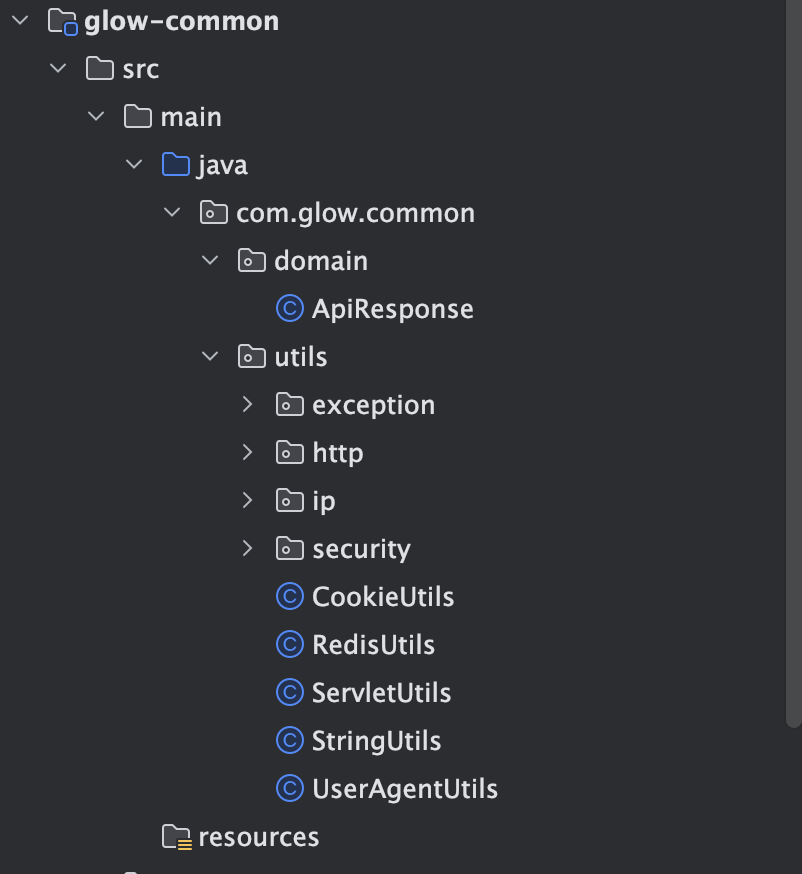
公共模块

内容我放在附件里面了,我就给大家简单讲一下每个工具的作用 大家直接看媒体视频

ZIP
glow-common.zip
70.93KB
4

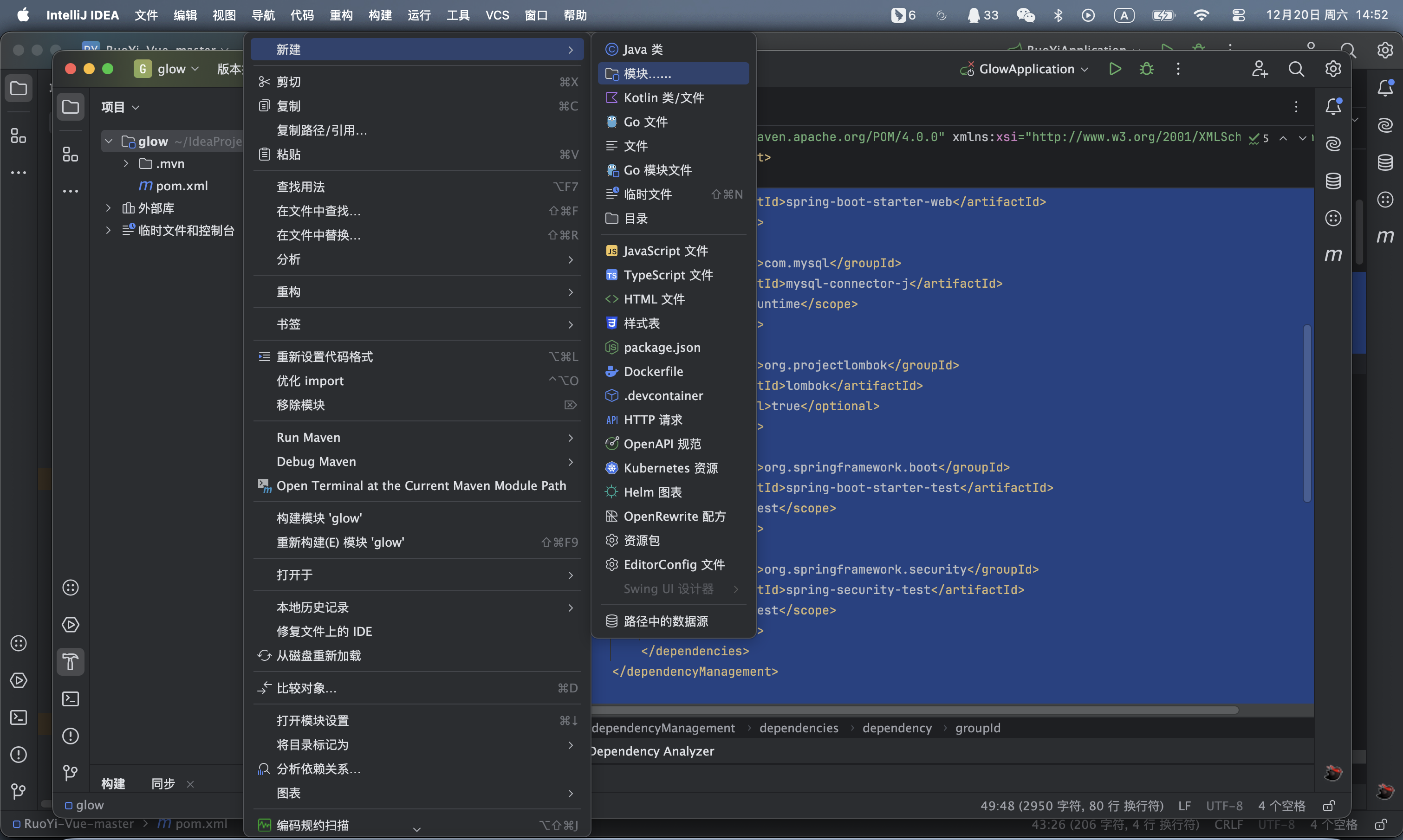
创建web模块

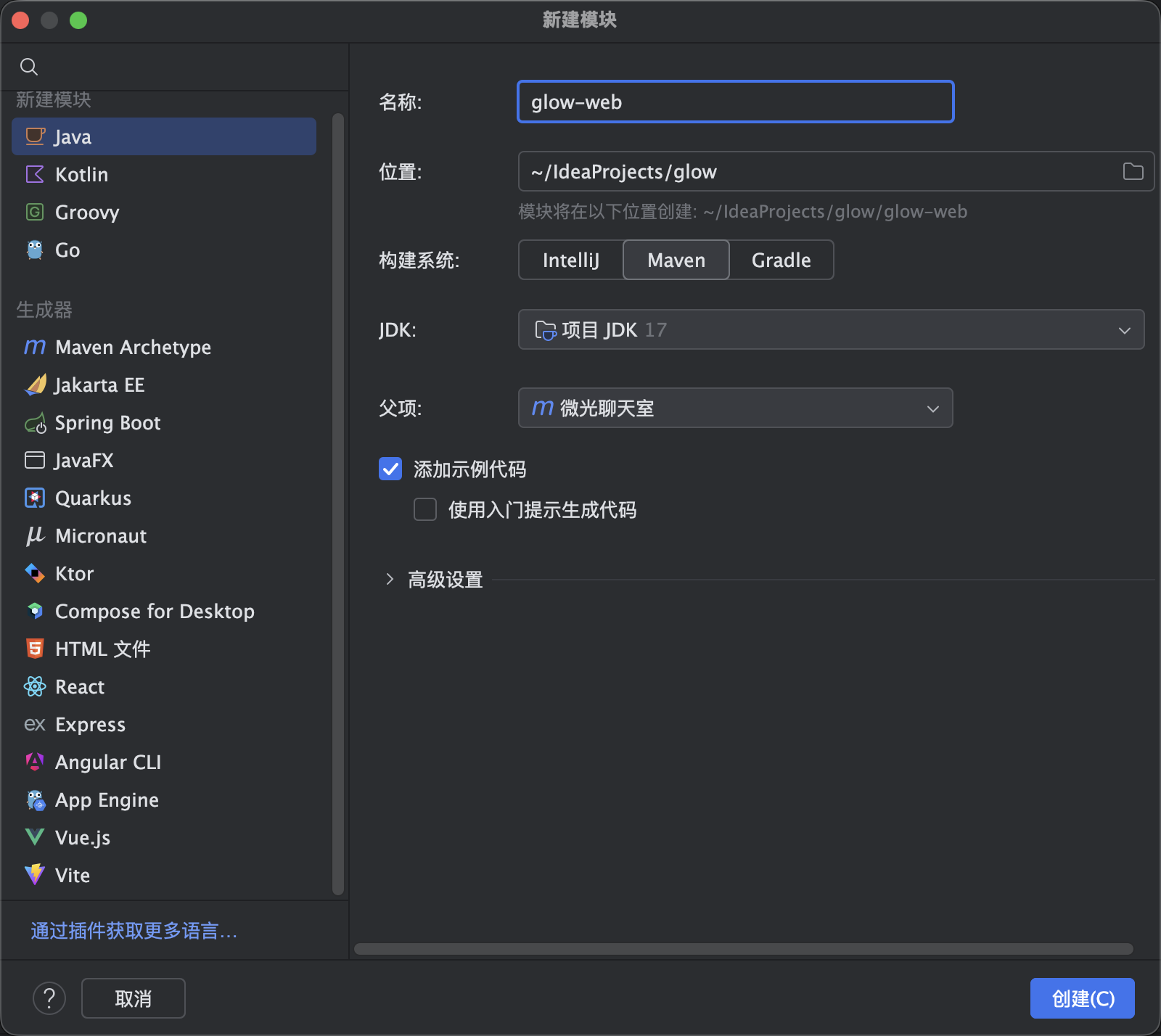
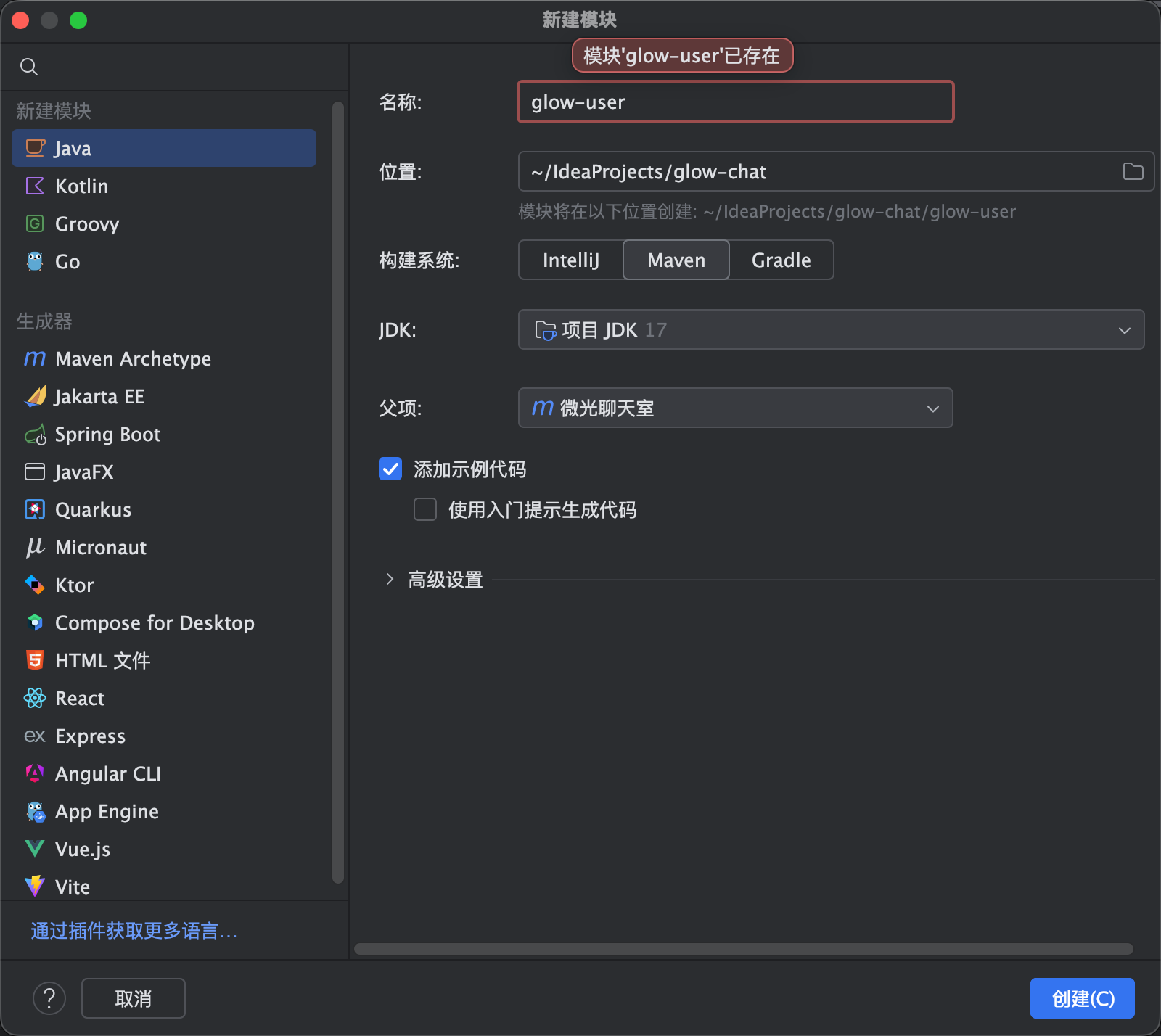
  1. 如图所示新建一个模块,然后起名为glow-web,这个模块就是我们的入口模块也就是启动类和存放controller的模块 如图1,2所示
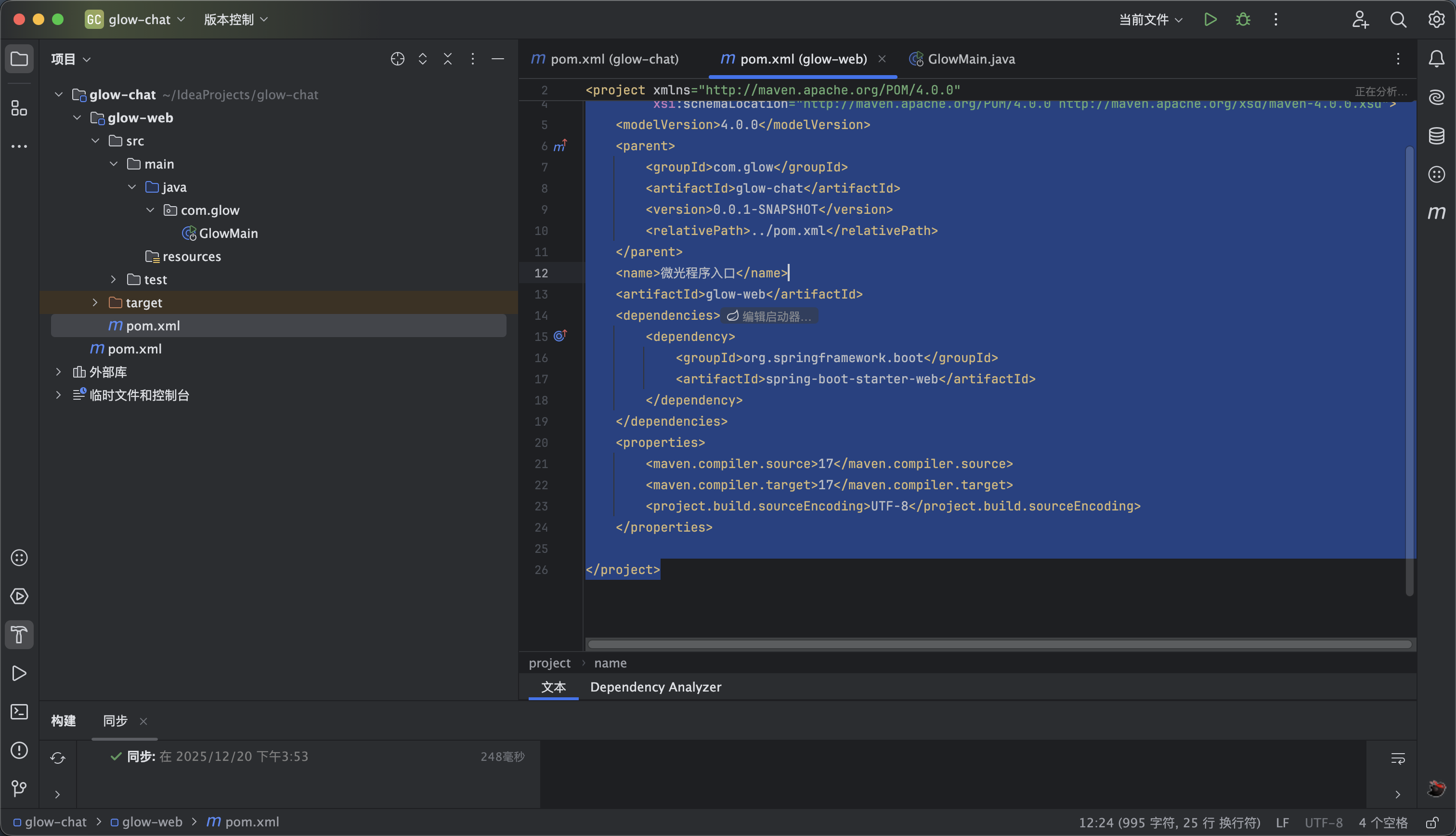
  2. 然后我们修改pom如下 如图3所示
<?xml version="1.0" encoding="UTF-8"?>
<project xmlns="http://maven.apache.org/POM/4.0.0"
xmlns:xsi="http://www.w3.org/2001/XMLSchema-instance"
xsi:schemaLocation="http://maven.apache.org/POM/4.0.0 http://maven.apache.org/xsd/maven-4.0.0.xsd">
<modelVersion>4.0.0</modelVersion>
<parent>
<groupId>com.glow</groupId>
<artifactId>glow-chat</artifactId>
<version>0.0.1-SNAPSHOT</version>
<relativePath>../pom.xml</relativePath>
</parent>
<name>微光程序入口</name>
<artifactId>glow-web</artifactId>
<dependencies>
<dependency>
<groupId>org.springframework.boot</groupId>
<artifactId>spring-boot-starter-web</artifactId>
</dependency>
</dependencies>
<properties>
<maven.compiler.source>17</maven.compiler.source>
<maven.compiler.target>17</maven.compiler.target>
<project.build.sourceEncoding>UTF-8</project.build.sourceEncoding>
</properties>

</project>
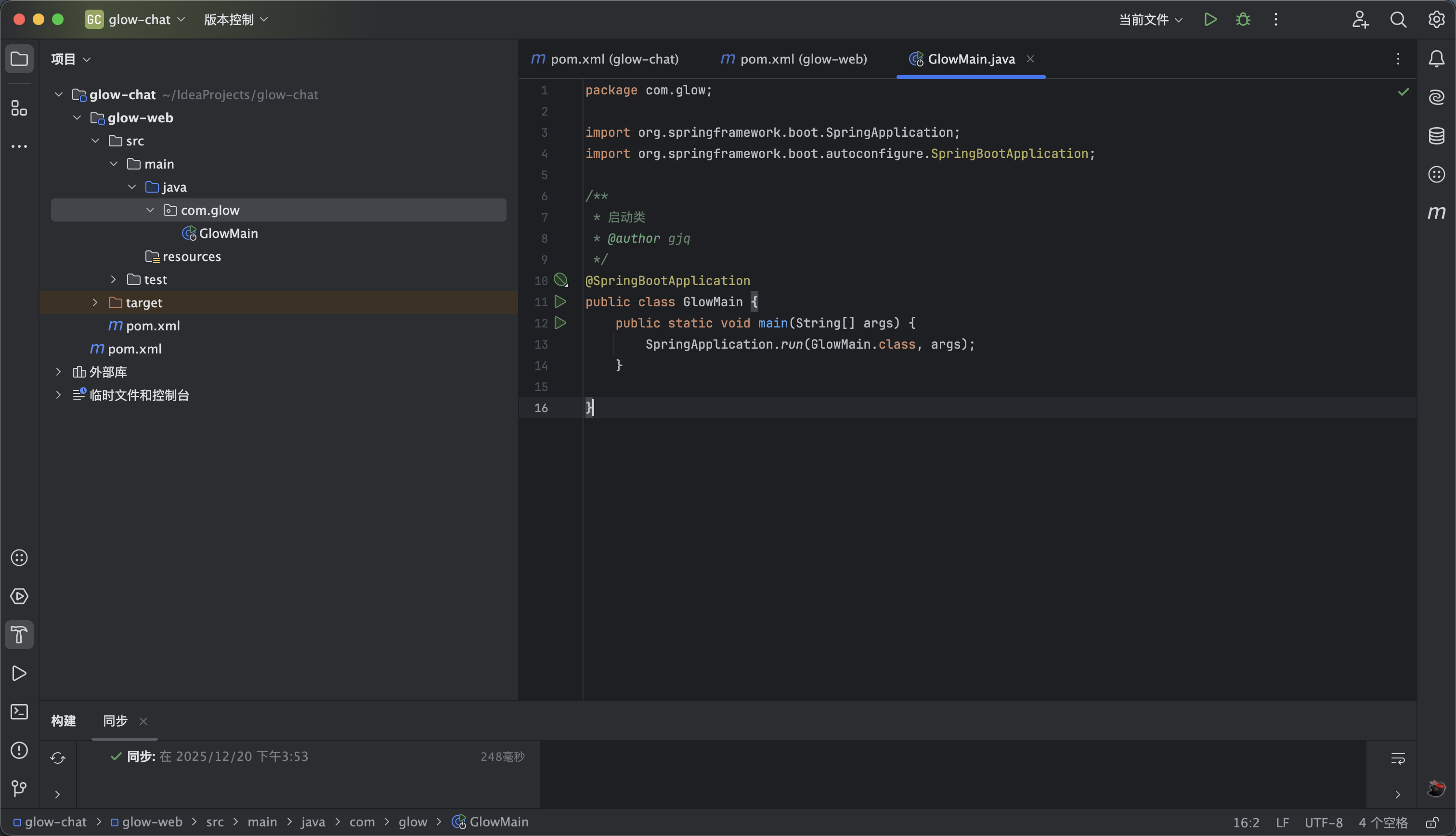
  1. 然后修改启动类 如下如图4所示
package com.glow;

import org.springframework.boot.SpringApplication;
import org.springframework.boot.autoconfigure.SpringBootApplication;

/**
* 启动类
* @author gjq
*/
@SpringBootApplication
public class GlowMain {
public static void main(String[] args) {
SpringApplication.run(GlowMain.class, args);
}

}
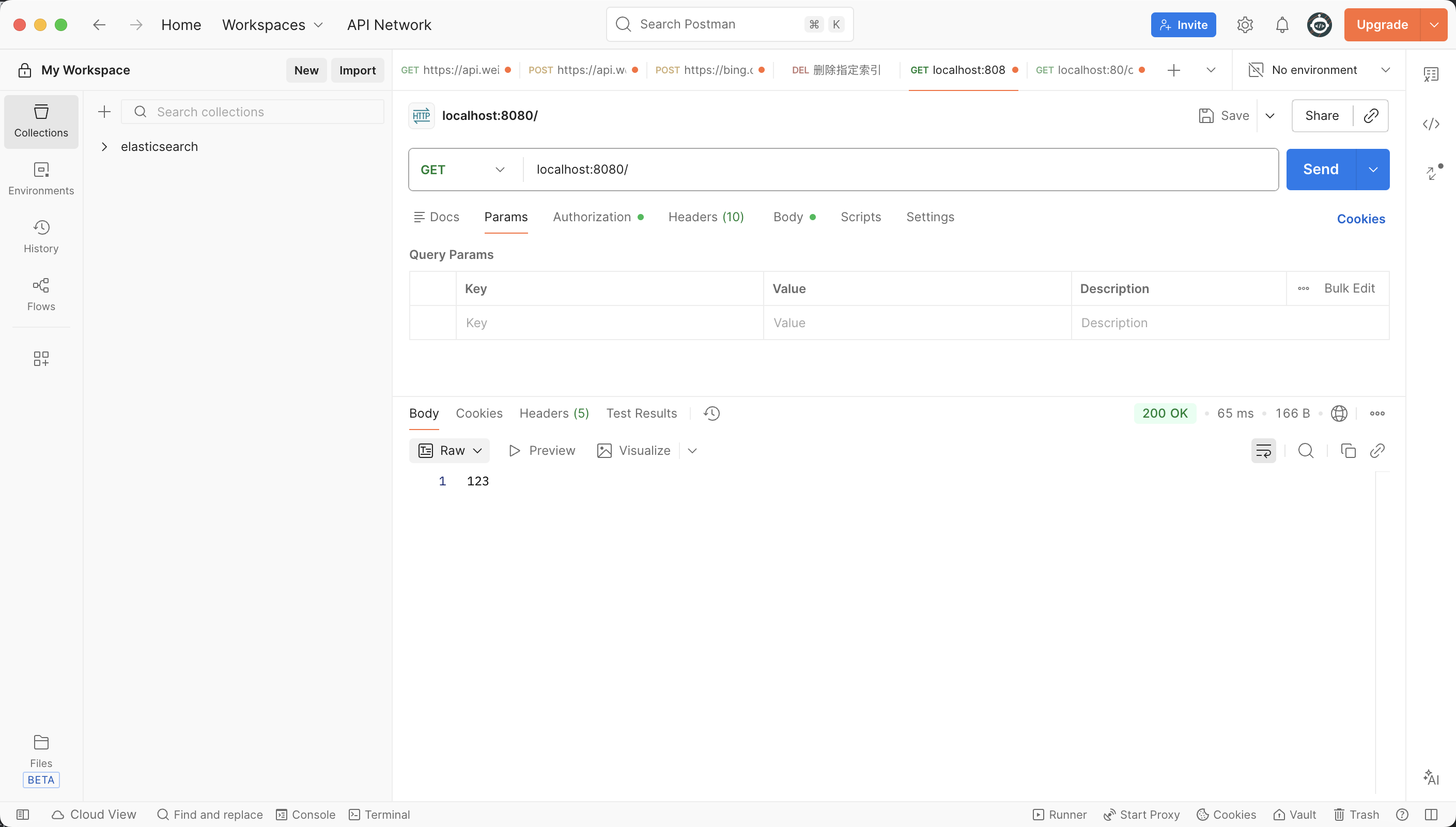
  1. 默认端口号是8080 大家可以写个controller试试 如图5所示
5

yml 配置

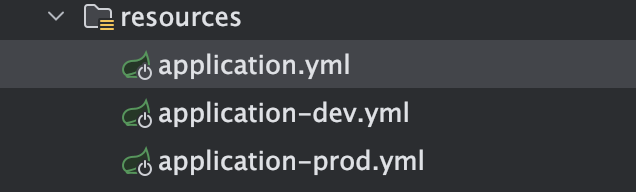
如图所示 新建三个文件夹 application.yml application-dev.yml application-prod.yml

dev 是开发环境

prod 是生产环境使用

rsa密钥生成看第6步

application.yml 代码如下 :

server:
# 端口号
port: 8080
servlet:
# 应用的访问路径
context-path: /glow-api
spring:
profiles:
active: dev
# thymeleaf 模版引擎配置
thymeleaf:
# 开发时关闭缓存,不然没法看到实时页面 ,开发结束后开启能提升效率
cache: false
# 配置模板路径,默认就是templates,可不用配置
prefix: classpath:/templates/
# 模板的模式,
mode: HTML
# 编码格式
encoding: UTF-8
servlet:
content-type: text/html


# mybatisPlus配置
mybatis-plus:
configuration:
# 日志输出到控制台
log-impl: org.apache.ibatis.logging.slf4j.Slf4jImpl
# 配置枚举
default-enum-type-handler: org.apache.ibatis.type.EnumOrdinalTypeHandler
global-config:
db-config:
id-type: auto # 设置主键自动生成策略 IdType.AUTO — 主键自增,系统分配,不需要手动输入
# 映射文件地址
mapper-locations: classpath:com.glow.*.mapper/*.xml

glow:
# 校验模块
auth:
# jwt的密钥 自定义
secret: 123123
# redisToken 过期时间 单位 秒
redis-ttl: 604800
# cookie token 过期时间 单位 秒
cookie-age: 2592000
# rsa加密
rsa-public-key:
# 私钥
rsa-private-key:
captcha:
# 验证码有效时长 单位s
expire-time: 300


application-dev.yml 内容如下 prod里面的内容一样 自行修改成生产环境的地址即可

spring:
# mysql
datasource:
type: com.alibaba.druid.pool.DruidDataSource
driver-class-name: com.mysql.cj.jdbc.Driver
# 数据库账户
username: root
# 密码
password: 123123
# 地址
url: jdbc:mysql://localhost:3306/glow_chat?useUnicode=true&characterEncoding=utf-8&useSSL=false&allowMultiQueries=true&allowPublicKeyRetrieval=true
data:
# redis相关配置
redis:
# redis数据库索引
database: 0
# ip地址
host: 127.0.0.1
# 端口号
port: 6379
# 密码
password: 123123
# 连接超时时间
timeout: 5000
# 邮箱配置
mail:
# 平台地址,这里用的是163邮箱,使用其他邮箱请更换
host: smtp.163.com
#默认端口号465
port: 465
# 邮箱用户名账号@163.com
username:
# 授权码
password:
# 邮箱协议
protocol: smtp
# 测试邮件服务器连接是否成功
test-connection: true
#编码
default-encoding: UTF-8
properties:
mail:
smtp:
# 设置为true表示需要进行身份验证
auth: true
starttls:
# 设置为true表示启用STARTTLS加密协议。
enable: true
# 设置为true表示要求使用STARTTLS加密协议
required: true
ssl:
# 设置为true表示启用SSL加密协议。
enable: true


6

rsa 密钥生成

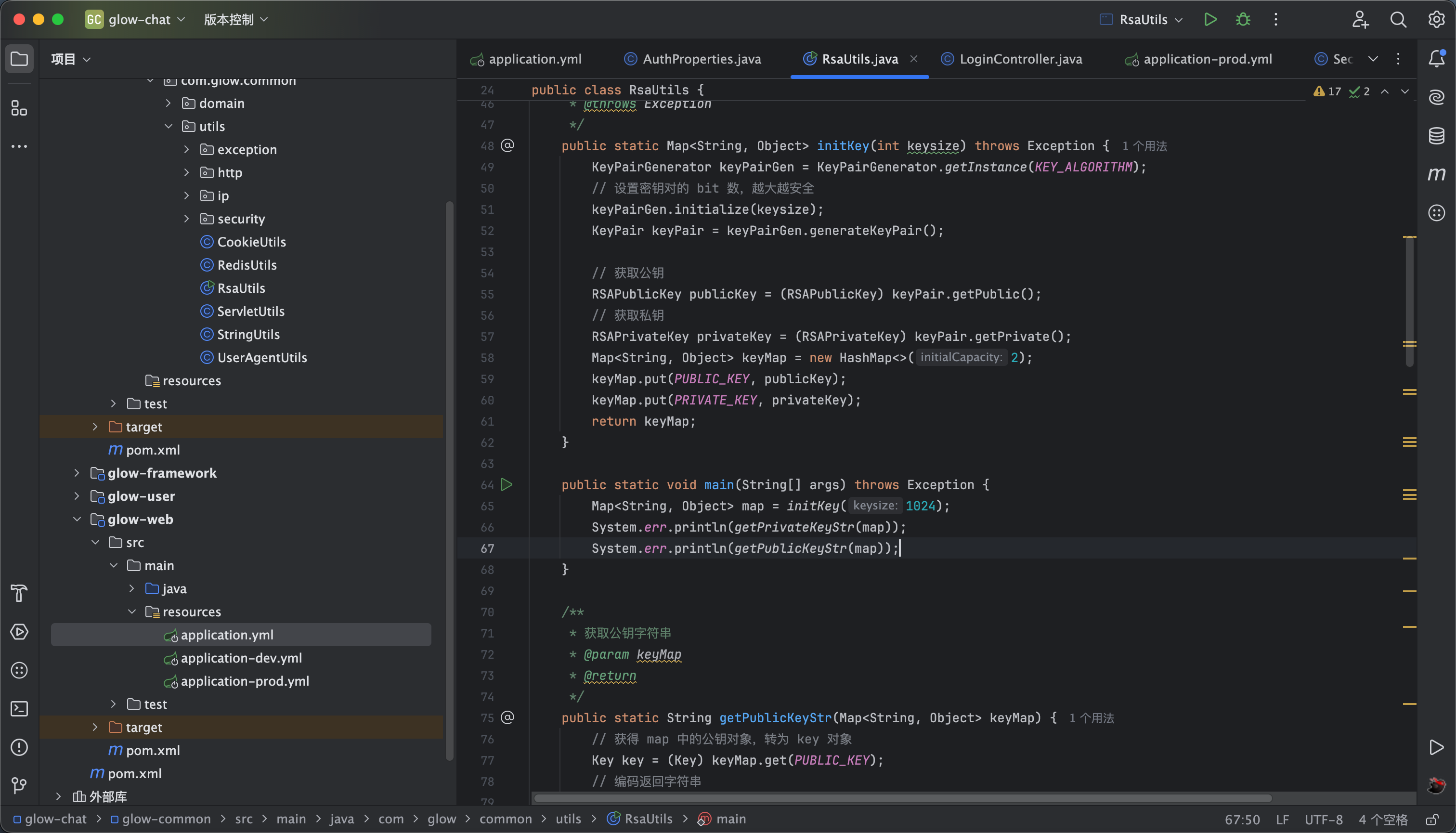
如图所示 创建一个密钥 上面上私钥 底下是公钥 这个保存好了 放到yml里面

Map<String,0bject>map=initKey(keysize:1024);
System.err.println(getPrivateKeyStr(map));
System.err.println(getPublicKeyStr(map));
7

验证码模块

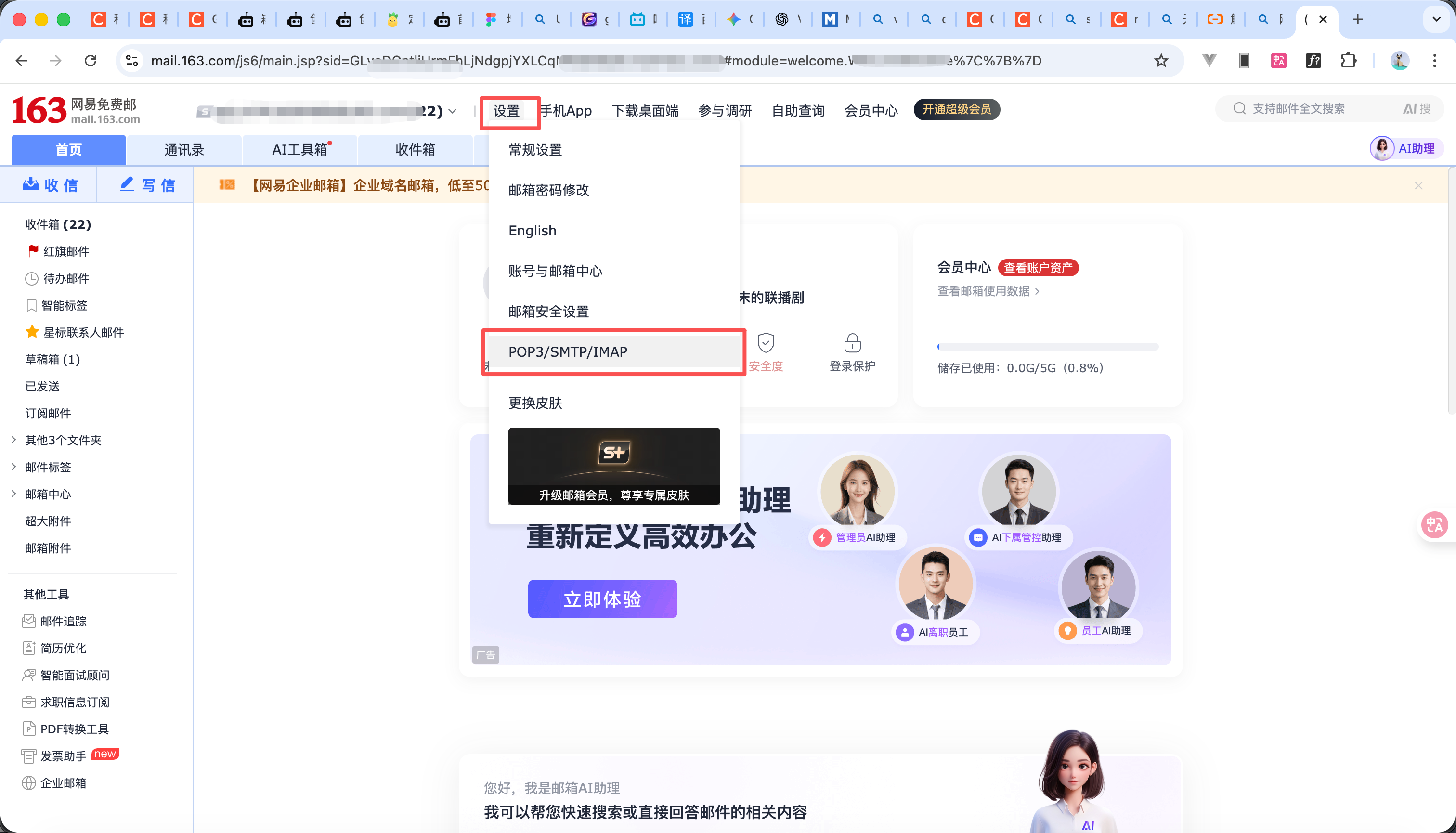
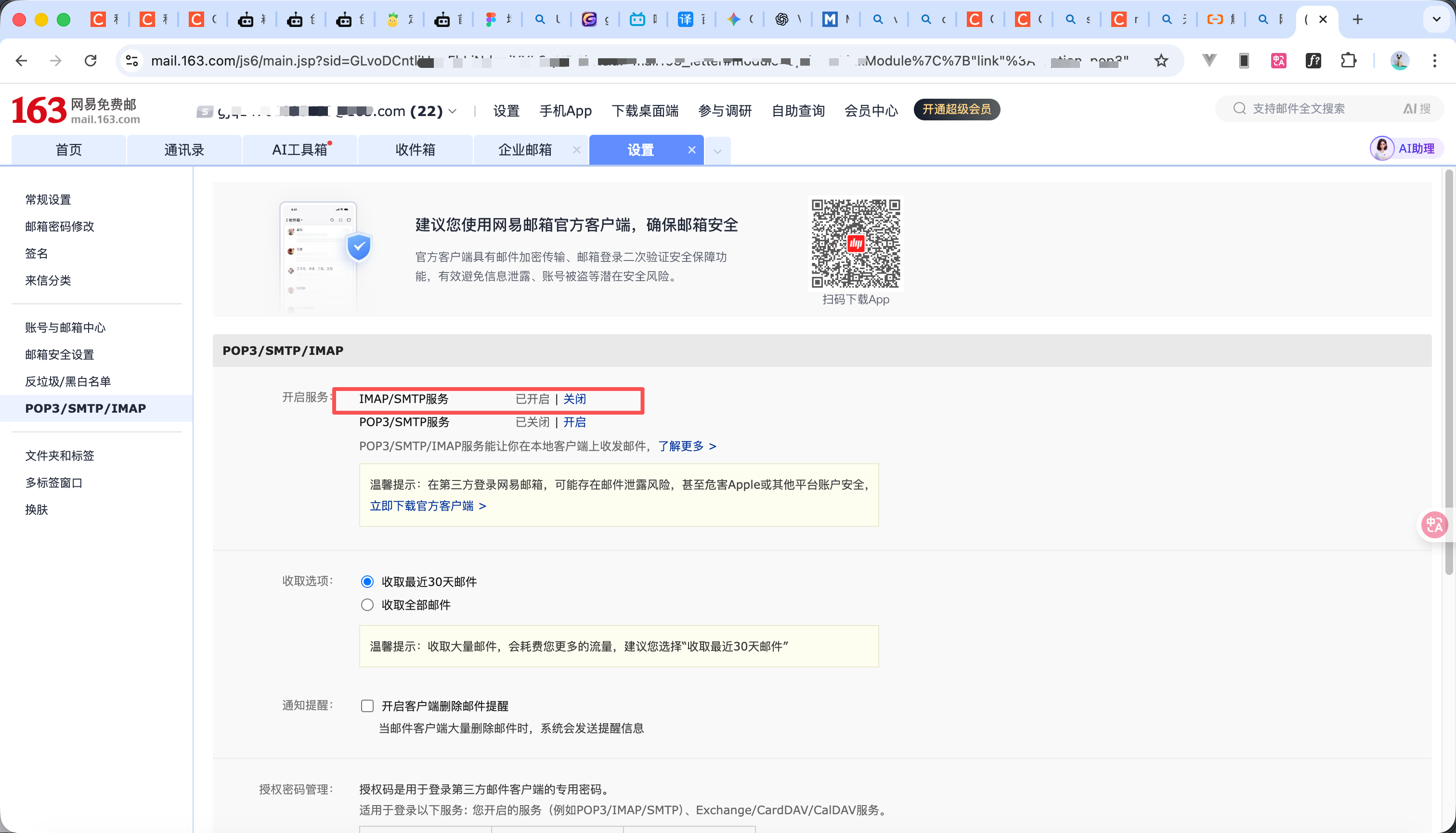
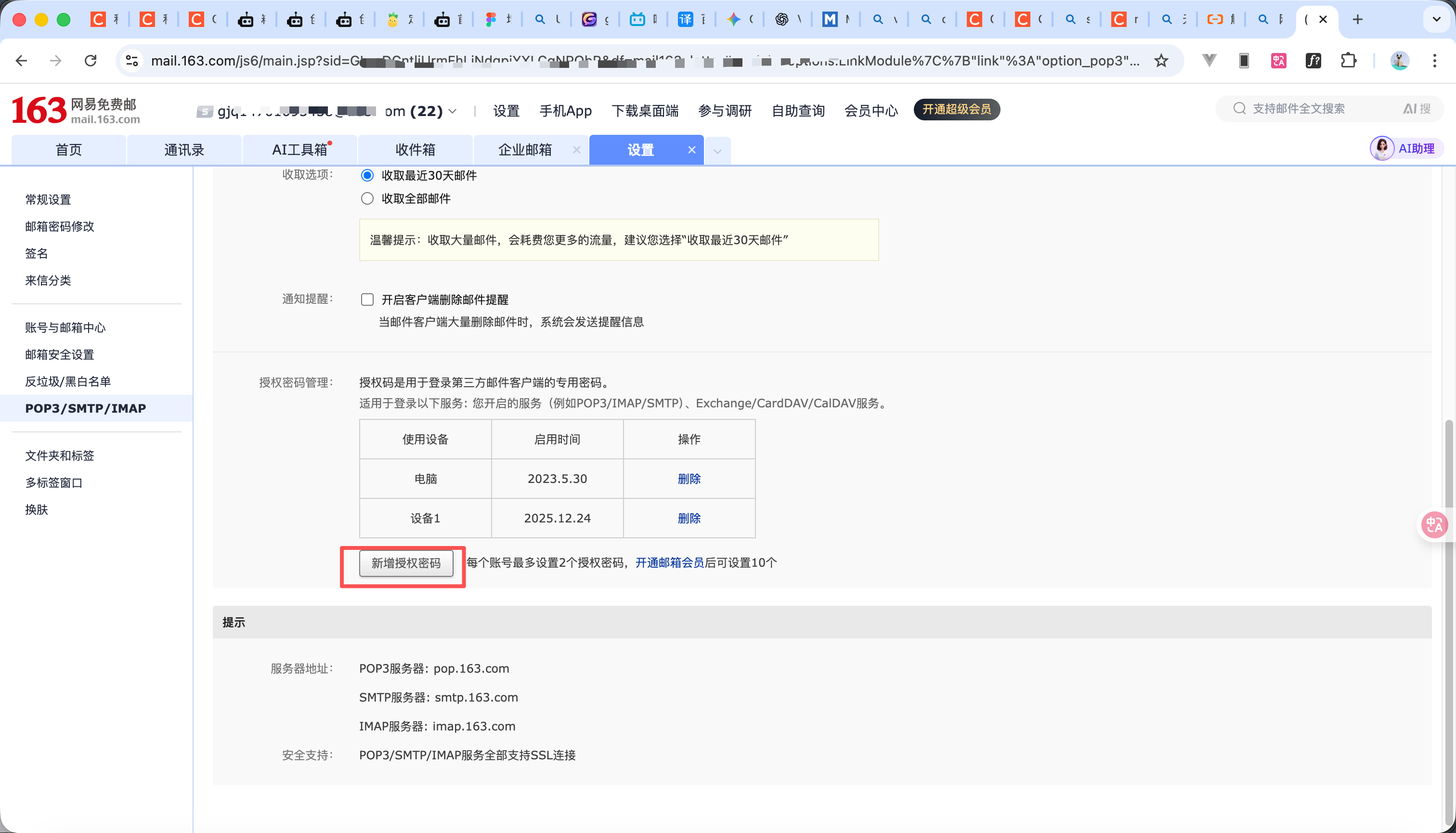
  1. 获取授权码(以网易邮箱为案例)
  2. 首先登录网易邮箱 点击上方设置 点击POP3 SMTP 那一列 如图1所示
  3. 然后如图2所示开通 IMAP/SMTP 服务
  4. 然后图3所示点击新增授权吗即可,这个授权码只能新增时候查看大家保存好了
  5. 讲解看视频
  6. 验证码模块内容在附件
ZIP
glow-captcha.zip
51.17KB
8

security配置

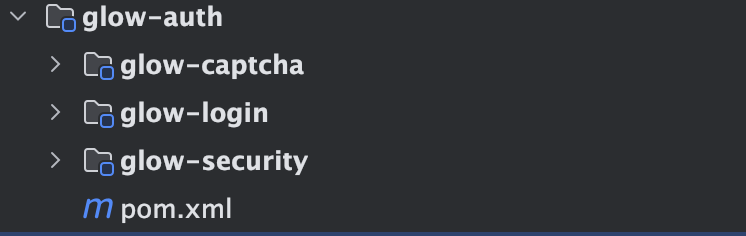
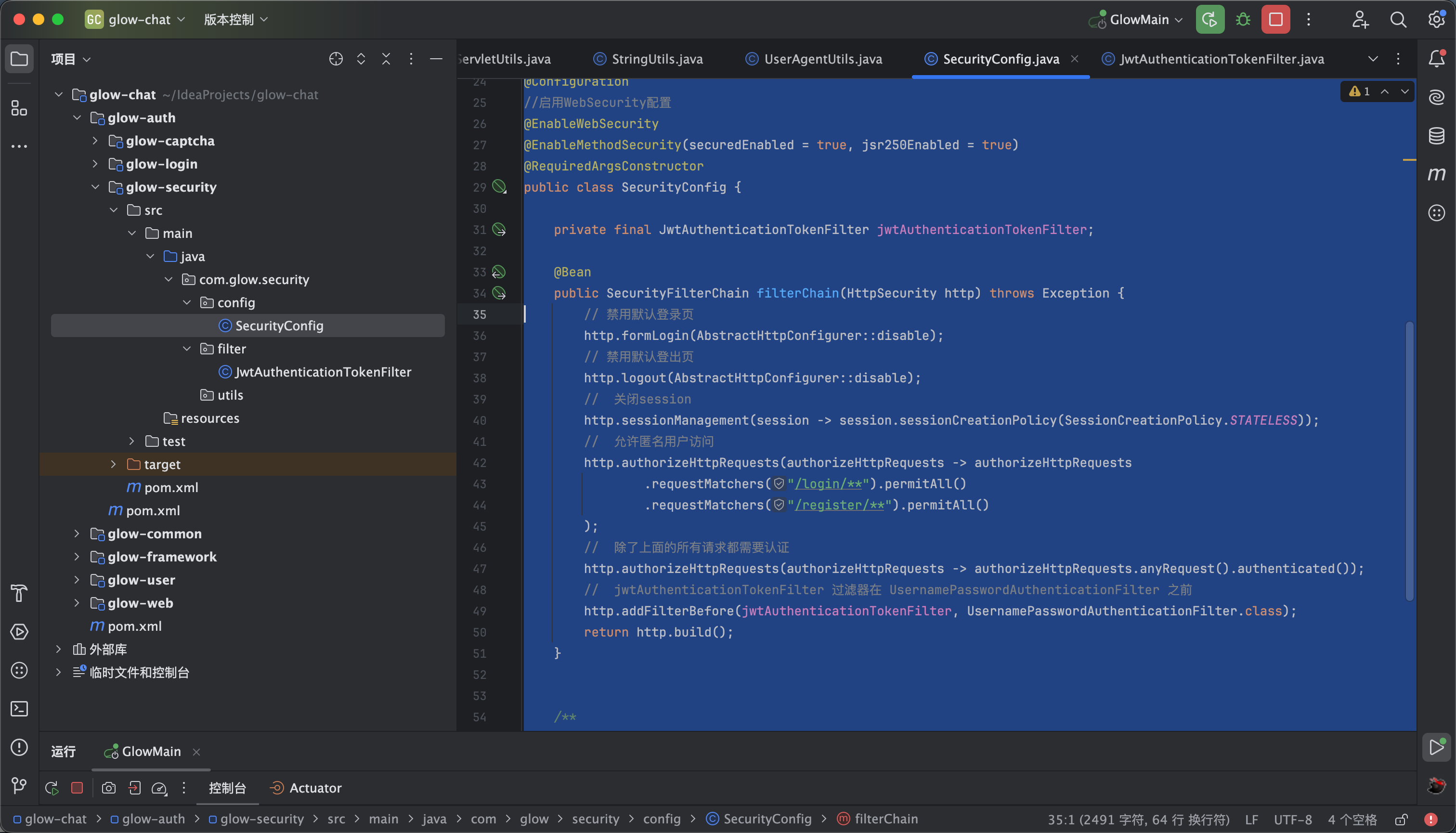
  1. 如图1所示新建一个鉴权模块,里面有login模块 security模块 以及captcha模块 如图1 大家自行新建
  2. security config内容如下 如图2所示这里面是我们配置的一些用户信息
package com.glow.security.config;

import com.glow.security.filter.JwtAuthenticationTokenFilter;
import lombok.RequiredArgsConstructor;
import org.springframework.context.annotation.Bean;
import org.springframework.context.annotation.Configuration;
import org.springframework.http.HttpMethod;
import org.springframework.security.config.annotation.method.configuration.EnableMethodSecurity;
import org.springframework.security.config.annotation.web.builders.HttpSecurity;
import org.springframework.security.config.annotation.web.configuration.EnableWebSecurity;
import org.springframework.security.config.annotation.web.configurers.AbstractHttpConfigurer;
import org.springframework.security.config.http.SessionCreationPolicy;
import org.springframework.security.crypto.bcrypt.BCryptPasswordEncoder;
import org.springframework.security.crypto.password.PasswordEncoder;
import org.springframework.security.web.SecurityFilterChain;
import org.springframework.security.web.authentication.UsernamePasswordAuthenticationFilter;

/**
* spring security 的配置类
*
* @author GJQ
* @date 2023/6/8 14:36
*/
@Configuration
//启用WebSecurity配置
@EnableWebSecurity
@EnableMethodSecurity(securedEnabled = true, jsr250Enabled = true)
@RequiredArgsConstructor
public class SecurityConfig {

private final JwtAuthenticationTokenFilter jwtAuthenticationTokenFilter;

@Bean
public SecurityFilterChain filterChain(HttpSecurity http) throws Exception {
// 禁用默认登录页
http.formLogin(AbstractHttpConfigurer::disable);
// 禁用默认登出页
http.logout(AbstractHttpConfigurer::disable);
// 关闭session
http.sessionManagement(session -> session.sessionCreationPolicy(SessionCreationPolicy.STATELESS));
// 允许匿名用户访问
http.authorizeHttpRequests(authorizeHttpRequests -> authorizeHttpRequests
.requestMatchers("/login/**").permitAll()
.requestMatchers("/register/**").permitAll()
);
// 除了上面的所有请求都需要认证
http.authorizeHttpRequests(authorizeHttpRequests -> authorizeHttpRequests.anyRequest().authenticated());
// jwtAuthenticationTokenFilter 过滤器在 UsernamePasswordAuthenticationFilter 之前
http.addFilterBefore(jwtAuthenticationTokenFilter, UsernamePasswordAuthenticationFilter.class);
return http.build();
}


/**
* 强散列哈希加密实现
*
* @return 加密后的密码
*/
@Bean
PasswordEncoder bCryptPasswordEncoder() {
return new BCryptPasswordEncoder();
}

}


// http.addFilterBefore(jwtAuthenticationTokenFilter, UsernamePasswordAuthenticationFilter.class);这行代码有可能报错 大家可以先注释掉后面会讲解

9

配置模块

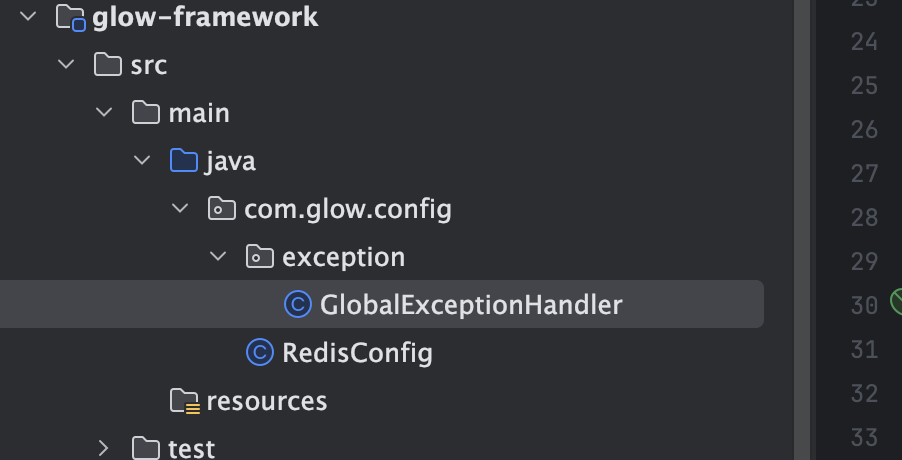
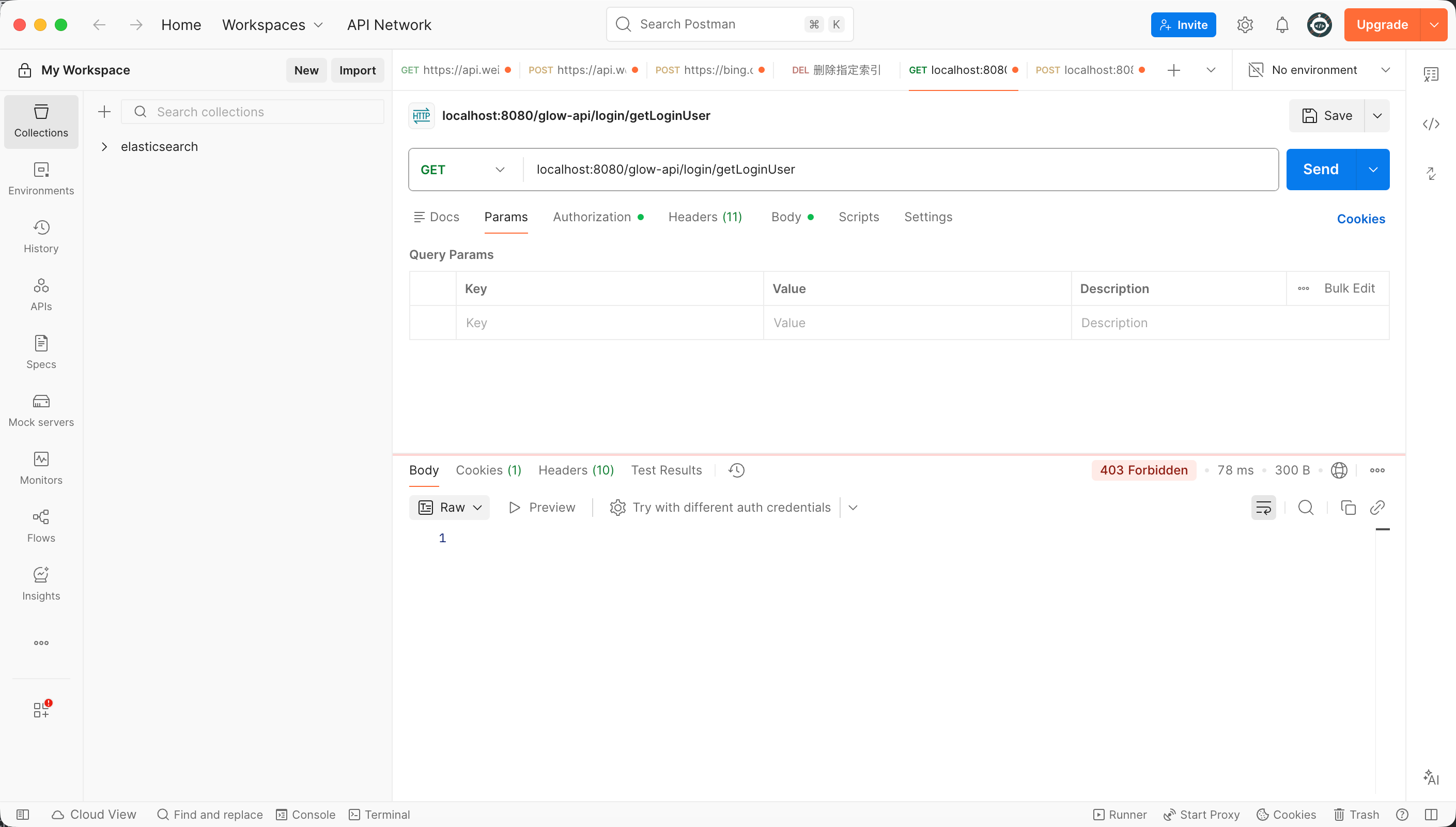
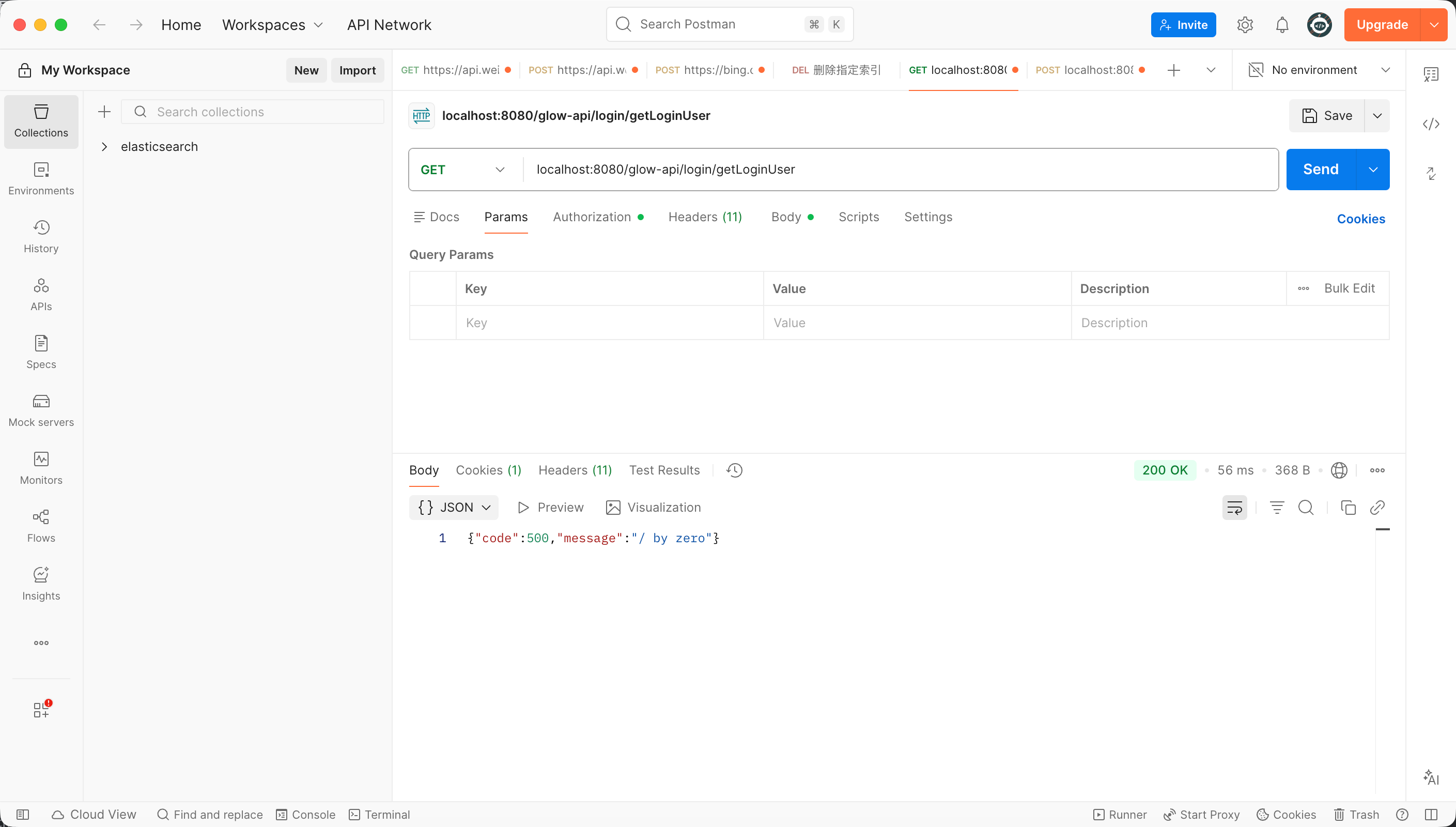
  1. 新建一个配置模块 如图1所示,我们先做一些基础配置 全局异常处理代码如下 不进行全局异常处理的话那么代码异常前端是无法接受到的 对比图2图3
package com.glow.config.exception;


import com.glow.common.domain.ApiResponse;
import com.glow.common.utils.StringUtils;
import com.glow.common.utils.http.HttpStatus;
import jakarta.servlet.http.HttpServletRequest;
import lombok.extern.slf4j.Slf4j;
import org.slf4j.Logger;
import org.slf4j.LoggerFactory;
import org.springframework.validation.BindException;
import org.springframework.web.HttpRequestMethodNotSupportedException;
import org.springframework.web.bind.MethodArgumentNotValidException;
import org.springframework.web.bind.MissingPathVariableException;
import org.springframework.web.bind.annotation.ExceptionHandler;
import org.springframework.web.bind.annotation.RestControllerAdvice;
import org.springframework.web.method.annotation.MethodArgumentTypeMismatchException;

import java.nio.file.AccessDeniedException;


/**
* @author gjq
* @version 1.0
* @description: 全局异常处理
* @date 2025/12/24 17:53
*/
@Slf4j
@RestControllerAdvice
public class GlobalExceptionHandler {

/**
* 权限校验异常
*/
@ExceptionHandler(AccessDeniedException.class)
public ApiResponse handleAccessDeniedException(AccessDeniedException e, HttpServletRequest request) {
String requestURI = request.getRequestURI();
log.error("请求地址'{}',权限校验失败'{}'", requestURI, e.getMessage());
return ApiResponse.error(HttpStatus.FORBIDDEN, "没有权限,请先登录");
}

/**
* 请求方式不支持
*/
@ExceptionHandler(HttpRequestMethodNotSupportedException.class)
public ApiResponse handleHttpRequestMethodNotSupported(HttpRequestMethodNotSupportedException e,
HttpServletRequest request) {
String requestURI = request.getRequestURI();
log.error("请求地址'{}',不支持'{}'请求", requestURI, e.getMethod());
return ApiResponse.error(e.getMessage());
}

/**
* 请求路径中缺少必需的路径变量
*/
@ExceptionHandler(MissingPathVariableException.class)
public ApiResponse handleMissingPathVariableException(MissingPathVariableException e, HttpServletRequest request) {
String requestURI = request.getRequestURI();
log.error("请求路径中缺少必需的路径变量'{}',发生系统异常.", requestURI, e);
return ApiResponse.error(String.format("请求路径中缺少必需的路径变量[%s]", e.getVariableName()));
}

/**
* 拦截未知的运行时异常
*/
@ExceptionHandler(RuntimeException.class)
public ApiResponse handleRuntimeException(RuntimeException e, HttpServletRequest request) {
String requestURI = request.getRequestURI();
log.error("请求地址'{}',发生未知异常.", requestURI, e);
return ApiResponse.error(e.getMessage());
}

/**
* 系统异常
*/
@ExceptionHandler(Exception.class)
public ApiResponse handleException(Exception e, HttpServletRequest request) {
String requestURI = request.getRequestURI();
log.error("请求地址'{}',发生系统异常.", requestURI, e);
return ApiResponse.error(e.getMessage());
}

/**
* 自定义验证异常
*/
@ExceptionHandler(BindException.class)
public ApiResponse handleBindException(BindException e) {
log.error(e.getMessage(), e);
String message = e.getAllErrors().get(0).getDefaultMessage();
return ApiResponse.error(message);
}

}


redis 序列化代码如下 如果不进行序列化redis中存储的内容会是乱码的

package com.glow.config;

import com.alibaba.fastjson2.support.spring6.data.redis.GenericFastJsonRedisSerializer;
import org.springframework.boot.autoconfigure.cache.CacheProperties;
import org.springframework.cache.annotation.CachingConfigurer;
import org.springframework.cache.annotation.EnableCaching;
import org.springframework.context.annotation.Bean;
import org.springframework.context.annotation.Configuration;
import org.springframework.data.redis.cache.RedisCacheConfiguration;
import org.springframework.data.redis.connection.RedisConnectionFactory;
import org.springframework.data.redis.core.RedisTemplate;
import org.springframework.data.redis.serializer.*;

/**
* @author gjq
* @version 1.0
* @description: redis配置类
* @date 2025/12/24 17:53
*/
//开启基于注解的缓存
@EnableCaching
@Configuration
public class RedisConfig implements CachingConfigurer {

@Bean
@SuppressWarnings("all")
public RedisTemplate<Object, Object> redisTemplate(RedisConnectionFactory connectionFactory) {
RedisTemplate<Object, Object> template = new RedisTemplate<>();
template.setConnectionFactory(connectionFactory);

// 使用 Fastjson2 提供的序列化器
// 它会自动处理类型信息,且默认行为比 Jackson 宽容得多
GenericFastJsonRedisSerializer serializer = new GenericFastJsonRedisSerializer();

// Key 依然用 String 序列化
template.setKeySerializer(new StringRedisSerializer());
template.setHashKeySerializer(new StringRedisSerializer());

// Value 换成 Fastjson2
template.setValueSerializer(serializer);
template.setHashValueSerializer(serializer);

template.afterPropertiesSet();
return template;
}

/**
* 自定义 RedisCacheConfiguration
*
* @param cacheProperties {@link CacheProperties}
* @return {@link RedisCacheConfiguration}
*/
@Bean
RedisCacheConfiguration redisCacheConfiguration(CacheProperties cacheProperties) {

RedisCacheConfiguration config = RedisCacheConfiguration.defaultCacheConfig();

config = config.serializeKeysWith(RedisSerializationContext.SerializationPair.fromSerializer(RedisSerializer.string()));
config = config.serializeValuesWith(RedisSerializationContext.SerializationPair.fromSerializer(RedisSerializer.json()));

CacheProperties.Redis redisProperties = cacheProperties.getRedis();

if (redisProperties.getTimeToLive() != null) {
config = config.entryTtl(redisProperties.getTimeToLive());
}
if (!redisProperties.isCacheNullValues()) {
config = config.disableCachingNullValues();
}
if (!redisProperties.isUseKeyPrefix()) {
config = config.disableKeyPrefix();
}
// 覆盖默认key双冒号 CacheKeyPrefix#prefixed
config = config.computePrefixWith(name -> name + ":");
return config;
}


}

10

用户数据库

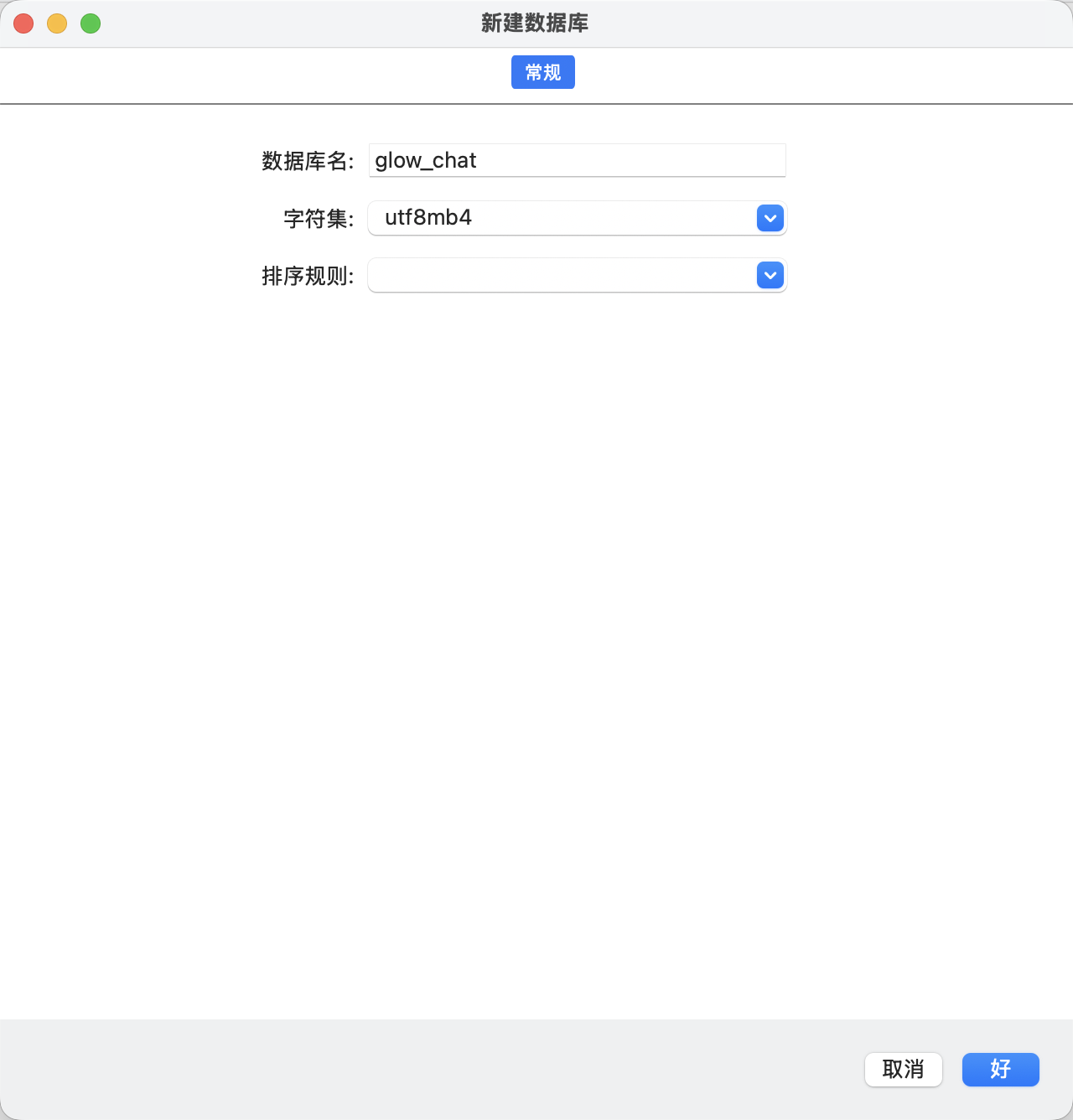
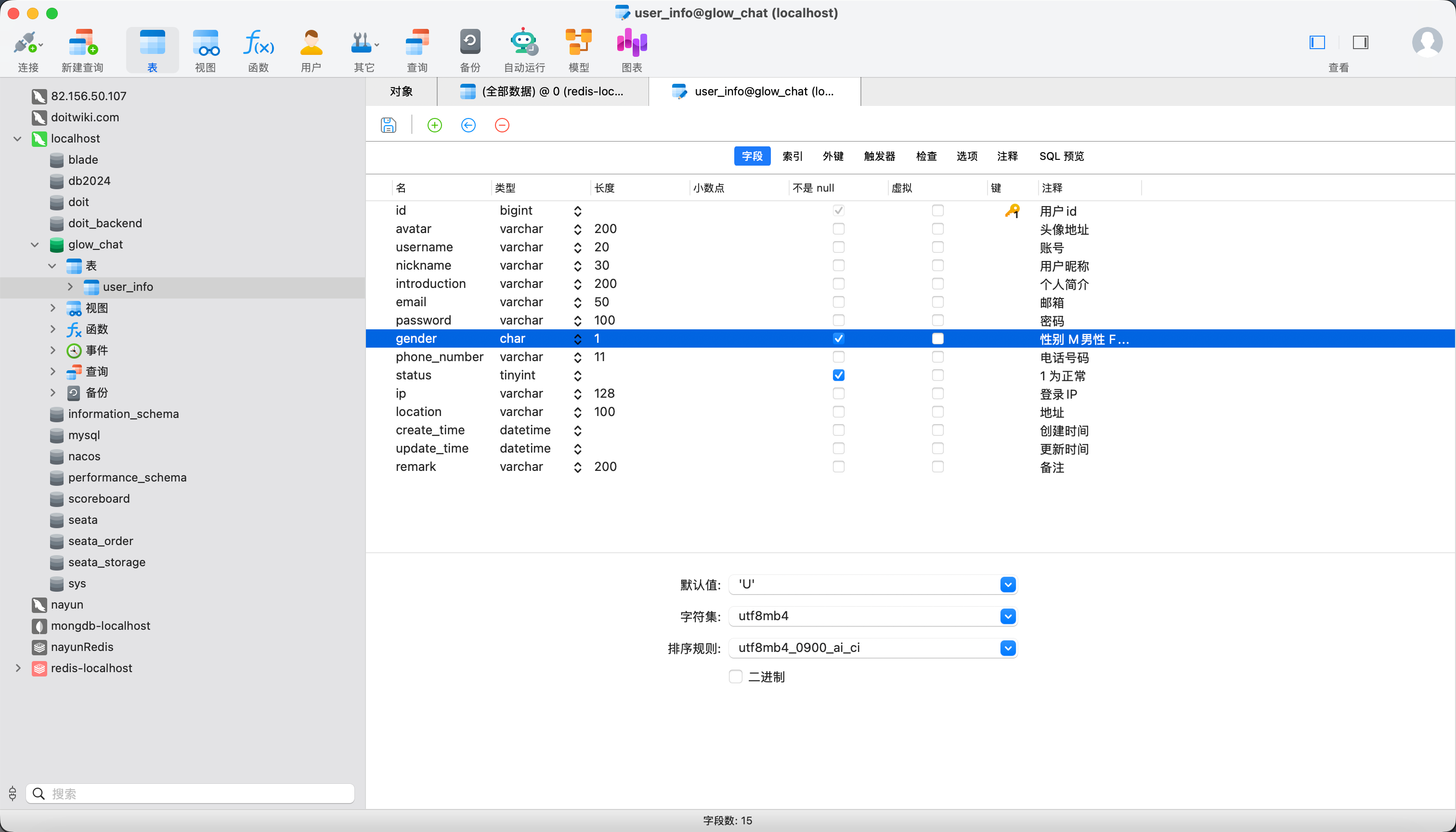
  1. 用户表如图所示大家可以参考一下 sql在附件里,大家也可以自行加字段,gender字段这边没有用 0 1 2 用的是U F M 因为用0 1 2 的情况下看数据很难一眼看出性别还需要查看注释对应
SQL
glow_chat.sql
1.78KB
11

用户模块

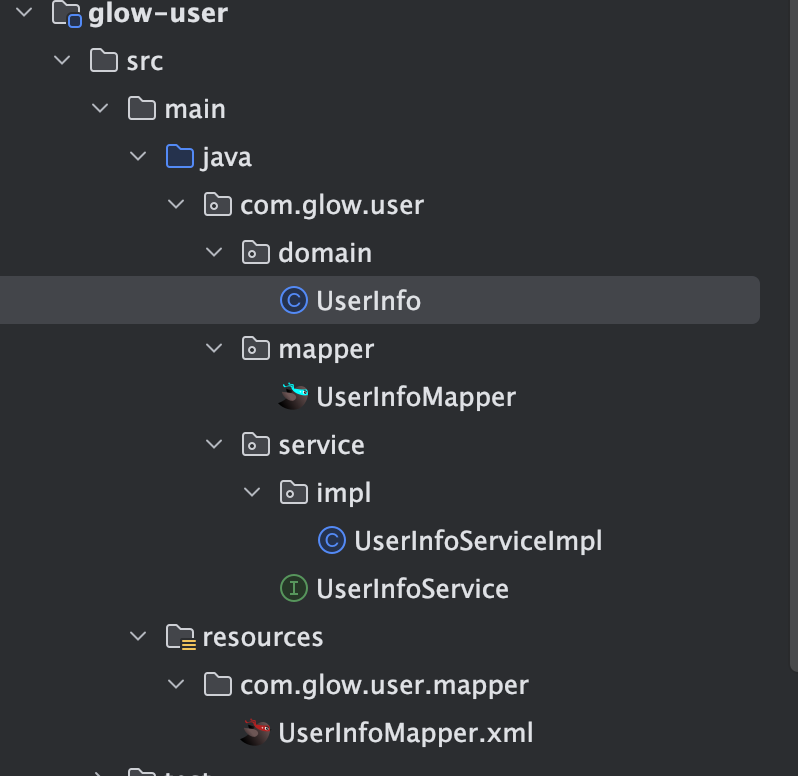
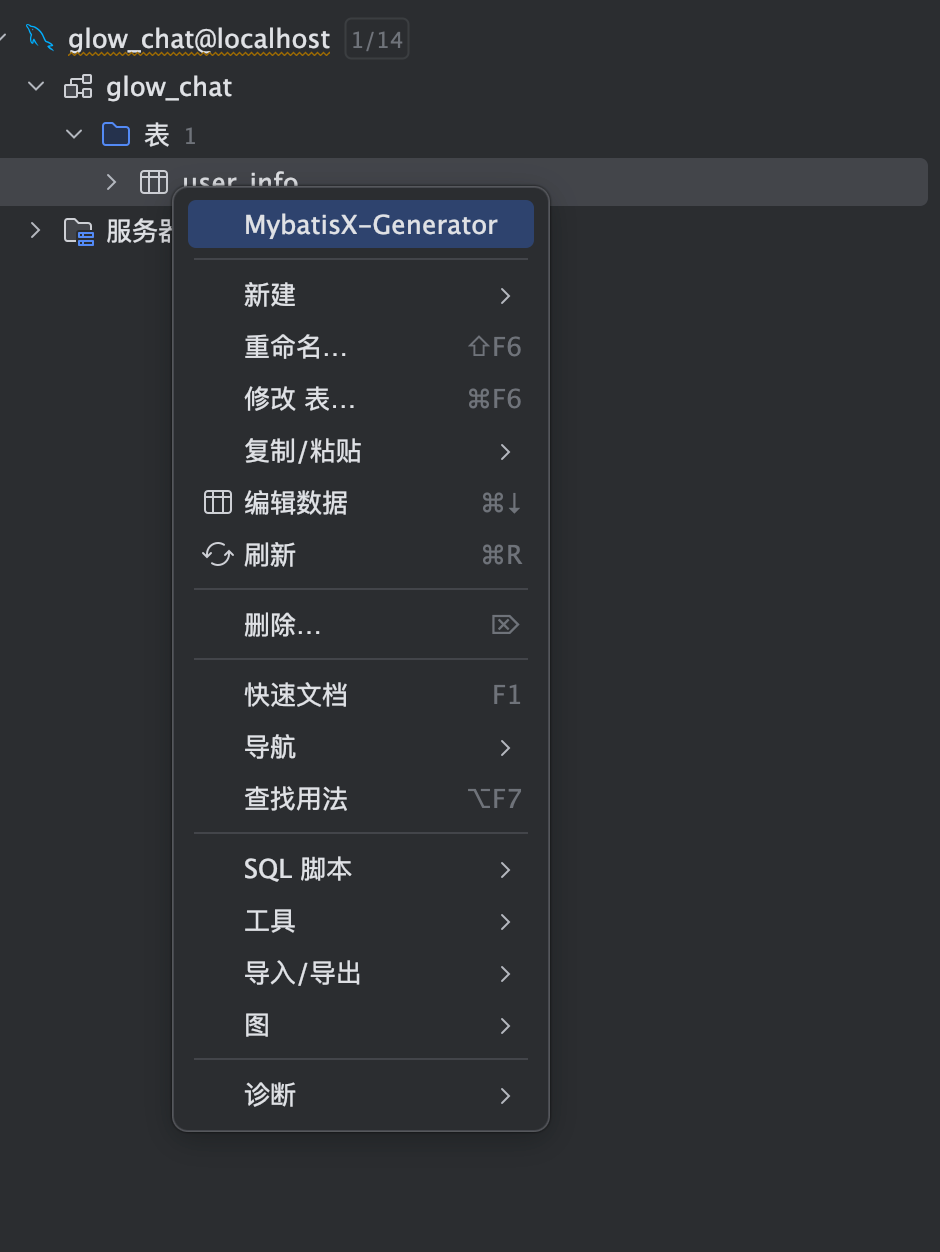
  1. 如图1 图2 所示user 模块就一个基础的增删改查 因为用的是Mybatis Plus 所以 service 和 mapper里都没有内容
  2. 这边实体类的 password建议大家加上 @JSONField(serialize = false) 注解 密码不应该返回给客户端
  3. 内容大家自行生成即可 我用的是MybatisX
12

后端登录功能实现

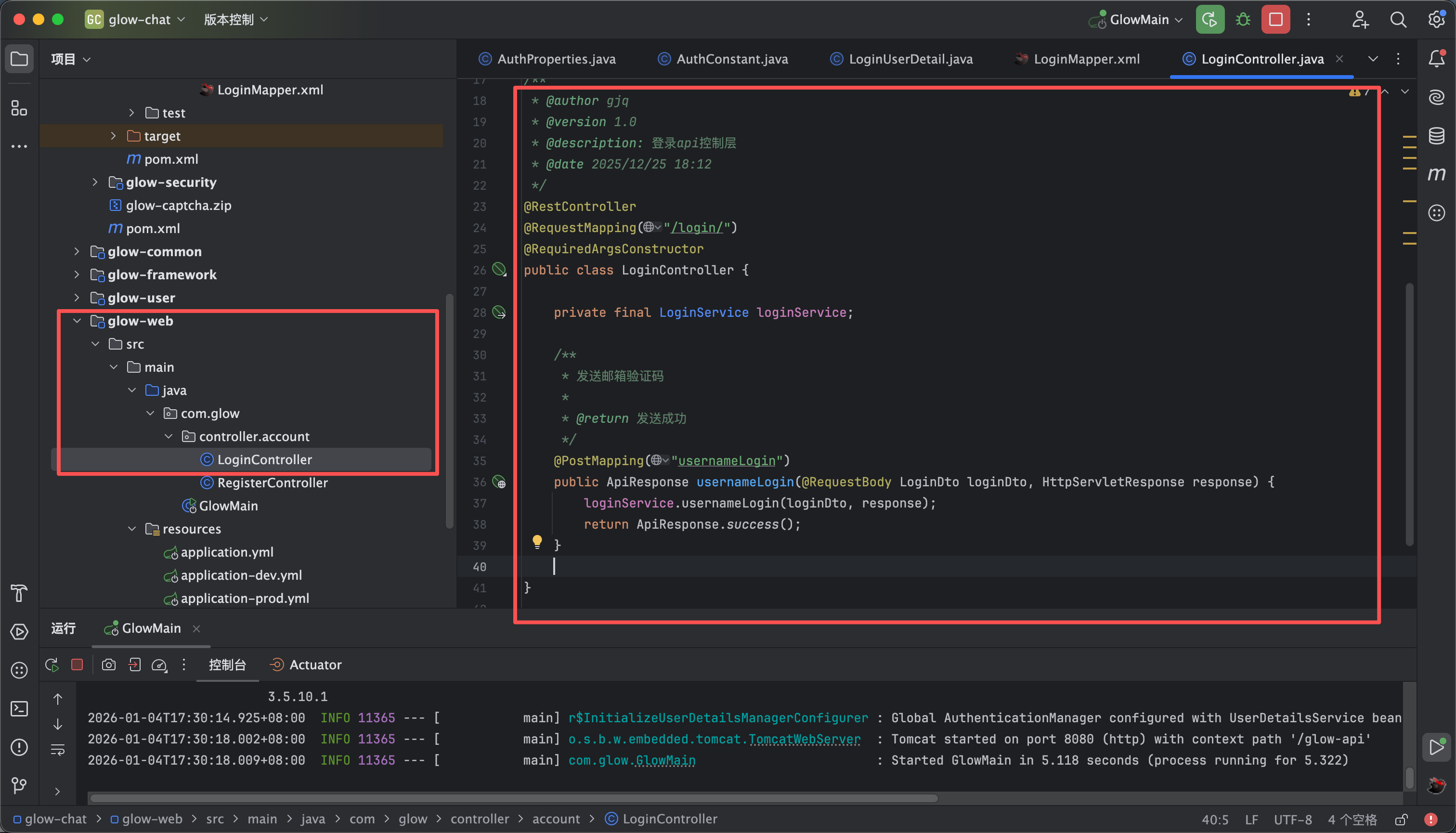
  1. 如图1所示我们先创建一个login的controller 层 然后调用login模块的方法
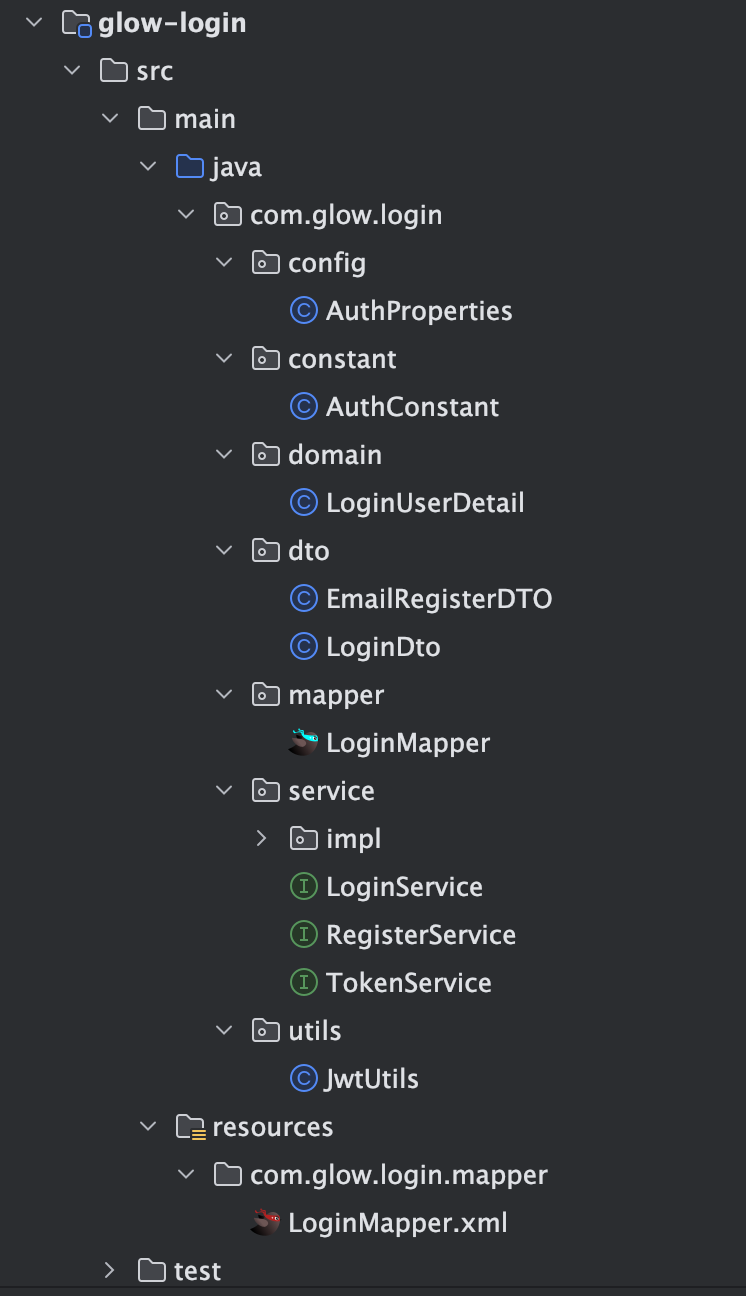
  2. 然后在auth模块里面创建一个logni模块 如图2所示
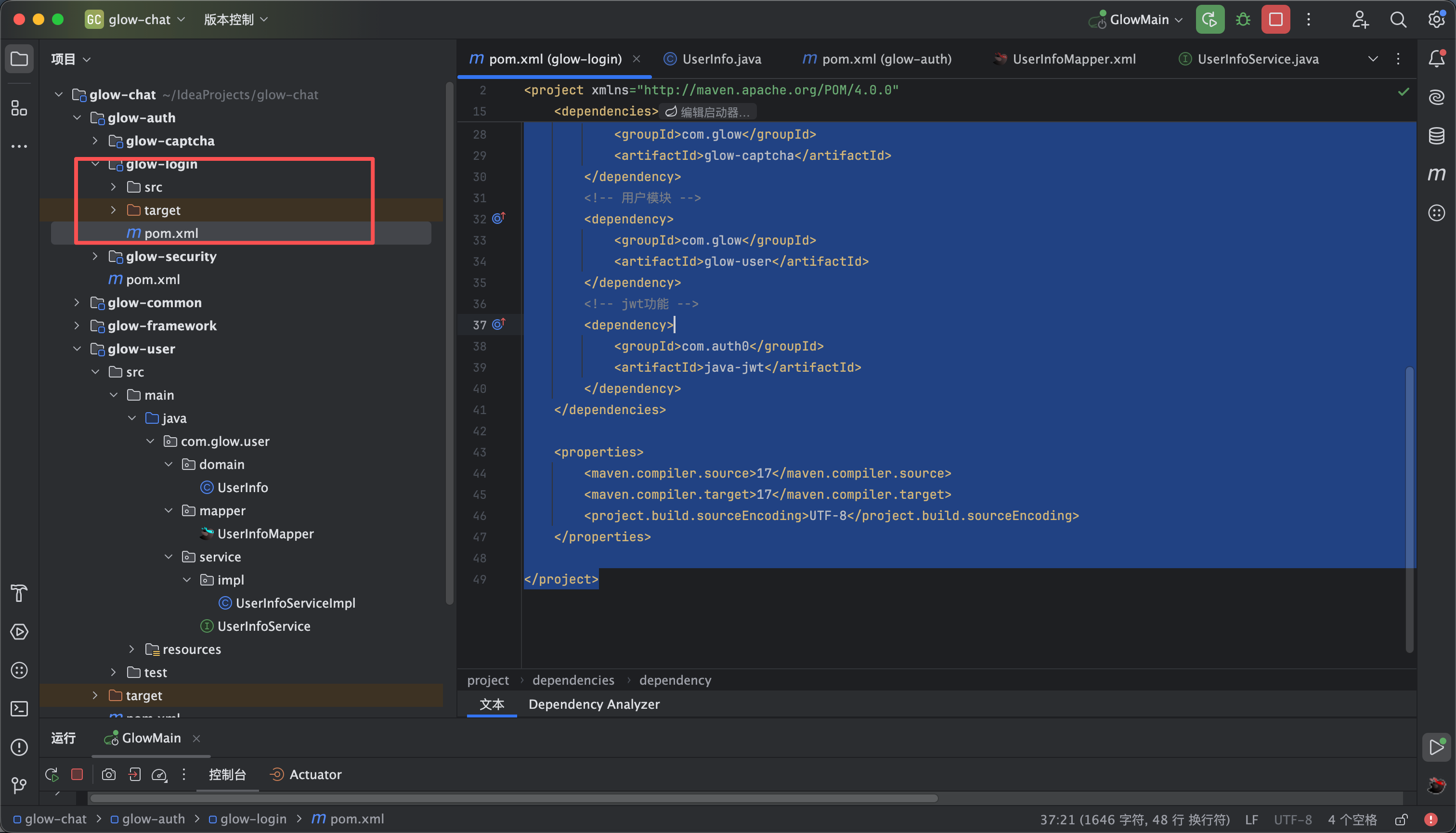
  3. 工具类模块应倒入用户模块 验证码模块的依赖 pom.xml 内容如下 如图3所示
<?xml version="1.0" encoding="UTF-8"?>
<project xmlns="http://maven.apache.org/POM/4.0.0"
xmlns:xsi="http://www.w3.org/2001/XMLSchema-instance"
xsi:schemaLocation="http://maven.apache.org/POM/4.0.0 http://maven.apache.org/xsd/maven-4.0.0.xsd">
<modelVersion>4.0.0</modelVersion>
<parent>
<groupId>com.glow</groupId>
<artifactId>glow-chat</artifactId>
<version>0.0.1-SNAPSHOT</version>
<relativePath>../../pom.xml</relativePath>
</parent>

<artifactId>glow-login</artifactId>

<dependencies>
<!-- Spring Boot Starter Security -->
<dependency>
<groupId>org.springframework.boot</groupId>
<artifactId>spring-boot-starter-security</artifactId>
</dependency>
<!-- 工具类模块 -->
<dependency>
<groupId>com.glow</groupId>
<artifactId>glow-common</artifactId>
</dependency>
<!-- 验证码模块 -->
<dependency>
<groupId>com.glow</groupId>
<artifactId>glow-captcha</artifactId>
</dependency>
<!-- 用户模块 -->
<dependency>
<groupId>com.glow</groupId>
<artifactId>glow-user</artifactId>
</dependency>
<!-- jwt功能 -->
<dependency>
<groupId>com.auth0</groupId>
<artifactId>java-jwt</artifactId>
</dependency>
</dependencies>

<properties>
<maven.compiler.source>17</maven.compiler.source>
<maven.compiler.target>17</maven.compiler.target>
<project.build.sourceEncoding>UTF-8</project.build.sourceEncoding>
</properties>

</project>
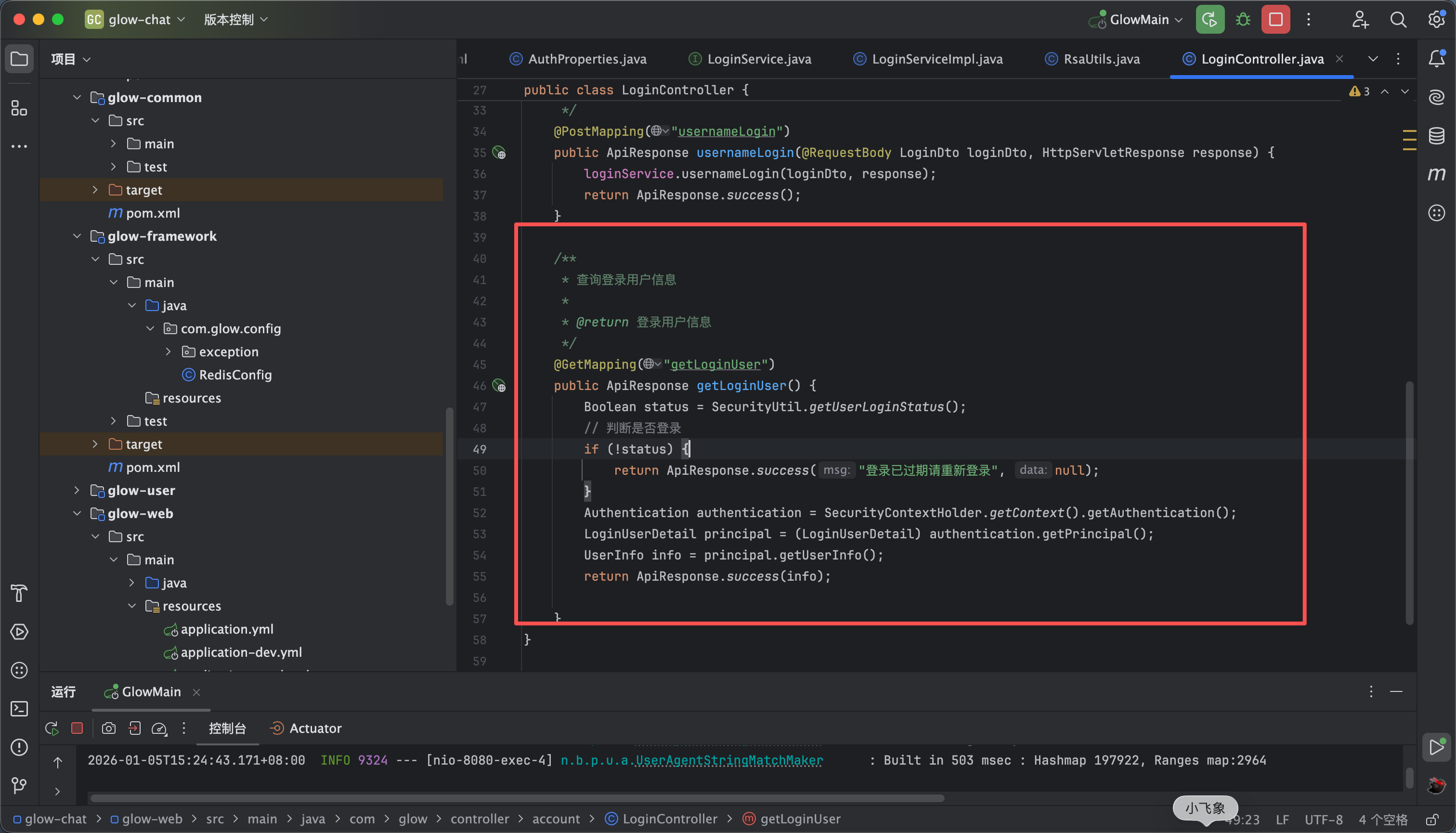
  1. controller层内容如下第一个接口是用户的登录接口 第二个是用于查询用户登录信息的

/**
* @author gjq
* @version 1.0
* @description: 登录api控制层
* @date 2025/12/25 18:12
*/
@RestController
@RequestMapping("/login/")
@RequiredArgsConstructor
public class LoginController {

private final LoginService loginService;

/**
* 账号登录
*/
@PostMapping("usernameLogin")
public ApiResponse usernameLogin(@RequestBody LoginDto loginDto, HttpServletResponse response) {
loginService.usernameLogin(loginDto, response);
return ApiResponse.success();
}

/**
* 查询登录用户信息
*
* @return 登录用户信息
*/
@GetMapping("getLoginUser")
public ApiResponse getLoginUser() {
Boolean status = SecurityUtil.getUserLoginStatus();
// 判断是否登录
if (!status) {
return ApiResponse.success("登录已过期请重新登录", null);
}
Authentication authentication = SecurityContextHolder.getContext().getAuthentication();
LoginUserDetail principal = (LoginUserDetail) authentication.getPrincipal();
UserInfo info = principal.getUserInfo();
return ApiResponse.success(info);

}
}
  1. 媒体4视频大概讲解了一些流程 代码在附件里
ZIP
glow-login.zip
66.54KB
13

鉴权拦截器

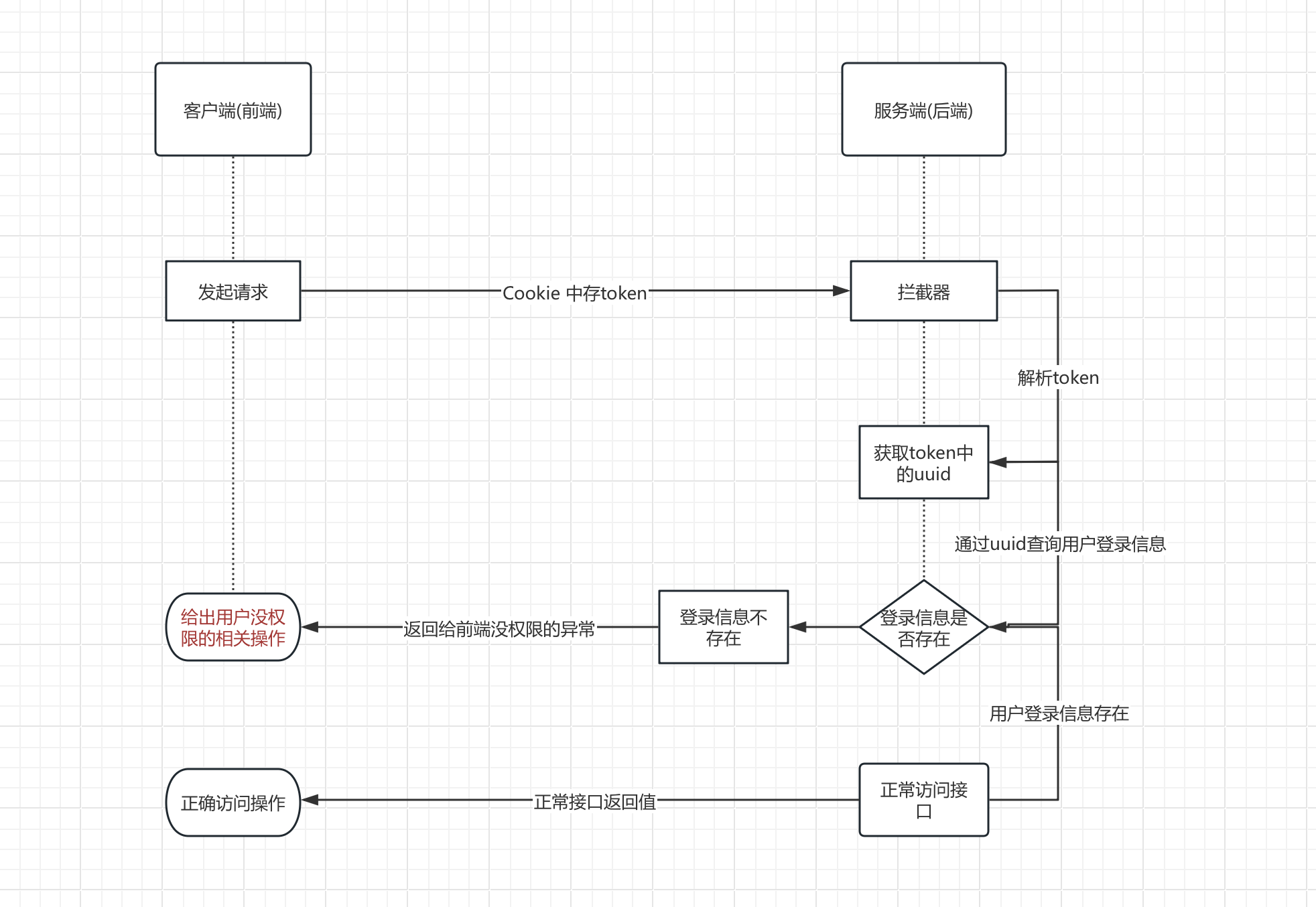
  1. 大家可以看一下登录的流程图
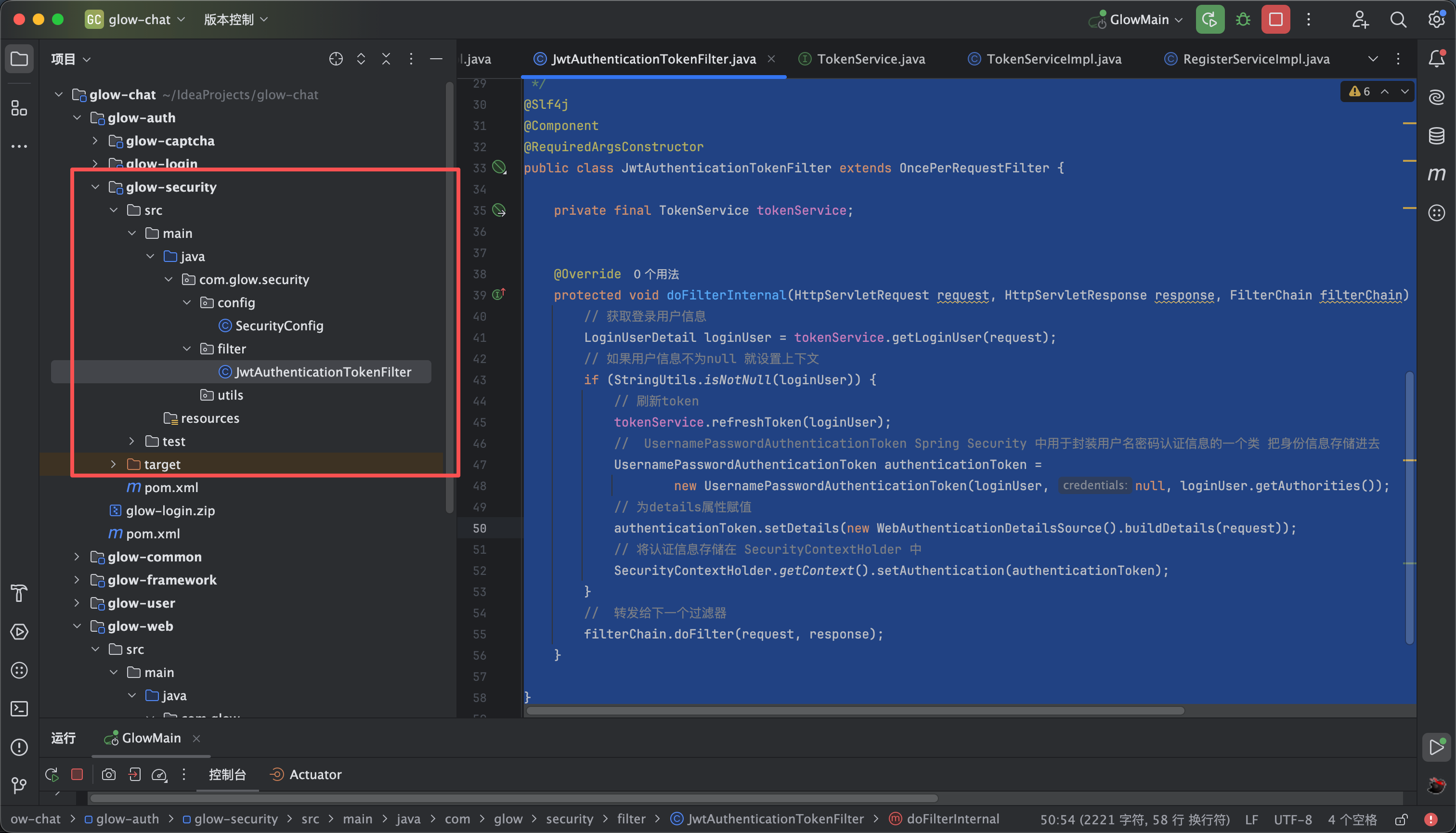
  2. 拦截器代码如下 相当于我们通过cookie 获取存储的jwt token 在通过解析token获取uuid 那uuid换取我们存储在redis中的用户信息,如果这个用户信息存在就代表登录了,如果这个用户信息不存在就代表没登录,然后如果登录了我们就判断过期时间还剩多久来进行刷新,并把用户信息存储到spring的上下文中方便我们调用 这也就对应了我们公共模块中的securityUtil
package com.glow.security.filter;

import com.glow.common.utils.RedisUtils;
import com.glow.common.utils.StringUtils;
import com.glow.login.domain.LoginUserDetail;
import com.glow.login.service.TokenService;
import com.glow.user.domain.UserInfo;
import jakarta.servlet.FilterChain;
import jakarta.servlet.ServletException;
import jakarta.servlet.http.HttpServletRequest;
import jakarta.servlet.http.HttpServletResponse;
import jakarta.validation.constraints.NotNull;
import lombok.RequiredArgsConstructor;
import lombok.extern.slf4j.Slf4j;
import org.springframework.security.authentication.UsernamePasswordAuthenticationToken;
import org.springframework.security.core.context.SecurityContextHolder;
import org.springframework.security.web.authentication.WebAuthenticationDetailsSource;
import org.springframework.stereotype.Component;
import org.springframework.web.filter.OncePerRequestFilter;

import java.io.IOException;

/**
* 自定义过滤器
* 在账号密码校验之前解析出来把数据存储进去
*
* @author GJQ
* @date 2023/6/27 14:19
*/
@Slf4j
@Component
@RequiredArgsConstructor
public class JwtAuthenticationTokenFilter extends OncePerRequestFilter {

private final TokenService tokenService;


@Override
protected void doFilterInternal(HttpServletRequest request, HttpServletResponse response, FilterChain filterChain) throws ServletException, IOException {
// 获取登录用户信息
LoginUserDetail loginUser = tokenService.getLoginUser(request);
// 如果用户信息不为null 就设置上下文
if (StringUtils.isNotNull(loginUser)) {
// 刷新token
tokenService.refreshToken(loginUser);
// UsernamePasswordAuthenticationToken Spring Security 中用于封装用户名密码认证信息的一个类 把身份信息存储进去
UsernamePasswordAuthenticationToken authenticationToken =
new UsernamePasswordAuthenticationToken(loginUser, null, loginUser.getAuthorities());
// 为details属性赋值
authenticationToken.setDetails(new WebAuthenticationDetailsSource().buildDetails(request));
// 将认证信息存储在 SecurityContextHolder 中
SecurityContextHolder.getContext().setAuthentication(authenticationToken);
}
// 转发给下一个过滤器
filterChain.doFilter(request, response);
}

}


14

创建前端项目

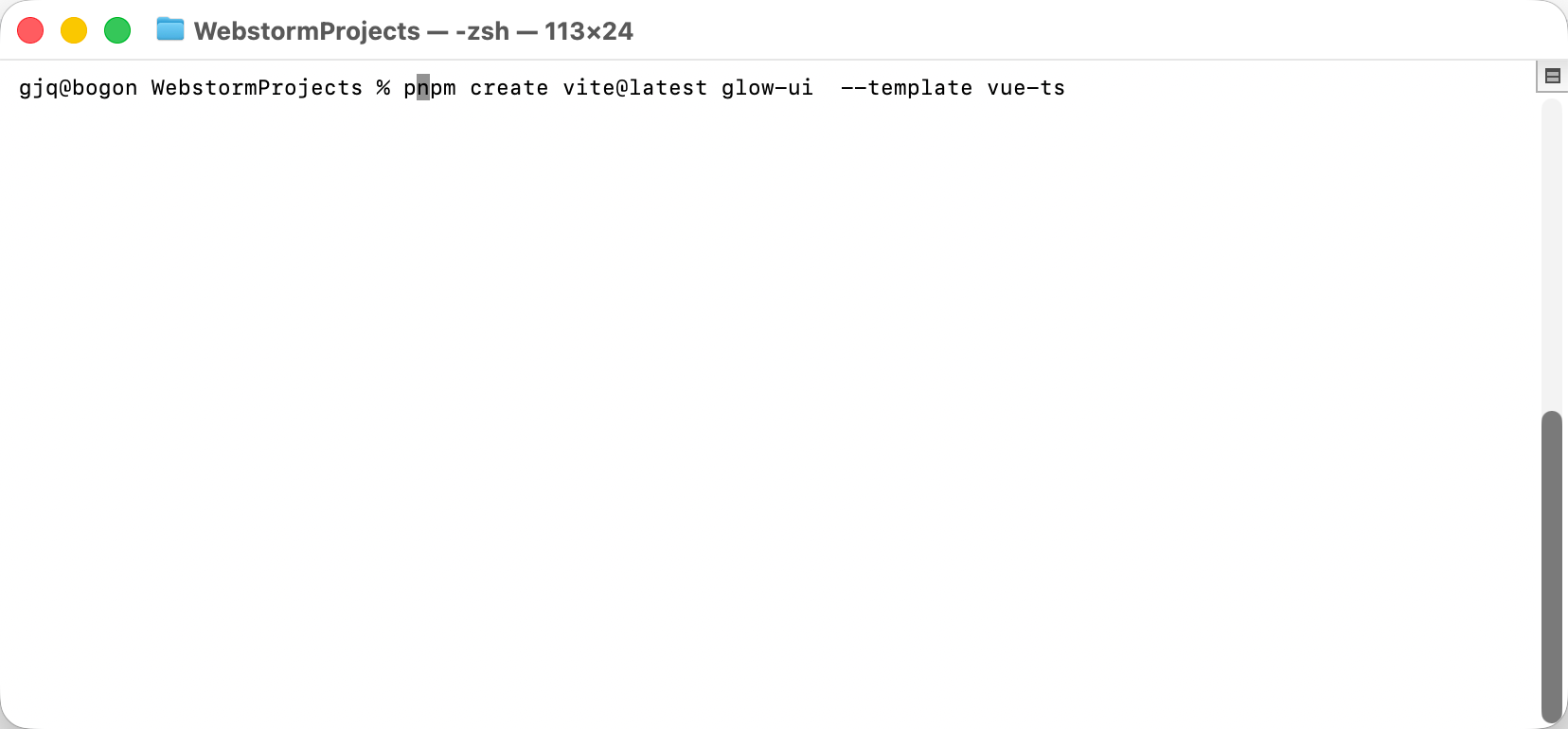
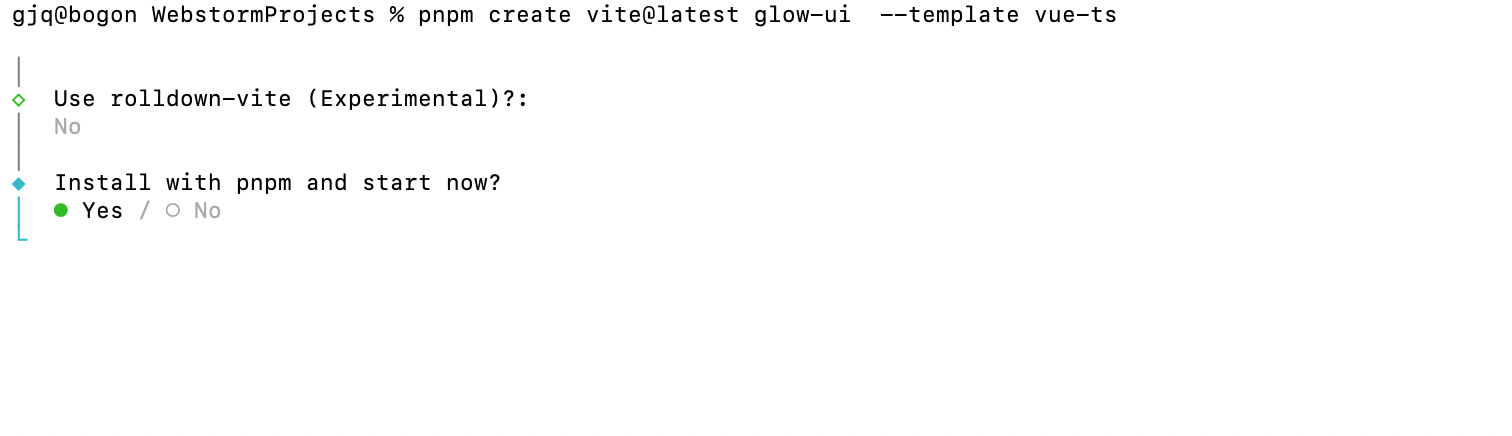
  1. 如图1 所示进入到你的工作空间 输入命令 pnpm create vite@latest glow-ui --template vue-ts "glow-ui"是你的项目名
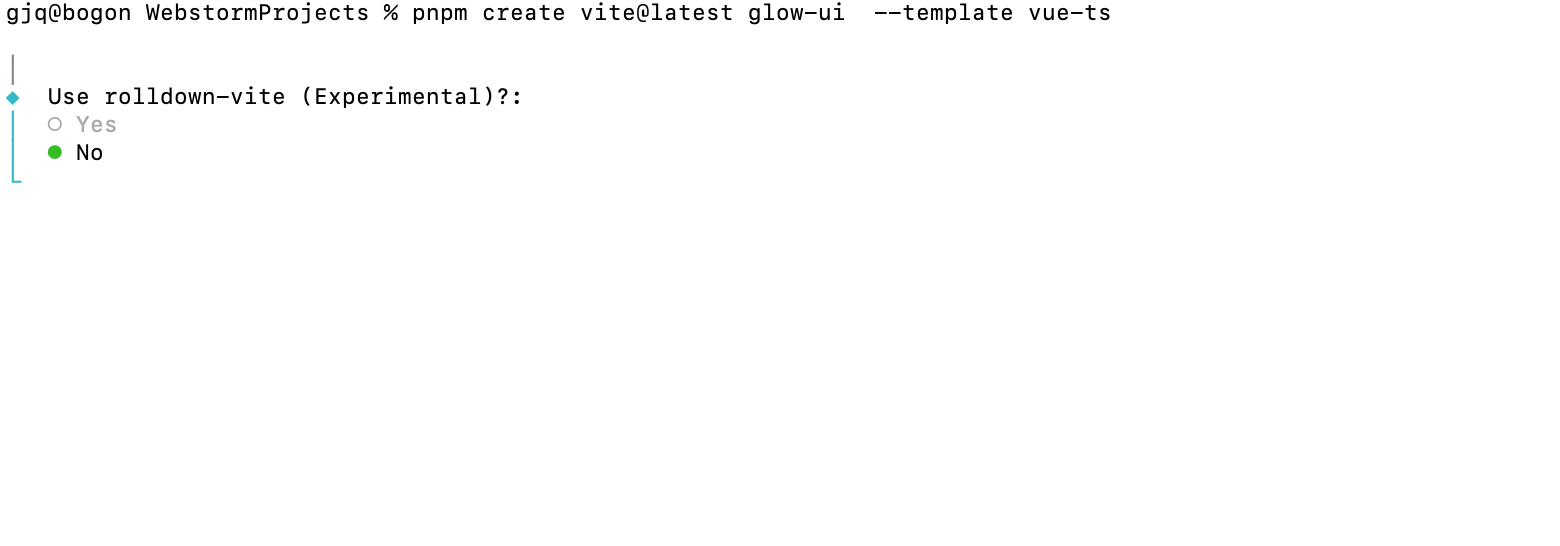
  2. 如图2所示 询问是否使用 Rolldown-vite Rolldown-vite 是一个基于 Rust 的新一代打包器,旨在提升大型项目的构建速度。要尝试 rolldown-vite,只需在项目中将 vite 替换为 rolldown-vite 包,它是完全可替代的解决方案,未来将成为 Vite 的默认打包器。此外,rolldown-vite 提供了更好的性能和配置指南,帮助开发者掌握新一代前端构建技术。 但是这个技术还在实验中 我们就先不使用
  3. 图3 问你是否用pnpm 安装并启动 我们这里选择yes或者no都可以 选择yes他就直接启动了
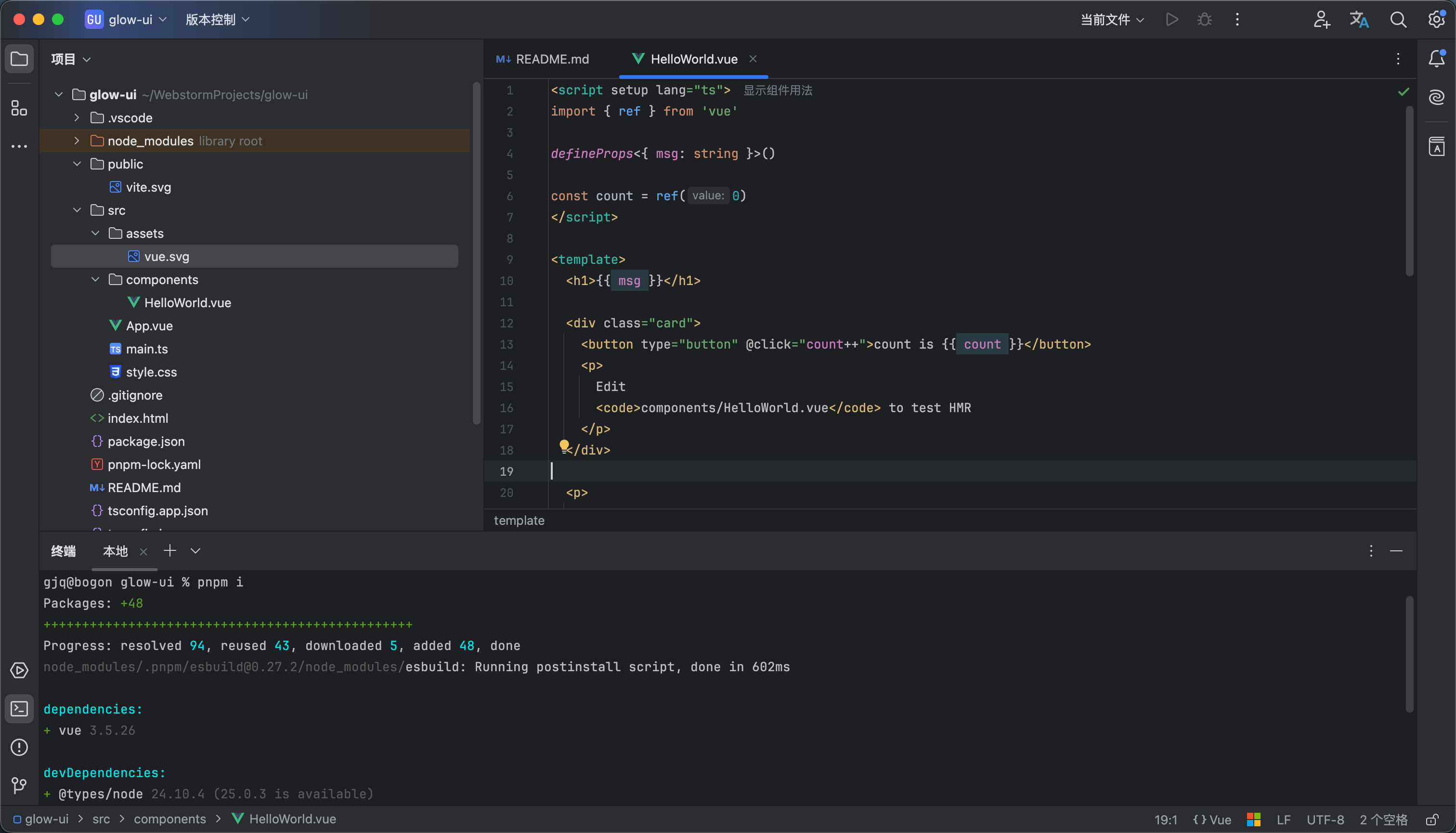
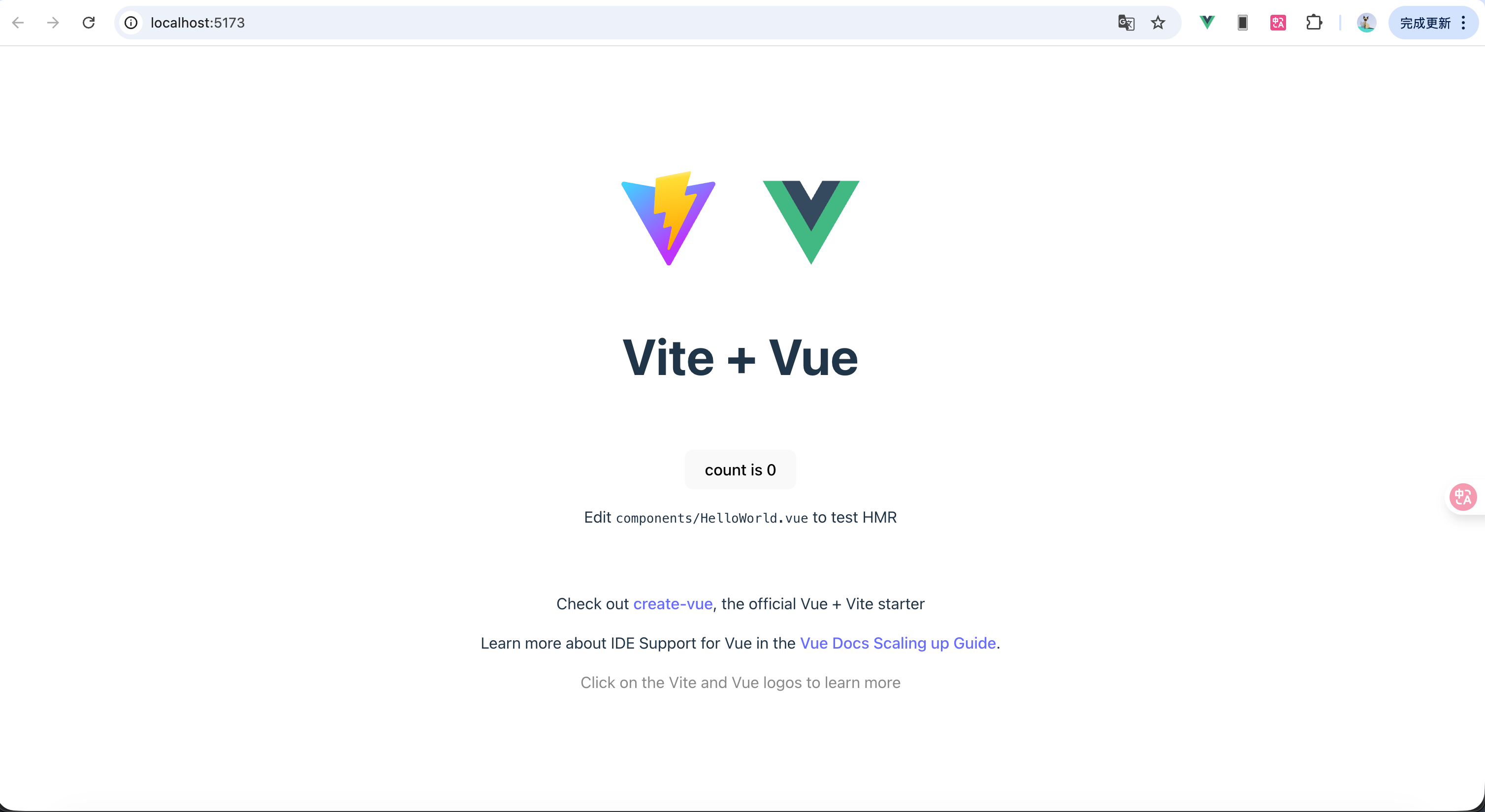
  4. 然后图4 图5就是我们项目的基础代码以及运行时候的样子
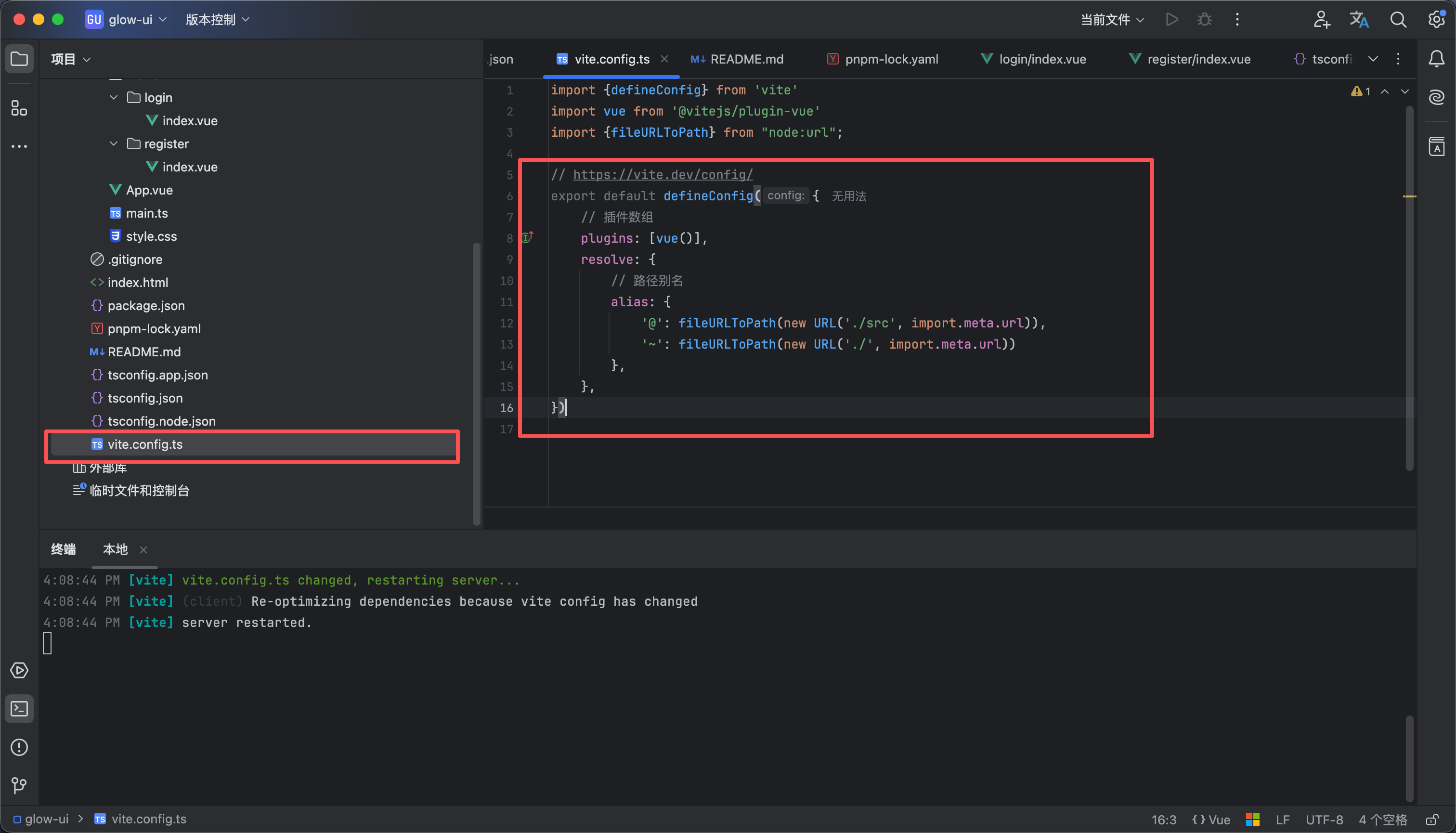
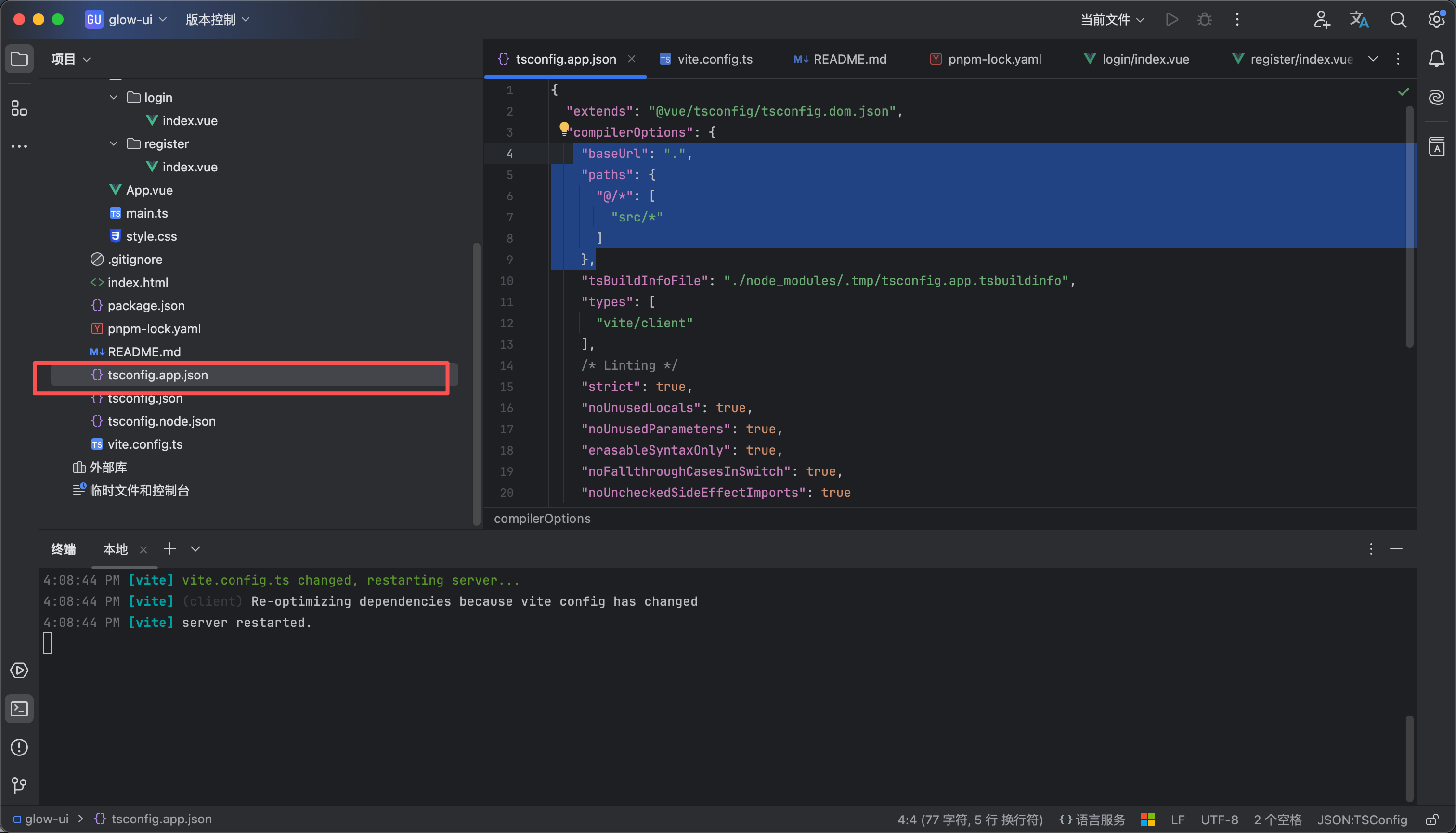
  5. 如图6 图7所示我们配置一下别名信息 方便我们后续使用内容如下


vite.config.ts
resolve: {
// 路径别名
alias: {
'@': fileURLToPath(new URL('./src', import.meta.url)),
'~': fileURLToPath(new URL('./', import.meta.url))
},
},


tsconfig.app.json
"compilerOptions": {
"baseUrl": ".",
"paths": {
"@/*": [
"src/*"
]
},


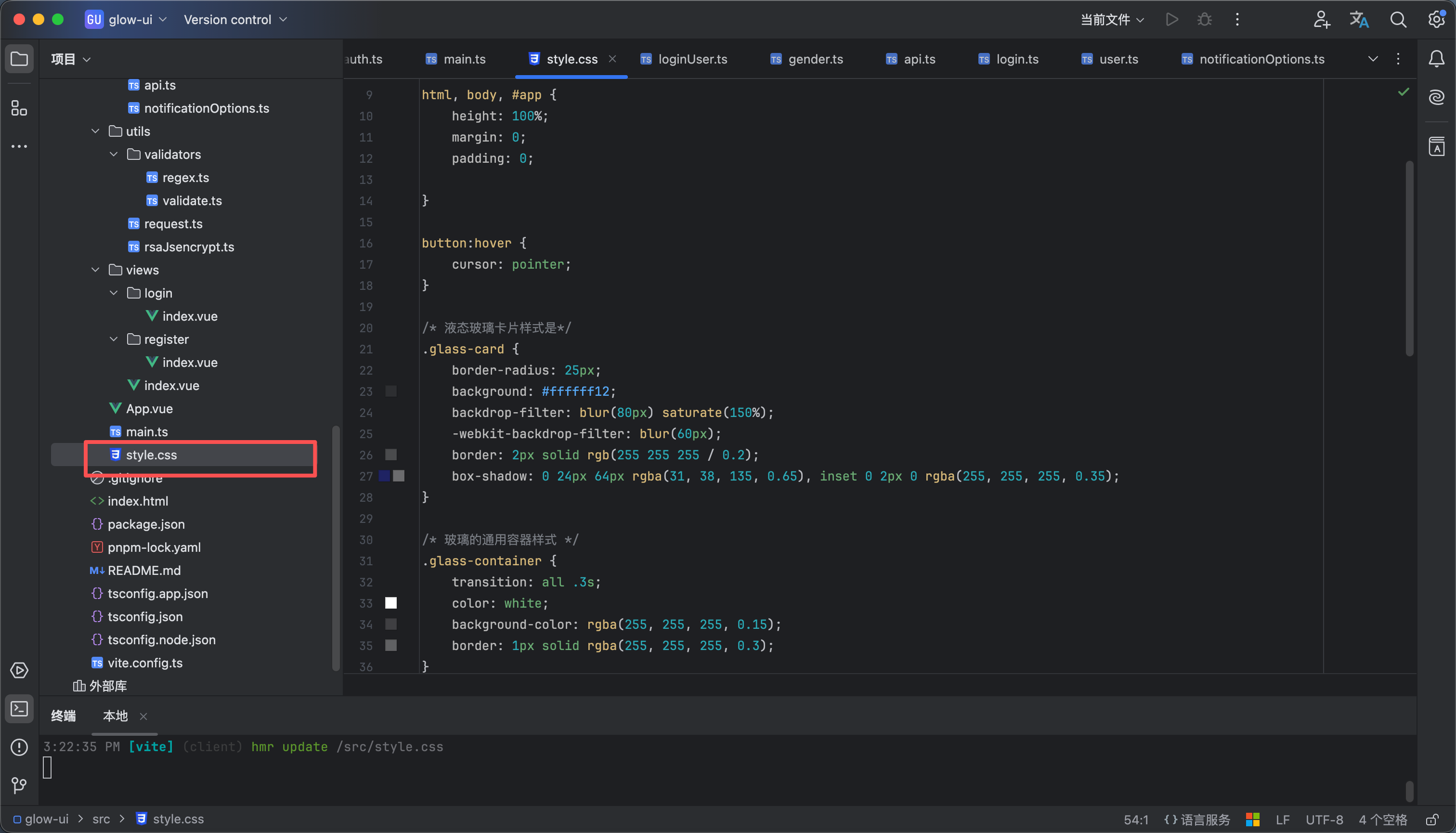
全局的style.css 代码在附件里 如图8

CSS
style.css
1.52KB
15

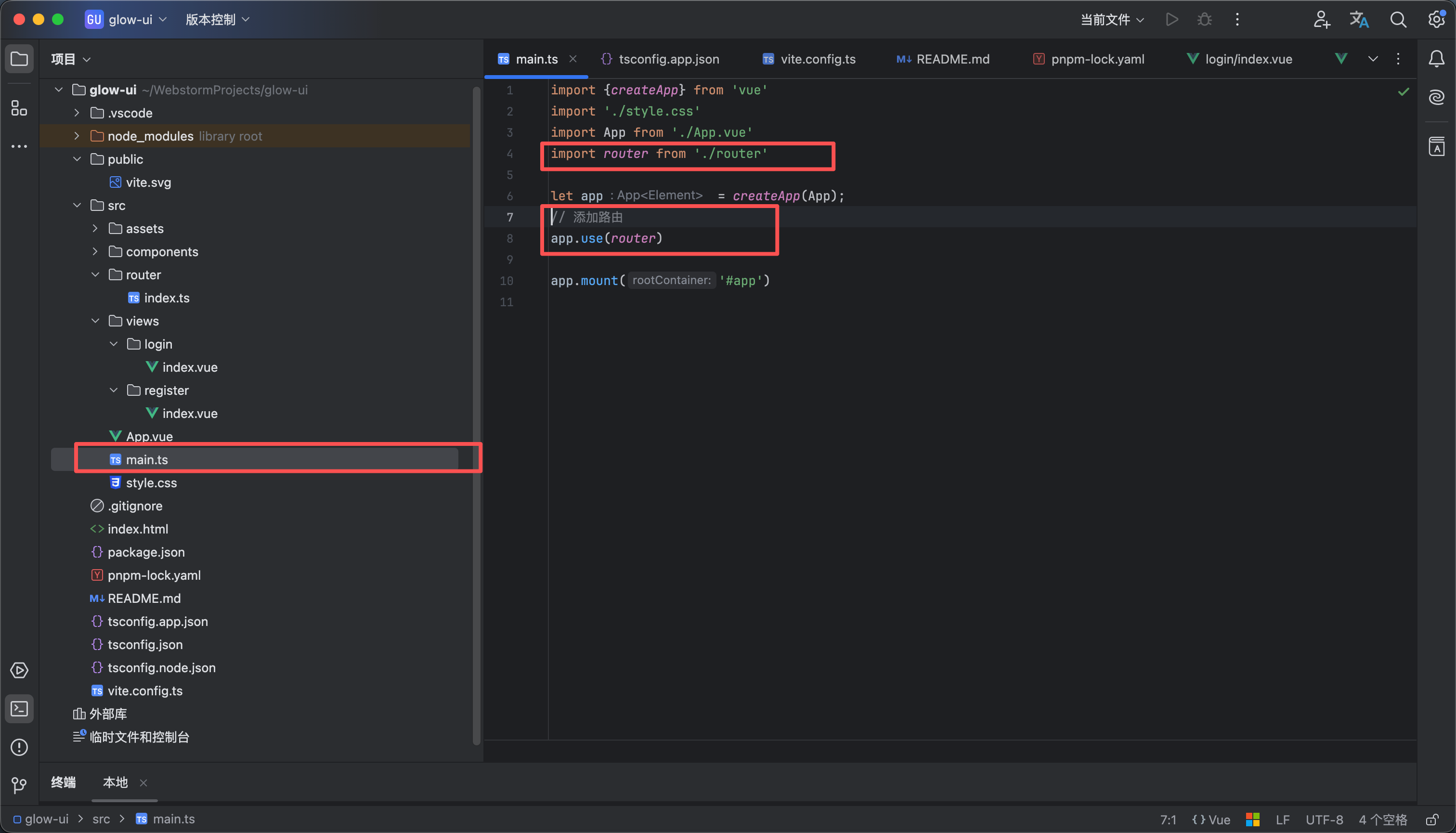
添加路由功能

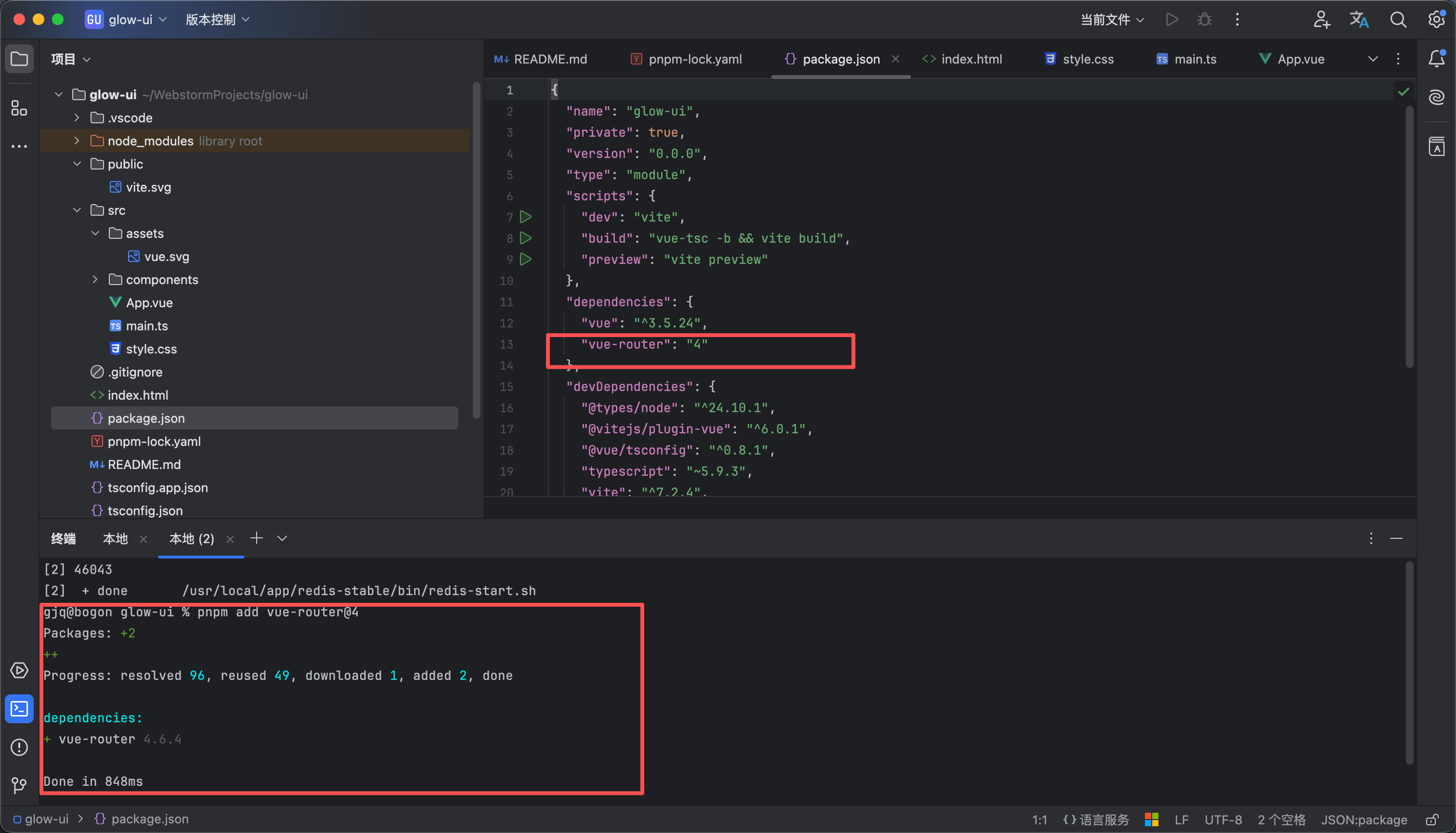
  1. 如图1所示 输入命令 pnpm add vue-router@4
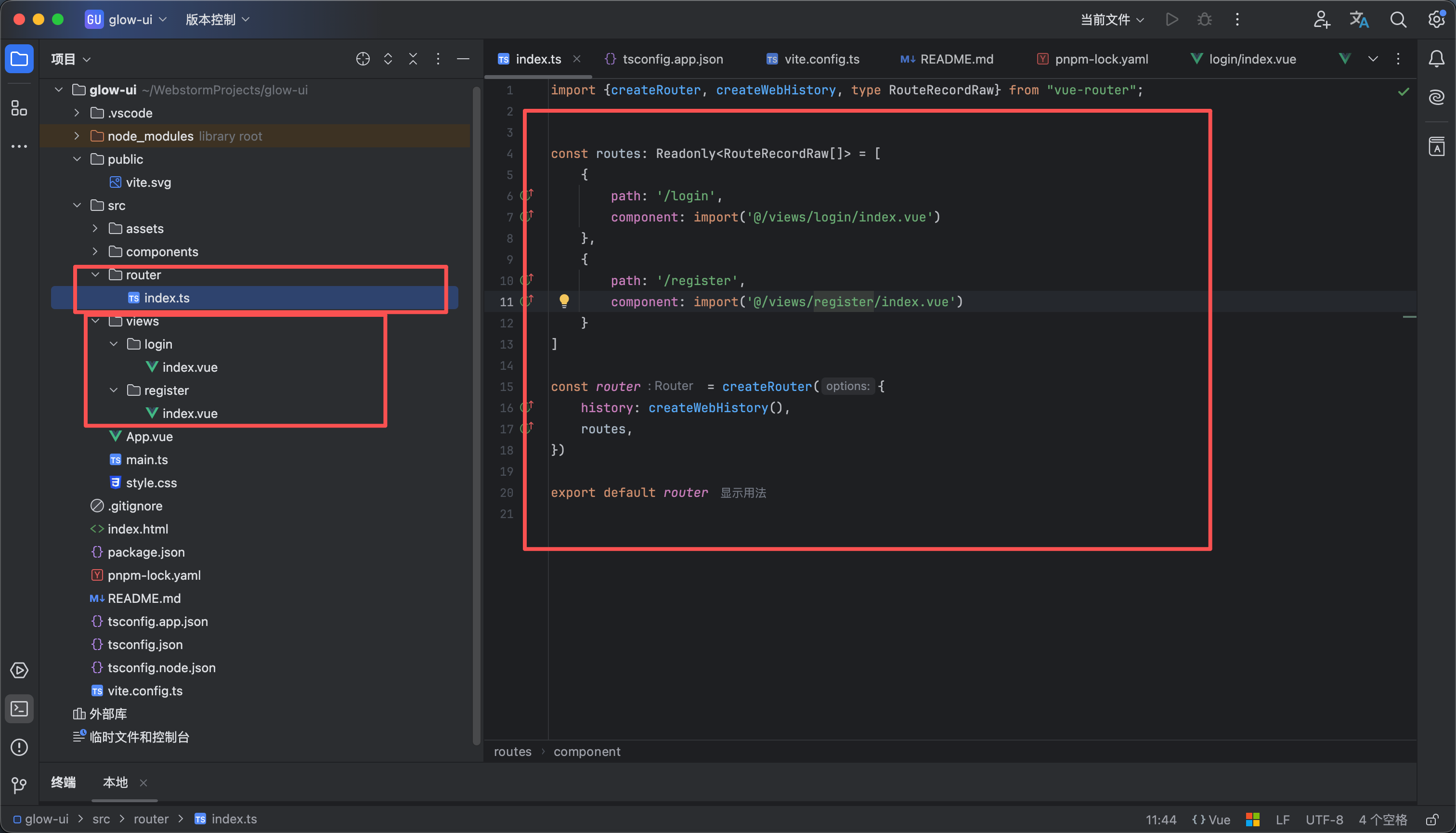
  2. 然后新建文件夹router和views 如图2诉讼 router放路由相关配置 views放页面
  3. 然后在router里面新建一个文件index.ts 添加以下代码 path是访问地址,component是vue展示的组件
import {createRouter, createWebHistory, type RouteRecordRaw} from "vue-router";


const routes: Readonly<RouteRecordRaw[]> = [
{
path: '/login',
component: import('@/views/login/index.vue')
},
{
path: '/register',
component: import('@/views/register/index.vue')
}
]

const router = createRouter({
history: createWebHistory(),
routes,
})

export default router
  1. 然后在main.ts中添加到app里即可如图3所示
16

安装 scss

如图1所示输入命令 pnpm add sass --save-dev

Vite 已经内置了对 SCSS 的支持,通常不需要额外的配置

要使用的话就如图2所示 在style标签上加入 lang=scss即可

17

安装配置axios

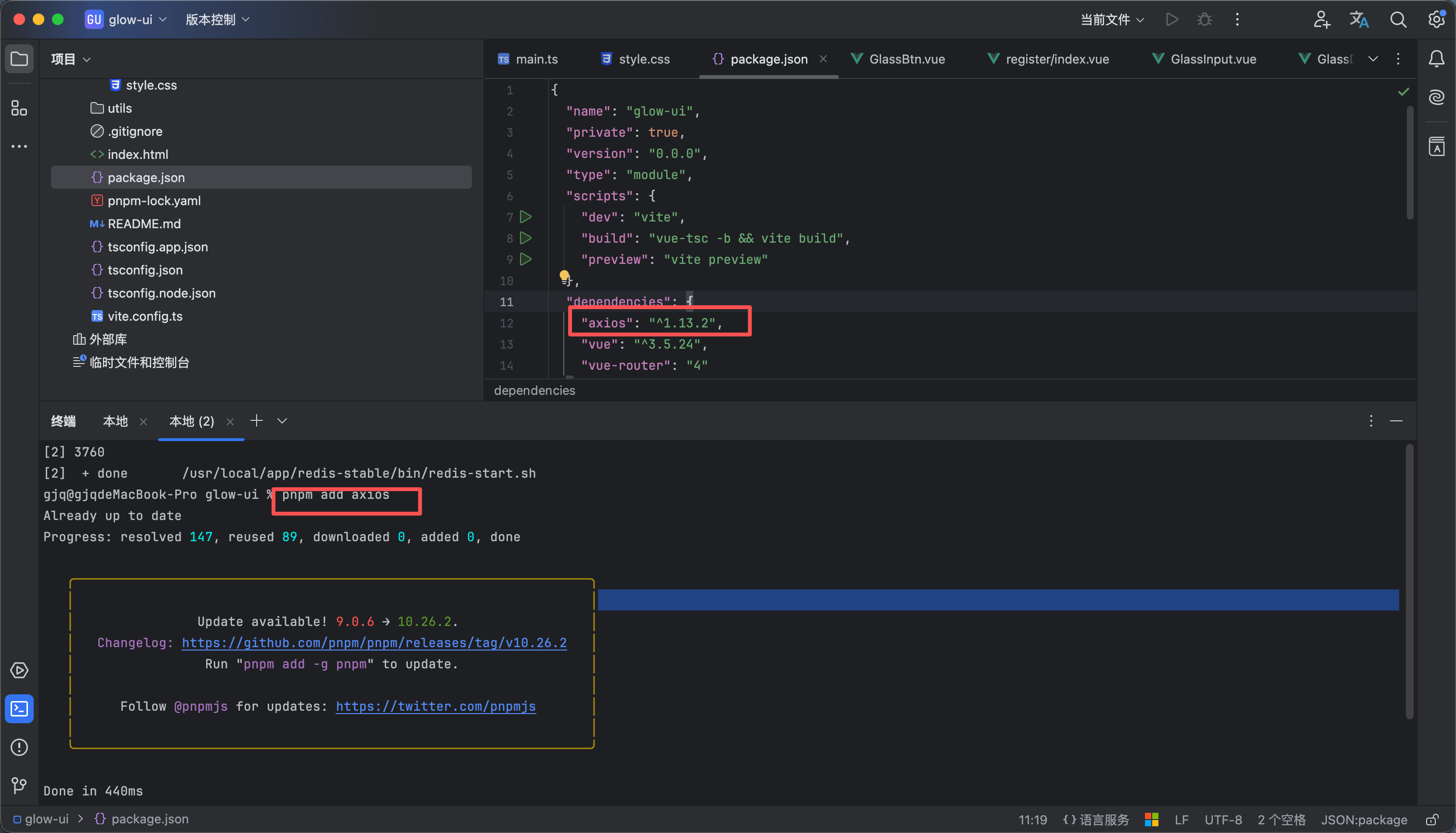
  1. 输入命令 pnpm add axios 如图1所示安装axios
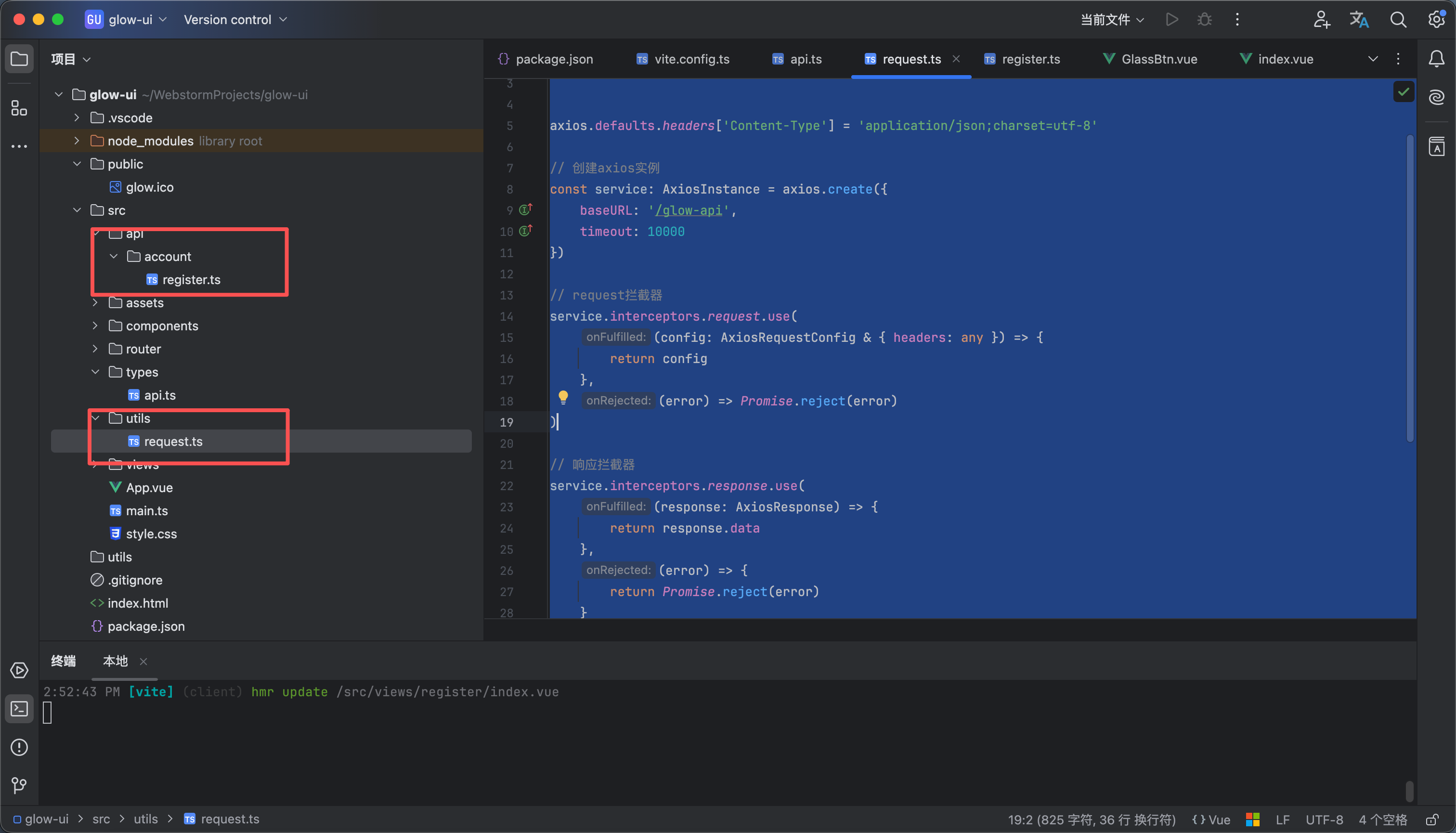
  2. 如图2所示新建一个utils文件夹 里面有个文件request.ts 内容如下
import axios, {type AxiosInstance, type AxiosRequestConfig, type AxiosResponse} from 'axios'
import type {ApiResponse} from "@/types/api.ts";
import notification from "@/components/notification/notification.ts";


axios.defaults.headers['Content-Type'] = 'application/json;charset=utf-8'

// 创建axios实例
const service: AxiosInstance = axios.create({
baseURL: '/glow-api',
timeout: 10000
})

// request拦截器
service.interceptors.request.use(
(config: AxiosRequestConfig & { headers: any }) => {
return config
},
(error) => Promise.reject(error)
)

// 响应拦截器
service.interceptors.response.use(
(response: AxiosResponse) => {
const data = response.data;
// 未设置状态码则默认成功状态
const code = data.code || 200;
// 判断是否为500
if (code == 500) {
// 异常提示
notification.error({title: "错误提示", message: data.message});
}

return data
},
(error) => {
return Promise.reject(error)
}
)

const request = <T = any>(config: AxiosRequestConfig<T>): Promise<ApiResponse<T>> => {
return service.request(config)
}


export default request

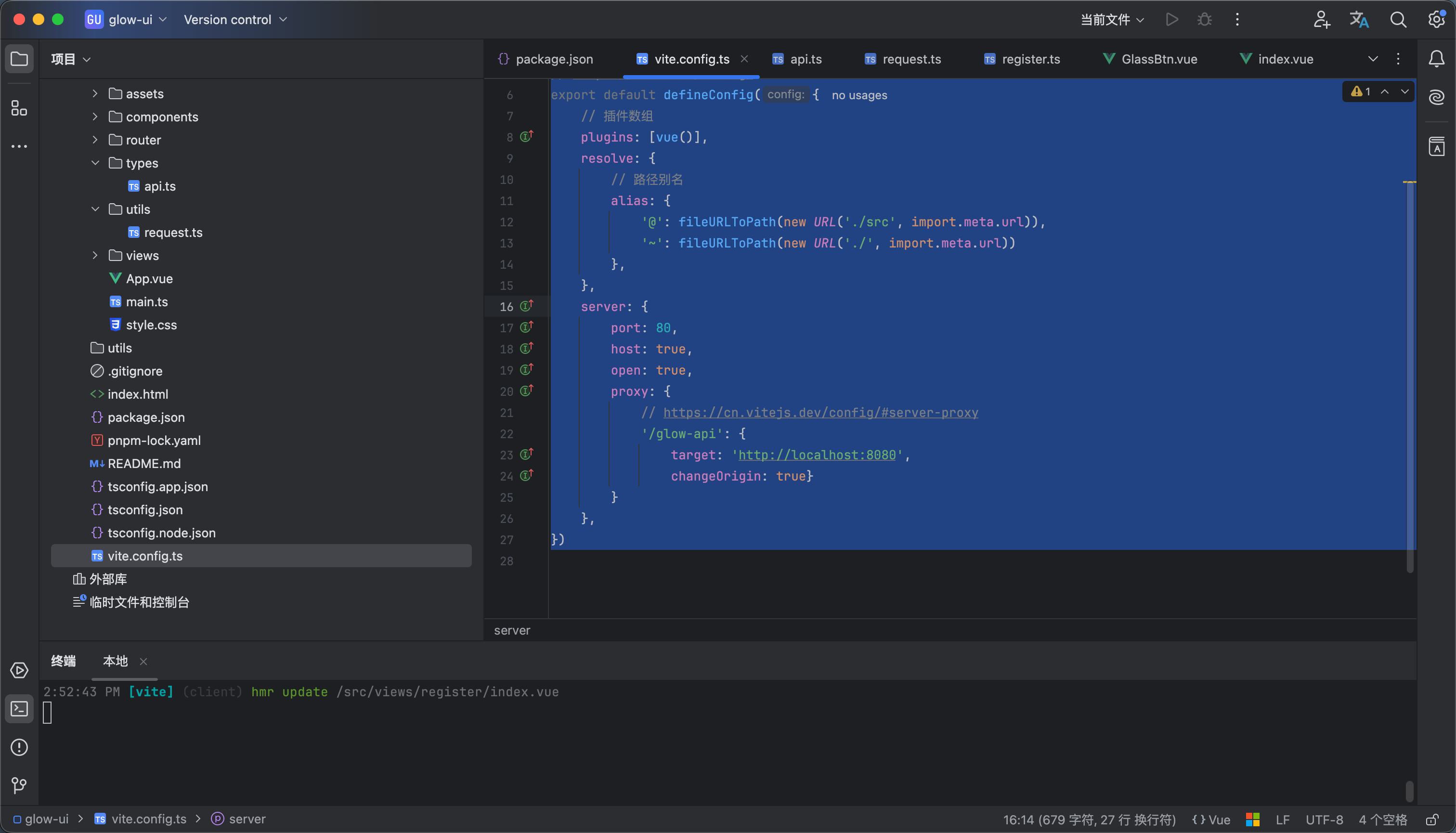
  1. 然后设置代理修改配置文件vite.config 如图3所示 内容如下
import {defineConfig} from 'vite'
import vue from '@vitejs/plugin-vue'
import {fileURLToPath} from "node:url";

// https://vite.dev/config/
export default defineConfig({
// 插件数组
plugins: [vue()],
resolve: {
// 路径别名
alias: {
'@': fileURLToPath(new URL('./src', import.meta.url)),
'~': fileURLToPath(new URL('./', import.meta.url))
},
},
server: {
port: 80,
host: true,
open: true,
proxy: {
// https://cn.vitejs.dev/config/#server-proxy
'/glow-api': {
target: 'http://localhost:8080',
changeOrigin: true}
}
},
})


18

安装pinia

https://pinia.vuejs.org/zh/core-concepts/ 这个是pinia 官网


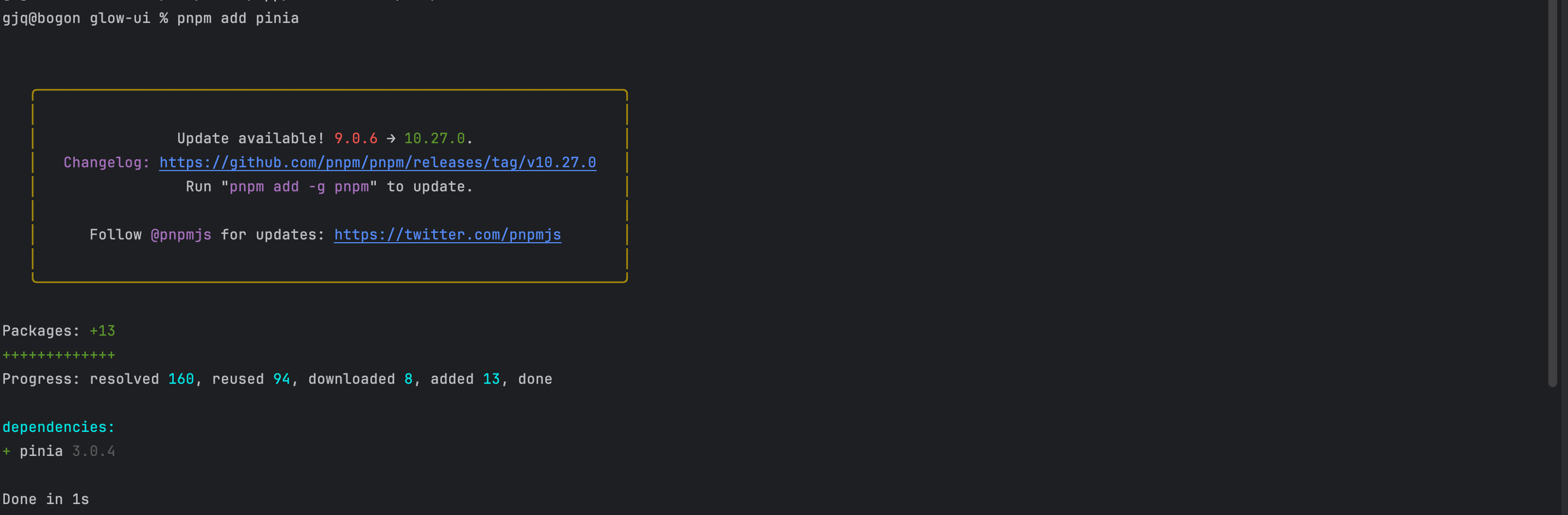
  1. 输入命令 pnpm add pinia 如图1所示
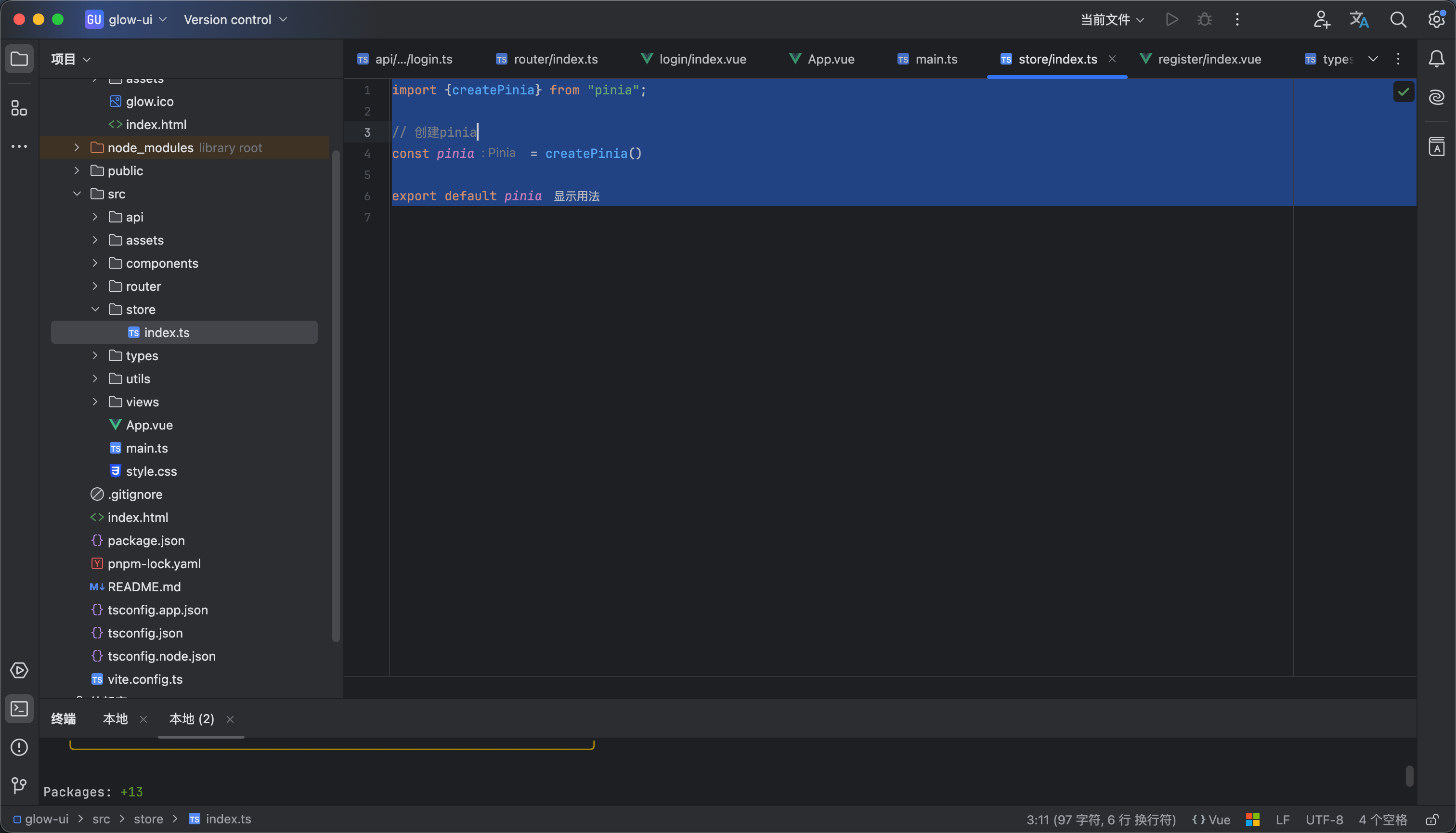
  2. 我们在src下面新建一个store文件夹 里面创建一个index.ts 文件 文件内容如图2所示
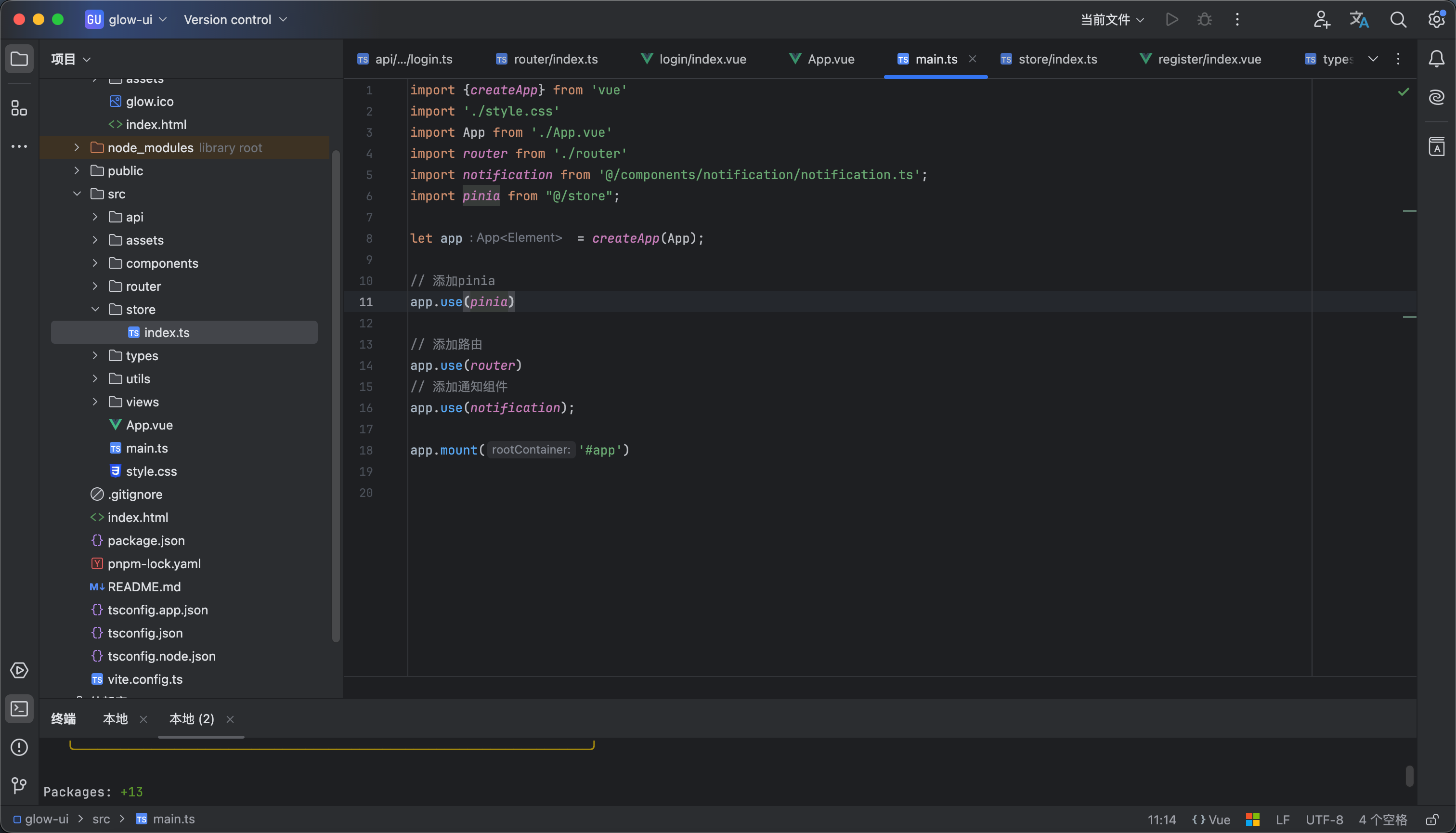
  3. 然后我们把pinia挂载到app上 如图3所示
19

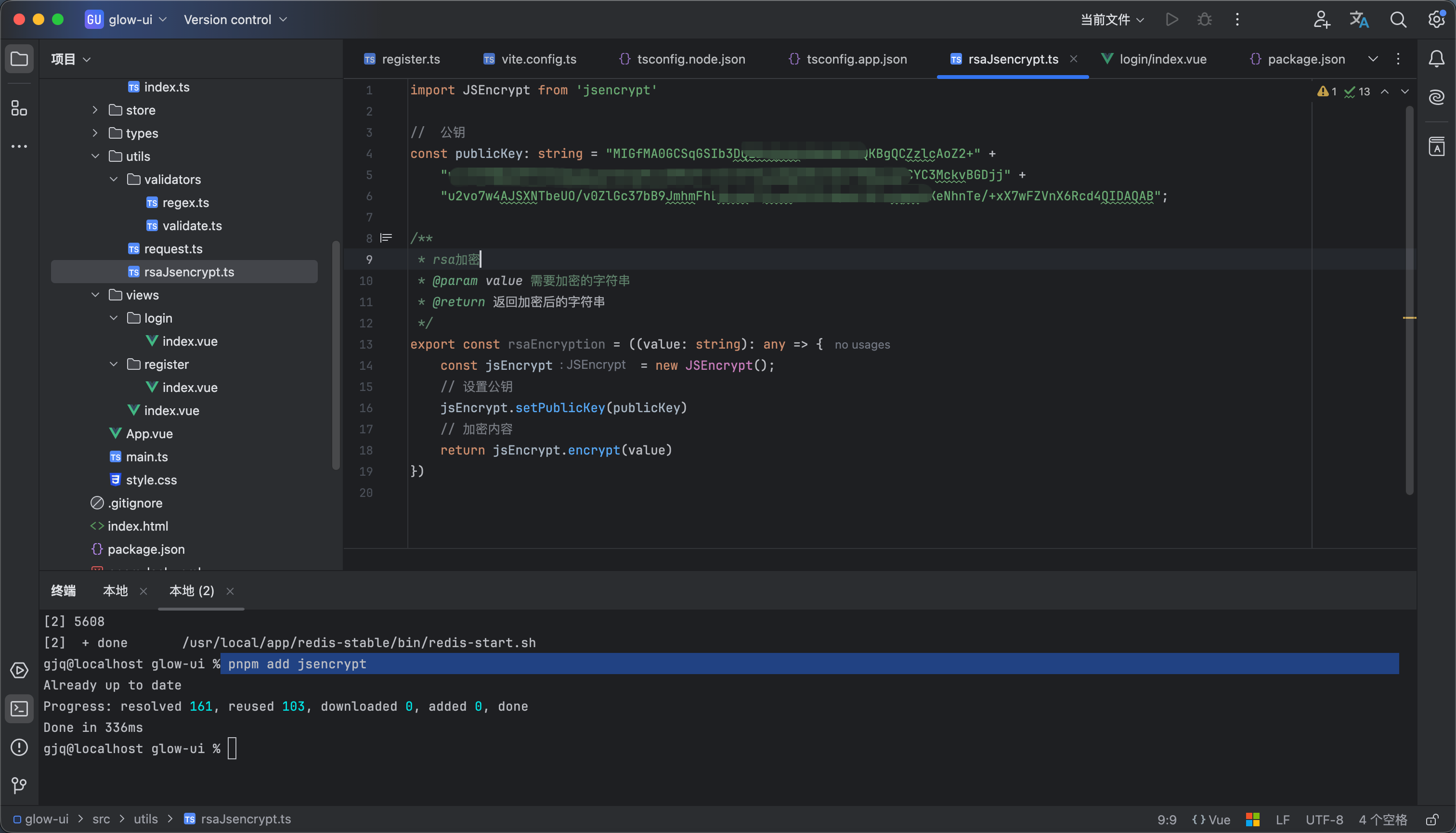
按照rsa加密工具

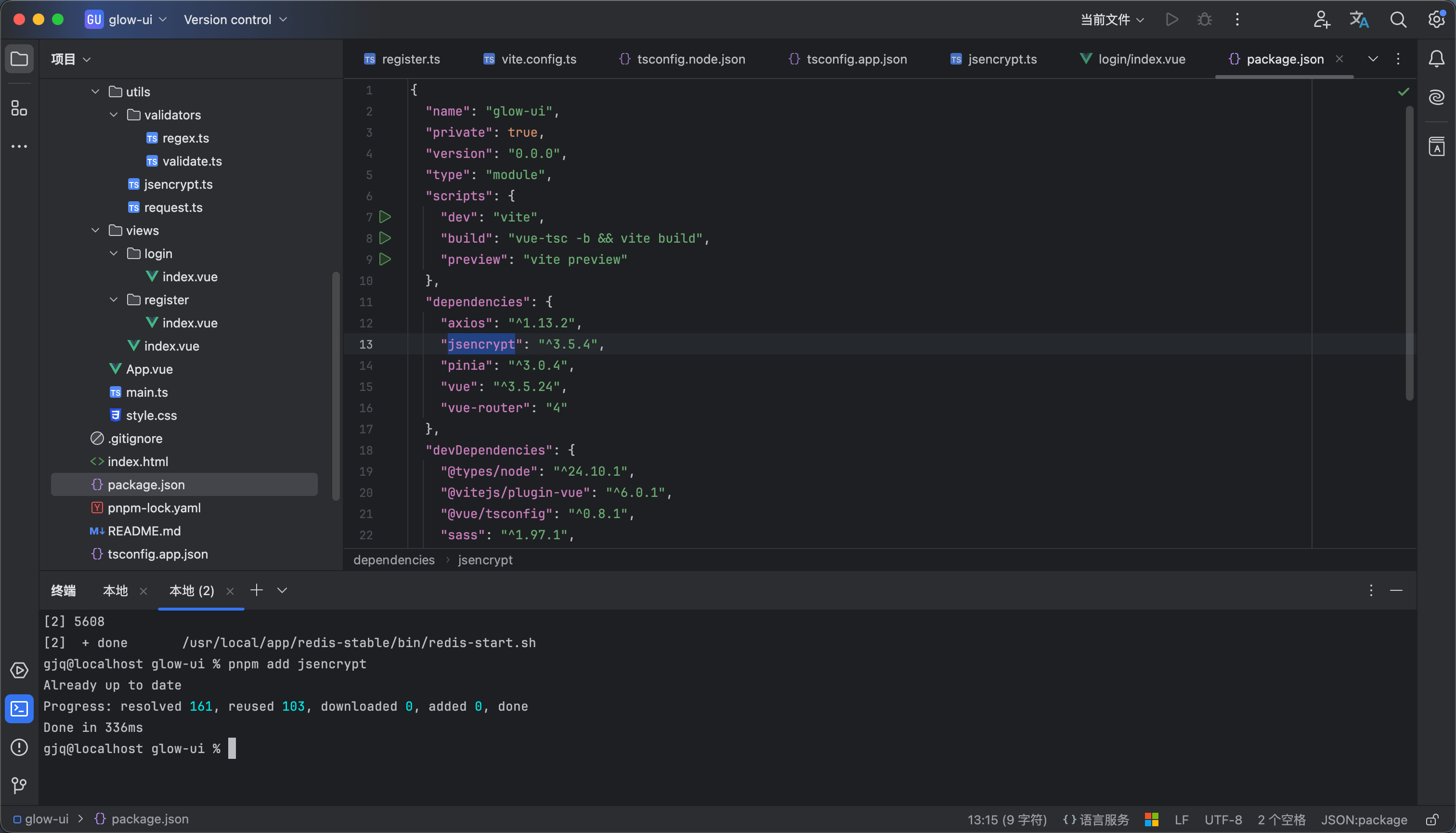
输入命令 pnpm add jsencrypt


新建一个 jsencrypt 的工具类 内容如下 如图所示

import JSEncrypt from 'jsencrypt'

// 公钥
const publicKey: string = "";

/**
* rsa加密
* @param value 需要加密的字符串
* @return 返回加密后的字符串
*/
export const rsaEncryption = ((value: string): any => {
const jsEncrypt = new JSEncrypt();
// 设置公钥
jsEncrypt.setPublicKey(publicKey)
// 加密内容
return jsEncrypt.encrypt(value)
})


20

校验工具正则


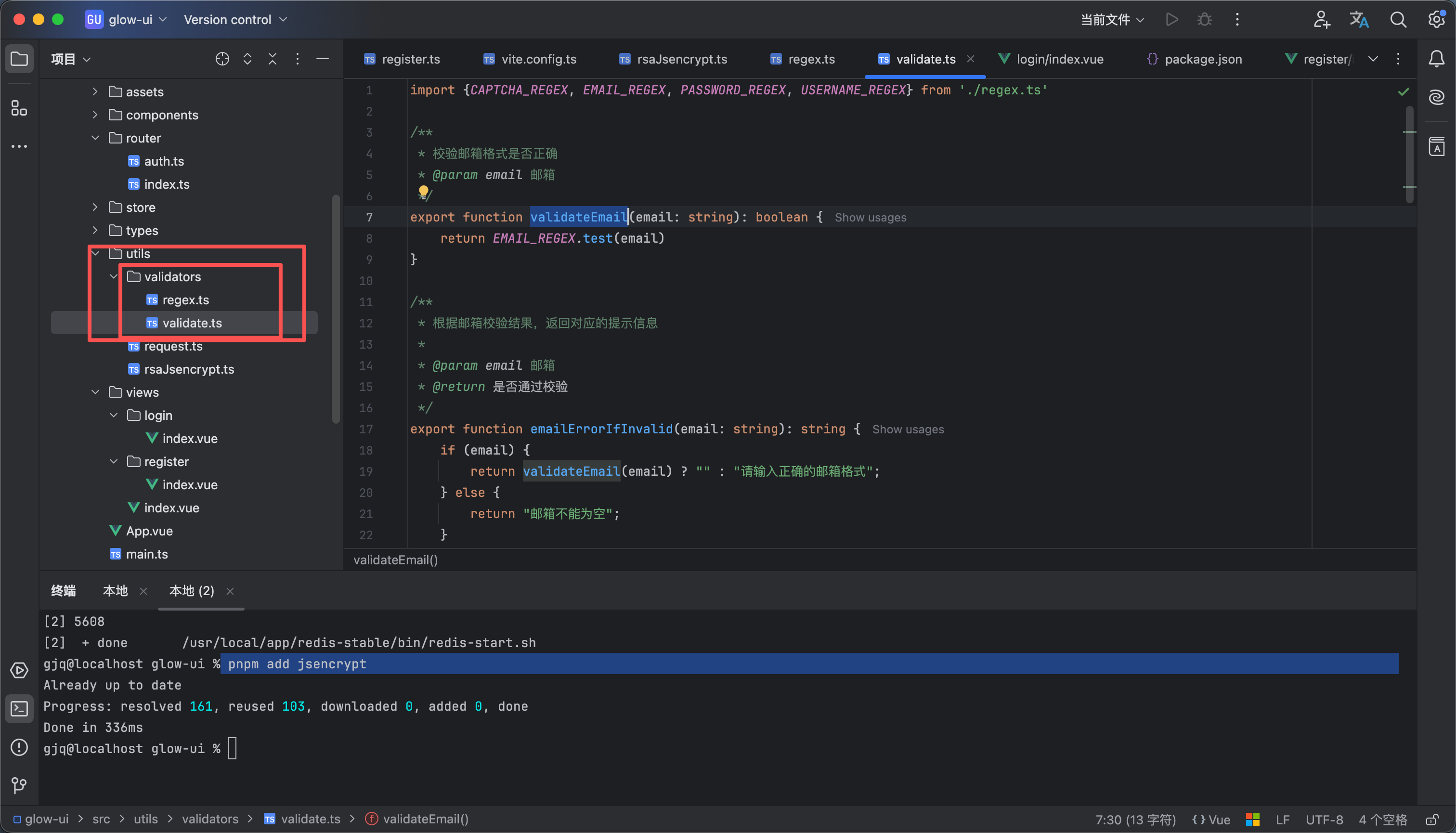
如图所示在 utils下面新建一个validators 文件夹 这个文件夹里面有regex.ts 用于放正则 和validate.ts用于放校验方法


regex.ts 这个里面是一些正则的匹配
// 账号校验的正则
export const USERNAME_REGEX = /^[A-Za-z0-9]{4,16}$/

// 邮箱校验正则
export const EMAIL_REGEX = /^[A-Za-z0-9._%+-]+@[A-Za-z0-9.-]+\.[A-Za-z]{2,}$/

// 密码校验正则
export const PASSWORD_REGEX = /^.{6,20}$/

// 验证码校验正则
export const CAPTCHA_REGEX = /^\d{6}$/


validate.ts 这个里面是一些公共的校验方法 就不用每个需要校验的地方都写一遍了
import {CAPTCHA_REGEX, EMAIL_REGEX, PASSWORD_REGEX, USERNAME_REGEX} from './regex.ts'

/**
* 校验邮箱格式是否正确
* @param email 邮箱
*/
export function validateEmail(email: string): boolean {
return EMAIL_REGEX.test(email)
}

/**
* 根据邮箱校验结果,返回对应的提示信息
*
* @param email 邮箱
* @return 是否通过校验
*/
export function emailErrorIfInvalid(email: string): string {
if (email) {
return validateEmail(email) ? "" : "请输入正确的邮箱格式";
} else {
return "邮箱不能为空";
}
}


/**
* 校验密码格式是否正确
* @param password 密码
*/
export function validatePassword(password: string): boolean {
return PASSWORD_REGEX.test(password)
}

/**
* 根据密码校验结果,返回对应的提示信息
*
* @param password 密码
* @return 是否通过校验
*/
export function passwordErrorIfInvalid(password: string): string {
if (password) {
return validatePassword(password) ? "" : "请输入6-20位的密码";
} else {
return "密码不能为空";
}
}

/**
* 校验账号格式是否正确
* @param username 账号
*/
export function validateUsername(username: string): boolean {
return USERNAME_REGEX.test(username)
}

/**
* 根据账号校验结果,返回对应的提示信息
*
* @param username 账号
* @return 是否通过校验
*/
export function usernameErrorIfInvalid(username: string): string {
if (username) {
return validateUsername(username) ? "" : "账号需为4-16位的数字或字母";
} else {
return "账号不能为空";
}
}


/**
* 校验验证码格式是否正确
* @param captcha 验证码
*/
export function validateCaptcha(captcha: string): boolean {
return CAPTCHA_REGEX.test(captcha)
}

/**
* 根据验证码校验结果,返回对应的提示信息
*
* @param captcha 验证码
* @return 是否通过校验
*/
export function captchaErrorIfInvalid(captcha: string): string {
if (captcha) {
return validateCaptcha(captcha) ? "" : "请输入6位验证码";
} else {
return "验证码不能为空";
}
}


21

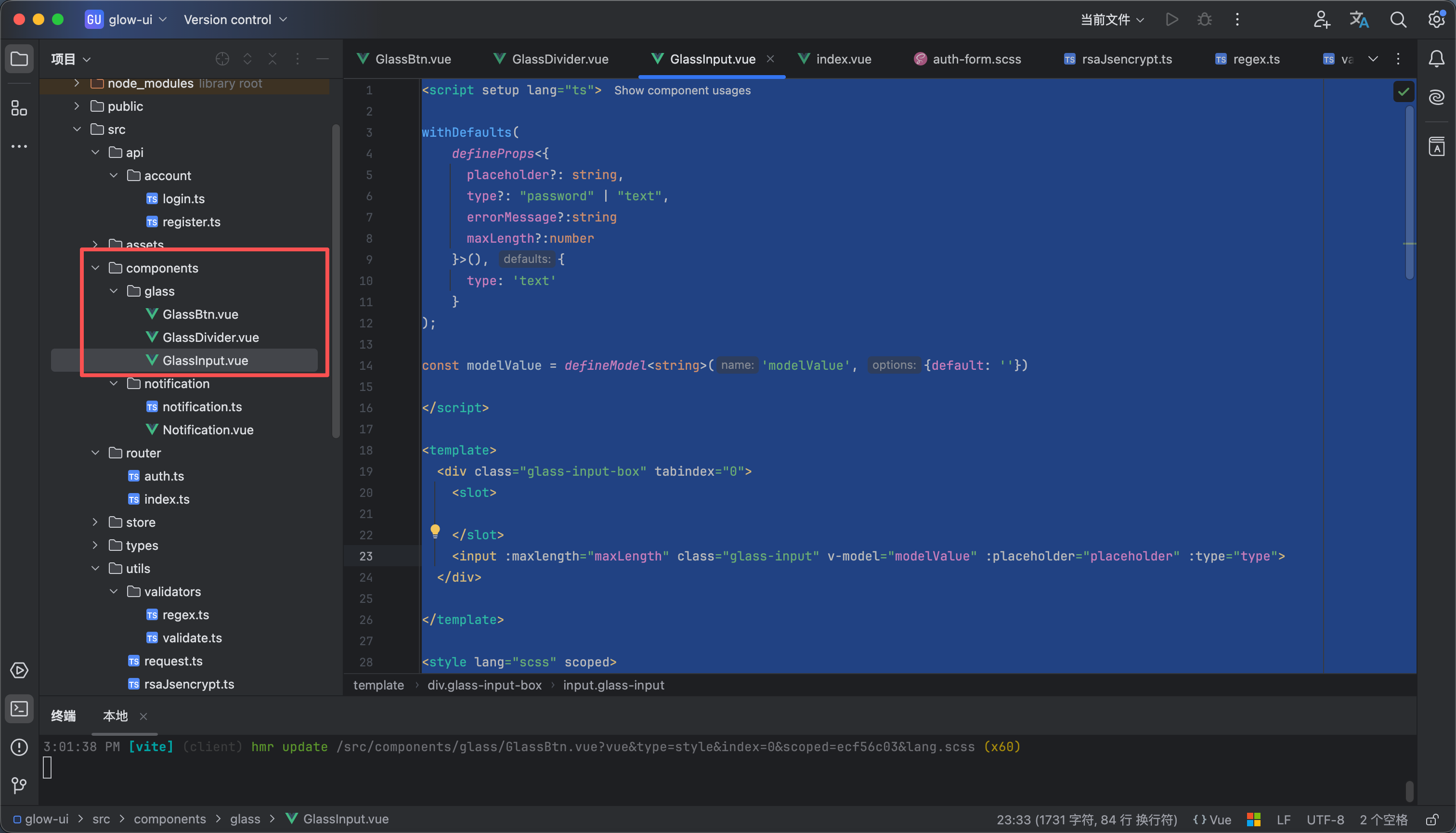
常用组件

我写了几个公共会用的到的常用组件 内容如下


GlassBtn.vue 这个是按钮组件
<script setup lang="ts">
withDefaults(
defineProps<{
disabled?: boolean,
}>(), {
disabled: false
}
);
</script>

<template>
<button :disabled="disabled" :class="`glass-btn glass-container ${disabled?'glass-btn-disable':''}`">
<slot/>
</button>
</template>

<style scoped lang="scss">

/* 液态玻璃按钮样式*/
.glass-btn {
overflow: hidden;
position: relative;
padding: 10px;
border-radius: 15px;
box-shadow: 0 6px 16px rgba(0, 0, 0, 0.15), inset 0 1px 0 rgba(255, 255, 255, 0.18);
}

/* 流光伪元素 */
.glass-btn::before {
content: "";
position: absolute;
top: 0;
left: -50%; /* 初始位置在左外侧 */
width: 50%;
height: 100%;
background: linear-gradient(
120deg,
rgba(255,255,255,0) 0%,
rgba(255,255,255,0.3) 50%,
rgba(255,255,255,0) 100%
);
transform: skewX(-20deg);
transition: none;
}

/* hover 滑动动画 */
.glass-btn:hover::before {
animation: shine 0.8s forwards;
}

@keyframes shine {
0% { left: -75%; }
100% { left: 125%; }
}

.glass-btn:active::after {
opacity: 1;
}


// 液态玻璃按钮禁用样式
.glass-btn-disable {
background: rgba(200, 200, 200, 0.1);
backdrop-filter: blur(5px);
border: 2px solid rgba(200, 200, 200, 0.3);
color: rgba(255, 255, 255, 0.6);
pointer-events: none;
opacity: 0.8;
box-shadow: none;
}
</style>


GlassDivider.vue 这个分割线是类似于渐变的效果
<script setup lang="ts">

</script>

<template>
<div class="glass-divider"></div>
</template>

<style lang="scss" scoped>

.glass-divider{
height: 1px;
background: linear-gradient(90deg, transparent, rgba(255, 255, 255, 0.2), transparent);
}
</style>


GlassInput.vue 这个是输入框组件
<script setup lang="ts">

withDefaults(
defineProps<{
placeholder?: string,
type?: "password" | "text",
errorMessage?:string
maxLength?:number
}>(), {
type: 'text'
}
);

const modelValue = defineModel<string>('modelValue', {default: ''})

</script>

<template>
<div class="glass-input-box" tabindex="0">
<slot>

</slot>
<input :maxlength="maxLength" class="glass-input" v-model="modelValue" :placeholder="placeholder" :type="type">
</div>

</template>

<style lang="scss" scoped>
// input 的外层边框
.glass-input-box {
display: flex;
height: 36px;
background-color: #ffffff0d;
border: 1.5px solid rgba(255, 255, 255, 0.15);
backdrop-filter: blur(20px);
padding: 2px 8px;
border-radius: 10px;
transition: all 0.3s cubic-bezier(0.4, 0, 0.2, 1);
box-shadow: 0 6px 16px rgba(0, 0, 0, 0.15), inset 0 1px 0 rgba(255, 255, 255, 0.18);

}

// 输入框点击样式
.glass-input-box:focus-within {
background-color: rgba(255, 255, 255, 0.1);
border: 1.5px solid rgba(255, 255, 255, 0.3);
box-shadow: 0 0 5px 2px rgba(255, 255, 255, 0.05);
}

// 输入框悬浮样式
.glass-input-box:hover {
border: 1.5px solid rgba(255, 255, 255, 0.4);
box-shadow: 0 0 5px 2px rgba(255, 255, 255, 0.05);
}

// 输入框样式
.glass-input {
flex: 1;
background: none;
border: none;
color: white;
font-weight: 600;
outline: none;
}

/* Standard browsers */
.glass-input::placeholder {
font-size: 12px;
color: rgba(255, 255, 255, 0.6);
}

/* Microsoft Edge (Legacy) */
.glass-input::-ms-input-placeholder {
font-size: 12px;
color: rgba(255, 255, 255, 0.6);
}

/* Internet Explorer 10-11 */
.glass-input::-ms-input-placeholder {
font-size: 12px;
color: rgba(255, 255, 255, 0.6);
}

</style>


22

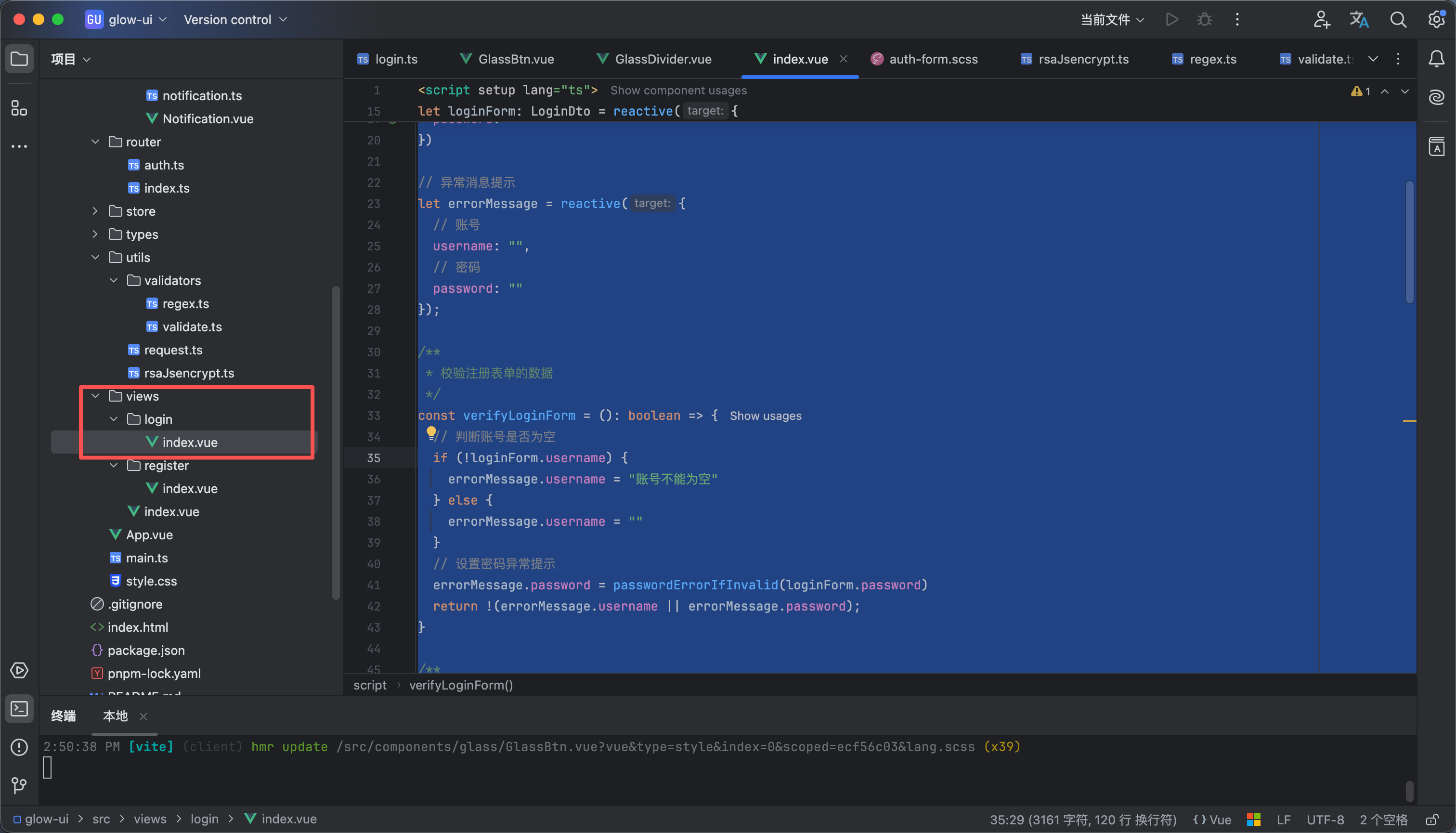
编写登录页面

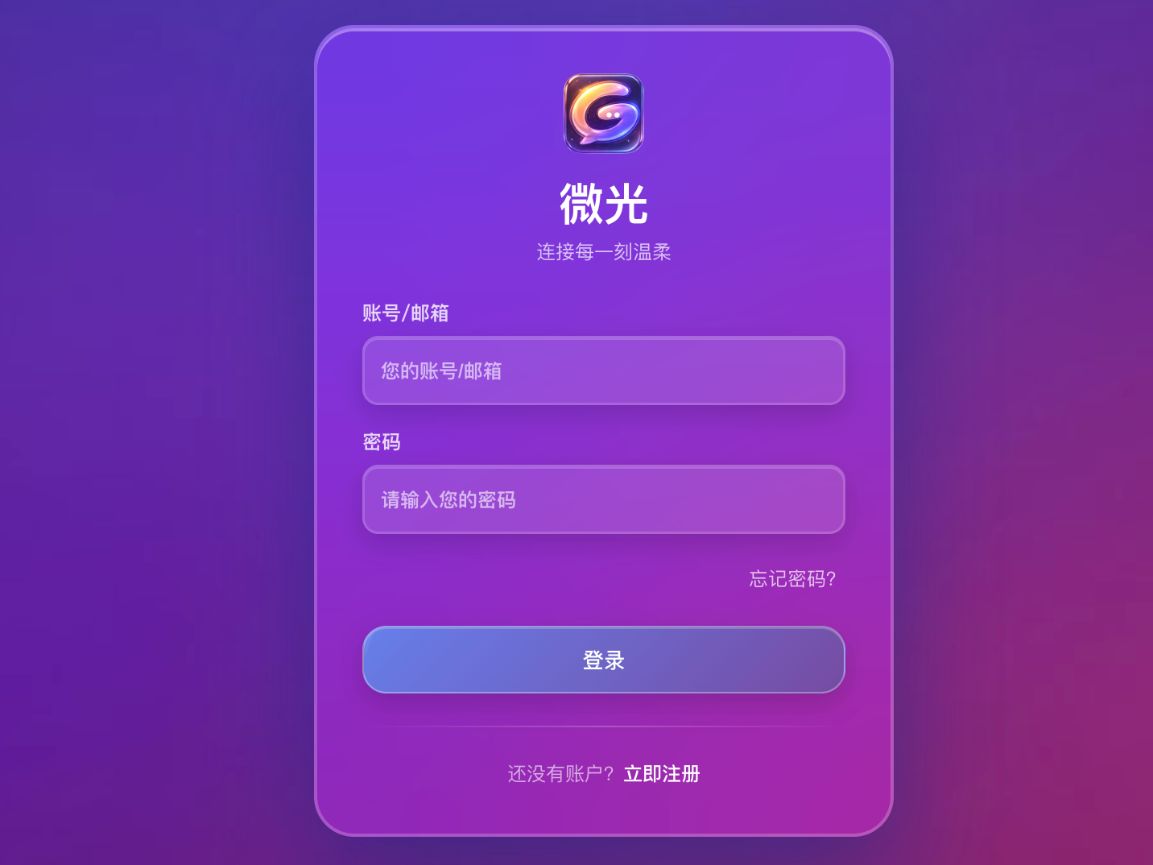
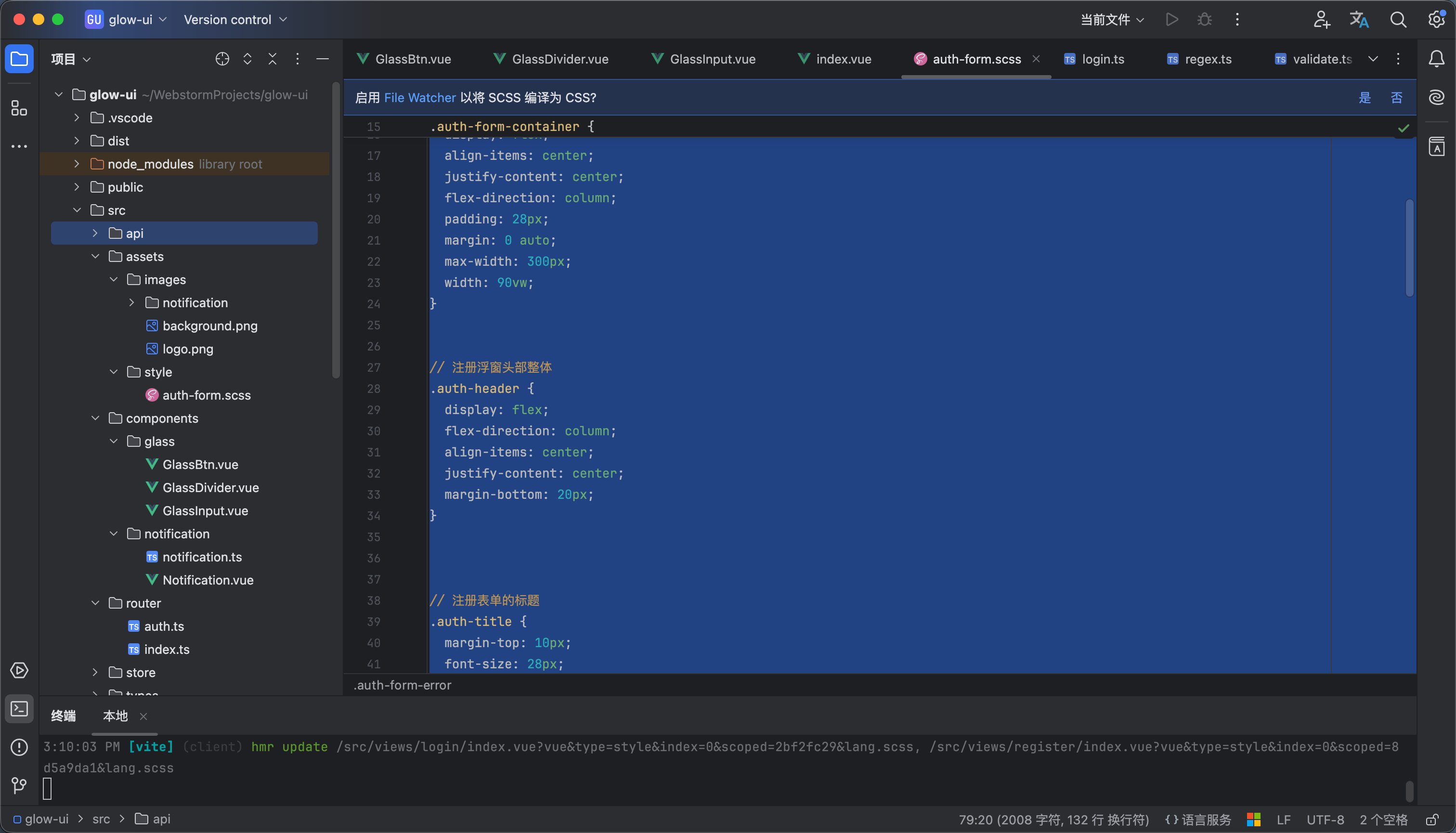
该页面的样式和图片我放附件了大家自行下载 如图2所示


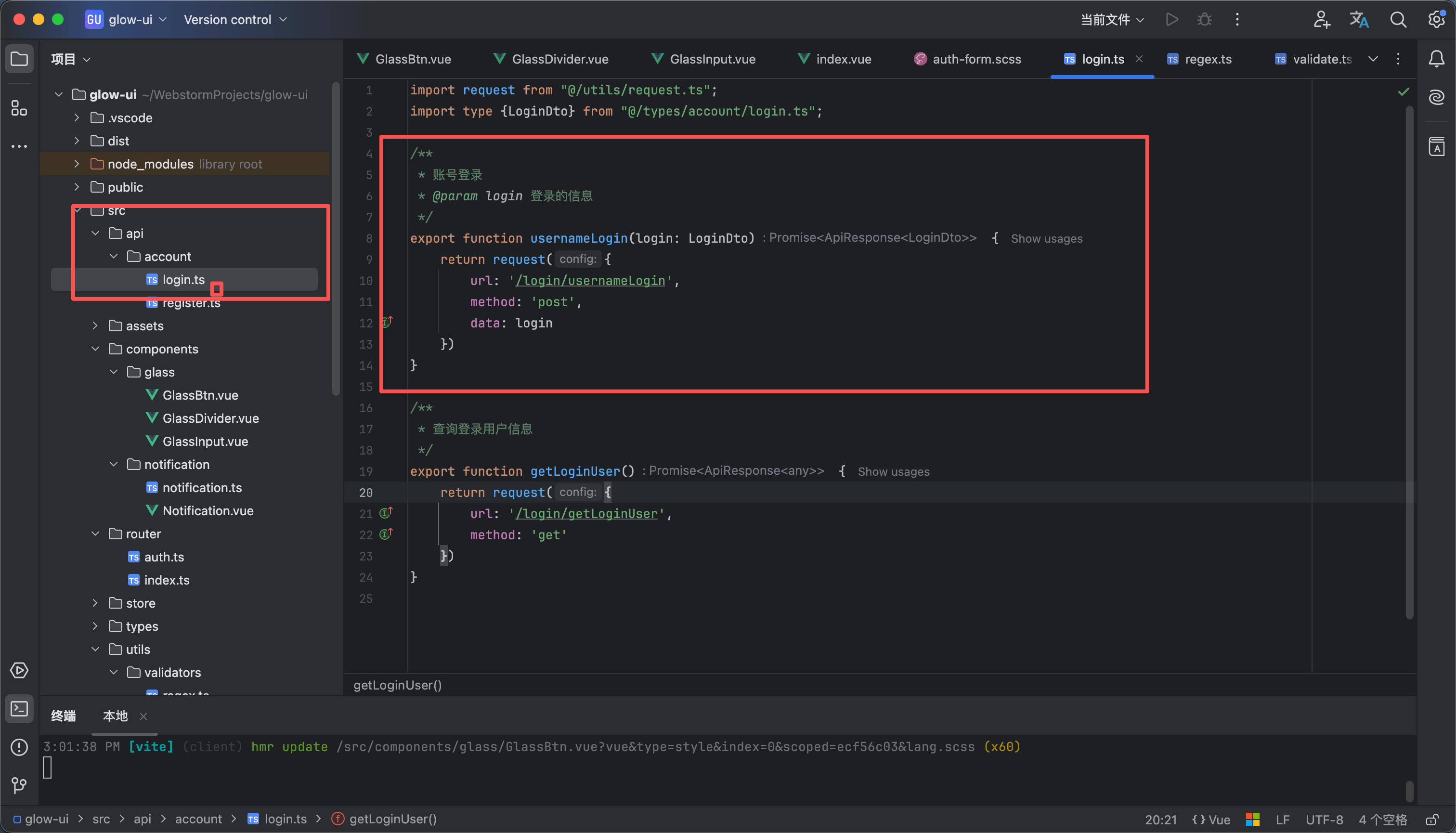
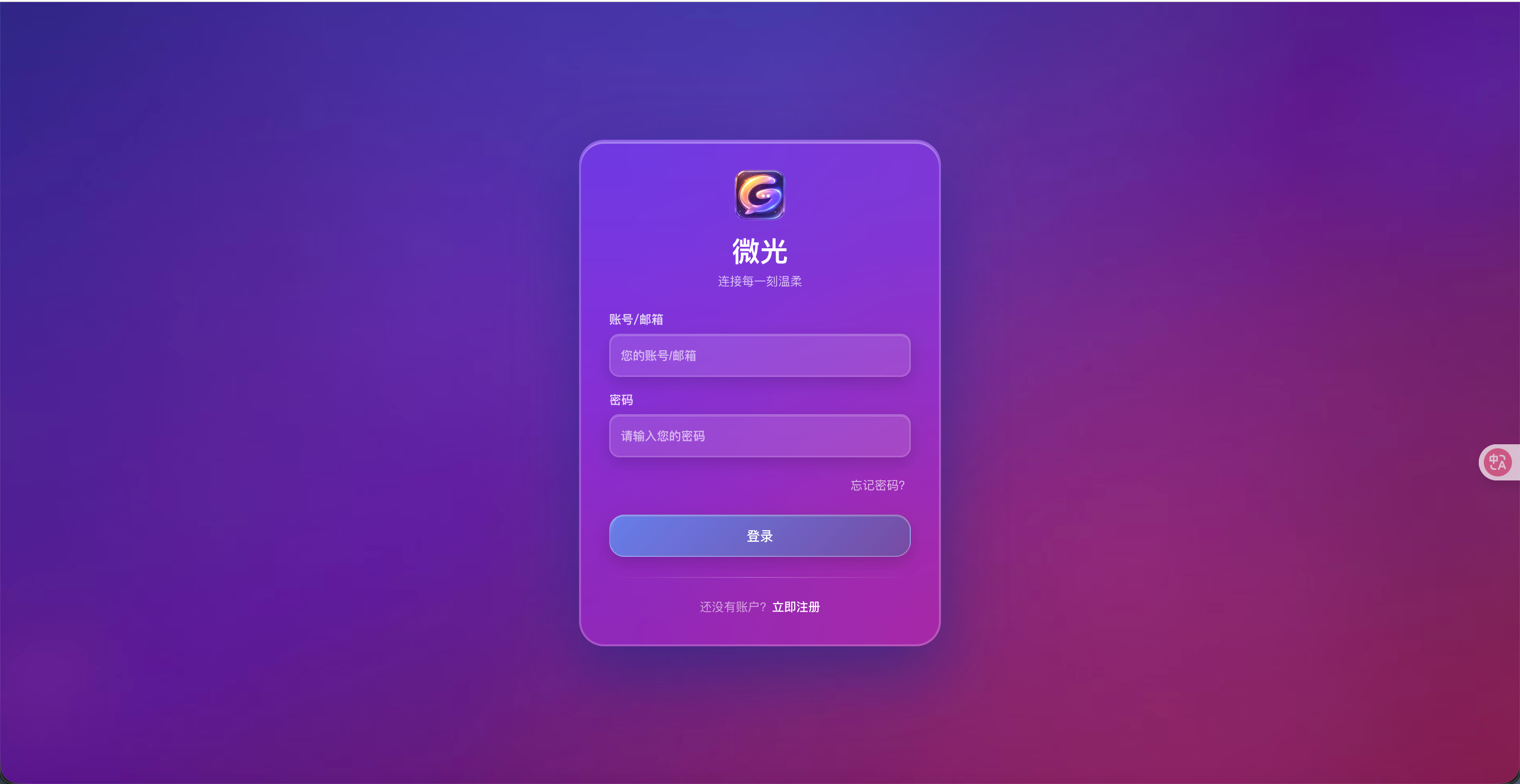
我们在api接口里面自行编写请求方法 如图2所示 内容示例如下 登录页面写完就如图3所示

/**
* 账号登录
* @param login 登录的信息
*/
export function usernameLogin(login: LoginDto) {
return request({
url: '/login/usernameLogin',
method: 'post',
data: login
})
}


login/index.vue
<script setup lang="ts">
import GlassInput from "@/components/glass/GlassInput.vue";
import GlassDivider from "@/components/glass/GlassDivider.vue";
import {usernameLogin} from "@/api/account/login.ts";
import type {LoginDto} from "@/types/account/login.ts";
import notification from "@/components/notification/notification.ts";
import router from "@/router";
import {reactive} from "vue";
import {passwordErrorIfInvalid} from "@/utils/validators/validate.ts";
import {rsaEncryption} from "@/utils/rsaJsencrypt.ts";
import GlassBtn from "@/components/glass/GlassBtn.vue";


// 登录表单
let loginForm: LoginDto = reactive({
// 账号
username: "",
// 密码
password: ""
})

// 异常消息提示
let errorMessage = reactive({
// 账号
username: "",
// 密码
password: ""
});

/**
* 校验注册表单的数据
*/
const verifyLoginForm = (): boolean => {
// 判断账号是否为空
if (!loginForm.username) {
errorMessage.username = "账号不能为空"
} else {
errorMessage.username = ""
}
// 设置密码异常提示
errorMessage.password = passwordErrorIfInvalid(loginForm.password)
return !(errorMessage.username || errorMessage.password);
}

/**
* 登录方法
*/
const login = () => {
// 校验登录
if (verifyLoginForm()) {
// 加密密码
const data: LoginDto = {username: loginForm.username, password: rsaEncryption(loginForm.password)}
// 登录
usernameLogin(data).then(response => {
if (response.code == 200) {
notification.success({message: "即将进入微光", title: "登录成功!!"})
router.push('/')
}
})
}

}


</script>

<template>
<div class="auth-box">
<div class="auth-form-container glass-card">
<div class="auth-header">
<img src="@/assets/images/logo.png" width="50" alt="logo">
<span class="auth-title">微光</span>
<span class="auth-slogan">连接每一刻温柔</span>
</div>

<div class="auth-form">
<div class="auth-form-item">
<label class="auth-form-label">账号/邮箱</label>
<div class="auth-input-box">
<GlassInput v-model="loginForm.username" placeholder="您的账号/邮箱"/>
<div v-text="errorMessage.username" class="auth-form-error"/>
</div>
</div>
<div class="auth-form-item">
<label class="auth-form-label">密码</label>
<div class="auth-input-box">
<GlassInput v-model="loginForm.password" placeholder="请输入您的密码"/>
<div v-text="errorMessage.password" class="auth-form-error"/>
</div>
</div>
<router-link to="/forgot-password" class="forgot-password">忘记密码?</router-link>
<glass-btn @click="login" class="auth-submit-btn">登录</glass-btn>
</div>
<GlassDivider class="auth-form-divider"/>
<div class="auth-form-footer">
还没有账户?
<router-link class="auth-footer-toLogin" to="/register">立即注册</router-link>
</div>
</div>
</div>
</template>

<style lang="scss" scoped>
@use "@/assets/style/auth-form";

// 忘记密码按钮
.forgot-password {
margin-top: 5px;
margin-left: auto;
font-size: 12px;
color: rgba(255, 255, 255, 0.7);
text-decoration: none;
}

.forgot-password:hover {
text-decoration: underline;
color: rgba(255, 255, 255, 0.9);

}
</style>


ZIP
assets.zip
1.07MB
23

路由鉴权

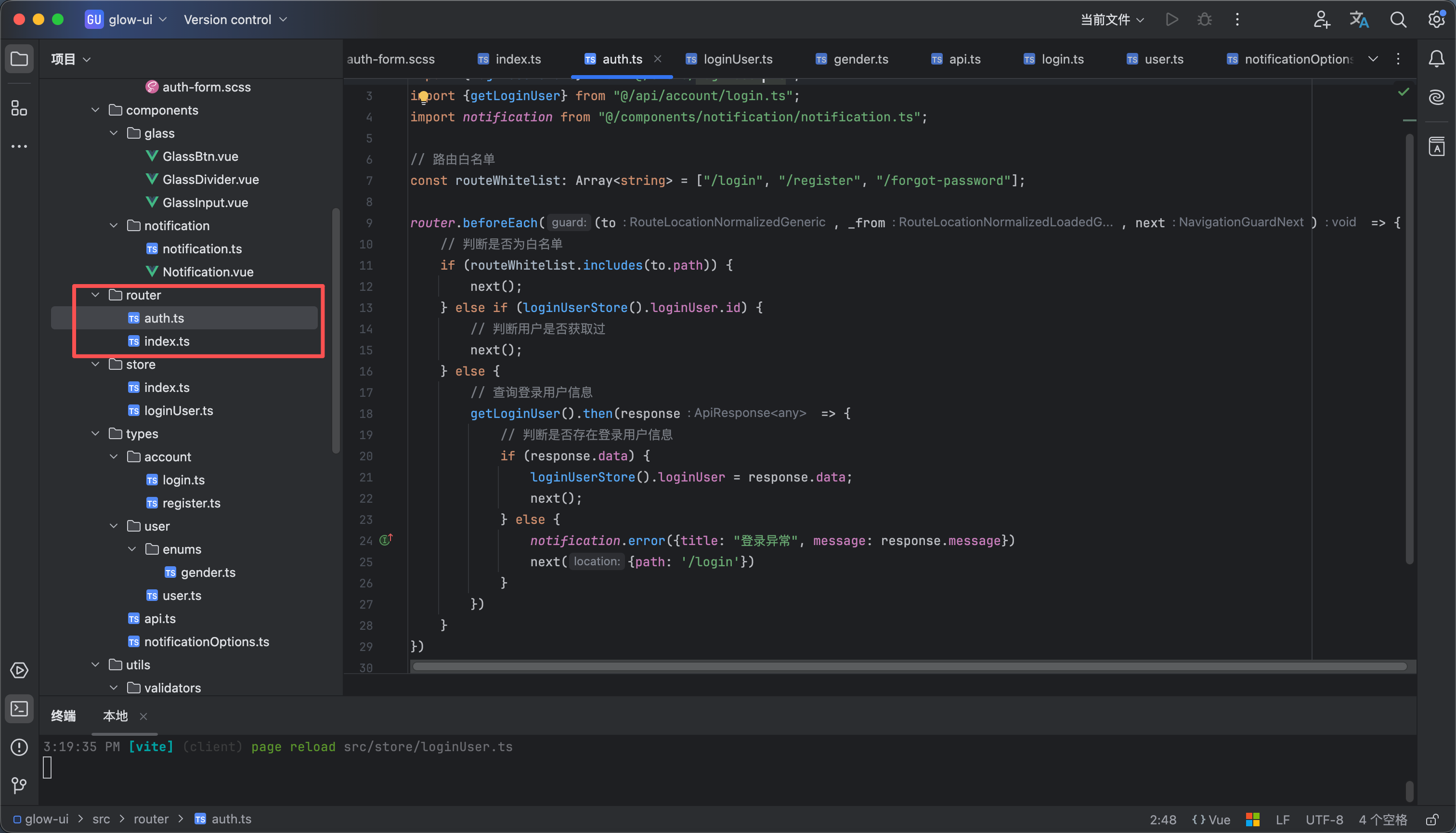
  1. 路由鉴权的流程大概就是在页面刷新的时候或者新页面的时候在路由首位中发起一个请求获取登录的用户信息存储到pinia里面作为一个全局对象使用,然后如果有这个信息就不允许访问登录页面 没有这个信息就不允许访问我们的主要页面
  2. 后端对应的接口是查询登录用户信息如图5
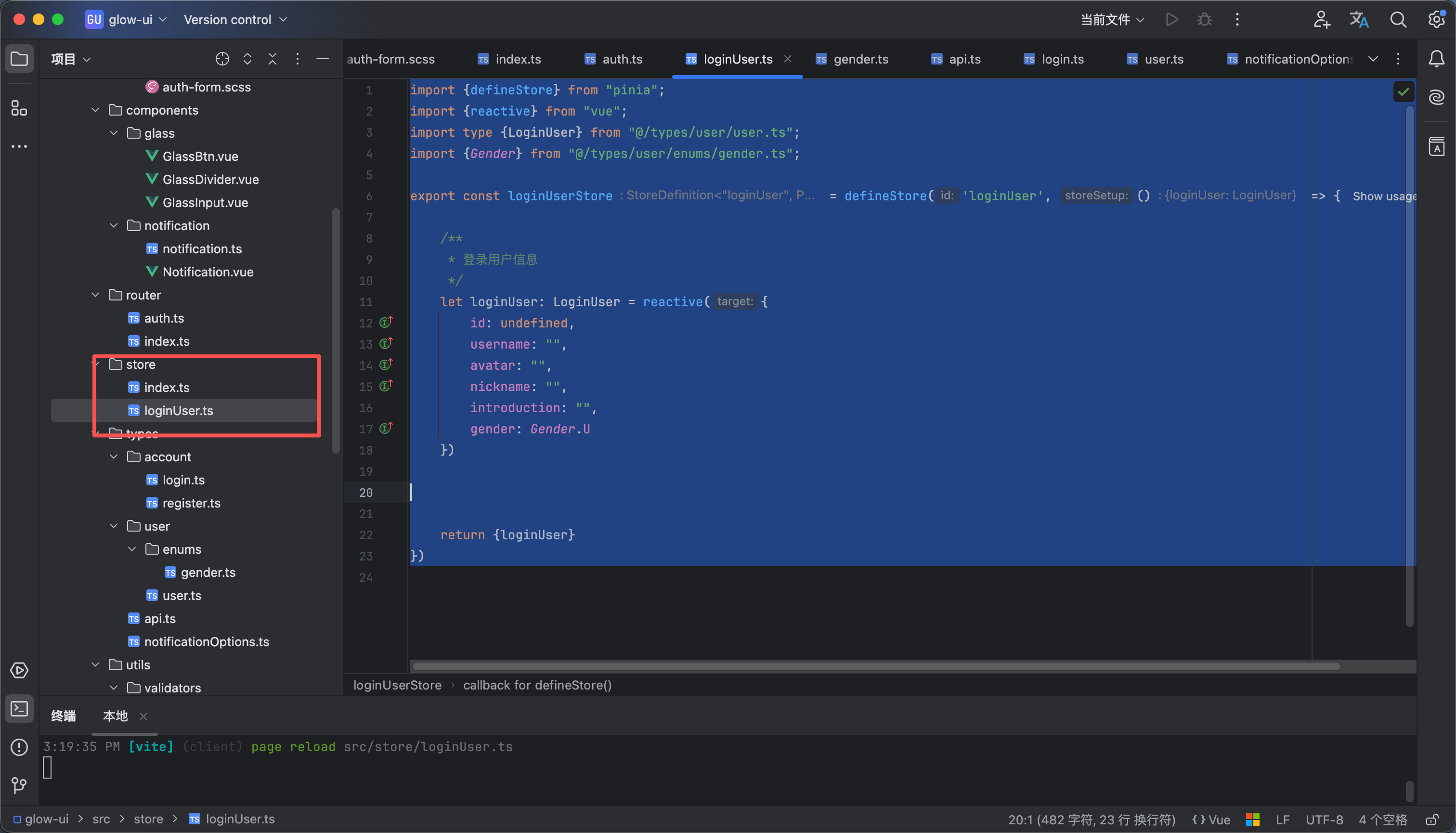
  3. pinia 内容如下 这里相当于我们声明初始化了一个对象 如图1所示
import {defineStore} from "pinia";
import {reactive} from "vue";
import type {LoginUser} from "@/types/user/user.ts";
import {Gender} from "@/types/user/enums/gender.ts";

export const loginUserStore = defineStore('loginUser', () => {

/**
* 登录用户信息
*/
let loginUser: LoginUser = reactive({
id: undefined,
username: "",
avatar: "",
nickname: "",
introduction: "",
gender: Gender.U
})


return {loginUser}
})
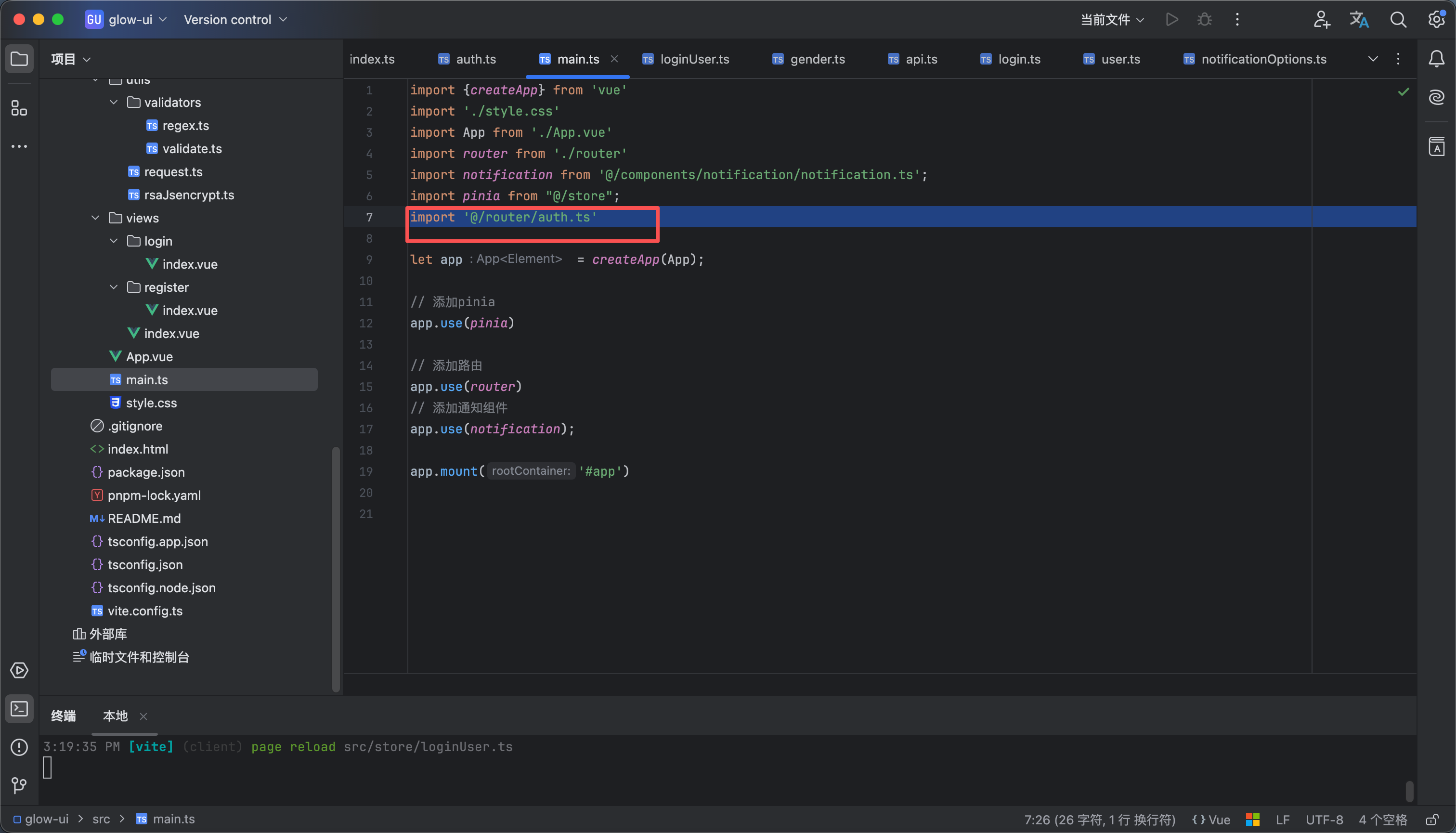
  1. 然后我们在全局路由的时候在进行给这个对象赋值操作 如图2所示 内容如下 大家记得在main.ts中引入 如图3
import router from "@/router/index.ts";
import {loginUserStore} from "@/store/loginUser.ts";
import {getLoginUser} from "@/api/account/login.ts";
import notification from "@/components/notification/notification.ts";

// 路由白名单
const routeWhitelist: Array<string> = ["/login", "/register", "/forgot-password"];

router.beforeEach((to, _from, next) => {
// 判断是否为白名单
if (routeWhitelist.includes(to.path)) {
next();
} else if (loginUserStore().loginUser.id) {
// 判断用户是否获取过
next();
} else {
// 查询登录用户信息
getLoginUser().then(response => {
// 判断是否存在登录用户信息
if (response.data) {
loginUserStore().loginUser = response.data;
next();
} else {
notification.error({title: "登录异常", message: response.message})
next({path: '/login'})
}
})
}
})
  1. 效果看视频
24

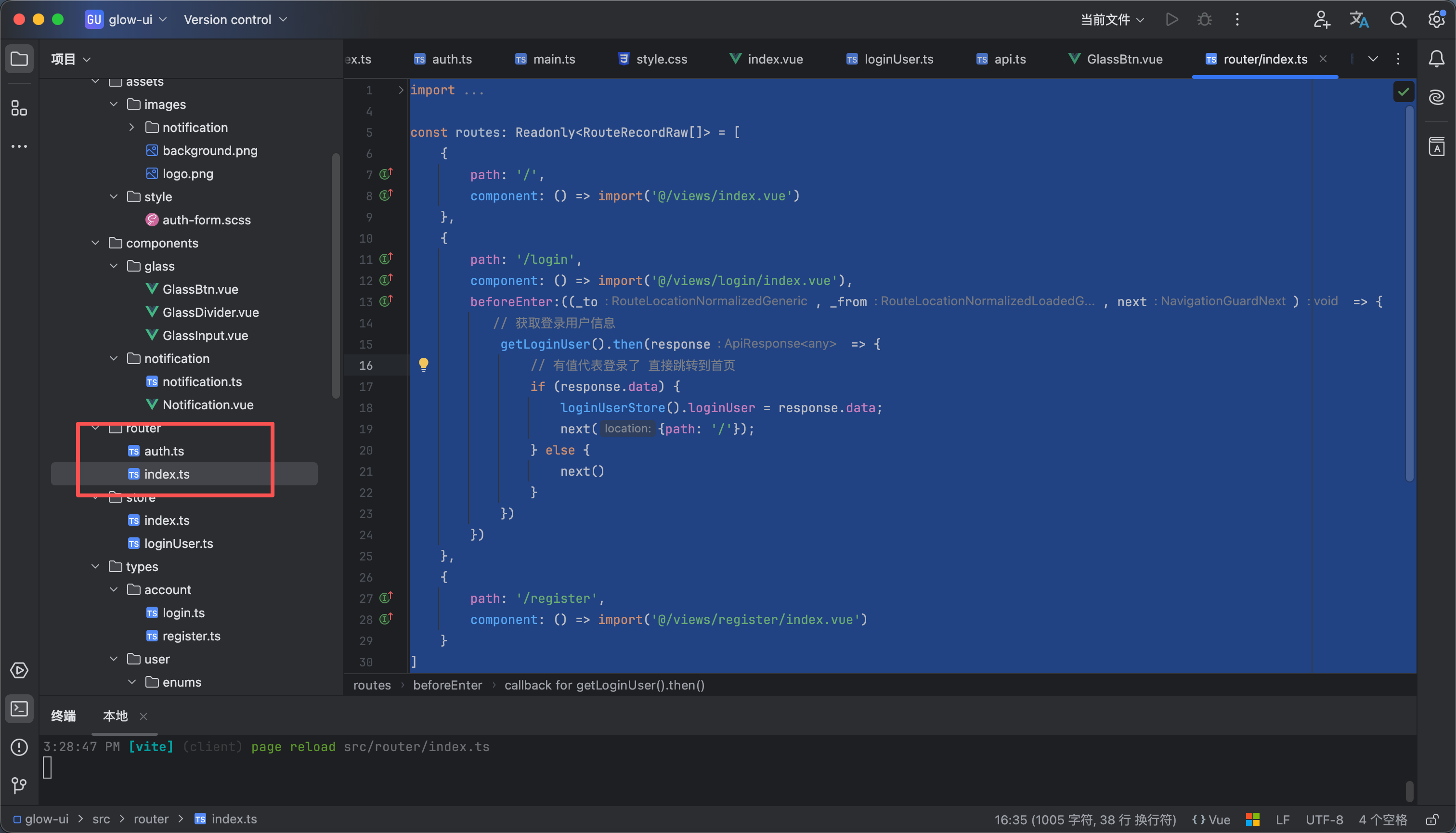
登录页面路由守卫

我们直接修改router 下面的index.ts 内容如下

import {createRouter, createWebHistory, type RouteRecordRaw} from "vue-router";
import {getLoginUser} from "@/api/account/login.ts";
import {loginUserStore} from "@/store/loginUser.ts";

const routes: Readonly<RouteRecordRaw[]> = [
{
path: '/',
component: () => import('@/views/index.vue')
},
{
path: '/login',
component: () => import('@/views/login/index.vue'),
beforeEnter:((_to, _from, next) => {
// 获取登录用户信息
getLoginUser().then(response => {
// 有值代表登录了 直接跳转到首页
if (response.data) {
loginUserStore().loginUser = response.data;
next({path: '/'});
} else {
next()
}
})
})
},
{
path: '/register',
component: () => import('@/views/register/index.vue')
}
]


const router = createRouter({
history: createWebHistory(),
routes,
})

export default router


效果看视频

25

完成

前端后端和数据库都在附件里

ZIP
glow-chat.zip
334.80KB
ZIP
glow-ui.zip
1.13MB
SQL
glow_chat.sql
1.78KB
阅读记录0
点赞0
收藏0
禁止 本文未经作者允许授权,禁止转载
猜你喜欢
评论/提问(已发布 0 条)
评论 评论
收藏 收藏
分享 分享
pdf下载 下载
pdf下载 举报