FinduCar:引导人们找到汽车停放位置的智能车钥匙

转载
原文链接: https://www.instructables.com/FinduCar-a-Smart-Car-Key-Guiding-People-to-Where-t/ 发布时间: 2025-08-28 09:44:43 |  0
0 0
0 0
0 0
0
0 0 0 0电子产品
gps
汽车钥匙
追踪车辆
车辆位置
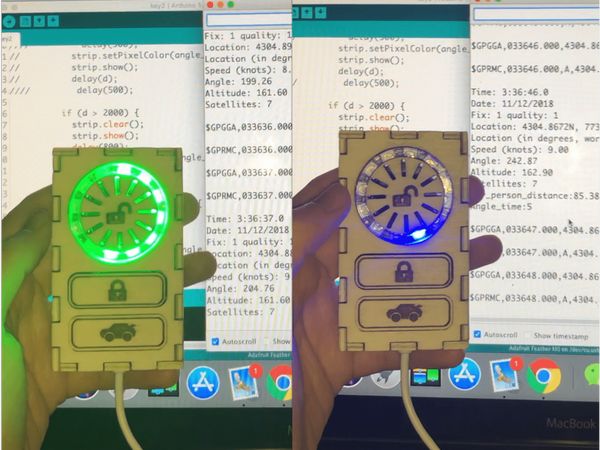
为了解决上述问题,本项目旨在开发一款智能车钥匙,它可以引导人们找到停车地点。我的计划是将 GPS 集成到车钥匙中。无需使用智能手机应用程序来追踪车辆,所有导航信息都会显示在车钥匙上。
1
纸上草图
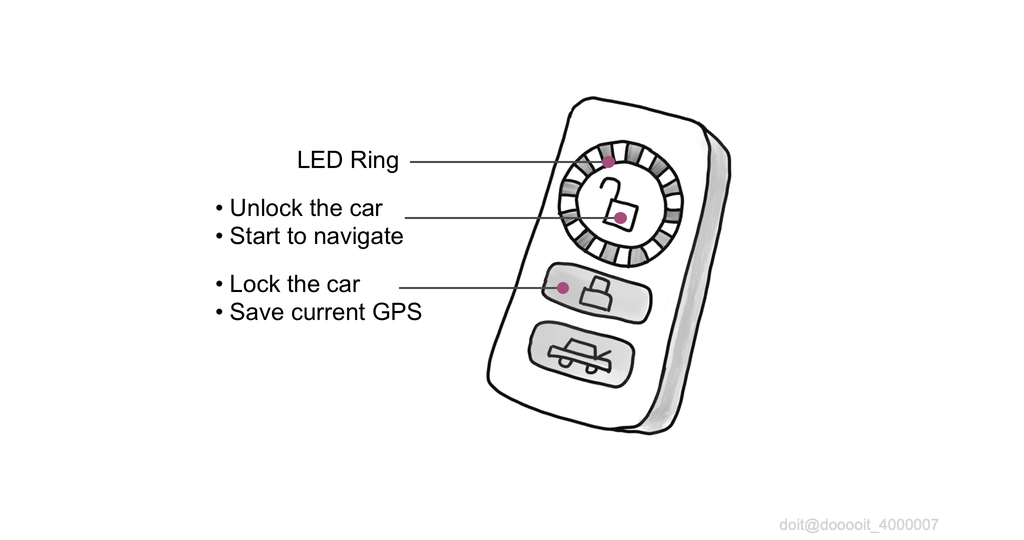
当人们按下按钮锁车时,位置信息会自动记录在微控制器中。然后,当人们开始导航到汽车时,不同的LED灯会亮起,指示汽车的位置,闪烁频率则显示与汽车的距离。人们可以轻松地跟随闪烁的LED灯,快速找到汽车。
2
硬件清单
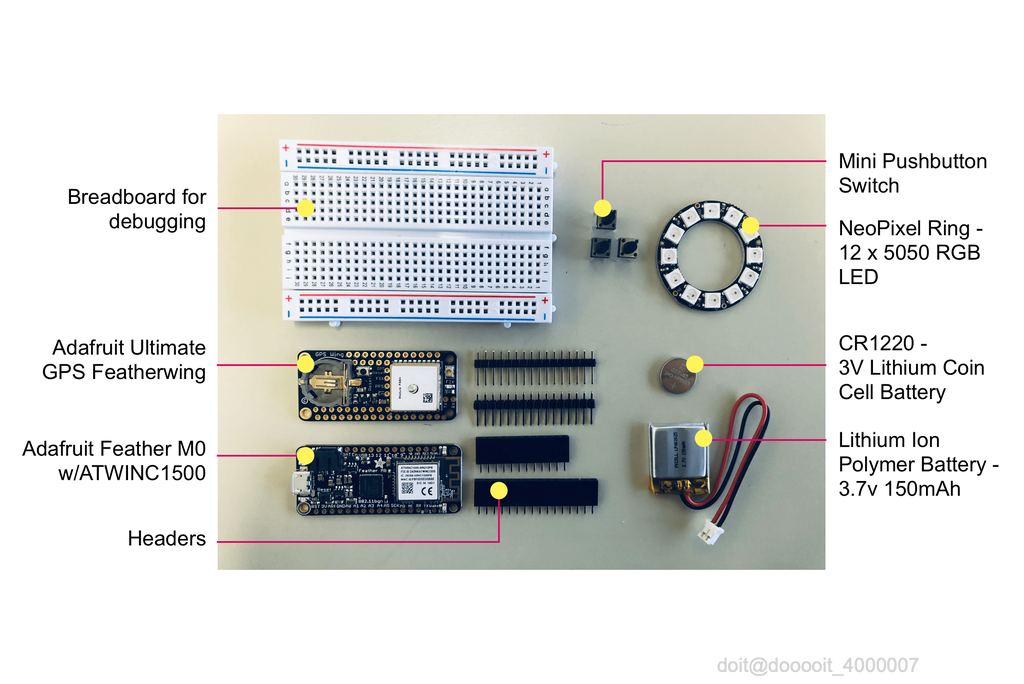
这些是本项目用到的组件。一些来自粒子套件(面包板、按钮、排针),其他则从 Adafruit 官网(Adafruit Feather M0、Adafruit Ultimate GPS 模块、Lpoly 电池和纽扣电池)和亚马逊(NeoPixel Ring - 12 RGB LED)购买。
3
电路设计
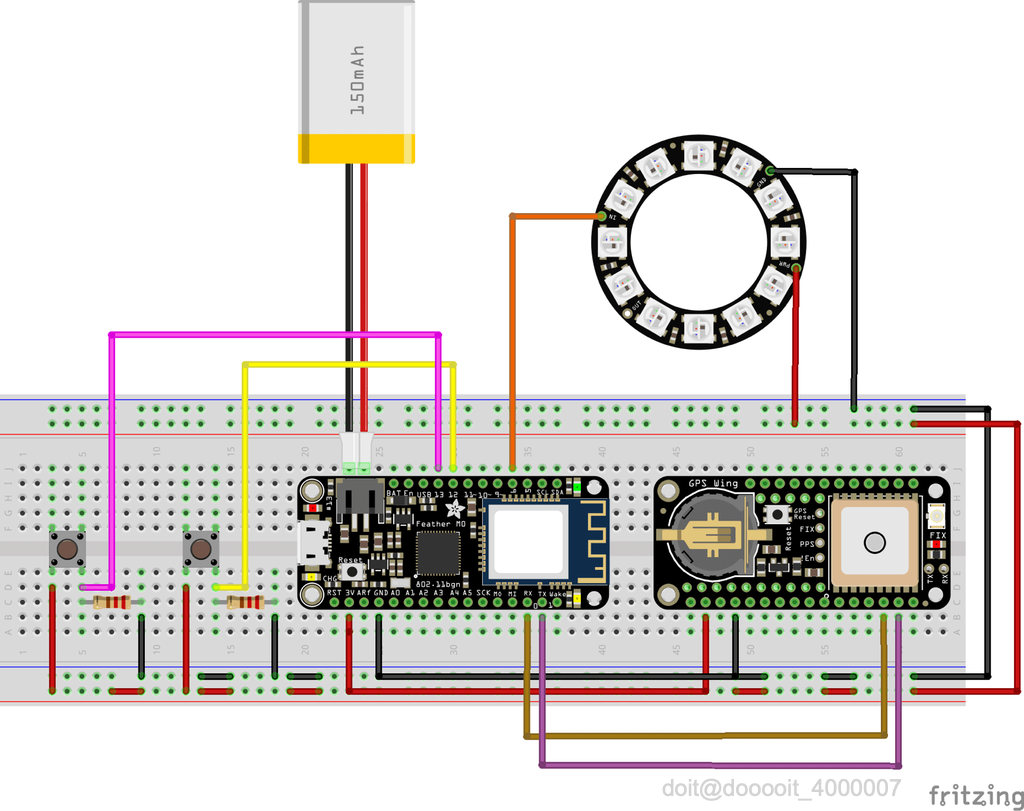
Neopixel_LED 连接到 Feather M0 的 PIN 6
Button_Unlock 连接到 Feather M0 的 PIN 12
Button_Lock 连接到 Feather M0 的 PIN 13
4
硬件连接


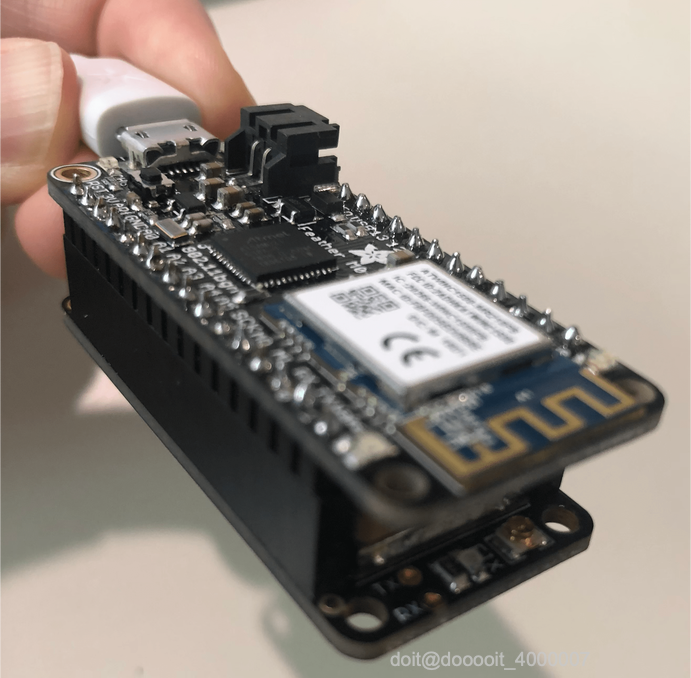
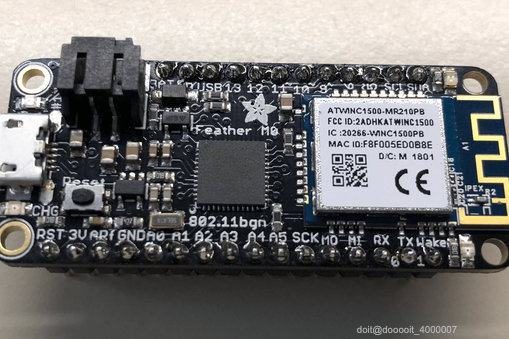
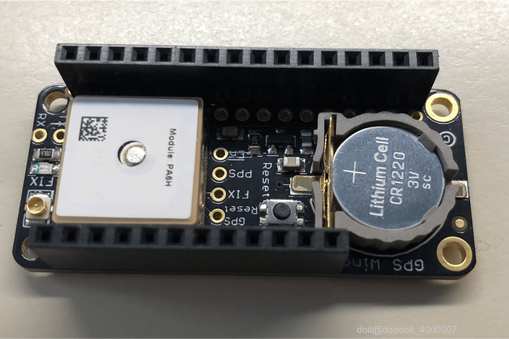
123
将 Adafruit M0 Feather 和 Adafruit Ultimate GPS Featherwing 的接口焊接在一起。将两块板叠在一起。GPS FeatherWing 可以直接插入 Feather M0 板,无需任何额外电线。
5
软件设计
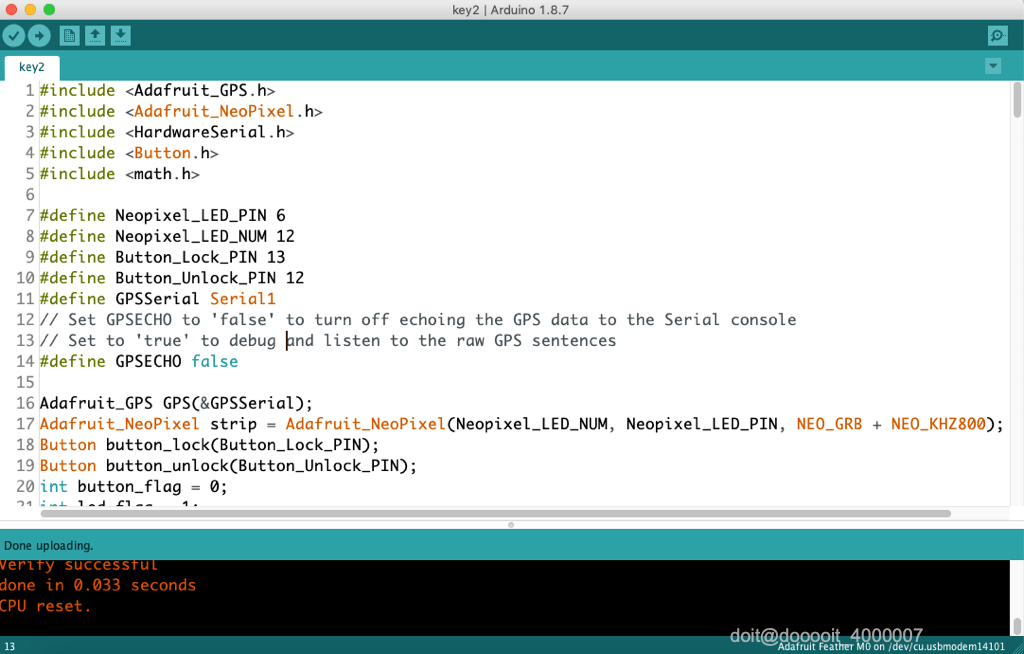
测试组件
- Read a FIX
void setup() {
Serial.println("GPS echo test");
Serial.begin(9600);
Serial1.begin(9600); // default NMEA GPS baud
}
void loop() {
if (Serial.available()) {
char c = Serial.read();
Serial1.write(c);
}
if (Serial1.available()) {
char c = Serial1.read();
Serial.write(c);
}
}
- 闪烁 LED 环
GPS计算函数
- 计算方位角
// Calculate the Azimuth
double azimuth(double lat_a, double lon_a, double lat_b, double lon_b) {
double d = 0;
lat_a = lat_a*PI/180;
lon_a = lon_a*PI/180;
lat_b = lat_b*PI/180;
lon_b = lon_b*PI/180;
d = sin(lat_a)*sin(lat_b)+cos(lat_a)*cos(lat_b)*cos(lon_b-lon_a);
d = sqrt(1-d*d);
d = cos(lat_b)*sin(lon_b-lon_a)/d;
d = asin(d)*180/PI; return d;
}
- 计算LED时钟上的时间,也就是车辆的方向
// Calculate the time on LED clock
int led_time(double angle){
int flag = 0;
if (angle < 0){
flag = 1;
}
angle = abs(angle);
double angle_remainder = fmod(angle, 30);
int angle_time = (int)angle/30;
if (angle_remainder >= 15) {
angle_time = angle_time + 1;
}
if (flag == 1){
angle_time = 12 - angle_time;
}
return angle_time;
}
- 计算人与车之间的距离
// Calculate the Distance<br>
double distance(double lat_a, double lon_a, double lat_b, double lon_b) {
double EARTH_RADIUS = 6378137.0; double radLat1 = (lat_a * PI / 180.0);
double radLat2 = (lat_b * PI / 180.0);
double a = radLat1 - radLat2;
double b = (lon_a - lon_b) * PI / 180.0; double s = 2 * asin(sqrt(pow(sin(a / 2), 2) + cos(radLat1) * cos(radLat2) * pow(sin(b / 2), 2)));
s = s * EARTH_RADIUS / 10000000;
return s;
}
LED显示屏功能
- 点亮一圈 LED 灯,表示它开始导航
// LED ring lighting one by one shows that the navigation begins
void colorWipe(uint32_t c, uint8_t wait) {
for(uint16_t i=0; i strip.setPixelColor(i, c);
strip.show();
delay(wait);
}
}
- 根据距离获取 LED 频率
/ Get LED Frequency
int frequency(double distance){
int f = (int)distance * 20;
return f;
}
- 闪烁指示汽车方向的某个 LED
/Display on LED
strip.clear();
strip.show();
delay(frequency(car_person_distance));
// delay(500);
strip.setPixelColor(angle_time, strip.Color(0, 0, 255));
strip.show();
delay(frequency(car_person_distance));
// delay(500);
//Disable LED
if (button_flag == 1 && car_person_distance < 5.0){
button_flag = 0;
led_flag = 1;
strip.clear();
strip.show();
}
Main
#include Adafruit_GPS.h<br>#include Adafruit_NeoPixel.h
#include HardwareSerial.h
#include Button.h
#include math.h
#define Neopixel_LED_PIN 6
#define Neopixel_LED_NUM 12
#define Button_Lock_PIN 13
#define Button_Unlock_PIN 12
#define GPSSerial Serial1
<p>#define GPSECHO false</p>
Adafruit_GPS GPS(&GPSSerial);<br>Adafruit_NeoPixel strip = Adafruit_NeoPixel(Neopixel_LED_NUM, Neopixel_LED_PIN, NEO_GRB + NEO_KHZ800);
Button button_lock(Button_Lock_PIN);
Button button_unlock(Button_Unlock_PIN);
int button_flag = 0;
int led_flag = 1;
uint32_t timer = millis(); double car_lat, car_lon; double car_person_distance;
double move_direction;
double car_azimuth;
double car_person_angle;
int angle_time;
void setup() {
Serial.begin(115200);
// Serial1.begin(9600);
GPS.begin(9600); // default NMEA GPS baud
strip.begin(); // uncomment this line to turn on RMC (recommended minimum) and GGA (fix data) including altitude
GPS.sendCommand(PMTK_SET_NMEA_OUTPUT_RMCGGA); // Set the update rate
GPS.sendCommand(PMTK_SET_NMEA_UPDATE_1HZ); // 1 Hz update rate // Request updates on antenna status, comment out to keep quiet
// GPS.sendCommand(PGCMD_ANTENNA); delay(1000);}
void loop() {// if (Serial.available()) {
// char c = Serial.read();
// Serial1.write(c);
// }
// if (Serial1.available()) {
char c = GPS.read(); if (GPSECHO)
if (c) Serial.print(c); // if a sentence is received, we can check the checksum, parse it...
if (GPS.newNMEAreceived()) {
// a tricky thing here is if we print the NMEA sentence, or data
// we end up not listening and catching other sentences!
// so be very wary if using OUTPUT_ALLDATA and trytng to print out data
Serial.println(GPS.lastNMEA()); // this also sets the newNMEAreceived() flag to false
if (!GPS.parse(GPS.lastNMEA())) // this also sets the newNMEAreceived() flag to false
return; // we can fail to parse a sentence in which case we should just wait for another
}
// if millis() or timer wraps around, we'll just reset it
if (timer > millis()) timer = millis();
if (millis() - timer > 2000) {
timer = millis(); // reset the timer
Serial.print("\nTime: ");
Serial.print(GPS.hour, DEC); Serial.print(':');
Serial.print(GPS.minute, DEC); Serial.print(':');
Serial.print(GPS.seconds, DEC); Serial.print('.');
Serial.println(GPS.milliseconds);
Serial.print("Date: ");
Serial.print(GPS.day, DEC); Serial.print('/');
Serial.print(GPS.month, DEC); Serial.print("/20");
Serial.println(GPS.year, DEC);
Serial.print("Fix: "); Serial.print((int)GPS.fix);
Serial.print(" quality: "); Serial.println((int)GPS.fixquality);
if (GPS.fix) {
Serial.print("Location: ");
Serial.print(GPS.latitude, 4); Serial.print(GPS.lat);
Serial.print(", ");
Serial.print(GPS.longitude, 4); Serial.println(GPS.lon);
Serial.print("Location (in degrees, works with Google Maps): ");
Serial.print(GPS.latitudeDegrees, 4);
Serial.print(", ");
Serial.println(GPS.longitudeDegrees, 4);
Serial.print("Speed (knots): "); Serial.println(GPS.speed);
Serial.print("Angle: "); Serial.println(GPS.angle);
Serial.print("Altitude: "); Serial.println(GPS.altitude);
Serial.print("Satellites: "); Serial.println((int)GPS.satellites);
// Save the GPS of the vehicle
if (button_lock.read()) {
car_lat = GPS.latitudeDegrees;
car_lon = GPS.longitudeDegrees;
//for debug
Serial.print("carLatitude: "); Serial.println(car_lat);
Serial.print("carLongitude: "); Serial.println(car_lon);
}
// Start to find the car
if (button_flag == 0){
button_flag = button_unlock.read();
}
if(button_flag == 1 && led_flag == 1){
colorWipe(strip.Color(0, 255, 0), 500);
led_flag = 0;
}
if (button_flag == 1) {
car_person_distance = distance(GPS.latitudeDegrees, GPS.longitudeDegrees, car_lat, car_lon); //Calculate the distance
//car_person_distance = distance(100.0005, 100.0005, 100.0, 100.0);
//for debug
Serial.println(car_person_distance);
move_direction = GPS.angle;//Record the moving direction(angle)
//move_direction = 100.0;
// Record the Azimuth(angle)
car_azimuth = azimuth(GPS.latitudeDegrees, GPS.longitudeDegrees, car_lat, car_lon);
//car_azimuth = azimuth(100.0005, 100.0005, 100.0, 100.0);
// Calculate the time on LED clock
car_person_angle = car_azimuth - move_direction;
angle_time = led_time(car_person_angle);
//Display on LED
strip.clear();
strip.show();
// delay(frequency(car_person_distance));
delay(500);
strip.setPixelColor(angle_time, strip.Color(0, 0, 255));
strip.show();
// delay(frequency(car_person_distance));
delay(500);
//Disable LED
if (button_flag == 1 && car_person_distance < 5.0){
button_flag = 0;
led_flag = 1;
strip.clear();
strip.show();
}
}
}
// }
}
}
6
在面包板上调试
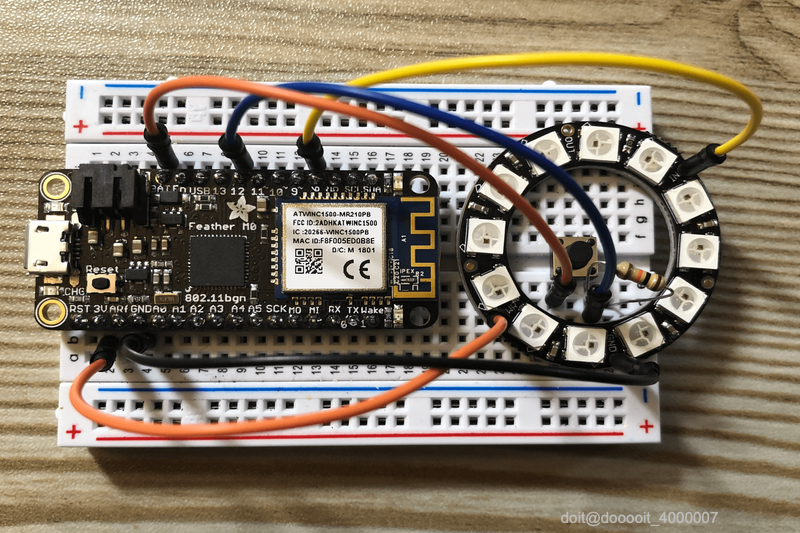
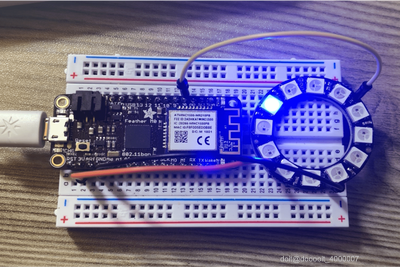
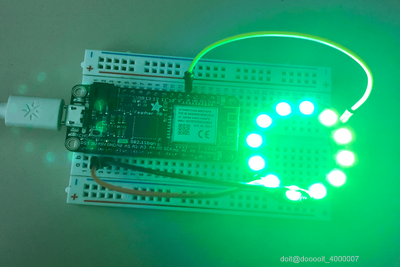
123
7
硬件组装
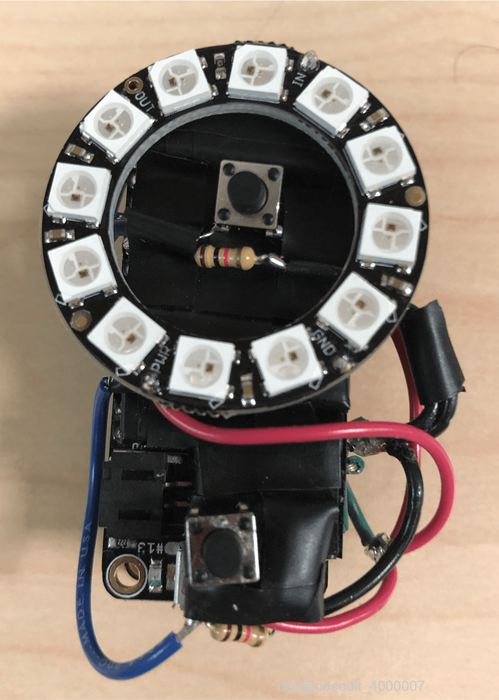
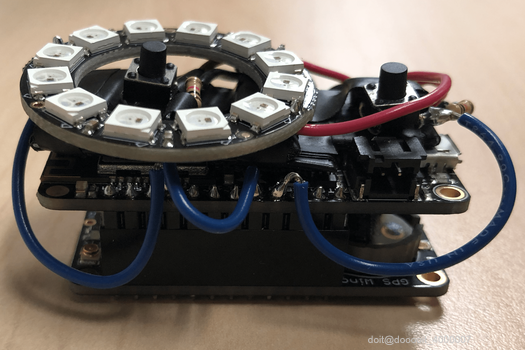
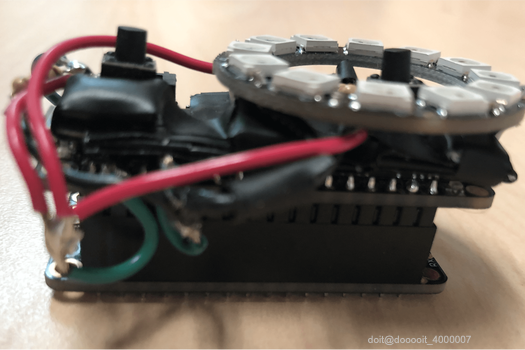
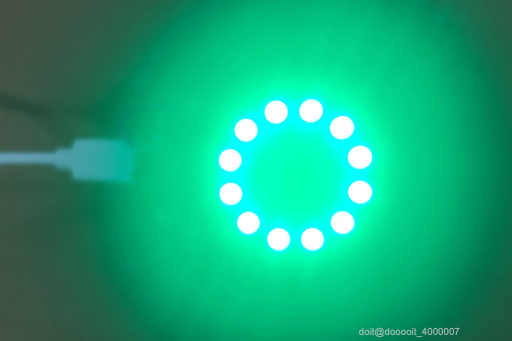
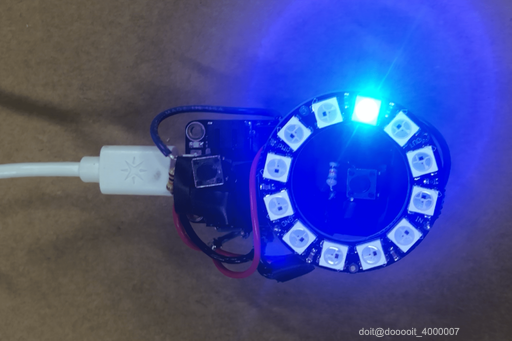
12345
8
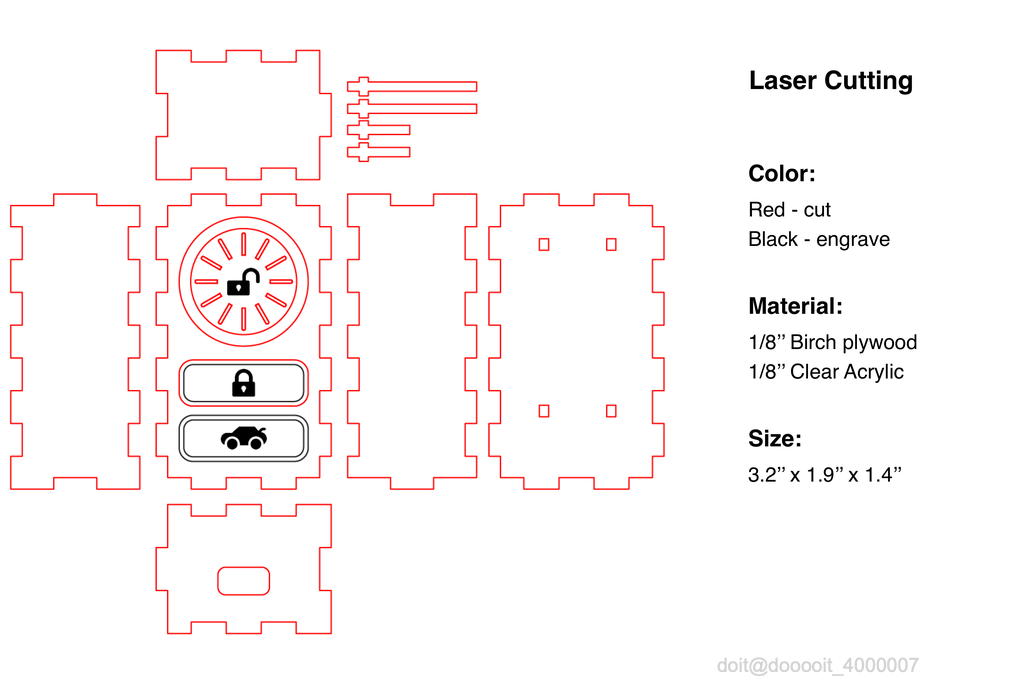
在Adobe Illustrator中设计电子外壳
9
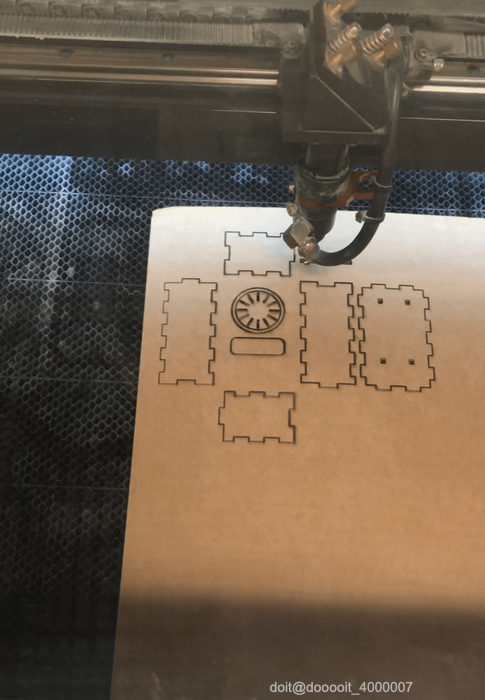
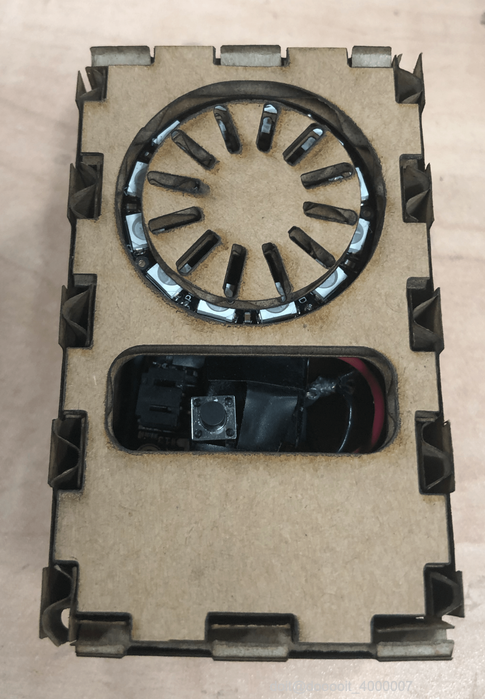
纸板原型
12
此步骤用于确认外壳和模型每个部件的尺寸,确保盒子尺寸、按钮位置和LED位置适合组装的电子元件。
10
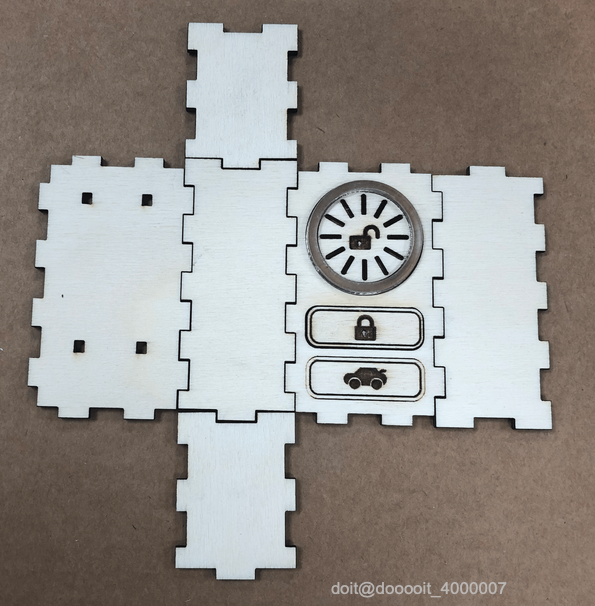
桦木胶合板原型
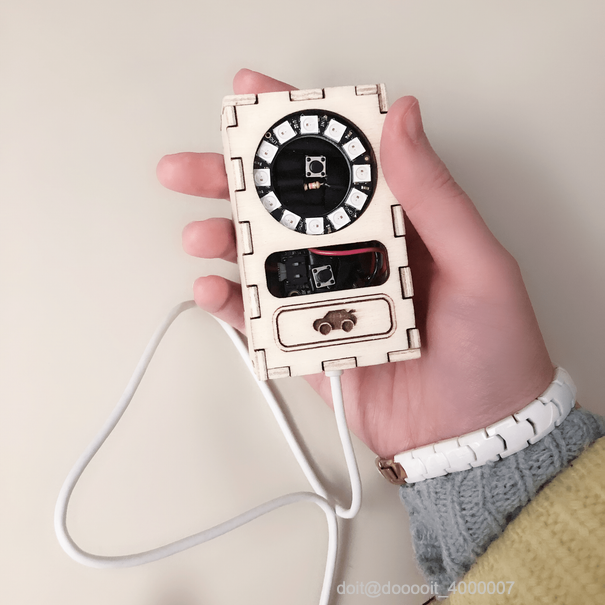
12
这是最初的原型。最终在其中一个部件上添加了一个用于插入充电器的方孔。
11
最终组装原型
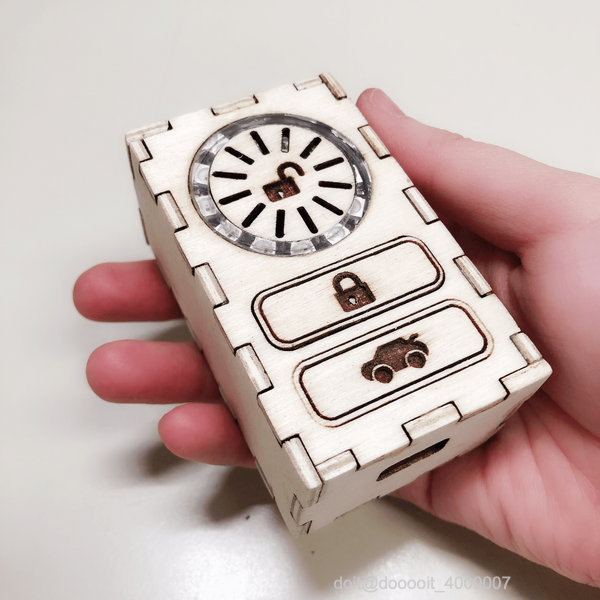
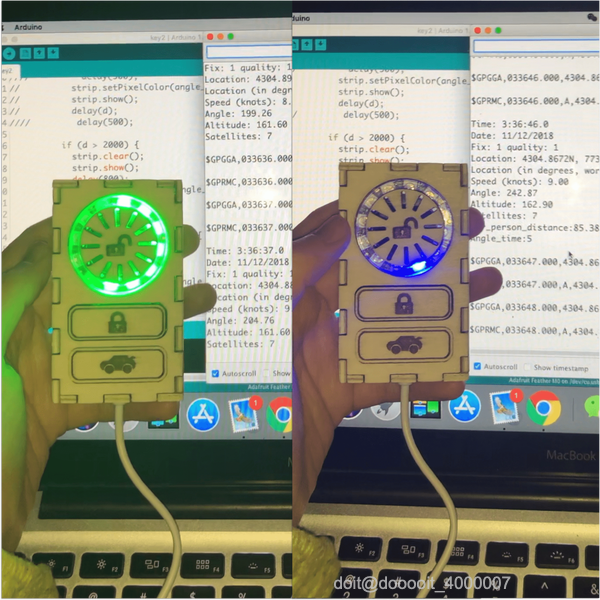
12
 0
0 0
0 0
0 qq空间
qq空间  微博
微博  复制链接
复制链接  分享
分享  本文未经作者允许授权,禁止转载
 更多相关项目
猜你喜欢
评论/提问(已发布 0 条)

 评论 收藏
评论 收藏  分享
分享  下载
下载  举报
举报  回顶部
回顶部